

Stylar
Stylar AI is a layer-based image editor that bridges the gap between generative AI and traditional design software, prioritizing layout control and style consistency over prompt-based randomness.
Excellent for creators who need to compose specific scenes with multiple elements, weaker for users requiring professional-grade manual photo retouching or CMYK print workflows.
Analysis based on product data, pricing structure, traffic signals, and public user sentiment.
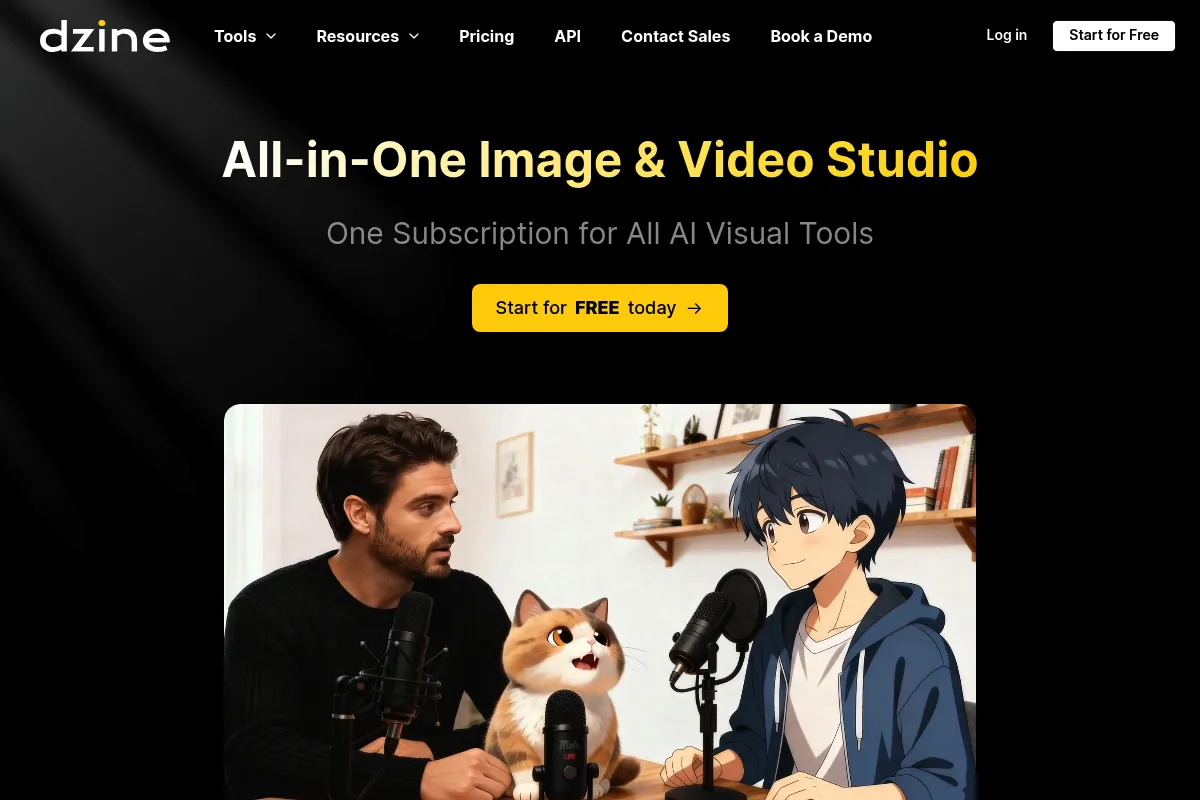
Who Should Use Stylar?
Typical users
Solo designers, e-commerce marketers, and social media managers who need high-quality visual assets but lack the time or skill for Photoshop.
Maturity fit
beginner to scaling
Choose this if…
- You need to maintain a consistent visual style across a series of product images.
- Your workflow involves placing specific objects in specific locations rather than letting the AI decide the layout.
- You want a web-based UI that handles layers and masking without the complexity of Adobe Creative Cloud.
Skip this if…
- You require high-fidelity manual pixel manipulation or advanced vector tools.
- Your primary output is for high-end print media requiring specific color profiles like CMYK.
- You already have a local Stable Diffusion setup and prefer not to pay for a credit-based cloud service.
About Stylar
Stylar AI is a web-based design tool built to give users more granular control over generative AI. It moves away from the 'black box' approach of prompt-only tools by offering a canvas where users can arrange elements, define styles, and edit specific areas of an image using layers.
Official profiles
What it actually does
Users can generate images from text, convert sketches to realistic renders, and perform complex edits like background removal, object replacement, and face swapping. Its core utility lies in its 'Composition' feature, which allows users to position multiple elements on a canvas before the AI merges them into a cohesive image.
What makes it different
Unlike Midjourney, which relies on descriptive prompting, Stylar uses a layer-based system similar to traditional editors. This allows for 'Image-to-Image' control where the structure of a reference image is strictly maintained, and a 'Style Library' that ensures visual consistency without needing to engineer complex prompts.
Key Features
Composition Tool
Allows users to place different assets on a canvas and use AI to blend them into a single, unified scene.
Style Library
A curated set of visual styles (3D, vector, realistic) that can be applied to any generation to ensure brand consistency.
Auto-Selection & Masking
Automatically identifies objects in an image for quick removal or localized AI editing.
Stylar Assistant
A chat-based interface that performs edits based on natural language commands like 'change the sky to sunset'.
Sketch-to-Image
Converts rough hand-drawn sketches into polished digital illustrations or realistic photos.
Generative Expand
Extends the borders of an image by predicting and drawing the surrounding environment.
Batch Export
Allows for the processing and downloading of multiple variations or assets simultaneously.
Pricing
Free
- 200 credits per week
- Standard generation speed
- Access to basic AI tools
- Personal use only
Starter
- 2,000 credits per month
- Commercial usage rights
- Faster generation speed
- Priority support
Pro
- 5,000 credits per month
- All Starter features
- Early access to new tools
- Higher concurrent tasks
Max
- 12,000 credits per month
- Maximum generation speed
- Dedicated account manager
- Custom style training (beta)
Pricing checked 4 months ago
Pricing guidance
- When you need commercial rights for client work
- When you exceed the 200 weekly credit limit
- When you need 4K upscaling for print or high-res displays
- Unused credits do not always roll over depending on the billing cycle
- Upscaling costs significantly more credits than a standard generation
- Commercial rights are strictly excluded from the Free plan
Competitive pricing that aligns with other AI design tools like Leonardo.ai, positioned as a premium alternative to basic prompt-only generators.
Pros & Cons
Strengths
-
Superior layout control
The ability to manually place elements on a canvas before rendering solves the 'randomness' problem common in most AI generators.
-
Low learning curve
Provides a middle ground between the simplicity of Canva and the power of Photoshop, making it accessible for non-designers.
-
Style consistency
The style library makes it easy for teams to produce images that look like they belong to the same set without complex prompt engineering.
-
Generous free tier
The weekly credit refresh allows casual users to test the full feature set without an immediate financial commitment.
Weaknesses
-
Credit-heavy workflow
High-resolution upscaling and complex edits consume credits quickly, which can make the tool expensive for high-volume production.
Affects: Power users and agencies
-
Web-only limitations
As a browser-based tool, it can struggle with very large files or slow internet connections compared to native desktop software.
Affects: Users working with high-resolution print assets
-
Occasional AI artifacts
Like all generative tools, it still struggles with fine details like human fingers or specific text within images.
Affects: Users requiring photorealistic perfection
Real User Sentiment
Users generally appreciate the intuitive UI and the level of control over image composition, though some find the credit system restrictive for heavy use.
Users tend to like
- The 'Composition' feature for precise object placement
- The ease of removing and replacing backgrounds
- The high quality of the built-in style presets
- The layer-based workflow which feels familiar to designers
Users commonly complain about
- Credits can be used up very quickly during the experimentation phase
- Occasional lag when processing complex layers in the browser
- The AI can sometimes ignore specific prompt details in favor of the selected style
Recurring tradeoffs
- You trade the infinite creative 'accidents' of Midjourney for more predictable, structured results.
Happiest users
E-commerce owners needing consistent product lifestyle shots and social media managers creating high volumes of themed content.
Often frustrated
Professional retouchers who expect the precision of manual masking and high-end color grading found in desktop apps.
Use Cases
E-commerce
Placing a product photo into various lifestyle backgrounds while maintaining consistent lighting.
Social Media
Creating a series of themed posts that all share the same visual aesthetic and color palette.
Prototyping
Quickly turning a rough UI sketch into a high-fidelity visual for a client presentation.
Character Design
Using the layer system to swap outfits or backgrounds for a consistent character model.
Marketing Assets
Generating custom illustrations for blog posts that match the company's brand style library.
Frequently Asked Questions
Is Stylar AI free to use?
Yes, Stylar offers a free plan that provides 200 credits per week. These credits refresh every 7 days, allowing for casual use and testing of most features, though commercial rights are reserved for paid plans starting at $19/month.
How does Stylar compare to Midjourney?
Midjourney is a prompt-first tool primarily accessed via Discord, known for high artistic quality but low control. Stylar is a web-based editor with a UI, layers, and composition tools that allow you to dictate exactly where elements go, making it better for specific design tasks.
Can I use the images I create for commercial purposes?
Commercial usage rights are only included in the paid plans (Starter, Pro, and Max). Images generated on the Free plan are for personal use only and may be subject to licensing restrictions.
Does Stylar have a background removal tool?
Yes, Stylar includes a dedicated AI background removal tool that can automatically detect subjects and mask them. Because it uses a layer-based system, you can easily place the subject onto a new AI-generated background within the same project.
What are the limitations of the AI generation?
While Stylar is excellent for composition, it still faces common AI challenges like rendering realistic human hands, complex text, or highly specific anatomical details. It also lacks the advanced vector editing capabilities found in tools like Adobe Illustrator.
Does Stylar integrate with Photoshop or Canva?
Stylar does not currently have direct plugins for Photoshop or Canva. However, you can export your layers as PNGs with transparency to easily move your AI-generated assets into those platforms for final polishing.
Why trust this page?
This evaluation combines product positioning, pricing analysis, traffic and market signals, and public user sentiment into a single decision-support page. Content is generated editorially — not copied from the vendor's website.
Funding & Company
Founded
2023
Stage
Bootstrapped
Total Raised
Bootstrapped
Latest Round
—
Stylar, which rebranded to Dzine in 2025, is a bootstrapped and self-funded company. Its stability and longevity are directly tied to its revenue and customer base rather than venture capital, indicating a focus on building a sustainable product from its inception.
Market Signals & Traffic
Estimated visits, global rank, geography, traffic sources, monthly visit trends, and organic search keywords (Similarweb)—on a dedicated page built for depth and search.
- Estimated visits
- 0
- Global rank
- —
- Snapshot
- Apr 2026
- Traffic trend
- —
Estimated monthly visits
Alternatives to Stylar
View all alternativesAdobe Firefly
Content Creation, Video Creation
Generative AI tools for creating and editing images, video, and more.
Canva AI
Content Creation

Online design tool for creating graphics, presentations, videos, and websites.
Leonardo AI
Content Creation
AI platform for creating and editing visual assets like images and video.
Similar Tools
Khroma
Design, Content Creation

AI-powered color palette generator that learns your preferences.
Evatype
Design, Content Creation

Generate custom, high-quality fonts and typography using text descriptions.
Logo.com
Design, Content Creation

Automated logo maker and brand identity design platform.
Vizcom
Design, Content Creation

Real-time sketch-to-render tool for industrial and product designers.
IconScout
Design, Content Creation

Marketplace for high-quality icons, 3D illustrations, and motion graphics.
OpenArt
Design, Content Creation
Create, edit, and explore images using advanced generative models.