

Guideless automates the creation of narrated video guides from browser workflows, focusing on speed and simplicity over complex editing features.
Excellent for teams needing to create training and support videos quickly, weaker for those requiring deep customization and analytics.
Analysis based on product data, pricing structure, traffic signals, and public user sentiment.
Who Should Use Guideless?
Typical users
Customer success, support, and product teams at SaaS companies who need to produce onboarding tutorials, feature walkthroughs, and support documentation without a dedicated video editor.
Maturity fit
beginner to scaling
Choose this if…
- Your priority is speed and ease of creation over granular editing control.
- You need to empower non-technical team members to create professional-sounding video guides.
- You want AI-powered narration and captions included by default without complex configuration.
- You frequently update documentation and need to avoid re-recording entire videos.
Skip this if…
- You require detailed analytics on video engagement and user progress.
- Your workflows are highly complex with extensive branching logic.
- You need enterprise-grade features like programmatic API access or advanced integrations.
- You need to export documentation in multiple formats like interactive web pages or slides.
About Guideless
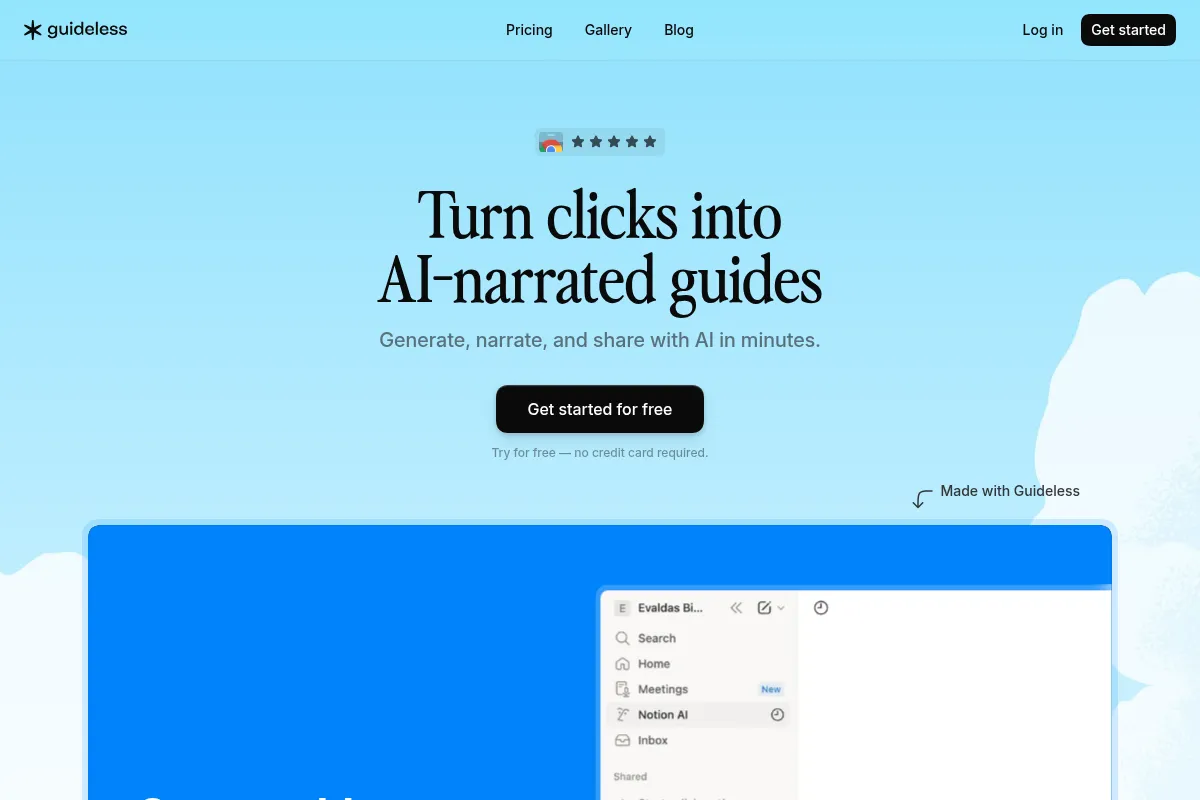
Guideless is a browser-based tool that captures user workflows and automatically converts them into polished, AI-narrated video guides. It's designed for teams who need to create product walkthroughs, employee training, and customer support documentation quickly, without the overhead of traditional screen recording and video editing software. The core focus is on minimizing effort from capture to a shareable final product.
Official profiles
What it actually does
Using a Chrome extension, Guideless records the clicks and actions of a user navigating a web-based application. It then automatically generates a step-by-step script, adds a natural-sounding AI voiceover in multiple languages, and produces a video with smart zooms and highlights. The final guide can be shared via a link, embedded on a website, or downloaded as an MP4 file.
What makes it different
Guideless differentiates itself by intentionally omitting complex editing features. Unlike more feature-rich competitors like Guidde, Guideless prioritizes speed and simplicity, aiming for a near-instant, auto-polished output. AI narration is a core, default feature on all guides, not a premium add-on, which reinforces its focus on producing a finished product with minimal user intervention.
Ratings across the web

Ratings aggregated from independent review platforms.
Key Features
Effortless Capture
A Chrome extension records clicks and actions, automatically building the foundation of the guide without manual screen recording.
AI-Generated Narration
Instantly creates a voiceover for the captured workflow, saving hours of recording and editing audio. Users can edit the script and regenerate the voice.
Multi-Language Voiceovers
Offers a wide selection of natural-sounding AI voices in over 40 languages, making it suitable for global teams and audiences.
Template-Free Creation
The output is polished by default, removing the need to configure complex templates or editing timelines.
Instant Sharing & Export
Guides can be shared immediately with a link, embedded in knowledge bases, or downloaded as an MP4 for use in other materials.
Update Without Re-recording
Scripts and steps can be modified after the initial capture, allowing for quick updates as software changes.
Pricing
Free Trial
- Access to all features
Paid
- All features included
- AI-written narration
- Smart zooms and highlights
- Shareable URLs and embed codes
- Export to MP4
Pricing checked 6 months ago
Pricing guidance
- Your 7-day free trial expires.
- You need to create and share guides after the trial period.
- You want to continue using the tool for ongoing documentation needs.
- The pricing page is not detailed on the main website, requiring users to look at third-party directories for a price point.
- Specific usage limits (e.g., number of guides, video length) are not clearly stated upfront.
Affordable for individuals and small teams, with a simple, all-inclusive subscription model.
Pros & Cons
Strengths
-
Extremely fast workflow
Users can go from starting a capture to having a shareable, narrated video in minutes. This is ideal for teams that need to produce documentation on the fly.
-
Simple, minimal interface
The tool is built to be used by anyone, regardless of technical or video editing skill. The lack of a complex editor is a core design choice.
-
High-quality AI narration included
Professional-sounding voiceovers are a default feature, not an upgrade. This significantly improves the quality of the output with no extra effort.
-
Easy to update content
The ability to edit the script and regenerate narration without having to re-record the entire workflow is a significant time-saver for products that change frequently.
Weaknesses
-
Lacks advanced editing features
Users who want fine-grained control over timing, annotations, or visual effects will find the tool too simplistic.
Affects: Power users and video professionals
-
No detailed analytics
The tool does not appear to offer analytics on viewer engagement, which is a key feature for teams needing to track the effectiveness of their training materials.
Affects: Customer success and marketing teams
-
Limited to browser-based workflows
As it relies on a Chrome extension, it cannot be used to document processes that involve desktop applications.
Affects: Users needing to create guides for desktop software
-
No API or advanced integrations
There is no mention of a public API, webhooks, or deep integrations with platforms like Zapier, limiting automation possibilities.
Affects: Teams with automated documentation or CI/CD workflows
Real User Sentiment
Early user sentiment is positive, with a strong appreciation for the tool's simplicity and the quality of the AI-narrated output. Users see it as a significant time-saver compared to manual recording or more bloated alternatives.
Users tend to like
- The speed of creating a polished video guide.
- The high quality and natural sound of the AI voiceovers.
- The simplicity and ease of use, requiring no technical skills.
- The combination of AI voice and auto-subtitles.
Users commonly complain about
- Lack of advanced features like 4K video output (though some feature requests are addressed quickly by the developer).
- Desire for more export options, such as HTML or other document formats.
Recurring tradeoffs
- Users trade advanced customization and editing control for speed and simplicity.
Happiest users
Teams and individuals who were previously frustrated with the time and complexity of creating software walkthroughs and need a 'good enough' guide, fast.
Often frustrated
Users who require deep analytics, enterprise integrations, or granular control over the final video output would likely find the tool too limited.
Use Cases
Customer Onboarding
Create a library of video guides to walk new users through key features and setup processes.
Internal Employee Training
Develop Standard Operating Procedures (SOPs) and training materials for internal software and web-based tools.
Customer Support
Respond to support tickets with quick, clear video guides that demonstrate how to solve a specific problem, reducing back-and-forth communication.
Product Marketing
Generate brief feature announcement videos and product demos for marketing campaigns or release notes.
Sales Enablement
Equip the sales team with a library of product demos they can share with prospects to showcase specific functionality.
Frequently Asked Questions
How is Guideless different from Loom?
Guideless automatically generates a structured video with an AI voiceover, smart zooms, and a written script based on your clicks. Loom is a manual screen recording tool where you record your screen and voice in real-time. Guideless is faster for creating polished, step-by-step guides, while Loom is better for informal, personalized messages.
How does Guideless compare to Guidde?
Guideless is designed for simplicity and speed, with fewer editing options and AI narration included by default. Guidde is a more feature-rich platform with an extensive editor for customization, advanced analytics, and more integrations, but it has a steeper learning curve and a tiered pricing model. Choose Guideless for speed; choose Guidde for control.
Can I edit a guide after it has been created?
Yes. You can edit the AI-generated script, reorder steps, and regenerate the voiceover at any time without needing to re-record your entire workflow. This makes it easy to keep guides updated as your product evolves.
What are the main limitations of Guideless?
The primary limitations are its lack of advanced editing features, absence of user analytics, and its inability to capture workflows outside of a web browser. It also does not currently offer a public API or extensive third-party integrations for automated workflows.
Is there a free plan for Guideless?
Guideless does not have a permanent free plan. It offers a 7-day free trial that provides access to all features. After the trial, you must subscribe to the paid plan, which is listed at $24 per month.
What integrations does Guideless support?
Guideless does not publicly list any direct third-party integrations with platforms like Zapier, Slack, or project management tools. Its primary method of integration is by sharing a direct link or embedding the created video guide into knowledge bases, websites, or other documents.
Why trust this page?
This evaluation combines product positioning, pricing analysis, traffic and market signals, and public user sentiment into a single decision-support page. Content is generated editorially — not copied from the vendor's website.
Related posts
Funding & Company
Founded
—
Stage
Pre seed
Total Raised
Bootstrapped
Latest Round
—
Guideless appears to be a bootstrapped or very early-stage company with no publicly disclosed funding information. This lack of external investment suggests the company is likely relying on its own revenue or the founders' personal funds to operate and grow.
Market Signals & Traffic
Estimated visits, global rank, geography, traffic sources, monthly visit trends, and organic search keywords (Similarweb)—on a dedicated page built for depth and search.
- Estimated visits
- 11,654
- Global rank
- #1,764,980
- Snapshot
- Apr 2026
- Traffic trend
- Surging
Estimated monthly visits
Alternatives to Guideless
View all alternatives
Similar Tools
SendOwl
Automation, Marketing Automation, Productivity

Sell and deliver digital products, subscriptions, and memberships online.
Uizard
AI Assistant, Content Creation

AI-powered tool to create UI designs, wireframes, and prototypes from text, sketches, or screenshots.
Kits.ai
Music Generation, Content Creation, Productivity

Voice generation and music production toolkit for creators
Keycard
Developer Tools, Automation & Agents, Privacy & Compliance

Identity and access management infrastructure for autonomous agents.
Sierra AI
AI Assistant, Automation

AI platform for building autonomous customer support agents.
Koyeb
Developer Tools, Automation

Serverless platform for deploying high-performance applications and AI models