

A meeting assistant focused on high-accuracy intent-based summaries and cross-meeting search, best for sales and product teams who need to sync insights directly to CRMs and project tools.
Excellent for teams requiring deep CRM integration and searchable meeting history, weaker for individuals on a tight budget compared to free alternatives like Fathom.
Analysis based on product data, pricing structure, traffic signals, and public user sentiment.
Who Should Use Circleback?
Typical users
Sales representatives, product managers, and customer success teams in mid-market B2B companies who manage high call volumes.
Maturity fit
scaling
Choose this if…
- Your priority is summary accuracy and intent capture over simple transcription
- You need to automate the syncing of meeting notes to Salesforce, HubSpot, or Linear
- You want to query your entire meeting history using natural language
Skip this if…
- You only need basic transcription without advanced summarization
- Your organization has strict policies against third-party bots joining video calls
- You are looking for a completely free tool for unlimited meetings
About Circleback
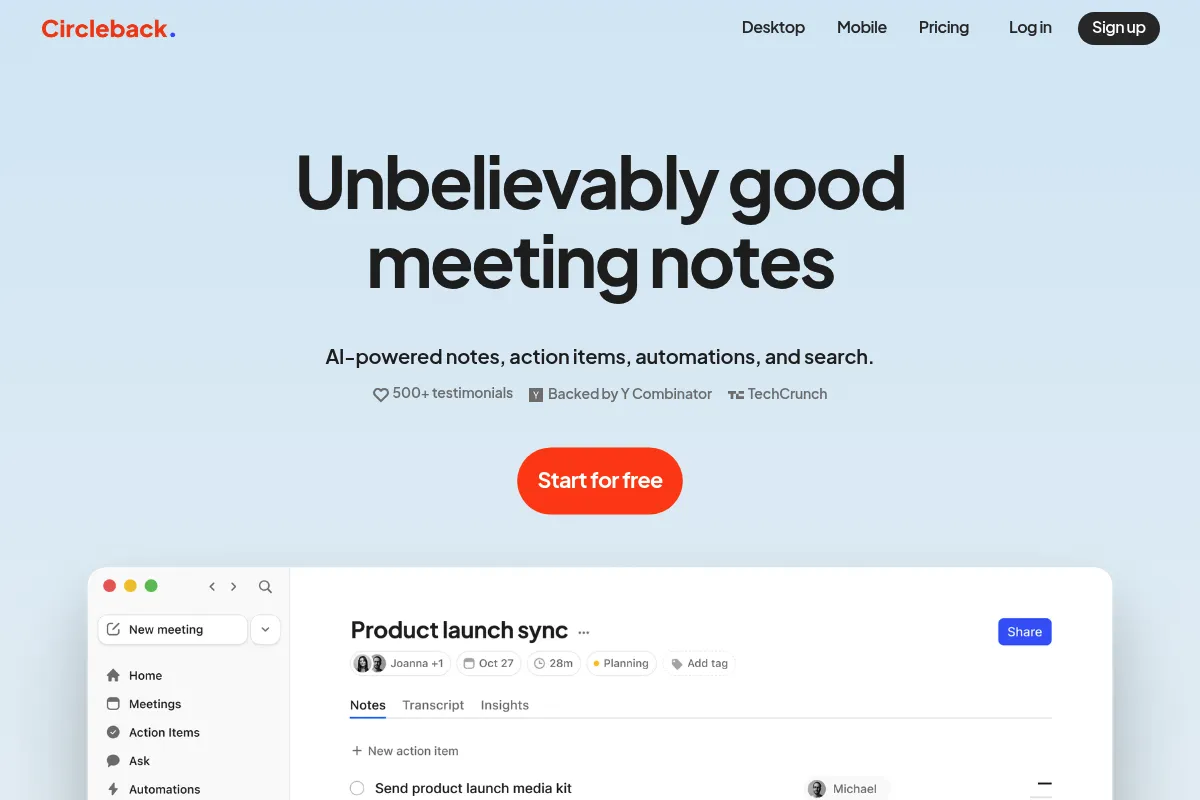
Circleback is an AI-driven meeting intelligence tool designed to automate the post-call workflow. It moves beyond basic transcription by focusing on the 'why' behind conversations, identifying action items and drafting follow-up emails. It exists to eliminate manual data entry for teams using CRMs and project management software.
Official profiles
What it actually does
It joins video calls on Zoom, Google Meet, and Microsoft Teams to record and transcribe conversations in real-time. After the call, it generates a structured summary, extracts tasks, and creates email drafts that can be sent to participants or synced to external platforms.
What makes it different
Unlike competitors that provide a chronological list of what was said, Circleback uses a search-first architecture. It allows users to ask questions across their entire library of meetings (e.g., 'What were the main objections from all sales calls last week?') and provides summaries that prioritize context and intent over verbatim text.
Ratings across the web

Ratings aggregated from independent review platforms.
Key Features
Ask Circleback
Allows users to query their meeting history to find specific details or aggregate insights across multiple calls.
Intent-based Summaries
Focuses on capturing the underlying meaning and decisions rather than just a sequence of bullet points.
CRM Auto-sync
Automatically updates deal records in HubSpot or Salesforce with relevant meeting notes and next steps.
Action Item Extraction
Identifies commitments made during the call and formats them as trackable tasks.
Follow-up Drafts
Generates ready-to-send emails based on the meeting's conclusion and agreed-upon next steps.
Workspace Search
A centralized dashboard to find any mention of a keyword or topic across the team's entire call history.
Pricing
Free
- 10 meetings per month
- Basic transcription
- Standard summaries
- Searchable history
Pro
- Unlimited meetings
- Advanced AI summaries
- Follow-up email drafts
- Notion and Slack integrations
Team
- Everything in Pro
- Salesforce and HubSpot CRM sync
- Shared team workspace
- Centralized billing
Pricing checked 4 months ago
Pricing guidance
- When you exceed 10 meetings in a month
- When you need to sync notes directly to a CRM like Salesforce
- When you want to share a searchable meeting library with a team
- CRM integrations are locked behind the most expensive tier
- The Free plan does not include advanced search capabilities across all meetings
Premium positioning compared to the market, justified by the quality of its AI-generated output.
Pros & Cons
Strengths
-
Superior summary quality
Users consistently report that the summaries are more coherent and actionable than those from Otter or Fireflies, requiring less manual editing.
-
Deep workflow integration
The ability to push notes directly into Linear or Salesforce saves significant time for product and sales teams who live in those tools.
-
Powerful cross-meeting search
The search functionality acts as a second brain, making it easy to track the evolution of a project or client relationship over months of calls.
Weaknesses
-
Higher price point
At $25/month for the Pro tier, it is significantly more expensive than competitors like Fathom which offer a robust free version.
Affects: Solo practitioners and small startups
-
Bot-based recording
The requirement for a visible bot to join the call can be a friction point in some formal or high-security client environments.
Affects: Enterprise sales and legal teams
-
Limited real-time features
It focuses more on post-call processing than real-time collaborative note-taking during the meeting itself.
Affects: Users who prefer to live-edit notes with colleagues
Real User Sentiment
Generally positive, with users praising the 'intelligence' of the summaries while occasionally grumbling about the subscription cost.
Users tend to like
- The accuracy of the 'Action Items' section
- The 'Ask' feature for finding specific meeting moments
- Clean and intuitive user interface
- Reliable integration with Notion
Users commonly complain about
- The bot can be intrusive in small meetings
- Pricing is high for individuals
- Occasional delays in processing long meetings
Recurring tradeoffs
- Users trade a higher monthly fee for significantly less time spent editing AI-generated notes.
Happiest users
Account executives and product managers who need to document every decision but hate manual note-taking.
Often frustrated
Budget-conscious freelancers who find the free tier too limiting and the Pro tier too expensive.
Use Cases
Sales Discovery
Automatically updating HubSpot deal stages based on customer pain points identified in the call.
Product Feedback
Aggregating feature requests across multiple user interviews using the cross-meeting search.
Project Handoff
Generating a concise summary and task list for developers after a client kickoff meeting.
Executive Briefing
Providing a high-level overview of internal syncs for managers who couldn't attend.
Candidate Interviews
Summarizing key strengths and weaknesses from recruitment calls to share with hiring managers.
Frequently Asked Questions
Is there a free version of Circleback?
Yes, Circleback offers a free plan that includes 10 meetings per month. However, it lacks advanced features like CRM syncing and follow-up email drafts, which are reserved for the Pro ($25/mo) and Team ($40/user/mo) plans.
How does Circleback compare to Otter.ai?
While Otter.ai is a strong transcription tool, Circleback focuses more on the 'intelligence' layer. Circleback's summaries are generally more structured and actionable, and its search allows for natural language questions across all meetings, whereas Otter is more focused on the verbatim transcript.
Does Circleback work with Microsoft Teams?
Yes, Circleback supports Zoom, Google Meet, and Microsoft Teams. It uses a bot that joins the meeting as a participant to record and transcribe the audio.
Can I prevent the bot from joining certain meetings?
Yes, you can configure your settings to only join meetings you've explicitly invited it to, or set it to automatically join all calendar events except those marked as private.
What CRMs does Circleback integrate with?
Circleback currently offers deep integrations with Salesforce, HubSpot, and Pipedrive. These integrations allow for automatic syncing of meeting notes and action items to the relevant records, but they require the Team plan.
Is my meeting data secure?
Circleback uses industry-standard encryption and allows users to delete their recordings and transcripts at any time. They state they do not use your data to train models for other users, though they do use third-party LLMs (like OpenAI) to process the summaries.
Why trust this page?
This evaluation combines product positioning, pricing analysis, traffic and market signals, and public user sentiment into a single decision-support page. Content is generated editorially — not copied from the vendor's website.
Funding & Company
Founded
2023
Stage
Seed
Total Raised
$3M
Latest Round
Seed (Nov 2024)
Notable Investors
Circleback has raised a total of $3.0 million over two rounds in 2024, including a $2.5M seed round led by institutional and angel investors. This funding, backed by notable early-stage investor Y Combinator, provides the company with a solid runway to develop its product in the competitive AI meeting assistant market.
Market Signals & Traffic
Estimated visits, global rank, geography, traffic sources, monthly visit trends, and organic search keywords (Similarweb)—on a dedicated page built for depth and search.
- Estimated visits
- 0
- Global rank
- —
- Snapshot
- May 2026
- Traffic trend
- —
Alternatives to Circleback
View all alternativesOtter.ai
AI Assistant, Productivity, Documentation

AI-powered transcription and meeting assistant for accurate notes and summaries.
Fireflies.ai
AI Assistant, Productivity, Documentation

AI meeting assistant that records, transcribes, and summarizes calls.
Fathom
Productivity, Video Creation, AI Assistant

AI notetaker that records, transcribes, and summarizes meetings.
Similar Tools
Bluedot
AI Assistant, Communication, Productivity

Bot-free meeting recorder and note-taker for professional teams.
Personal AI
AI Assistant, Communication, Productivity

Create a digital twin that learns from your personal knowledge.
Ai Pin
AI Assistant, Communication, Productivity

Wearable screenless device for voice and gesture-based digital interaction.
Amigo AI
AI Assistant, Communication, Productivity

WhatsApp assistant for instant answers, image generation, and voice transcription.
Amie
Productivity, Communication, Workflow

Unified calendar, task manager, and email client for seamless scheduling.
Klu
Developer Tools, Workflow, Automation & Agents

Build, manage, and optimize applications powered by large language models.