

A specialized video localization tool that automates dubbing and lip-syncing for global distribution—best for high-volume content creators and educators, though expensive for casual use.
Excellent for maintaining original voice tone across 130+ languages, weaker for users on tight budgets or those requiring perfect cultural nuance in translation.
Analysis based on product data, pricing structure, traffic signals, and public user sentiment.
Who Should Use Rask AI?
Typical users
Content creators, corporate trainers, and marketing teams scaling video reach across borders without hiring voice actors.
Maturity fit
scaling to advanced
Choose this if…
- You need to dub long-form video quickly while keeping the original speaker's voice
- Your priority is automated lip-syncing to make dubbed content look natural
- You want to manage translation, dubbing, and subtitles in a single workflow
Skip this if…
- You have a low volume of video that doesn't justify a high monthly subscription
- You require human-grade translation accuracy for legal or highly technical content
- You only need simple subtitles and don't care about audio dubbing
About Rask AI
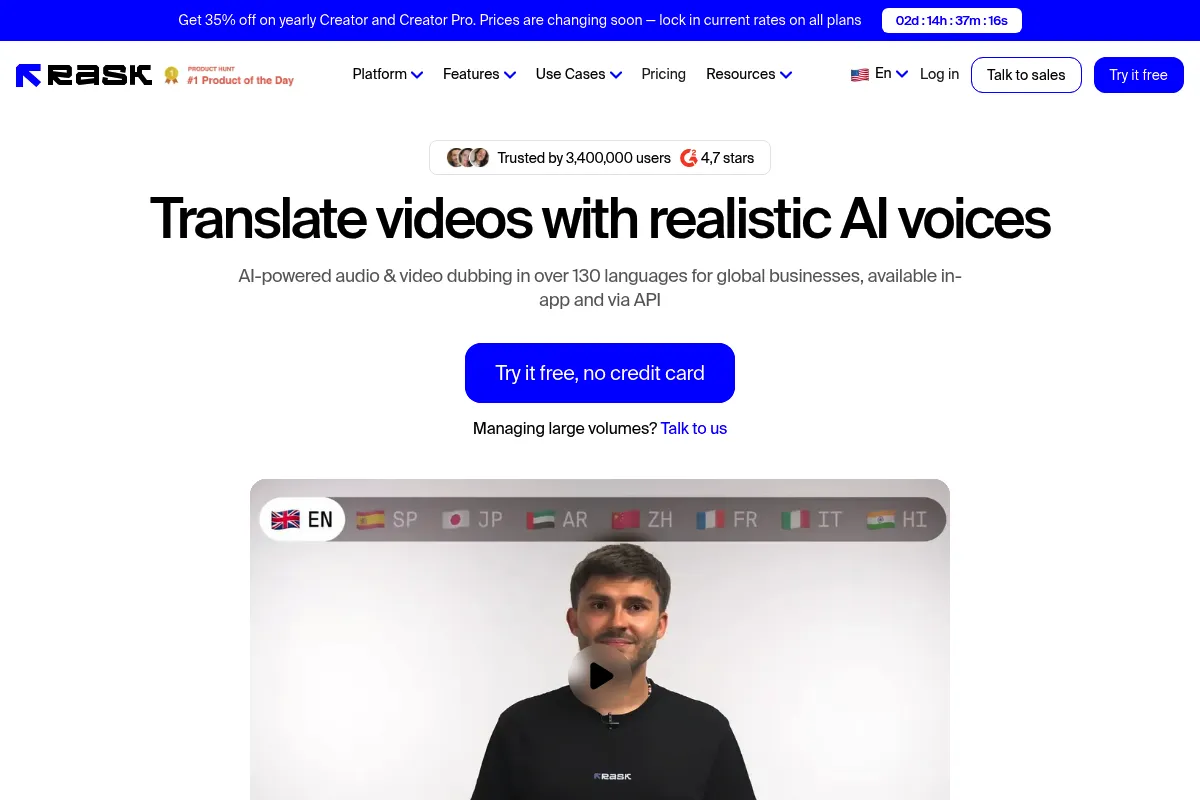
Rask AI is a video localization platform designed to automate the translation and dubbing process. It targets businesses and creators who need to repurpose video content for international audiences by replacing original audio with AI-generated speech in over 130 languages.
What it actually does
The platform takes a video file or link, transcribes the audio, translates the text, and generates a new voiceover that matches the original speaker's tone. It also offers a lip-sync feature that adjusts the speaker's mouth movements to match the new language's phonemes.
What makes it different
Unlike standard translation tools, Rask focuses heavily on 'Voice Cloning' and 'Lip-Sync' as a combined package. While competitors often specialize in either audio (ElevenLabs) or avatars (HeyGen), Rask is built specifically for the workflow of localizing existing footage of real people.
Ratings across the web

Ratings aggregated from independent review platforms.
Key Features
Voice Cloning
Maintains the unique vocal characteristics of the original speaker in the target language.
Lip-Sync Check
Adjusts the video's mouth movements to align with translated audio for a more natural look.
Multi-Speaker Recognition
Automatically identifies different people in a video and assigns unique voices to each.
SRT/VTT Export
Allows users to download timed captions for use on external players or social platforms.
YouTube Integration
Simplifies the process of importing videos directly from a channel for faster processing.
AI Rewrites
Adjusts translated text length to ensure the new audio fits the original video timing.
Shorts Creator
Extracts viral-ready segments from long-form videos for multi-platform distribution.
Pricing
Free
- 3 minutes of video (one-time credit)
- 1 project limit
- Rask AI watermark
- Voice cloning included
Basic
- 25 minutes per month
- No watermark
- 130+ languages
- SRT export
Pro
- 100 minutes per month
- Lip-sync feature included
- Early access to new features
- Priority support
Business
- 500 minutes per month
- API access
- Dedicated account manager
- Custom voice cloning
Pricing checked 6 months ago
Pricing guidance
- When you need to remove the watermark
- When you require lip-syncing for professional-grade videos
- When your monthly video output exceeds 25 minutes
- Minutes do not always roll over to the next month
- Lip-syncing is often limited to a specific number of uses even on paid tiers
- Monthly billing is significantly more expensive than annual billing
Premium positioning justified by the complexity of the lip-sync and voice cloning technology.
Pros & Cons
Strengths
-
High-fidelity voice cloning
The AI captures the emotional resonance and pitch of the original speaker, which is critical for maintaining brand identity in marketing videos.
-
End-to-end localization workflow
By handling transcription, translation, and dubbing in one place, it eliminates the need to bounce between multiple specialized tools.
-
Significant time savings
What typically takes weeks with human translators and voice actors can be completed in minutes, enabling rapid global content testing.
-
Lip-sync accuracy
The lip-sync feature is among the most advanced in the consumer AI space, reducing the 'uncanny valley' effect common in dubbed content.
Weaknesses
-
Restrictive pricing model
The cost per minute is high compared to basic transcription tools, making it a significant investment for small creators.
Affects: Solo creators and small businesses
-
Lip-sync credit limitations
Lip-syncing is often treated as a premium add-on or consumes more credits, which can lead to unexpected costs during large projects.
Affects: High-volume video editors
-
Translation nuance issues
While technically accurate, the AI can miss cultural idioms or technical jargon, requiring manual review for high-stakes content.
Affects: Technical trainers and legal teams
Real User Sentiment
Users generally praise the technical quality of the dubbing but express frustration with the pricing structure and credit consumption.
Users tend to like
- The speed of the dubbing process
- The accuracy of the voice cloning
- The intuitive user interface
- Support for a wide variety of languages
Users commonly complain about
- High cost for additional minutes
- Occasional glitches in the lip-syncing of fast-moving subjects
- Manual editing of transcripts can be tedious
Recurring tradeoffs
- You trade manual control and perfect translation for extreme speed and automation.
Happiest users
YouTube creators looking to launch international channels and HR teams localizing training videos.
Often frustrated
Casual users who find the monthly subscription too expensive for occasional one-off projects.
Use Cases
YouTube Expansion
Translating a successful English channel into Spanish and Hindi to capture new audiences.
Corporate Training
Localizing onboarding videos for a global workforce without re-filming.
EdTech
Converting educational courses into multiple languages to reach students in different regions.
Marketing Campaigns
Creating localized video ads for different geographic markets simultaneously.
Social Media Repurposing
Turning long-form webinars into short, dubbed clips for TikTok and Reels.
Frequently Asked Questions
Does Rask AI have a free plan?
Rask AI offers a limited free trial that includes 3 minutes of video processing as a one-time credit. It is intended for testing the technology rather than ongoing use, and videos produced on this tier will include a watermark.
How does Rask AI compare to HeyGen?
HeyGen is primarily focused on creating videos from text using AI avatars, whereas Rask AI is built for localizing existing footage of real people. Choose Rask if you already have video content that needs dubbing; choose HeyGen if you want to generate a video from scratch without a camera.
What are the main limitations of the lip-sync feature?
The lip-sync feature works best with clear, front-facing shots of a single person. It may struggle with videos where the speaker's face is partially obscured, in low light, or when there is significant head movement.
Can I edit the translation if the AI makes a mistake?
Yes, Rask provides a built-in editor where you can review the transcription and translation. You can manually correct any errors before the final dubbing is generated to ensure technical terms are accurate.
Does Rask AI integrate with other platforms?
Rask supports direct imports from YouTube, Vimeo, and Google Drive. It also allows for the export of SRT and VTT files, making it compatible with most major video hosting and editing platforms.
Is the voice cloning feature safe to use?
Rask clones the voice based on the audio provided in the video. While powerful, users should ensure they have the rights to the original speaker's voice, especially for commercial projects, to avoid legal issues.
Why trust this page?
This evaluation combines product positioning, pricing analysis, traffic and market signals, and public user sentiment into a single decision-support page. Content is generated editorially — not copied from the vendor's website.
Funding & Company
Founded
2020
Stage
Seed
Total Raised
—
Latest Round
Grant (Jan 2024)
Notable Investors
Rask AI, a product of parent company Brask Inc., has no publicly disclosed equity funding. The company was selected for the 2024 AWS Generative AI Accelerator, receiving mentorship and up to $1 million in AWS credits, which provides significant technical resources and validation without diluting equity.
Market Signals & Traffic
Estimated visits, global rank, geography, traffic sources, monthly visit trends, and organic search keywords (Similarweb)—on a dedicated page built for depth and search.
- Estimated visits
- 479,248
- Global rank
- #78,626
- Snapshot
- Apr 2026
- Traffic trend
- Rising
Estimated monthly visits
Alternatives to Rask AI
View all alternativesHeyGen
Video Creation, Content Creation, AI Assistant

AI-powered video creation platform with realistic avatars and multi-language support.
Synthesia
Video Creation, Content Creation, Training & Onboarding

An AI video generation platform for creating professional videos without traditional equipment.
ElevenLabs
Content Creation, AI Assistant

AI-powered platform for realistic speech, voice cloning, and audio generation.
Similar Tools
Bluedot
AI Assistant, Communication, Productivity

Bot-free meeting recorder and note-taker for professional teams.
LTX Studio
Content Creation, Video Creation
AI-powered platform for end-to-end video production.
Pica AI
Design, Content Creation, Video Creation
Face swapping and image generation tool for creative visual content.
Noty
AI Assistant, Productivity, Communication

Meeting assistant for automated transcription, summaries, and action items.
LivePortrait
Video Creation, Content Creation, Design

Animate static portraits using driving videos or audio
Plaud NotePin
AI Assistant, Productivity, Documentation

Voice recorder for transcribing and summarizing meetings and calls.