

A specialized AI utility for high-fidelity face swapping and quick image generation that prioritizes ease of use over deep creative control.
Excellent for social media creators and marketers needing fast face swaps, weaker for professional photographers requiring granular editing tools.
Analysis based on product data, pricing structure, traffic signals, and public user sentiment.
Who Should Use Pica AI?
Typical users
Social media content creators, digital marketers, and casual users looking for quick visual transformations without learning complex software.
Maturity fit
beginner to scaling
Choose this if…
- Your priority is realistic face swapping in videos with minimal manual effort.
- You want a simple credit-based tool for generating professional-looking headshots from selfies.
- You need to perform bulk face swaps across multiple photos quickly.
Skip this if…
- You require advanced layer-based editing or professional retouching capabilities.
- Your workflow depends on deep integration with Adobe Creative Cloud or Figma.
- You are concerned about the privacy implications of uploading facial data to a cloud-based AI processor.
About Pica AI
Pica AI is a cloud-based visual effects tool focused on facial manipulation and generative art. It simplifies the process of swapping identities in media, allowing users to replace faces in photos and videos using pre-trained AI models. The tool targets the growing demand for personalized digital content and rapid asset creation.
What it actually does
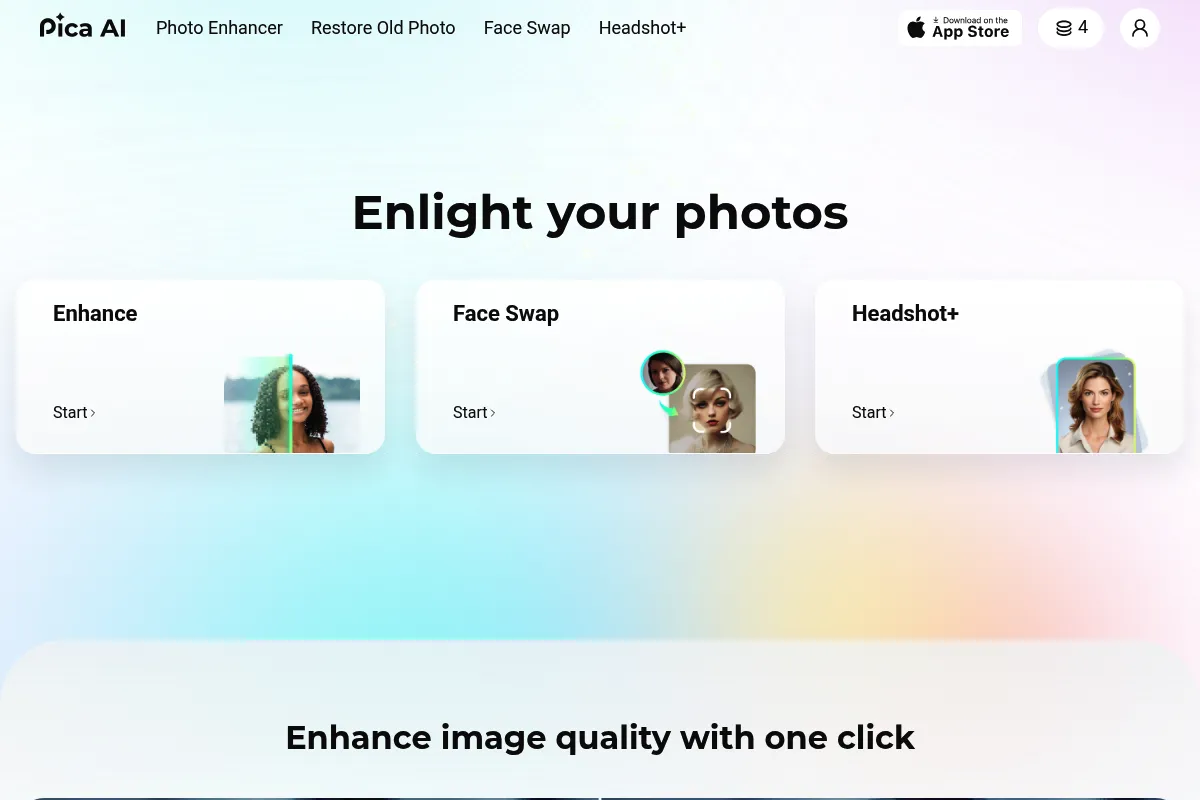
The tool allows users to upload a source image and a target video or photo to perform a face swap that maintains lighting and expression. It also includes a text-to-image generator and an AI headshot engine that converts casual photos into professional portraits.
What makes it different
Unlike general-purpose AI generators like Midjourney, Pica AI focuses specifically on the 'identity' layer of an image. Its video face-swapping engine is notably faster and more accessible than open-source alternatives like DeepFaceLab, trading deep customization for a one-click user experience.
Ratings across the web

Ratings aggregated from independent review platforms.
Key Features
Video Face Swap
Replaces faces in video clips while attempting to preserve original shadows and movements.
Multiple Face Detection
Identifies and allows swapping of several distinct individuals within a single group photo.
AI Headshot Generator
Processes 10-20 selfies to create a set of professional business portraits.
Text-to-Image
Generates artistic visuals from natural language prompts for social media backgrounds.
Image Upscaler
Increases resolution of low-quality images to make them usable for print or high-res displays.
Face Swap Templates
Provides a library of pre-set images (celebrities, movie scenes) for quick testing.
Pricing
Free
- 8 credits per day
- Standard processing speed
- Basic face swap features
- Watermarked results on some exports
Weekly
- 150 credits
- No watermarks
- Priority processing
- High-definition exports
Monthly
- 1000 credits
- Full access to video face swap
- Commercial usage rights
- Priority support
Yearly
- 12000 credits total
- Best value for frequent users
- All premium features included
- Early access to new tools
Pricing checked 6 months ago
Pricing guidance
- When you need to process video files longer than a few seconds
- When you need to remove watermarks for professional use
- When you require high-definition (HD) output for social media posting
- Credits do not always roll over depending on the specific promotional tier
- Video length is capped per upload even on paid plans
- Processing times can spike during high-traffic periods for non-priority users
Aggressively priced to compete with mobile apps, offering a cheaper entry point than professional AI suites.
Pros & Cons
Strengths
-
Low barrier to entry
No technical knowledge of AI or masking is required; the interface is built for immediate results.
-
Realistic blending
The algorithm handles skin tone matching and lighting adjustments better than basic mobile filter apps.
-
Cross-platform accessibility
Works consistently across web browsers and mobile devices, allowing for on-the-go content creation.
-
Daily free credits
The 8-credit daily reset allows users to perform basic tasks without an immediate financial commitment.
Weaknesses
-
High credit cost for video
Video swaps consume credits significantly faster than photos, making long-form content expensive.
Affects: Video editors and YouTubers
-
Limited manual controls
Users cannot manually adjust the 'strength' of a swap or fix specific artifacts if the AI misses a frame.
Affects: Professional designers
-
Privacy and ethical risks
Like all face-swap tools, it lacks robust built-in verification to prevent the creation of non-consensual content.
Affects: Enterprise and security-conscious users
Real User Sentiment
Users generally appreciate the tool for its speed and the quality of its face-blending, though power users find the credit system restrictive.
Users tend to like
- Ease of use for non-technical creators
- High realism in skin tone and lighting matching
- Fast processing times for photos
- The generous daily free credit reset
Users commonly complain about
- Video swaps can be 'glitchy' if the subject moves too fast
- Credits are consumed even if the result is unsatisfactory
- Lack of advanced fine-tuning options
Recurring tradeoffs
- Speed vs. Control: You get a result in seconds, but you can't fix a stray pixel or a misaligned eye manually.
Happiest users
Meme creators and small business owners needing quick, decent-looking headshots.
Often frustrated
Professional video editors who need frame-by-frame accuracy and predictable credit costs.
Use Cases
Social Media Marketing
Swapping a brand ambassador's face into various lifestyle stock photos.
Professional Networking
Generating a corporate headshot from a casual vacation photo for LinkedIn.
Entertainment
Creating personalized 'starring' roles in movie clips for birthday videos or memes.
E-commerce
Visualizing how a person might look in different apparel by swapping faces onto models.
Prototyping
Quickly testing character concepts for storyboards or creative pitches.
Frequently Asked Questions
Is Pica AI free to use?
Pica AI offers a free tier that grants users 8 credits every 24 hours. These credits can be used for basic photo face swaps and image generation, but video swaps and high-definition exports typically require a paid subscription or more credits than the free daily allowance provides.
How does Pica AI compare to Remaker.ai?
Both tools offer similar face-swapping capabilities, but Pica AI generally has a more modern interface and faster processing for video. Remaker.ai is often cited for having slightly more flexible 'pay-as-you-go' credit options, whereas Pica AI leans toward a subscription model for heavy users.
What are the limitations of the video face swap?
The primary limitations are video length and motion complexity. Pica AI works best with clear, front-facing subjects; if the person in the video turns their head sharply or if there is significant motion blur, the AI may lose track, resulting in 'flickering' or artifacts.
Can I use Pica AI for commercial projects?
Commercial usage rights are generally reserved for paid subscribers. If you are using the free version, you should check the latest terms of service, as most AI tools restrict free-tier outputs to personal, non-commercial use.
Does Pica AI integrate with other apps?
Currently, Pica AI does not offer direct integrations or plugins for software like Photoshop or Premiere Pro. It operates as a standalone web and mobile application, meaning you must manually upload and download files to use it in your workflow.
Is my data safe with Pica AI?
Pica AI claims to protect user privacy, but as with any cloud-based AI tool, you are uploading biometric data (your face) to their servers. Users should avoid uploading sensitive or private imagery and review the privacy policy regarding how long images are stored on their servers.
Why trust this page?
This evaluation combines product positioning, pricing analysis, traffic and market signals, and public user sentiment into a single decision-support page. Content is generated editorially — not copied from the vendor's website.
Funding & Company
Founded
2023
Stage
Bootstrapped
Total Raised
Bootstrapped
Latest Round
—
Pica AI, operated by Wegital HK Limited, has no publicly disclosed funding rounds. The company appears to be bootstrapped, relying on its own revenue for growth and operations.
Market Signals & Traffic
Estimated visits, global rank, geography, traffic sources, monthly visit trends, and organic search keywords (Similarweb)—on a dedicated page built for depth and search.
- Estimated visits
- 778,595
- Global rank
- #64,761
- Snapshot
- Apr 2026
- Traffic trend
- Falling
Estimated monthly visits
Alternatives to Pica AI
View all alternativesReface
Video Creation, Content Creation, Design

AI-powered face swap app for videos, GIFs, and photos.
Remaker AI
Content Creation, Design, Video Creation

Face swapping and image generation platform for creative visual content.
Magic Hour
Video Creation, Content Creation

Video generation platform for style transfer, animation, and face swapping.
Similar Tools
Piktochart
Design, Content Creation, Video Creation

Create professional infographics, presentations, and reports with visual design tools.
Placeit
Design, Content Creation, Video Creation

Design platform for creating mockups, logos, and social media graphics.
Modyfi
Design, Content Creation, Video Creation

Collaborative design platform for image editing, vector graphics, and animation.
ImagineArt
Design, Content Creation, Video Creation

Create and edit high-quality digital art and videos from text.
Canva
Design, Content Creation, Video Creation

Visual communication platform for creating professional designs, videos, and documents.
Captions
Content Creation, Video Creation, AI Assistant

AI-powered video editor for automated captions, editing, and translation.