

Captions is an AI-powered mobile-first video editor focused on automating short-form content creation, particularly for social media.
Best for creators prioritizing automated captions and quick social media video edits, weaker for complex editing or desktop-centric workflows.
Analysis based on product data, pricing structure, traffic signals, and public user sentiment.
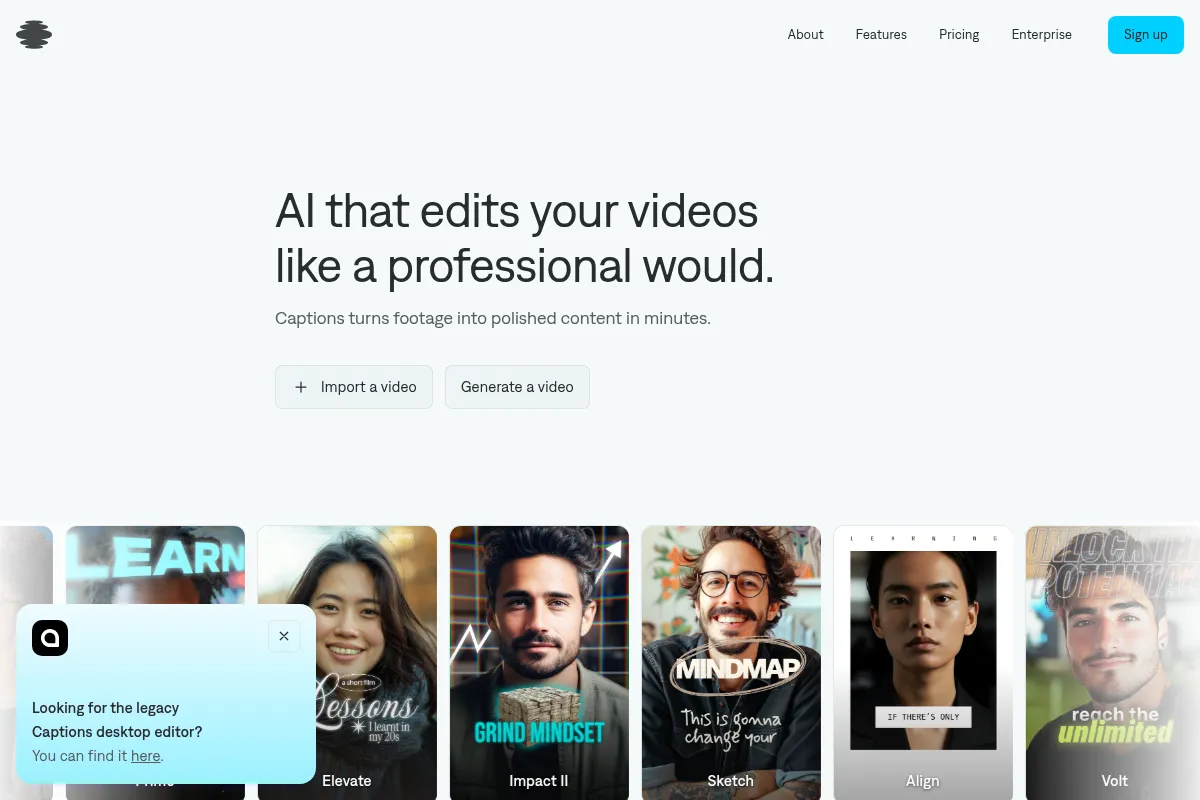
Who Should Use Captions?
Typical users
Individual content creators, social media managers, and small businesses focused on producing short-form video content for platforms like TikTok, Instagram Reels, and YouTube Shorts.
Maturity fit
beginner to scaling
Choose this if…
- You need to quickly generate engaging, captioned videos for social media.
- Your primary focus is on automated captioning, translation, and basic video enhancements.
- You prefer a mobile-first editing experience.
- You want to experiment with AI-generated avatars for video content.
Skip this if…
- You require advanced video editing features or a desktop-centric workflow.
- Your content strategy relies heavily on complex visual storytelling or extensive B-roll.
- You need deep integrations with CRM or project management tools.
- Budget predictability is paramount, and you want to avoid credit-based systems for AI features.
About Captions
Captions is an AI-driven video editing tool designed to automate the creation of short-form videos for social media. It offers features like automatic caption generation, video editing, and multilingual translation/dubbing. Captions is aimed at creators, marketers, and businesses looking to produce polished videos efficiently with minimal manual effort.
Official profiles
What it actually does
Captions automates the creation of short-form videos by generating accurate, customizable captions, performing AI-driven edits like trimming and scene detection, and offering features such as AI avatars, eye contact correction, and noise removal. It aims to streamline the video production process for social media platforms.
What makes it different
Captions differentiates itself with a strong focus on mobile-first, AI-powered automation for short-form video, particularly its dynamic captioning and AI avatar features. While it offers some editing capabilities, its core strength lies in rapidly transforming raw footage into polished, social-ready content with minimal manual intervention, setting it apart from more comprehensive, desktop-focused editors.
Ratings across the web

Ratings aggregated from independent review platforms.
Key Features
AI-Powered Captions
Generates dynamic, word-by-word animated captions that are precisely timed to speech, crucial for social media where many watch without sound.
AI Edit & AI Shorts
Automates the editing process by trimming scenes, detecting key moments, and creating shareable clips, saving significant manual editing time.
AI Dubbing & Lipdub
Translates and dubs videos into over 28 languages, synchronizing lip movements for a natural multilingual viewing experience.
AI Creator & AI Twin
Allows users to generate videos using AI avatars or create a digital version of themselves, enabling video creation without being on camera.
Eye Contact Correction
Subtly adjusts footage so it appears the speaker is looking directly at the camera, enhancing viewer connection.
Noise Removal
Cleans up audio by eliminating background noise for a more professional sound quality.
Pricing
Free
- Record with built-in teleprompter
- Manual trim, split, and edit clips
- Default captions in 29 languages
- Unlimited exports with no watermarks
Pro
- AI-powered video editing tools
- Generate videos with custom avatars
- AI-assisted editing automation
- Video dubbing in 29 languages
- Customizable caption styles
Max
- Access to generative AI models
- Faster video generation speeds
- Priority support
- Skip the generation queue
- Higher processing limits
Scale
- All Max features
- More AI credits
- Access to top-tier AI models
Business
- Full access to Mirage Studio
- 8,000 monthly credits
- Support for high-volume ad creation
Enterprise
- Tailored for large organizations
- Dedicated customer support
- Advanced management tools
Pricing checked 6 months ago
Pricing guidance
- When you need to remove watermarks and unlock AI editing features.
- When you require AI avatars, AI Twin, or text-to-video generation.
- When you need faster processing speeds and priority support.
- When you consistently produce a high volume of video content.
- The credit system on Max and Scale plans can lead to unpredictable costs.
- The free plan has a watermark and limited AI features.
- Desktop and Android versions may lack features or stability compared to the iOS app.
- Translation inaccuracies can occur with nuances and regional dialects.
Freemium model with a functional free tier, but paid plans are necessary for core AI features. Pricing scales from affordable for individuals to enterprise-level for advanced needs, with higher tiers introducing a credit system for AI usage.
Pros & Cons
Strengths
-
Automated Captioning and Editing
Significantly reduces the time and effort required for video production by automating caption generation, trimming, and other editing tasks.
-
Mobile-First Experience
Designed primarily for mobile devices, making it convenient for creators to edit and produce content on the go.
-
Multilingual Capabilities
Offers translation and dubbing in numerous languages, expanding content reach to global audiences.
-
AI Avatar and Twin Features
Provides innovative ways to create video content using AI-generated personas or digital replicas, useful for those who prefer not to be on camera.
-
Customizable Captions
Allows users to style captions with various fonts, colors, and animations to match branding and enhance visual appeal.
Weaknesses
-
Credit System for Advanced AI Features
Higher-tier plans utilize a credit system for generative AI features, leading to unpredictable monthly costs if usage is high.
Affects: Users on Max and Scale plans who rely heavily on AI generation.
-
Cross-Platform Inconsistencies
The iOS app is generally more stable and feature-rich than desktop or Android versions, which can lead to a disjointed user experience.
Affects: Users who work across multiple devices or prefer desktop editing.
-
Limited Advanced Editing
While it automates many tasks, it lacks the depth of features found in dedicated desktop video editors for complex visual storytelling or extensive B-roll integration.
Affects: Professional editors or users needing fine-grained control over visual elements.
-
Customer Support Issues
Some users report slow, unhelpful, or absent customer support, which can be a significant risk for time-sensitive professional work.
Affects: Businesses and professionals relying on timely support for critical projects.
Real User Sentiment
Generally positive, with users praising its speed and automation for short-form video, but with notable concerns regarding performance, cross-platform consistency, and customer support.
Users tend to like
- Automated caption generation and styling
- Speed of editing for short-form content
- AI avatar and dubbing features
- Mobile-first convenience
- Eye contact correction
Users commonly complain about
- Slow processing times, especially after initial use
- Inconsistent performance and feature availability across devices (iOS vs. Android/Desktop)
- Unpredictable costs due to credit system on higher plans
- Customer support responsiveness and helpfulness
- Translation inaccuracies with nuanced language
Recurring tradeoffs
- Speed and automation vs. advanced editing control
- Mobile convenience vs. desktop workflow limitations
- Affordable entry-level pricing vs. potentially high costs for advanced AI features
- Innovative AI features vs. occasional bugs and reliability issues
Happiest users
Individual content creators and social media managers who prioritize speed, automation, and ease of use for short-form video content.
Often frustrated
Users who require robust desktop editing capabilities, consistent cross-platform performance, predictable costs, or reliable customer support for professional projects.
Use Cases
Creating engaging TikToks and Instagram Reels with dynamic captions
Producing YouTube Shorts quickly with automated edits and subtitles
Generating multilingual video content for global audiences
Using AI avatars to create explainer videos or social media posts
Enhancing video accessibility with accurate, timed captions
Quickly editing talking-head videos for courses or presentations
Experimenting with AI-generated video content for marketing campaigns
Frequently Asked Questions
What is Captions AI?
Captions AI is an AI-powered video editing tool designed to automate the creation of short-form videos for social media platforms like TikTok, Instagram Reels, and YouTube Shorts. It offers features such as automatic caption generation, AI-driven editing, multilingual dubbing, and AI avatar creation, aiming to streamline video production for creators and marketers.
Is there a free version of Captions AI?
Yes, Captions AI offers a free plan. However, it is quite restrictive, often includes a watermark on exported videos, and limits access to the most powerful AI features like AI editing and dubbing. For full functionality, a paid subscription is required.
How does Captions AI compare to Descript?
Captions AI focuses heavily on automated captioning, AI avatars, and quick mobile-first editing for short-form social media content. Descript, on the other hand, offers a broader suite of editing tools with a unique text-based editing approach, making it more versatile for longer-form content, podcasts, and collaborative projects. Captions AI is more specialized for social media automation, while Descript is a more comprehensive editing solution.
What are the limitations of Captions AI?
Key limitations include potential inconsistencies in performance and features across different devices (iOS vs. desktop/Android), a credit-based system for advanced AI features on higher-tier plans that can lead to unpredictable costs, and some users report issues with customer support responsiveness. It also lacks the depth of advanced editing features found in dedicated desktop editors.
Does Captions AI offer integrations?
Captions AI integrates with other tools primarily through Zapier, allowing connections with services like Dropbox, Airtable, YouTube, SendPulse, Copy.ai, and Google Forms. It also has API access for developers to integrate into platforms like Make.com for custom automation workflows.
How accurate are the AI captions?
Captions AI uses advanced AI models, often leveraging OpenAI's Whisper for transcription, which generally provides high accuracy for automatic captions. However, AI captioning can still struggle with nuances, regional dialects, and complex audio environments, sometimes requiring manual review and correction for perfect accuracy. Human-generated captions typically achieve higher accuracy rates (96-99%) compared to AI (70-80% in some contexts).
What is the credit system in Captions AI?
The credit system is used in the higher-tier plans (Max and Scale) for generative AI features like AI avatars, AI Twin, and AI dubbing. Each use of these features consumes credits, meaning your monthly cost can vary depending on your usage, making budgeting less predictable compared to fixed-price plans.
Can I use Captions AI for professional or business use?
While Captions AI can be used for business and professional content creation, some users and reviews caution against it for time-sensitive, quality-dependent professional work due to potential reliability issues, cross-platform inconsistencies, and customer support concerns. It is generally better suited for individual creators or businesses with some tolerance for potential workflow disruptions.
Why trust this page?
This evaluation combines product positioning, pricing analysis, traffic and market signals, and public user sentiment into a single decision-support page. Content is generated editorially — not copied from the vendor's website.
Funding & Company
Founded
2021
Stage
Series c
Total Raised
$100M
Latest Round
Series C (Jul 2024)
Notable Investors
Captions has raised a total of $100 million across three funding rounds, culminating in a $60 million Series C in July 2024. This significant and recent funding from top-tier investors like Index Ventures, Kleiner Perkins, and Andreessen Horowitz signals strong market confidence and provides substantial capital for product development and expansion.
Market Signals & Traffic
Estimated visits, global rank, geography, traffic sources, monthly visit trends, and organic search keywords (Similarweb)—on a dedicated page built for depth and search.
- Estimated visits
- 957,522
- Global rank
- #47,893
- Snapshot
- Apr 2026
- Traffic trend
- Surging
Estimated monthly visits
Alternatives to Captions
View all alternativesVEED AI
Video Creation, Content Creation

AI-powered online video editor for creating and enhancing content.
Descript
Content Creation, Video Creation

AI-powered audio and video editor that edits like a document.
OpusClip
Video Creation, Content Creation, Marketing Automation

Repurpose long-form videos into viral short-form clips.
Similar Tools
Designs.ai
Content Creation, Video Creation, AI Assistant

Unified AI platform for creating communication assets like copy, visuals, and video.
Argil AI
Content Creation, Video Creation, AI Assistant

AI video creation platform with realistic avatars and automated editing.
Synthesys
Content Creation, Video Creation, AI Assistant

AI-powered platform for generating realistic videos and voiceovers.
Hedra
Content Creation, Video Creation, AI Assistant

AI platform for creating expressive character videos from text and images.
Tessl
Developer Tools, Automation & Agents

Package manager for agent skills and development context
Backendless
Developer Tools, Website Builder, Automation & Agents

Visual app development platform with backend-as-a-service and UI builder.