

Reface is a mobile-first AI face-swapping app focused on creating entertaining social media content, with a broad template library but significant concerns around its subscription model and data privacy.
Best for casual social media content creation, weaker for users prioritizing privacy or transparent billing.
Analysis based on product data, pricing structure, traffic signals, and public user sentiment.
Who Should Use Reface?
Typical users
Individuals and social media creators looking for quick, fun ways to generate memes, reaction GIFs, or personalized video clips for platforms like TikTok, Instagram, or X.
Maturity fit
beginner to scaling
Choose this if…
- You want to quickly create humorous or engaging short videos and GIFs.
- Your primary goal is social media content creation and sharing.
- You are comfortable with a subscription model and understand the potential privacy implications.
- You appreciate a large library of templates to choose from.
Skip this if…
- You require granular control over video editing and effects.
- You have strong concerns about facial data privacy and usage.
- You prefer a one-time purchase or a transparent, simple billing structure.
- You need professional-grade video editing capabilities.
About Reface
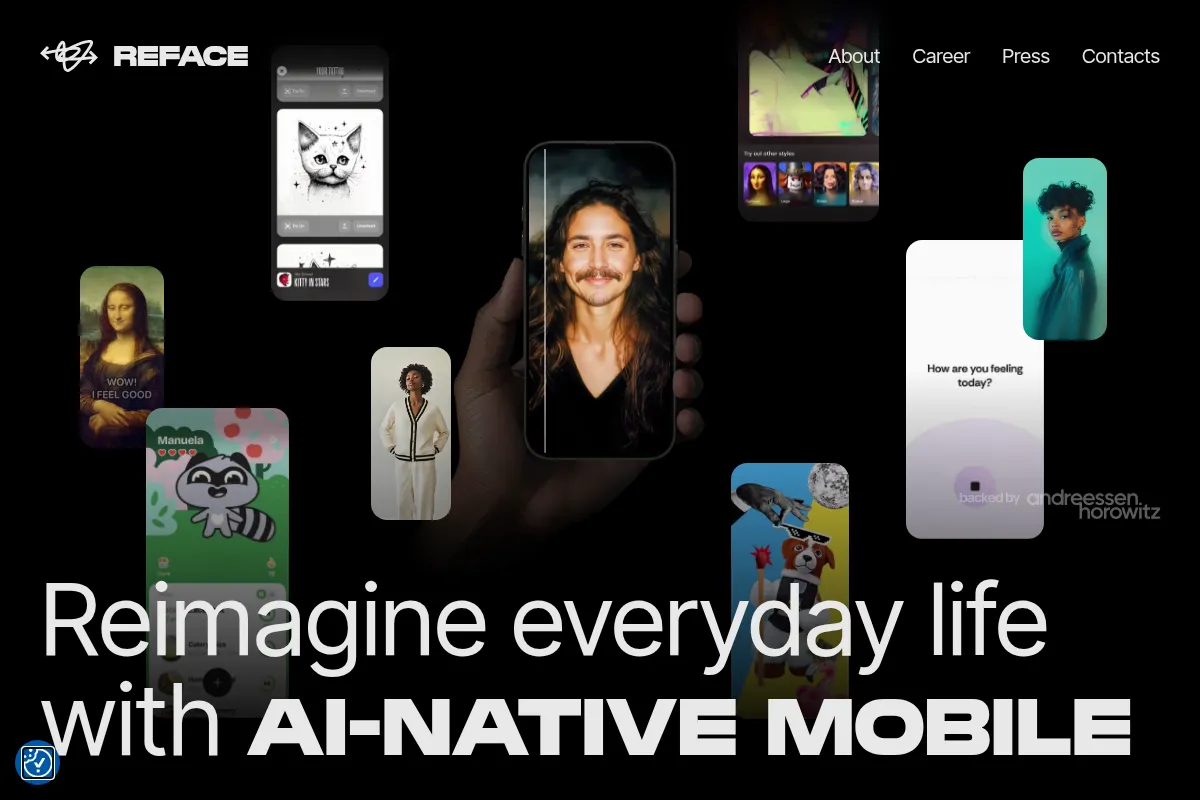
Reface is a mobile application that uses AI to enable users to swap their faces into existing videos, GIFs, and photos. It aims to provide an easy-to-use platform for creating entertaining, shareable content for social media. The app offers a wide range of templates and features, including AI avatars and hairstyle previews, positioning itself as a creative tool for casual users and content creators.
What it actually does
Reface allows users to upload a selfie and then superimpose their face onto various templates, such as movie scenes, memes, or music videos. It also offers features like AI avatar generation, hairstyle try-ons, and photo animation, all designed for quick and easy content creation.
What makes it different
Reface differentiates itself through its extensive library of readily available templates and its focus on a mobile-first, one-tap user experience. While many tools offer face-swapping, Reface prioritizes speed and accessibility for social media sharing over professional-level editing control.
Ratings across the web


Ratings aggregated from independent review platforms.
Key Features
One-Tap Face Swaps
Enables users to quickly insert their face into a vast library of templates without complex editing.
Extensive Template Library
Offers a wide variety of popular memes, movie scenes, and music clips for diverse content creation.
AI Avatar Generator
Creates stylized portraits from user selfies, suitable for profile pictures or creative posts.
Hairstyle Try-On
Allows users to preview different hairstyles and colors on their own face.
Photo Animation
Brings static photos to life with AI-powered expressions like smiles and winks.
Social Sharing Integration
Facilitates easy sharing of created content directly to social media platforms.
Pricing
Free Tier
- Access to a reasonable portion of templates
- Basic face swap functionality
- Ads and watermarks on exports
- Feature limits
Weekly Subscription
- Ad-free experience
- Watermark removal
- Access to all templates and features
- Faster processing (potentially)
Monthly Subscription
- Ad-free experience
- Watermark removal
- Access to all templates and features
- Faster processing (potentially)
Annual Subscription
- Ad-free experience
- Watermark removal
- Access to all templates and features
- Faster processing (potentially)
- Significant cost savings over weekly/monthly
Pricing checked 6 months ago
Pricing guidance
- When you need to remove watermarks and ads from exports.
- When you want access to the full library of templates and premium features.
- When you plan to use the app regularly and want the most cost-effective subscription.
- When faster processing times are desired.
- Weekly subscription is prohibitively expensive over time.
- Potential for unexpected charges and difficulty with cancellation.
- Privacy policy allows for collection and retention of facial data.
- Some templates and advanced features may be locked behind paywalls even within paid tiers.
Aggressively monetized with a focus on recurring subscriptions, where the annual plan offers the best value but requires commitment.
Pros & Cons
Strengths
-
Ease of Use
The app's intuitive, one-tap interface makes face-swapping and content creation accessible to users of all technical skill levels. This low barrier to entry is ideal for quick, casual use.
-
Large Template Library
Reface offers a constantly updated and extensive collection of templates, ensuring users have a wide variety of popular memes, movie scenes, and GIFs to choose from, keeping content fresh and engaging.
-
Entertaining Content Creation
The core face-swapping functionality is highly effective for generating humorous and engaging content, making it a popular choice for social media and entertainment purposes.
-
AI Avatar and Hairstyle Features
Beyond face swaps, the inclusion of AI avatar generation and hairstyle try-on features adds versatility, allowing users to explore different creative avenues within a single app.
Weaknesses
-
Subscription Model and Billing Issues
Many users report confusion and frustration with the subscription model, including unexpected recurring charges, difficulty canceling, and issues with refunds. The weekly plan is particularly criticized for being expensive over time.
Affects: Users who prefer straightforward, one-time purchases or have experienced billing problems.
-
Privacy Concerns
Reface collects and retains sensitive facial data, and its privacy policy has been noted as becoming less restrictive over time. This raises concerns for users who prioritize the security and privacy of their biometric information.
Affects: Privacy-conscious users and those uncomfortable with extensive data collection.
-
Limited Creative Control
While easy to use, the app offers limited granular control over the editing process, which may frustrate users seeking more advanced customization or professional-grade output.
Affects: Power users and content creators requiring fine-tuned editing capabilities.
-
Inconsistent Output Quality
Some users report that the quality of the generated content can vary, with results sometimes not matching marketing demonstrations, especially in complex scenes or with lower-quality input.
Affects: Users expecting consistently perfect results or comparing output to polished marketing examples.
Real User Sentiment
User sentiment is mixed, with many users enjoying the app's entertainment value and ease of use, while a significant portion expresses frustration with its subscription model, billing practices, and privacy concerns.
Users tend to like
- Quick and easy face swaps
- Entertaining and humorous content creation
- Large library of templates
- Fun for casual use and boredom-busting
- AI avatar and hairstyle features
Users commonly complain about
- Confusing and expensive subscription model
- Difficulty canceling subscriptions and unexpected charges
- Privacy concerns regarding facial data collection
- Inconsistent output quality compared to marketing
- App bugs and performance issues
Recurring tradeoffs
- Entertainment value vs. privacy concerns
- Ease of use vs. limited creative control
- Low initial cost (free tier) vs. high long-term subscription costs
- App functionality vs. billing transparency
Happiest users
Casual users and social media creators who prioritize quick, fun content generation and are less concerned about privacy or subscription complexities.
Often frustrated
Users who have experienced billing issues, are concerned about data privacy, or require more advanced editing capabilities.
Use Cases
Creating funny memes and reaction GIFs for social media sharing.
Generating personalized video clips for TikTok, Instagram Reels, or X.
Experimenting with AI avatars for profile pictures or creative projects.
Trying out new hairstyles and haircuts virtually.
Making personalized greeting cards or invitations with face swaps.
Producing entertaining short videos for marketing campaigns.
Exploring gender-swapping or aging effects for amusement.
Frequently Asked Questions
Is Reface free to use?
Reface offers a free tier that allows users to access a portion of its templates and features. However, this free version typically includes ads, watermarks on exported content, and limitations on functionality. To unlock the full experience, including ad-free usage, watermark removal, and access to all templates and premium features, a paid subscription is required. Many users find the free tier sufficient for casual experimentation, but consistent or high-quality content creation necessitates a subscription.
What are the main alternatives to Reface?
Several popular alternatives to Reface exist, each with its own strengths. For general video editing with AI features, tools like Canva, Simplified, and VEED are options. For more advanced AI video generation and localization, consider Synthesia, Colossyan Creator, or Rask. Other face-swapping specific apps include FaceMagic, Deepswap, and FaceSwapper.ai. The best alternative depends on your specific needs, whether it's professional video editing, advanced AI generation, or a different approach to face manipulation.
What are the privacy implications of using Reface?
Reface collects and retains sensitive facial data, including photos and potentially facial geometry. While the app has privacy policies in place, some users and analyses have raised concerns about the extent of data collection and the evolving nature of these policies. Users should carefully review the current privacy policy before uploading personal photos, especially if privacy is a primary concern. The app's policy may grant it broad licenses for content created using user data. For users with significant privacy concerns, alternative tools with more transparent data handling practices may be preferable.
Can I use Reface without an account?
You can start experimenting with Reface without creating an account, allowing you to browse templates and perform basic face swaps. However, to save your creations, access premium features, and manage subscriptions, you will need to sign up for an account. Some features and content may also be locked behind a paywall, requiring a subscription even for basic functionality in certain cases.
What are the limitations of the free version of Reface?
The free version of Reface includes advertisements, watermarks on all exported content, and limited access to the full library of templates and advanced features. Users may also encounter limitations on the number of swaps or processing speed. For an unrestricted and watermark-free experience, a paid subscription is necessary.
How does Reface compare to professional video editing software?
Reface is designed for quick, casual content creation and social media sharing, focusing on ease of use and entertainment. Professional video editing software, such as Adobe Premiere Pro or Final Cut Pro, offers extensive control over every aspect of video production, including detailed editing, color grading, audio mixing, and complex visual effects. Reface lacks the depth and precision required for professional video work, making it unsuitable for tasks demanding high production value or intricate editing.
Are there any integrations with other tools like Canva?
Currently, Reface is not available as a direct app integration within platforms like Canva. Users typically create their face-swapped content using the Reface app as a standalone tool and then import the resulting videos or images into Canva for further editing or design work. This means the face-swapping process itself is not directly embedded within the Canva workflow.
Why trust this page?
This evaluation combines product positioning, pricing analysis, traffic and market signals, and public user sentiment into a single decision-support page. Content is generated editorially — not copied from the vendor's website.
Funding & Company
Founded
2018
Stage
Seed
Total Raised
$23.5M
Latest Round
Debt (Dec 2025)
Notable Investors
Reface has raised a total of $23.5 million, consisting of a $5.5 million Seed round led by top-tier VC Andreessen Horowitz and a recent $18 million non-dilutive debt facility. This funding mix indicates strong initial venture backing followed by a strategic move to fuel user acquisition without further equity dilution, suggesting confidence in its monetization.
Market Signals & Traffic
Estimated visits, global rank, geography, traffic sources, monthly visit trends, and organic search keywords (Similarweb)—on a dedicated page built for depth and search.
- Estimated visits
- 522,618
- Global rank
- #86,624
- Snapshot
- Apr 2026
- Traffic trend
- Rising
Estimated monthly visits
Alternatives to Reface
View all alternativesHedra
Content Creation, Video Creation, AI Assistant

AI platform for creating expressive character videos from text and images.
Viggle AI
Video Creation, Content Creation

AI tool to animate static images and create videos from motion.
HeyGen
Video Creation, Content Creation, AI Assistant

AI-powered video creation platform with realistic avatars and multi-language support.
Similar Tools
Animoto
Video Creation, Content Creation, Design

Easy-to-use online video creation platform for professional-quality videos.
FlexClip
Video Creation, Content Creation, Design

AI-powered online video editor with templates and stock media.
LivePortrait
Video Creation, Content Creation, Design

Animate static portraits using driving videos or audio
VideoPrompt Studio
Video Creation, Content Creation, Design

Visual prompt engineering tool for professional video generation
PixVerse
Video Creation, Content Creation, Design

Generate high-quality cinematic videos from text and image prompts
Animaker
Video Creation, Content Creation, Design

Create animated videos and visual content with a DIY editor.