

Animoto is a user-friendly video creation tool best suited for individuals and small businesses needing to produce polished marketing and social media videos quickly, but it lacks the advanced editing capabilities required by professional videographers.
Best for quick, template-driven video creation; skip if you need advanced editing features.
Analysis based on product data, pricing structure, traffic signals, and public user sentiment.
Who Should Use Animoto?
Typical users
Small to medium businesses, marketing teams with limited video experience, educators, and solopreneurs who need to create engaging video content efficiently.
Maturity fit
beginner to scaling
Choose this if…
- You need to create videos quickly using pre-designed templates.
- Your priority is ease of use over advanced editing features.
- You are on a tight budget and need a cost-effective video solution.
- You need to produce content for social media, marketing, or educational purposes.
Skip this if…
- You require complex animation or motion graphics.
- You need precise control over every aspect of the video timeline and editing.
- Your workflow involves professional-grade video editing software.
- You need advanced features like multi-track audio editing or complex color correction.
About Animoto
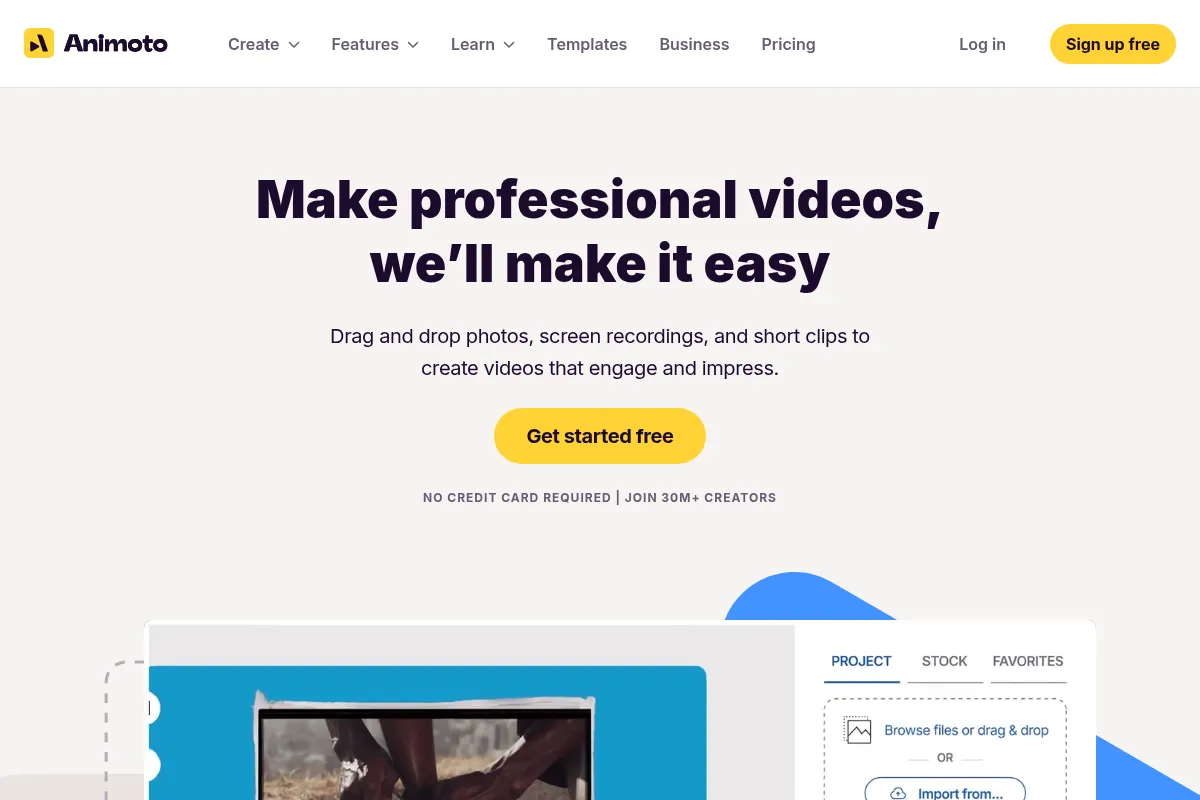
Animoto is a cloud-based video creation platform designed for users who need to produce professional-quality videos without extensive editing experience. It offers a drag-and-drop interface, a vast library of templates, stock media, and music, making it accessible for beginners, marketers, and small businesses to create engaging content for various purposes.
What it actually does
Animoto allows users to create videos by uploading their own photos and video clips, selecting from a wide range of customizable templates, and adding music and text. The platform simplifies the video creation process, enabling users to produce polished videos for marketing, social media, educational, and personal projects.
What makes it different
Animoto differentiates itself through its highly intuitive, template-driven approach and block-based storyboard editor, which prioritizes speed and ease of use over a traditional multi-track timeline. This makes it exceptionally beginner-friendly, though it limits the depth of customization compared to more complex editors.
Ratings across the web



Ratings aggregated from independent review platforms.
Key Features
Storyboard Editor
Simplifies video creation by using a block-based workflow, making it fast and easy for beginners.
Extensive Template Library
Offers hundreds of professionally designed templates for various use cases, allowing users to start projects quickly.
Getty Images Stock Library
Provides access to over a million licensed stock photos and videos, reducing the need to source external media.
AI Video Maker
Assists in generating video scripts and structuring content, especially helpful for users who struggle with content ideation.
Brand Kit Features
Allows users to save brand colors, fonts, and logos for consistent branding across videos (available in higher tiers).
Screen and Webcam Recording
Enables users to record their screen or webcam directly within the platform for tutorials or presentations.
Unlimited Video Creation
All plans, including the free tier, allow for unlimited video creation, enabling users to produce as much content as needed.
Customizable Landing Pages
Professional plans offer customizable video landing pages for a more branded viewing experience.
Pricing
Free
- Unlimited video creation
- Access to 600+ customizable video templates
- Standard quality video (720p)
- 50 music tracks
- 3 standard fonts
- 30 color swatches
- Screen and webcam recording
- Limited Getty Images stock library
- Animoto watermark on videos
Basic
- No Animoto branding
- Unlimited video downloads
- High-quality video (1080p)
- Access to 600+ customizable video templates
- 50 music tracks
- 3 standard fonts
- 30 color swatches
- Screen and webcam recording
- Ad-free hosting
- Limited Getty Images stock library
Professional
- Add logo watermark and brand colors
- License to resell videos
- Customizable video landing pages
- Voice-over capability
- 1M+ Getty Images stock photos & videos
- 3,000+ licensed music tracks
- 70+ professional fonts
- 3 saved templates
- 1 saved brand
Professional Plus
- Everything in Professional plan
- 100M+ premium Getty Images stock photos & videos
- 10 saved brands
- 25 saved templates
- Upload your own fonts
- Collect time-stamped comments
- Shared team workspace
- Dedicated account manager
- Onboarding and training
Pricing checked 6 months ago
Pricing guidance
- You need to remove the Animoto watermark from your videos.
- You require higher video quality (1080p) and unlimited downloads.
- You want to add your own branding elements like logos and brand colors.
- You need access to a larger library of premium stock media and music.
- Free plan videos have a prominent Animoto watermark.
- Limited access to Getty Images stock library on Free and Basic plans.
- Customization options are restricted, such as not being able to control individual slide timing.
- Some users report difficulty with subscription cancellation and auto-renewal policies.
Animoto offers a tiered pricing structure that starts affordably with a robust free plan, scaling up to professional features at competitive annual rates, though monthly billing is more expensive.
Pros & Cons
Strengths
-
Ease of Use
Animoto's drag-and-drop interface and template-driven approach make it exceptionally easy for beginners to create professional-looking videos without prior editing experience.
-
Speed of Creation
The platform's streamlined workflow and pre-designed templates allow users to produce videos much faster than with traditional editing software, which is ideal for meeting tight deadlines or frequent content needs.
-
Extensive Template Library
With hundreds of customizable templates for various industries and occasions, users can quickly find a starting point and adapt it to their specific needs, saving time on design and structure.
-
Affordable Pricing
Animoto's pricing starts at a competitive rate, making it an accessible option for small businesses and individuals compared to more professional video editing software.
-
Stock Media Access
The inclusion of a large library of licensed stock photos, videos, and music from partners like Getty Images simplifies content sourcing and enhances video production quality.
Weaknesses
-
Limited Advanced Editing
Users requiring complex motion graphics, multi-track audio editing, detailed color correction, or precise timeline control will find Animoto's capabilities restrictive.
-
Outdated Templates
Some users find the template designs to be dated and less modern compared to competitors, potentially making videos look less contemporary.
-
Subscription and Billing Issues
There are recurring user complaints regarding auto-renewal practices, difficulty in canceling subscriptions, and rigid no-refund policies, leading to frustration and unexpected charges.
-
Restrictive Customization
While templates are customizable, users have noted limitations in controlling individual slide timing or making highly specific design adjustments, which can be frustrating for those with unique visions.
Real User Sentiment
User sentiment for Animoto is generally positive, with many praising its ease of use and speed for creating basic videos. However, criticisms often arise regarding limitations in advanced editing, template design, and customer service/billing practices.
Users tend to like
- Ease of use and intuitive interface
- Speed of video creation
- Variety of templates
- Affordability for basic needs
- Access to stock media library
Users commonly complain about
- Limited advanced editing features
- Outdated template designs
- Difficulties with subscription cancellation and auto-renewal
- Restrictive customization options
- Inconsistent customer support response times
Recurring tradeoffs
- Ease of use vs. advanced customization
- Affordability vs. feature depth
- Speed of creation vs. template modernity
Happiest users
Beginners, small business owners, educators, and individuals needing to create simple, polished videos quickly without a steep learning curve.
Often frustrated
Professional videographers, users requiring advanced editing features, and those who have encountered issues with subscription management and billing.
Use Cases
Creating social media marketing videos
Quickly produce engaging video content for platforms like Instagram, Facebook, and TikTok.
Producing promotional videos for small businesses
Showcase products, services, or special offers with easy-to-create video ads.
Developing educational content for classrooms
Teachers can create engaging video lectures, tutorials, or project presentations for students.
Making personal event videos
Create slideshows or short videos for birthdays, anniversaries, or other special occasions.
Real estate video tours
Quickly generate property showcase videos for listings.
Content repurposing
Transform blog posts, articles, or webinars into short, shareable video clips.
Frequently Asked Questions
Is Animoto free to use?
Yes, Animoto offers a free plan that allows unlimited video creation. However, videos created on the free plan will include an Animoto watermark and have limited customization features, such as standard video quality (720p) and a restricted selection of music tracks, fonts, and color swatches.
What makes Animoto different from Canva or VEED.io?
Animoto's primary differentiator is its focus on a template-driven, storyboard-based video creation process, making it exceptionally fast and beginner-friendly. Unlike Canva, which is a more general graphic design tool with video capabilities, Animoto is built specifically for video. VEED.io often emphasizes AI-powered features like auto-transcription and advanced editing tools, which Animoto generally lacks. Animoto's strength lies in its simplicity and speed for template-based videos.
What are the limitations of Animoto?
Animoto's main limitations include a lack of advanced editing features, such as complex animations, multi-track audio editing, and precise timeline control. Some users find the templates to be outdated, and customization can be restrictive compared to professional video editors. Additionally, there have been user complaints regarding subscription management, auto-renewal, and customer support response times.
Does Animoto support integrations?
Animoto primarily focuses on direct sharing to social media platforms and email. It does not offer extensive integrations with CMS platforms or video players like JW Player, Brightcove, or Akamai, which can require users to download and re-upload videos.
Can I use Animoto for commercial videos?
Yes, Animoto can be used for commercial videos. The Professional and Professional Plus plans include licensing to resell videos to consumers and offer features like adding your logo and brand colors, which are essential for commercial use. The free and basic plans may have limitations on branding and quality suitable for less critical commercial applications.
How does Animoto's pricing compare to competitors?
Animoto's pricing is generally considered competitive, especially for its entry-level and basic plans, often starting at a lower price point than similar services. However, some users find the higher-tier plans to be expensive compared to alternatives that offer more advanced features or greater customization.
Can I collaborate with my team on Animoto?
Team collaboration features are available on the higher-tier plans, such as Professional Plus, which offers a shared team workspace, user management, and dedicated account managers. The lower-tier plans are typically designed for individual users.
What is the maximum video length I can create with Animoto?
Projects in Animoto can run up to 50 minutes long, with individual uploads limited to 20 minutes. This is generally sufficient for most marketing and social media video needs.
Why trust this page?
This evaluation combines product positioning, pricing analysis, traffic and market signals, and public user sentiment into a single decision-support page. Content is generated editorially — not copied from the vendor's website.
Funding & Company
Founded
2006
Stage
Acquired
Total Raised
$30M
Latest Round
Series C (Jun 2011)
Notable Investors
Animoto raised a total of $30 million over three rounds, concluding with a significant $25 million Series C in 2011 led by Spectrum Equity. The company operated on this capital for over a decade before being acquired by Redbrick in August 2023, indicating a sustained period of financial stability and eventual successful exit.
Market Signals & Traffic
Estimated visits, global rank, geography, traffic sources, monthly visit trends, and organic search keywords (Similarweb)—on a dedicated page built for depth and search.
- Estimated visits
- 321,793
- Global rank
- #133,366
- Snapshot
- Apr 2026
- Traffic trend
- Falling
Estimated monthly visits
Alternatives to Animoto
View all alternativesCanva AI
Content Creation

Online design tool for creating graphics, presentations, videos, and websites.
InVideo
Video Creation, Content Creation

An AI-powered video creation platform for quickly producing professional-quality videos.
Similar Tools
PixVerse
Video Creation, Content Creation, Design

Generate high-quality cinematic videos from text and image prompts
VideoPrompt Studio
Video Creation, Content Creation, Design

Visual prompt engineering tool for professional video generation
Reface
Video Creation, Content Creation, Design

AI-powered face swap app for videos, GIFs, and photos.
FlexClip
Video Creation, Content Creation, Design

AI-powered online video editor with templates and stock media.
LivePortrait
Video Creation, Content Creation, Design

Animate static portraits using driving videos or audio
Animaker
Video Creation, Content Creation, Design

Create animated videos and visual content with a DIY editor.