

Automa
A local-first, open-source browser automation tool that prioritizes flexibility and privacy over managed cloud execution.
Excellent for technical users building complex local scrapers, weaker for teams needing managed cloud-based automation.
Analysis based on product data, pricing structure, traffic signals, and public user sentiment.
Who Should Use Automa?
Typical users
Individual developers, data researchers, and growth hackers who need to scrape data or automate repetitive web tasks without recurring SaaS costs.
Maturity fit
beginner to advanced
Choose this if…
- You want to avoid per-run or per-row fees common in SaaS automation tools
- Your priority is data privacy and keeping automation logic local
- You are comfortable identifying CSS selectors or writing basic JavaScript
- You need to automate tasks on internal or password-protected sites
Skip this if…
- You need automations to run 24/7 in the cloud without your computer being on
- You require a library of pre-built, one-click templates for hundreds of apps
- Your workflow requires deep native integrations with desktop software
About Automa
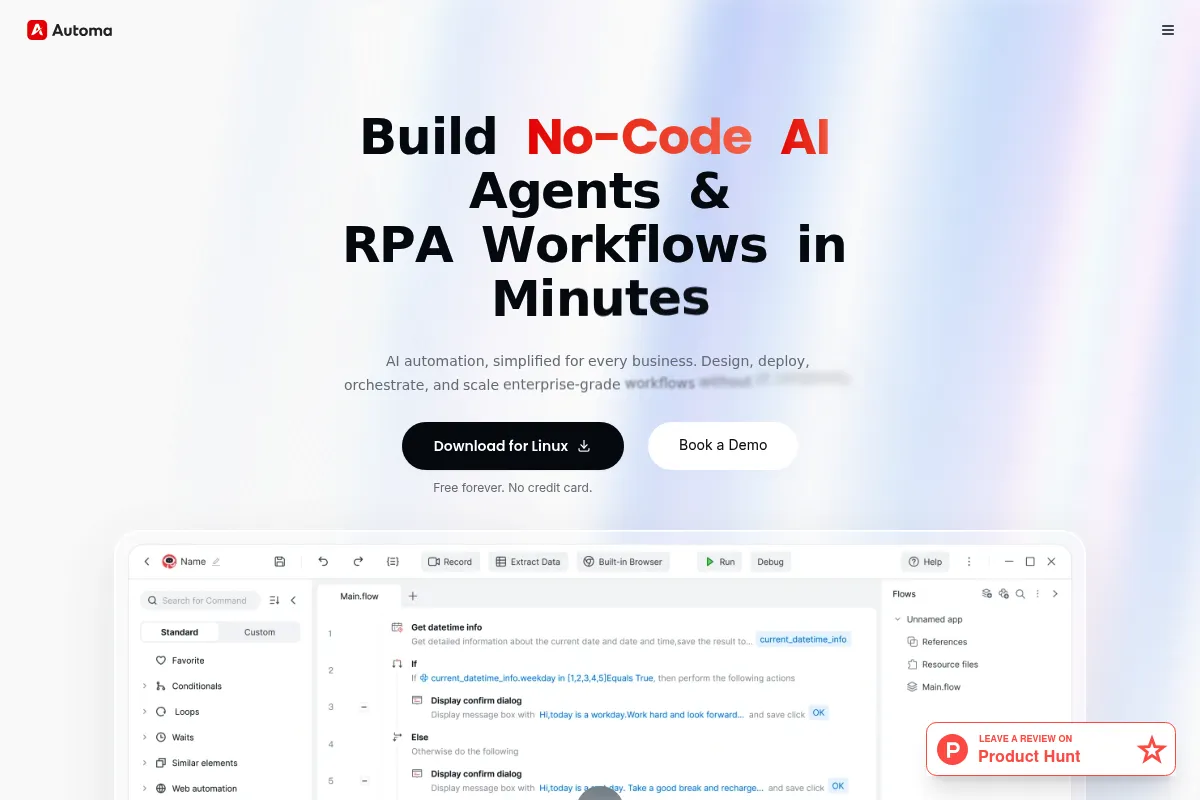
Automa is an open-source browser extension designed to automate web-based workflows through a node-based visual editor. It allows users to build logic-driven sequences that interact with websites just as a human would, but at scale.
Official profiles
What it actually does
It records or manually builds sequences of browser actions like clicking, typing, and extracting data. Users can create complex workflows with loops and conditions to scrape websites, fill forms, and move data between browser tabs or external APIs.
What makes it different
Unlike SaaS competitors like Bardeen or Axiom, Automa is open-source and runs entirely within the user's browser. This architectural choice eliminates subscription-based usage limits and ensures that sensitive data never leaves the local environment unless explicitly directed to an API.
Key Features
Visual Workflow Builder
Connect blocks to define logic and actions without writing code.
Data Extraction
Scrape text, attributes, or HTML elements from any webpage for analysis.
JavaScript Execution
Run custom scripts within the workflow to handle complex data transformations.
Triggers
Start workflows via keyboard shortcuts, context menus, or specific URL patterns.
Looping and Conditionals
Handle lists of data or create branching logic based on page content.
Workflow Sharing
Export and import workflows as JSON files to share with other users.
Google Sheets Integration
Send extracted data directly to spreadsheets for real-time updates.
Pricing
Free
- Unlimited workflows
- Unlimited runs
- Local execution
- All core automation blocks
- Data export (CSV/JSON)
Pro
- Cloud sync for workflows
- Automatic backups
- Support the developer
- Priority updates
Pricing checked 6 months ago
Pricing guidance
- When you need to sync workflows across multiple machines
- When you want cloud-based backups of your automation logic
- When you want to support the ongoing development of the open-source project
- No built-in cloud execution (must keep browser open)
- Google Sheets integration requires setting up your own Google Cloud credentials
Highly disruptive pricing that provides professional-grade tools for free, monetizing only on convenience features like sync.
Pros & Cons
Strengths
-
No usage-based pricing
Because it runs locally, there are no 'credits' or 'minutes' to buy, making it significantly cheaper for high-volume scraping than SaaS alternatives.
-
High flexibility for technical users
The ability to inject custom JavaScript and use complex CSS selectors allows for more sophisticated automation than standard 'record-and-play' tools.
-
Local-first privacy
Workflows and extracted data stay on your machine, which is critical for users handling sensitive information or internal company data.
-
Open-source transparency
The code is publicly available on GitHub, allowing for community audits and custom modifications if needed.
Weaknesses
-
Local execution dependency
Workflows stop if the browser is closed or the computer enters sleep mode, which prevents true 'set-and-forget' 24/7 automation.
Affects: Users needing constant monitoring or background data syncing
-
Steep learning curve for non-coders
While visual, the tool requires an understanding of web structures (HTML/CSS) to build reliable workflows that don't break when site layouts change.
Affects: Non-technical business users
-
Limited cloud features
The Pro version offers sync, but it lacks the advanced managed cloud execution environments found in enterprise RPA tools.
Affects: Teams requiring centralized management and high availability
Real User Sentiment
Users are generally enthusiastic, frequently citing it as a 'hidden gem' for web scraping and automation.
Users tend to like
- The lack of arbitrary paywalls on features
- The logic-based visual builder
- Fast performance compared to cloud-based tools
- Active community sharing workflows
Users commonly complain about
- Occasional bugs in complex loops
- UI can feel cluttered with many blocks
- Difficulty in handling certain anti-bot protections
Recurring tradeoffs
- You trade ease of setup (SaaS) for total control and zero cost (Automa).
Happiest users
Developers and data analysts who want a powerful, free tool they can customize with code.
Often frustrated
Non-technical users who expect a 'one-click' experience and struggle with CSS selectors.
Use Cases
E-commerce
Scrape competitor pricing daily and export to a spreadsheet.
Lead Generation
Extract contact information from LinkedIn or directory sites automatically.
Content Management
Bulk upload images or text to a CMS that lacks an API.
Job Hunting
Automatically fill out repetitive application forms across different job boards.
Data Migration
Move records from an old legacy web portal to a new system manually.
Social Media
Schedule and automate repetitive posting or interaction tasks.
Frequently Asked Questions
Is Automa really free?
Yes, the core Automa extension is free and open-source. You can build and run unlimited workflows locally without paying. The $7/month Pro plan is only required if you want to sync your workflows across different devices or back them up to the cloud.
How does Automa compare to Bardeen or Axiom?
Bardeen and Axiom are SaaS products that offer cloud execution and more 'ready-made' integrations but charge based on usage. Automa is local-first and open-source, meaning it's free for high-volume tasks but requires your browser to stay open to run.
Can Automa run while my computer is off?
No. Because Automa is a browser extension, it requires the browser to be active. If you need 24/7 background automation, you would need to run it on a VPS (Virtual Private Server) or use a cloud-based competitor.
Do I need to know how to code to use Automa?
No, you can build workflows entirely by dragging and dropping blocks. However, knowing CSS selectors is very helpful for targeting specific elements on a page, and knowing JavaScript allows you to perform more complex data manipulations.
Does Automa work on Firefox and Safari?
Automa is available for Chrome and Firefox. It is not currently available for Safari. It works on most Chromium-based browsers like Brave and Edge.
Can Automa solve CAPTCHAs?
Automa does not have a built-in CAPTCHA solver, but you can integrate it with third-party CAPTCHA solving services via their APIs using the 'HTTP Request' block.
Why trust this page?
This evaluation combines product positioning, pricing analysis, traffic and market signals, and public user sentiment into a single decision-support page. Content is generated editorially — not copied from the vendor's website.
Funding & Company
Founded
—
Stage
Bootstrapped
Total Raised
Bootstrapped
Latest Round
—
Automa is an open-source, bootstrapped project that has not raised any venture capital funding. The company sustains itself through paid 'Pro' and 'Enterprise' plans, indicating a revenue model based on product adoption rather than investor capital.
Market Signals & Traffic
Estimated visits, global rank, geography, traffic sources, monthly visit trends, and organic search keywords (Similarweb)—on a dedicated page built for depth and search.
- Estimated visits
- 97,167
- Global rank
- #366,725
- Snapshot
- Apr 2026
- Traffic trend
- Cooling
Estimated monthly visits
Alternatives to Automa
View all alternatives
Similar Tools
Superhuman
Productivity, AI Assistant, Automation

AI-powered email client and productivity suite for professionals.
Tennr
Automation & Agents, Data Extraction, Health & Wellness

Automates document processing and data entry for healthcare practices.
Stable Diffusion
Content Creation, Developer Tools, AI Assistant

Open-source generative AI models for image, video, audio, and code.
AIScraper
Data Extraction, Automation, Developer Tools

Extract structured data from any website using natural language.
Ironclad
Workflow, Privacy & Compliance, Automation

Digital contracting platform for managing and automating legal workflows.
AnythingLLM
AI Assistant, Documentation, Productivity

Desktop application for turning documents into private, local chatbots.