
A client management suite that prioritizes aesthetic professional documents and payment collection for service-based businesses, though it lacks the deep logic customization of competitors like Dubsado.
Excellent for creative freelancers who need high-end client-facing documents, weaker for businesses requiring complex, multi-branching automation logic.
Analysis based on product data, pricing structure, traffic signals, and public user sentiment.
Who Should Use HoneyBook?
Typical users
Solo service providers like photographers, event planners, and consultants who manage high-touch client relationships.
Maturity fit
beginner to scaling
Choose this if…
- Your priority is a polished, high-end client experience over technical customization.
- You want to replace separate tools for scheduling, contracts, and invoicing with one subscription.
- You prefer a visual, drag-and-drop interface for building proposals.
Skip this if…
- You need a complex CRM with multi-stage sales pipelines for B2B sales teams.
- Your workflow requires highly specific custom coding or deep API access.
- You want to use your own payment processor like Stripe or PayPal independently of the platform's ecosystem.
About HoneyBook
HoneyBook is a centralized hub for managing the client lifecycle, from initial inquiry to final payment. It targets independent professionals who need to automate administrative tasks while maintaining a cohesive brand image.
Official profiles
What it actually does
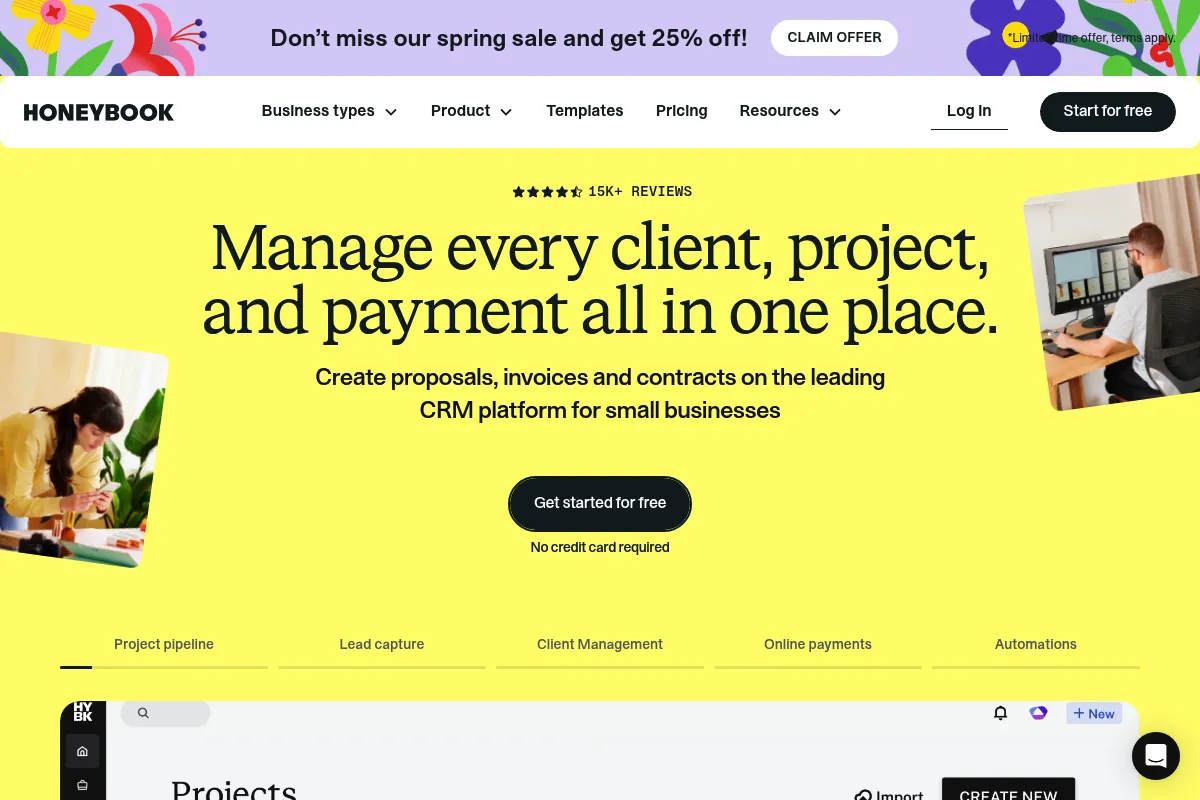
It combines lead capture, online contracts, automated scheduling, and payment processing into a single interface. Users create interactive 'Smart Files' that allow clients to select services, sign contracts, and pay invoices in one continuous flow.
What makes it different
Unlike generic CRMs, HoneyBook focuses on the 'client experience' through its Smart Files system, which acts more like a mini-website than a static PDF. It also operates as its own payment processor, which simplifies setup but locks users into their specific fee structure.
Ratings across the web

Ratings aggregated from independent review platforms.
Key Features
Smart Files
Combines proposals, contracts, and invoices into one interactive client document.
Automated Workflows
Triggers emails or files based on client actions or specific dates.
Integrated Payments
Collects credit card and ACH payments directly without external accounts.
AI Composer
Drafts responses to client inquiries based on your brand voice and past interactions.
Scheduler
Replaces tools like Calendly by embedding booking links directly into proposals.
Lead Capture Forms
Automatically pulls inquiry data into the CRM from your website.
Client Portal
Gives clients a single place to view all their documents and communication.
Pricing
Starter
- Unlimited clients and projects
- Invoices and contracts
- Professional templates
- Basic reports
Essential
- Everything in Starter
- Scheduler
- Automated workflows
- QuickBooks Online integration
- Up to 2 team members
Premium
- Everything in Essential
- Priority support
- Dedicated account manager
- Unlimited team members
- Multiple companies
Pricing checked 6 months ago
Pricing guidance
- When you need to automate your onboarding sequence (Essential)
- When you need to sync data with QuickBooks (Essential)
- When you need to manage more than one distinct business entity (Premium)
- Starter plan lacks the scheduler, which is a core reason many join.
- Transaction fees apply to all payments (typically 2.9% + 25c for cards).
- QuickBooks integration is locked behind the mid-tier plan.
Mid-market pricing that is affordable for solo creators but becomes expensive as you add team members on the Premium plan.
Pros & Cons
Strengths
-
High-end client aesthetics
The documents and portals look significantly more professional and modern than standard PDF invoices, which helps justify higher service rates.
-
Consolidated software stack
By bundling scheduling, contracts, and payments, it reduces the need for 3-4 separate subscriptions, keeping the business stack simple.
-
Low learning curve
The interface is intuitive for non-technical users, making it faster to set up compared to more complex alternatives like Dubsado.
Weaknesses
-
Rigid automation logic
It lacks the 'if/then' complexity found in advanced automation tools; you cannot easily branch workflows based on specific client form answers.
Affects: Scaling businesses with complex service tiers
-
Mandatory internal payment processing
To get the full benefit of automated payment tracking, you must use their processor, which has non-negotiable transaction fees.
Affects: High-volume businesses wanting to negotiate lower merchant rates
-
Basic reporting
Financial and lead reporting is surface-level; it won't replace a dedicated accounting tool or a deep sales analytics platform.
Affects: Data-driven operators
Real User Sentiment
Users generally feel the software makes them look more professional and saves hours of administrative work, though some feel 'locked in' by the payment system.
Users tend to like
- The 'Smart Files' document builder
- The mobile app for responding to leads quickly
- The ease of getting contracts signed and paid in one go
Users commonly complain about
- Customer support can be slow during peak times
- Lack of a public API for custom integrations
- The 3% average transaction fee on all revenue
Recurring tradeoffs
- You trade deep technical control for a beautiful, easy-to-use interface.
Happiest users
Photographers, wedding planners, and interior designers who rely on visual branding.
Often frustrated
Software consultants or technical agencies who need to integrate with a wider variety of dev tools.
Use Cases
Photographers
Sending a gallery preview, contract, and deposit invoice in one file.
Event Planners
Automating follow-ups after an initial inquiry to book a consultation.
Consultants
Using the scheduler to book discovery calls and automatically send a pre-call questionnaire.
Graphic Designers
Managing revisions and approvals through the client portal.
Coaches
Setting up recurring monthly billing for long-term retainer clients.
Frequently Asked Questions
HoneyBook vs Dubsado: Which is better?
HoneyBook is better for those who want a modern UI and a faster setup. Dubsado is better for power users who need complex automation logic and more branding control, though it has a much steeper learning curve.
Does HoneyBook have a free version?
No. HoneyBook only offers a 7-day free trial. After that, you must subscribe to the Starter, Essential, or Premium plan to continue managing projects.
What are the transaction fees for HoneyBook payments?
As of 2024, card transactions are typically 2.9% + 25¢, and ACH transfers are 1.5%. These fees are competitive with Stripe but are mandatory if you want integrated payment tracking.
Can I use my own domain with HoneyBook?
Yes, you can set up a custom domain (e.g., portal.yourbrand.com) so that clients see your branding when they view files or log into their portal.
Does HoneyBook integrate with QuickBooks?
Yes, but only on the Essential ($39/mo) and Premium ($79/mo) plans. It allows you to sync invoices and payments directly to QuickBooks Online.
Is there a limit on the number of clients I can have?
No, all HoneyBook plans allow for unlimited projects and unlimited clients, which is a significant advantage over CRMs that charge per contact.
Why trust this page?
This evaluation combines product positioning, pricing analysis, traffic and market signals, and public user sentiment into a single decision-support page. Content is generated editorially — not copied from the vendor's website.
Funding & Company
Founded
2013
Stage
Late stage
Total Raised
$479M
Latest Round
Series E (Nov 2021)
Notable Investors
HoneyBook has raised a total of $479 million, culminating in a $250 million Series E round in late 2021 which valued the company at $2.4 billion. This substantial funding from top-tier investors like Tiger Global Management provides a long operational runway and financial stability. The capital is being used to expand its product suite, particularly in financial services, to better serve its growing user base of independent business owners.
Market Signals & Traffic
Estimated visits, global rank, geography, traffic sources, monthly visit trends, and organic search keywords (Similarweb)—on a dedicated page built for depth and search.
- Estimated visits
- 1,680,398
- Global rank
- #26,402
- Snapshot
- Apr 2026
- Traffic trend
- Surging
Estimated monthly visits
Alternatives to HoneyBook
View all alternatives
Similar Tools
Malva AI
AI Assistant, Content Creation, Productivity

Curated directory and toolkit for free content creation tools.
Raycast
Productivity, Developer Tools, AI Assistant

A keyboard-first productivity launcher for managing applications and automated workflows.
Metricool
Marketing Automation, Content Creation, AI Assistant

Unified platform for social media scheduling, analytics, and advertising.
Elyos AI
AI Assistant, Automation & Agents, Workflow

Autonomous agents for trades and field service business operations.
Clean Email
Productivity, Automation, Communication

Smart inbox organizer to clean, unsubscribe, and automate email management.
AiZolo
Productivity, Search, Workflow

Comprehensive directory for discovering and comparing specialized software solutions.