
A high-speed, browser-based PDF toolkit that prioritizes task-specific efficiency over deep document editing, making it the go-to for quick conversions and compression.
Excellent for one-off document conversions and file size reduction, weaker for structural PDF editing or high-security corporate workflows.
Analysis based on product data, pricing structure, traffic signals, and public user sentiment.
Who Should Use iLovePDF?
Typical users
Freelancers, students, and administrative staff who need to manipulate documents without the overhead of a full Adobe Creative Cloud subscription.
Maturity fit
beginner to scaling
Choose this if…
- You need to compress a PDF for email attachment in under 30 seconds
- Your priority is a zero-install workflow across different devices
- You want to convert PDFs to Office formats without paying for Acrobat Pro
- You need basic digital signatures without complex enterprise ceremony
Skip this if…
- You need to edit existing text within a PDF as if it were a Word document
- Your workflow involves highly sensitive PII that cannot be uploaded to a third-party server
- You require advanced legal-grade e-signature audit trails and identity verification
About iLovePDF
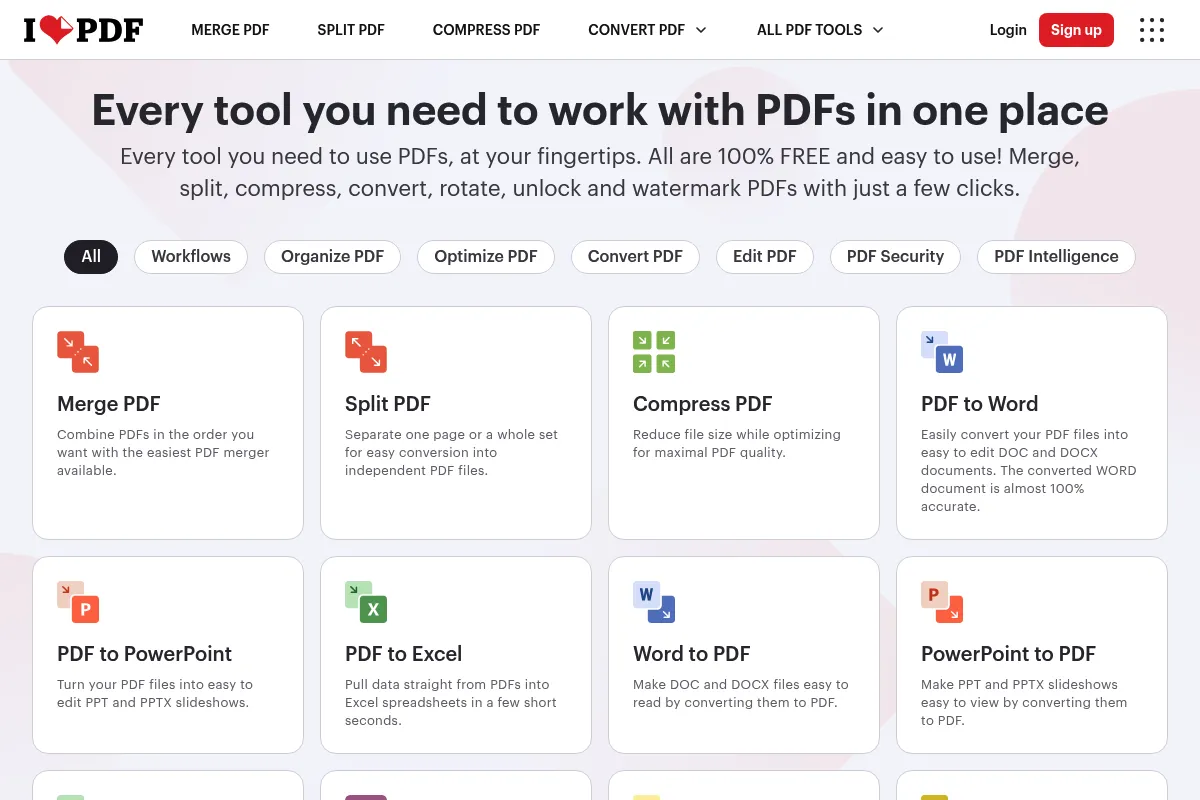
iLovePDF is a specialized utility suite designed to solve discrete document problems like merging, splitting, and converting. It exists to provide a faster, cheaper alternative to heavy PDF software by breaking down complex document management into simple, web-based actions.
Official profiles
What it actually does
Users upload files to perform specific actions: shrinking file sizes, converting between PDF and Office/Image formats, or merging multiple documents. It also provides a desktop application for offline processing and a mobile app for scanning and signing on the go.
What makes it different
Unlike 'all-in-one' editors that try to mimic Microsoft Word, iLovePDF treats the PDF as a finished object to be manipulated. Its 'task-first' interface is significantly faster for batch processing than traditional menu-heavy software, and its pricing is roughly 70% lower than industry incumbents.
Ratings across the web

Ratings aggregated from independent review platforms.
Key Features
Extreme Compression
Reduces file sizes significantly while maintaining readable text for email compliance.
OCR Conversion
Turns non-selectable scanned text into searchable and editable Word documents.
PDF to Excel
Extracts tables from PDFs into clean spreadsheets, though complex formatting can break.
Sign PDF
Allows for quick drawing or uploading of signatures for non-legal-binding approvals.
Desktop App
Enables local processing for users who want to avoid uploading files to the web.
Mobile Scanner
Uses the phone camera to create PDFs and syncs them directly to the web workspace.
API for Developers
Allows for the integration of PDF processing tasks into custom business applications.
Chat with PDF
Uses LLMs to answer questions about document content, useful for long reports.
Pricing
Free
- Access to all tools
- Limited document processing
- Web only
- Ads included
Premium
- Unlimited document processing
- Desktop, Web, and Mobile access
- OCR technology
- No ads
- Customer support
Business
- Flexible payment options
- Customized hardware/software setup
- Dedicated support
- Team management
Pricing checked 6 months ago
Pricing guidance
- When you need to process more than 10 files in a single batch
- When you need to use OCR on scanned documents
- When you want to process files locally on your computer for better privacy
- Free users have a 200MB limit per file for compression
- OCR is strictly a Premium feature
- The 'Edit PDF' tool is an annotator, not a full text-editor
Highly aggressive budget pricing designed to undercut Adobe and Smallpdf.
Pros & Cons
Strengths
-
Frictionless user experience
The interface is built around single-purpose buttons, meaning no training is required to perform complex tasks like merging or splitting.
-
High-quality compression
The compression algorithm is among the best in the market, often shrinking files by 80-90% without making images unreadable.
-
Cross-platform consistency
The transition between the web tool, the desktop app, and the mobile app is consistent, which is rare for low-cost utility tools.
-
Affordable batch processing
The Premium tier allows for processing hundreds of files at once, a feature usually locked behind much more expensive enterprise tiers in other tools.
Weaknesses
-
Limited structural editing
You cannot easily delete or rewrite existing text within a PDF; you can only overlay new text or images on top of it.
Affects: Users needing to fix typos or update data in existing documents
-
Privacy concerns on free tier
While files are encrypted and deleted, the act of uploading sensitive documents to a web server is a non-starter for many legal and medical professionals.
Affects: Compliance-heavy industries
-
Formatting loss in Excel
Complex tables with merged cells often fail to translate perfectly into Excel, requiring manual cleanup after conversion.
Affects: Data analysts and accountants
Real User Sentiment
Users generally view iLovePDF as a reliable, 'no-nonsense' tool that saves time on repetitive document tasks.
Users tend to like
- Speed of the compression tool
- Clean, intuitive interface
- The fact that it 'just works' without an account
- Affordable pricing compared to Adobe
Users commonly complain about
- Ads on the free version are intrusive
- Occasional errors when converting complex PDFs to Word
- Lack of advanced redaction tools
Recurring tradeoffs
- You trade deep editing capabilities for speed and ease of use
- Web-based convenience comes at the cost of local-only data privacy (unless using the desktop app)
Happiest users
Freelancers and small business owners who need to send professional-looking documents without a high software spend.
Often frustrated
Legal professionals or editors who need to make structural changes to PDF text or require high-security redaction.
Use Cases
Job Seekers
Merging a cover letter, resume, and portfolio into a single, compressed PDF for an application.
Small Business Owners
Converting a PDF price list into an Excel sheet to update inventory and pricing.
Students
Using the mobile app to scan handwritten notes and convert them into a searchable PDF via OCR.
Remote Workers
Adding a quick signature to a contract and password-protecting it before emailing it back.
Content Creators
Extracting high-quality images from a PDF document to use in social media posts.
Frequently Asked Questions
Is iLovePDF safe to use for sensitive documents?
iLovePDF uses HTTPS encryption for all uploads and automatically deletes files from their servers within two hours. However, for maximum privacy, the Premium version includes a Desktop app that processes files locally on your machine, ensuring your data never leaves your computer.
How does iLovePDF compare to Adobe Acrobat?
Acrobat is a full-featured document creation and editing suite, while iLovePDF is a collection of utility tools. Choose Acrobat if you need to rewrite PDF text or manage complex legal workflows; choose iLovePDF if you need to convert, merge, or compress files quickly for a fraction of the price ($7/mo vs $20+/mo).
Can I edit existing text in a PDF with iLovePDF?
No, you cannot directly edit or delete existing text within the PDF. The 'Edit PDF' tool allows you to add new text boxes, images, and shapes on top of the existing content. To change existing text, you should convert the PDF to Word, edit it there, and then convert it back to PDF.
Is the OCR feature available for free?
No, OCR (Optical Character Recognition) is a Premium feature. It is required if you want to convert a scanned image or a non-searchable PDF into an editable Word or Excel document.
Does iLovePDF have a file size limit?
Yes. Free users are typically limited to files around 200MB for compression and smaller limits for other tools. Premium users get significantly higher limits (up to 4GB for some tasks) and can process more files simultaneously.
Can I use iLovePDF offline?
Yes, but only if you have a Premium subscription which includes access to the iLovePDF Desktop application for Windows and macOS. The web version requires an active internet connection.
Why trust this page?
This evaluation combines product positioning, pricing analysis, traffic and market signals, and public user sentiment into a single decision-support page. Content is generated editorially — not copied from the vendor's website.
Funding & Company
Founded
2010
Stage
Bootstrapped
Total Raised
Bootstrapped
Latest Round
—
iLovePDF is a bootstrapped company that has grown without external funding since its founding in 2010. [3, 4, 7] Its stability comes from a sustainable freemium model that converts a large organic user base into paying customers for premium features. [4, 6]
Market Signals & Traffic
Estimated visits, global rank, geography, traffic sources, monthly visit trends, and organic search keywords (Similarweb)—on a dedicated page built for depth and search.
- Estimated visits
- 287,471,572
- Global rank
- #106
- Snapshot
- Apr 2026
- Traffic trend
- Surging
Estimated monthly visits
Alternatives to iLovePDF
View all alternativesNitro PDF AI
Productivity, Documentation, Privacy & Compliance

Professional PDF editing, electronic signatures, and document workflow management.
Sejda
Productivity, Documentation, Data Extraction

Comprehensive PDF editor for document conversion, merging, and signing.
Similar Tools
Sejda
Productivity, Documentation, Data Extraction
Comprehensive PDF editor for document conversion, merging, and signing.
Runway ML
Video Creation, Content Creation

AI-powered creative suite for generating and editing video, images, and audio.
Beam AI
Automation & Agents, Productivity, Communication

Platform for deploying autonomous agents to automate complex business workflows.
Teachable
Website Builder, Training & Onboarding, Content Creation

Platform for creating and selling online courses and coaching services.
Chronicle
Content Creation, AI Assistant

AI-powered presentation tool for creating professional, story-driven decks.
Hedra
Content Creation, Video Creation, AI Assistant

AI platform for creating expressive character videos from text and images.