

A browser-based PDF utility suite that excels at quick text edits and file conversions without the overhead of a heavy enterprise subscription.
Best for individuals needing occasional, precise PDF text editing; weaker for teams requiring advanced document lifecycle management or high-volume automation.
Analysis based on product data, pricing structure, traffic signals, and public user sentiment.
Who Should Use Sejda?
Typical users
Freelancers, administrative assistants, and small business owners who handle 1-10 PDF tasks per week.
Maturity fit
beginner to scaling
Choose this if…
- You need to edit existing text within a PDF, not just overlay new text
- You want a 'pay-as-you-go' option like a weekly pass instead of a monthly commitment
- You prefer a clean, web-based interface over heavy desktop software
Skip this if…
- You handle highly sensitive data that cannot be uploaded to a third-party server (unless using the Desktop version)
- Your workflow requires complex document automation or API-driven PDF generation
- You need advanced legal redlining or professional-grade desktop publishing features
About Sejda
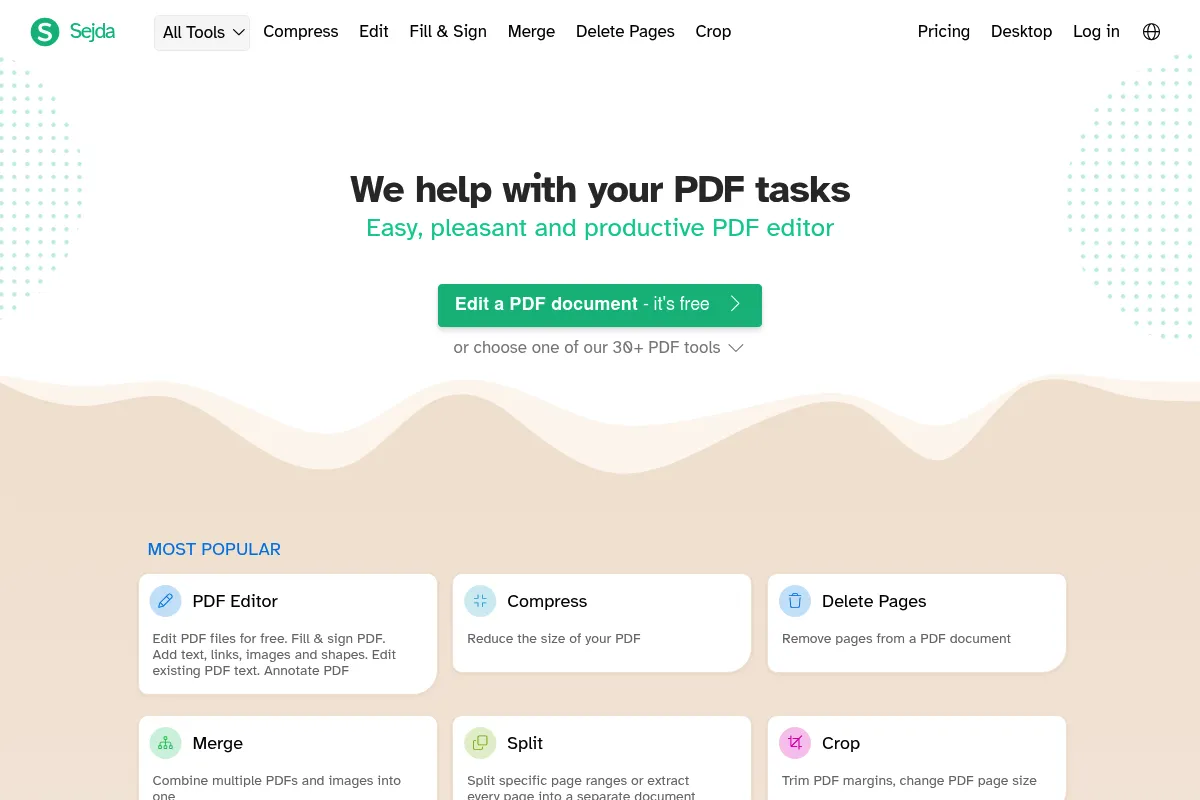
Sejda is a versatile PDF management tool designed to bridge the gap between basic viewers and expensive suites like Adobe Acrobat. It focuses on accessibility, offering both a web-based platform and a local desktop application for various document manipulation tasks.
What it actually does
Sejda provides a toolkit for editing, compressing, merging, and converting PDF files. It allows users to modify existing text, sign documents electronically, extract data via OCR, and use AI to summarize long documents.
What makes it different
Unlike many web-based competitors that only allow you to add text on top of a PDF, Sejda actually lets you edit the original text in the document. It also offers a unique 'Week Pass' pricing model, catering to users who only need the tool for a specific project rather than a permanent subscription.
Ratings across the web

Ratings aggregated from independent review platforms.
Key Features
Text Editor
Allows you to change existing text, fonts, and formatting within a PDF.
Week Pass
Provides full access for 7 days, ideal for one-off projects.
Desktop Version
Enables offline processing for better privacy and larger file handling.
AI Chat
Summarizes long documents and answers specific questions about the content.
Visual Merge
Lets you visually reorder and combine pages from multiple files.
Auto-Delete
Automatically wipes uploaded files from their servers after 2 hours.
Bates Numbering
Adds sequential numbering for legal and medical record keeping.
HTML to PDF
Converts web pages or HTML code directly into PDF format.
Pricing
Free
- 3 tasks per day
- Files up to 50MB
- Documents up to 200 pages
- Access to all tools
Web Week Pass
- Unlimited tasks for 7 days
- Unlimited file size
- Browser-based access only
- Email support
Web Monthly
- Unlimited tasks
- Unlimited file size
- Browser-based access
- Recurring subscription
Desktop + Web Annual
- Unlimited tasks
- Desktop application (offline)
- Browser-based access
- Priority support
Pricing checked 6 months ago
Pricing guidance
- When you exceed 3 PDF tasks in a single day
- When you need to process a file larger than 50MB
- When you need to work offline for security reasons
- Free tier limits are per day, not per month
- OCR is limited to 10 pages on the free tier
- Desktop version requires the most expensive annual plan
Highly affordable and flexible, positioning itself as the budget-friendly alternative to Adobe Acrobat.
Pros & Cons
Strengths
-
True text editing
It is one of the few affordable tools that allows you to click on existing PDF text and change it, rather than just whiting it out and typing over it.
-
Flexible pricing options
The $5 weekly pass is a high-value option for users who don't want another recurring monthly bill for a tool they use infrequently.
-
Privacy-conscious online processing
The 2-hour auto-delete policy provides a reasonable safety net for users concerned about document persistence on third-party servers.
-
No account required for basic tasks
Users can perform tasks immediately without a forced sign-up process, reducing friction for urgent document needs.
Weaknesses
-
Strict free tier limits
The 3-task-per-day limit is strictly enforced, and files are capped at 200 pages or 50MB, which is low for large reports.
Affects: Occasional users with high-frequency, low-volume needs.
-
Limited batch processing
While it can merge files, it lacks the advanced batch automation found in enterprise tools like Nitro or Acrobat.
Affects: Operations teams handling hundreds of documents daily.
-
Formatting breaks on complex files
When editing text in PDFs with complex layouts or non-standard fonts, the formatting can occasionally shift or break.
Affects: Graphic designers or users editing highly stylized marketing materials.
Real User Sentiment
Generally positive, with users frequently recommending it as the best 'no-nonsense' PDF editor for quick tasks.
Users tend to like
- The ability to edit existing text for free
- The simple, intuitive user interface
- The 'Week Pass' pricing option
- Fast processing speeds
Users commonly complain about
- The 3-task daily limit on the free version
- Occasional font matching issues during text editing
- Limited advanced features for legal professionals
Recurring tradeoffs
- Users trade deep enterprise features for a significantly lower price point and better ease of use.
Happiest users
Freelancers and students who need to occasionally modify forms or sign contracts without a subscription.
Often frustrated
Power users who try to use the free version for high-volume work and hit the daily task wall.
Use Cases
Contract Editing
Modifying specific clauses or dates in a PDF contract without re-creating the file.
Form Filling
Completing non-interactive PDF forms and adding a digital signature.
File Size Reduction
Compressing large PDF reports to meet email attachment limits.
Data Extraction
Using OCR to turn scanned receipts or invoices into searchable text.
Document Summarization
Using the AI tool to quickly extract key points from a 50-page whitepaper.
Legal Preparation
Adding Bates numbering to a large set of discovery documents.
Frequently Asked Questions
Is Sejda safe to use for sensitive documents?
Sejda deletes uploaded files after 2 hours. However, for maximum security, users should use the Sejda Desktop version, which processes files locally on your computer without ever uploading them to the cloud.
How does Sejda compare to Smallpdf?
Sejda is generally better for editing existing text, whereas Smallpdf focuses more on conversion and compression. Sejda's 'Week Pass' is also more flexible than Smallpdf's subscription-heavy model.
Can I use Sejda for free?
Yes, Sejda offers a free tier that allows up to 3 tasks per day for files up to 50MB and 200 pages. OCR tasks on the free tier are limited to 10 pages.
Does Sejda work on Mac and Windows?
Yes, the web version works in any modern browser on both OSs. There is also a dedicated Sejda Desktop application available for macOS, Windows, and Linux.
Can Sejda convert PDF to Word?
Yes, Sejda includes a PDF to Word converter that attempts to preserve the original layout and formatting of the document.
What are the limitations of the Sejda AI tool?
The AI summarizer is best for text-heavy documents. It may struggle with complex tables, charts, or very low-quality scans that haven't been properly OCR'd.
Why trust this page?
This evaluation combines product positioning, pricing analysis, traffic and market signals, and public user sentiment into a single decision-support page. Content is generated editorially — not copied from the vendor's website.
Funding & Company
Founded
2010
Stage
Bootstrapped
Total Raised
Bootstrapped
Latest Round
—
Sejda is a bootstrapped company that has operated for over a decade without any apparent external venture capital funding. This indicates a strong focus on profitability and sustainable growth, funded directly by its customers through its freemium SaaS model.
Market Signals & Traffic
Estimated visits, global rank, geography, traffic sources, monthly visit trends, and organic search keywords (Similarweb)—on a dedicated page built for depth and search.
- Estimated visits
- 17,172,777
- Global rank
- #2,740
- Snapshot
- Apr 2026
- Traffic trend
- Rising
Estimated monthly visits
Alternatives to Sejda
View all alternativesiLovePDF
Productivity, Documentation, Data Extraction
Comprehensive suite of tools for editing, converting, and managing PDF files.
Nitro PDF AI
Productivity, Documentation, Privacy & Compliance

Professional PDF editing, electronic signatures, and document workflow management.
Similar Tools
iLovePDF
Productivity, Documentation, Data Extraction
Comprehensive suite of tools for editing, converting, and managing PDF files.
Flux
Content Creation, Design

AI-powered text-to-image generation and editing models.
Canva
Design, Content Creation, Video Creation
Visual communication platform for creating professional designs, videos, and documents.
Upstage
Developer Tools, Data Extraction, AI Assistant

Enterprise large language models and intelligent document processing solutions.
FaceApp
Content Creation, Design

AI-powered mobile app for realistic photo and video editing.
MeetGeek
AI Assistant, Productivity, Training & Onboarding
AI meeting assistant that records, transcribes, and summarizes your calls.