

Mem AI offers an AI-first approach to note-taking and knowledge management, prioritizing automated organization and information retrieval over manual structuring.
Excellent for users who want AI to manage their notes, weaker for those who prefer granular manual control.
Analysis based on product data, pricing structure, traffic signals, and public user sentiment.
Who Should Use Mem AI?
Typical users
Individuals and small to medium-sized teams looking to reduce the manual effort of organizing notes and quickly access information. This includes knowledge workers, researchers, students, and content creators.
Maturity fit
beginner to scaling
Choose this if…
- You want an AI to automatically organize and link your notes.
- Your priority is fast capture and effortless retrieval of information.
- You prefer a minimalist interface and a 'capture now, organize later' approach.
- You want AI to surface relevant information contextually as you work.
Skip this if…
- You require extensive customization and manual control over your knowledge base structure.
- You need robust task management and project management features comparable to dedicated tools.
- You prefer a strictly local-first, offline-only note-taking experience.
- Your workflow heavily relies on specific, niche integrations not yet supported.
About Mem AI
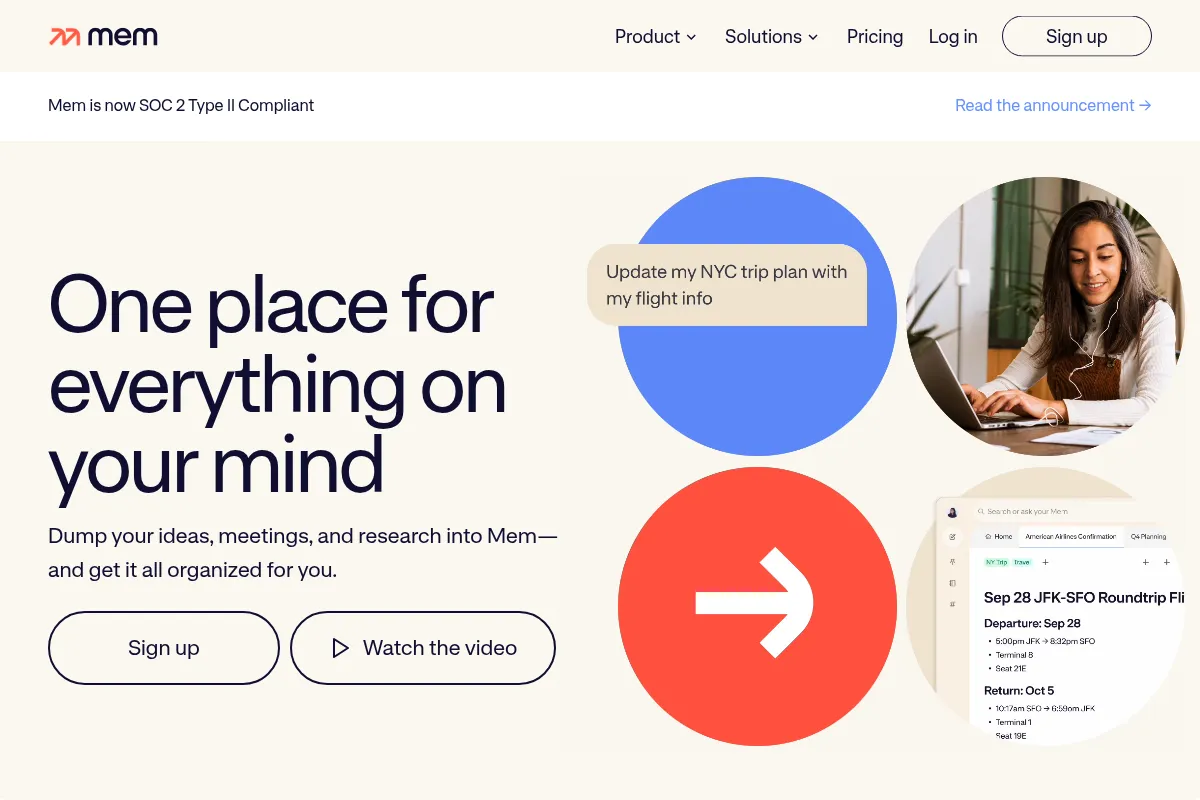
Mem AI is an AI-powered note-taking and knowledge management application that automatically organizes and surfaces information. It aims to reduce manual organization effort by using AI to link related content and provide natural language search, enhancing productivity by enabling quick access to a personal knowledge base.
Official profiles
What it actually does
Mem AI captures notes through text, voice, or web clipping, then uses AI to automatically organize, tag, and link related content. It offers AI-powered search, a conversational AI assistant (Mem Chat) for summarizing and drafting, and a 'Heads Up' feature that proactively suggests related notes.
What makes it different
Unlike traditional note-taking apps that rely on manual folder structures or tags, Mem AI prioritizes an AI-driven, self-organizing approach. Its core differentiator is the proactive surfacing of related information and the ability of its AI to understand context and semantic meaning for search, aiming to create a 'personal Google' for your knowledge.
Ratings across the web


Ratings aggregated from independent review platforms.
Key Features
AI-Powered Organization
Automatically categorizes and links notes without manual tagging, reducing organizational overhead.
Mem Chat
A conversational AI interface that can create, edit, organize, and recall information using natural language, acting as a personal assistant for your notes.
Smart Search
A three-tiered search system including AI-powered deep search that understands semantic meaning, not just keywords, for more intuitive retrieval.
Heads Up Feature
A real-time context panel that automatically surfaces related notes as you work, eliminating the need to manually search for connections.
Voice Mode
Allows for hands-free note capture, converting speech to searchable text while preserving the original audio, useful for capturing ideas on the go.
Collections
AI-curated groups of notes for streamlined organization, offering a flexible alternative to traditional folder structures.
Smart Write
Generates sentences or paragraphs based on your notes, referencing your entire knowledge base for contextually relevant output.
Pricing
Free
- 25 notes per month
- 25 chat messages per month
- Basic features
Pro
- Unlimited notes
- Unlimited chat messages
- Unlimited deep searches
- Unlimited Collections
- Unlimited templates
- Dark mode
- Unlimited connected emails
Teams
- All Pro features
- Group billing
- Priority support
- Dedicated success manager
- Service Level Agreements (SLAs)
Pricing checked 6 months ago
Pricing guidance
- When you exceed the 25 notes or 25 chat messages per month limit.
- When you need unlimited access to AI features like Smart Search and Mem Chat.
- When you want to remove usage restrictions and fully integrate Mem into your workflow.
- The free plan's note and chat message limits are restrictive for anything beyond light experimentation.
- While not explicitly hidden, the full power of Mem is unlocked with the Pro plan, making the free tier feel like a limited trial.
- The 'Teams' plan pricing is custom and not publicly available, requiring direct contact for quotes.
Mem offers a freemium model with a compelling Pro tier that removes usage limits, positioning it as an affordable yet powerful AI-driven knowledge management tool for individuals and teams.
Pros & Cons
Strengths
-
Effortless AI Organization
Mem automatically organizes notes without manual effort, significantly reducing the time spent on structuring information. This is ideal for users who want to focus on capturing ideas rather than managing them.
-
Intelligent Information Retrieval
Smart Search and the 'Heads Up' feature make finding relevant information remarkably fast and intuitive, often surfacing connections users might have missed.
-
Seamless Capture Methods
Supports multiple input methods including voice, email forwarding, and web clipping, making it easy to capture information from various sources without friction.
-
Contextual AI Assistance
Mem Chat and Smart Write leverage your entire knowledge base to provide contextually relevant AI assistance, going beyond generic AI writing tools.
Weaknesses
-
Limited Manual Control
The reliance on AI for organization means users have less granular control over the structure compared to tools like Obsidian or Notion, which can be a drawback for those who prefer detailed manual hierarchies.
Affects: Users who prefer manual organization and deep customization
-
Basic Task Management
While tasks can be created within notes, Mem lacks the robust project management views, databases, and automation found in dedicated tools or more comprehensive platforms like Notion.
Affects: Teams or individuals managing complex projects
-
Mobile App Limitations (Historically)
While improving, past versions of the iOS app were noted as buggy or less functional. Users may still encounter occasional inconsistencies across platforms.
Affects: Heavy mobile users
-
Learning Curve for Advanced Features
While the core capture experience is simple, fully leveraging the AI capabilities and understanding how Mem structures information may require an adjustment period for some users.
Affects: New users unfamiliar with AI-driven knowledge management
Real User Sentiment
Users generally appreciate Mem AI's innovative AI features, particularly its automated organization and smart search, finding it a significant time-saver for capturing and retrieving information.
Users tend to like
- AI-powered automatic organization and linking of notes.
- Fast and intuitive smart search that understands natural language.
- Proactive surfacing of related notes ('Heads Up' feature).
- Seamless capture methods (voice, email, web clipper).
- The potential for a 'second brain' that requires minimal manual input.
Users commonly complain about
- Limited manual control over note organization compared to other tools.
- Basic task management features that don't rival dedicated project management tools.
- Past issues with mobile app stability and cross-platform consistency.
- The necessity of a paid plan to access the full AI capabilities.
- Some users feel development can be slow or features are removed.
Recurring tradeoffs
- AI-driven automation vs. granular manual control.
- Simplicity and speed of capture vs. depth of organizational features.
- Focus on AI-powered retrieval vs. robust task/project management.
Happiest users
Individuals and teams who prioritize quick capture and AI-driven organization, and who want to offload the manual effort of structuring their knowledge base.
Often frustrated
Users who require extensive customization, deep manual control over their note structure, or advanced project management capabilities.
Use Cases
Personal Knowledge Management
Automatically organizing and connecting notes to build a searchable 'second brain'.
Research and Content Creation
Capturing ideas, sources, and insights, with AI helping to surface related information for deeper analysis and writing.
Meeting and Lecture Notes
Quickly capturing spoken information via voice mode and having it automatically transcribed and organized.
Team Knowledge Sharing
Facilitating collaboration by automatically linking shared notes and making information easily discoverable via Mem Chat.
Idea Brainstorming
Using AI to connect disparate ideas and surface relevant past notes to spark new insights.
Information Capture on the Go
Using voice mode and mobile app for quick capture of thoughts and tasks when away from a keyboard.
Frequently Asked Questions
What is the difference between Mem AI and Notion?
Notion is a versatile, all-in-one workspace known for its structured, block-based note-taking and extensive customization options, allowing users to build complex databases and project management systems. Mem AI, on the other hand, is an AI-first 'second brain' designed for frictionless capture and automatic organization. It eliminates manual folder structures, using AI to link and surface related notes proactively. Mem excels at quick capture and effortless retrieval, while Notion is better for users who want to build and manage highly structured systems.
How much does Mem AI cost?
Mem AI operates on a freemium model. The Free plan offers basic features with limitations on notes (25/month) and chat messages (25/month). The Pro plan, recommended for active users, costs $12/month (billed monthly) or $10/month (billed annually) and provides unlimited notes, AI features, and usage. Teams can opt for custom pricing with additional support and SLAs.
Does Mem AI work offline?
Yes, Mem AI offers offline capabilities on desktop and iOS. This means you can access and update your notes even without an internet connection. However, full functionality, especially for AI-powered features like Smart Search and Mem Chat, typically requires an active internet connection.
What are the limitations of Mem AI?
The primary limitation is the reduced manual control over organization, as Mem relies heavily on AI. Users who prefer to meticulously structure their notes with folders and tags may find this approach less ideal. Additionally, while task management is possible, it's basic compared to dedicated tools. Some users have also noted past issues with mobile app performance and cross-platform consistency, though these are reportedly improving.
Can I import my notes from other apps into Mem AI?
Yes, Mem AI supports importing notes from other applications. You can typically import files from Notion, Evernote, and Markdown formats. This makes it easier to migrate your existing knowledge base into Mem's AI-powered system.
What integrations does Mem AI offer?
Mem AI integrates with various productivity tools, often through platforms like Zapier. Popular integrations include Slack, Google Drive, Microsoft Outlook, Gmail, Evernote, and Todoist. These integrations allow for automated workflows, such as saving Slack messages or emails directly into Mem.
Is Mem AI suitable for teams?
Yes, Mem AI offers a Teams plan with custom pricing designed for collaborative use. It includes all Pro features plus benefits like group billing, priority support, and a dedicated success manager, making it suitable for teams looking to build a shared AI-powered knowledge base.
How does Mem AI's AI differ from other AI note-taking apps?
Mem AI's AI focuses on understanding the context and semantic meaning of your notes to automatically organize, link, and surface relevant information proactively. Its 'Heads Up' feature and Smart Search aim to act like a 'personal Google' for your knowledge, going beyond simple keyword matching or generative text capabilities found in some other AI assistants.
Why trust this page?
This evaluation combines product positioning, pricing analysis, traffic and market signals, and public user sentiment into a single decision-support page. Content is generated editorially — not copied from the vendor's website.
Funding & Company
Founded
2019
Stage
Series a
Total Raised
$29.1M
Latest Round
Series A (Nov 2022)
Notable Investors
Mem has raised a total of $29.1 million over two rounds, including a significant $23.5 million Series A led by the OpenAI Startup Fund in late 2022. This funding provides a solid capital base for product development in the competitive AI-powered productivity space.
Market Signals & Traffic
Estimated visits, global rank, geography, traffic sources, monthly visit trends, and organic search keywords (Similarweb)—on a dedicated page built for depth and search.
- Estimated visits
- 236,019
- Global rank
- #179,445
- Snapshot
- Apr 2026
- Traffic trend
- Steady
Estimated monthly visits
Alternatives to Mem AI
View all alternatives
Similar Tools
Supernormal
Productivity, AI Assistant

AI-powered meeting assistant for transcription, summarization, and action items.
Triple Whale
Marketing Automation, Automation & Agents

Centralized analytics and attribution platform for e-commerce brands.
SuperSaaS
Productivity, Automation, Workflow

Flexible online appointment scheduling and booking system for businesses.
Tenstorrent
Developer Tools, Research

RISC-V based hardware and software for scalable AI computing.
PrometAI
AI Assistant, Productivity, Documentation

Generate investor-ready business plans and financial projections in minutes.
Presentations.ai
Content Creation, Productivity, Design

AI-powered platform for creating professional presentations quickly and easily.