

Multi
A high-performance multiplayer collaboration tool for macOS that was acquired and sunset by OpenAI in 2024, leaving it unavailable for standalone use.
Excellent for deep technical collaboration on macOS, but currently impossible to adopt as the product has been discontinued.
Analysis based on product data, pricing structure, traffic signals, and public user sentiment.
Who Should Use Multi?
Typical users
Software engineers and product teams who previously relied on low-latency shared control for pair programming.
Maturity fit
advanced
Choose this if…
- You are researching the technology now integrated into OpenAI's desktop ecosystem
- You need to understand the historical benchmark for low-latency screen sharing
Skip this if…
- You need a tool you can actually sign up for and use today
- Your team uses Windows or Linux
- You require a vendor with long-term support and availability
About Multi
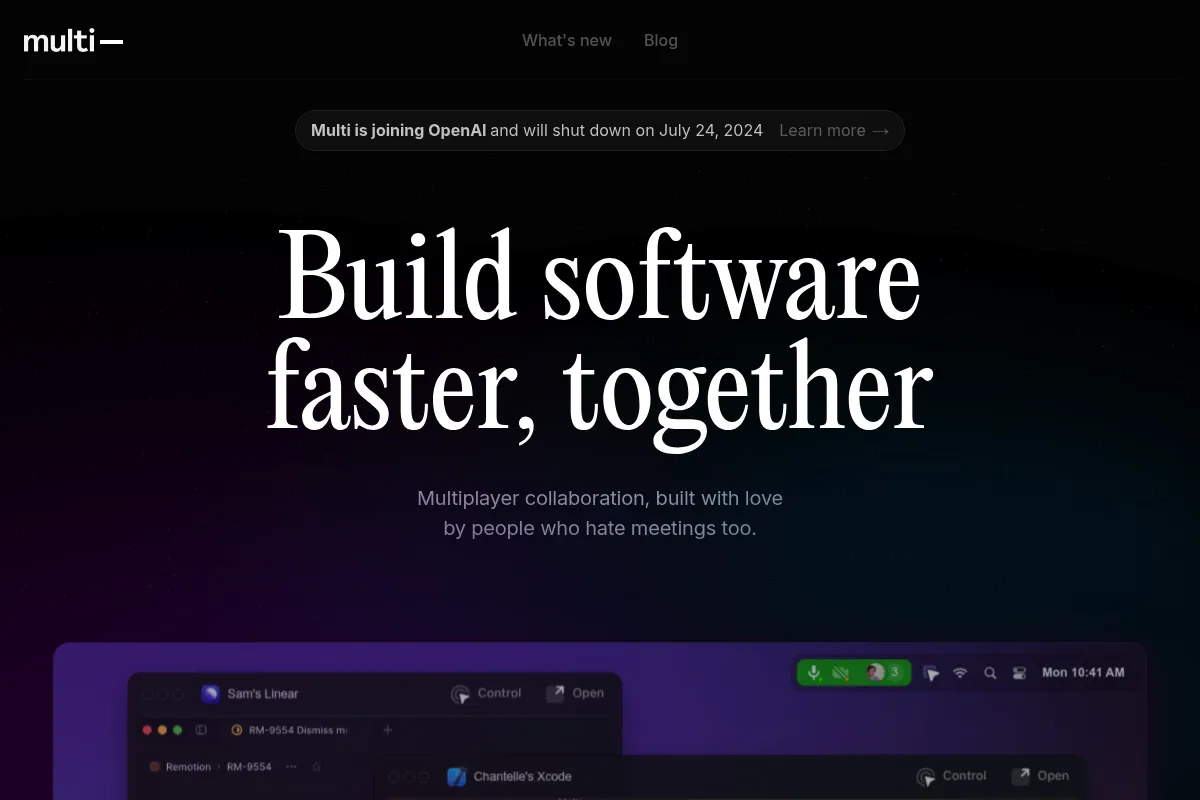
Multi (formerly Remotion) was a macOS-native collaboration tool designed to turn any application into a multiplayer experience. It focused on the specific needs of software engineers, providing a shared operating system layer rather than just a video feed.
What it actually does
It allowed multiple users to share their screens simultaneously while providing each participant with their own cursor and control capabilities. The tool enabled real-time interaction with a teammate's IDE, terminal, or browser with sub-50ms latency.
What makes it different
Unlike general-purpose meeting tools, Multi was built natively for macOS using Swift, allowing for deep system integration and significantly lower CPU usage. It treated screen sharing as a persistent workspace rather than a scheduled call.
Key Features
Multiplayer Control
Allows multiple participants to click and type in the same application at the same time.
App-Specific Sharing
Permits sharing only selected windows to maintain privacy for the rest of the desktop.
Native macOS Build
Built with Swift to ensure high performance and low resource consumption on Mac hardware.
Drawing Layer
Provides temporary on-screen annotations to highlight specific code blocks or UI elements.
Deep Links
Opens the exact file and line of code on a teammate's machine via IDE integrations.
Shared Shortcuts
Syncs keyboard modifiers to make remote terminal and editor navigation feel local.
Automatic Status
Updates teammate availability based on the active application they are using.
Pricing
Free Beta (Historical)
- Unlimited multiplayer sessions
- Shared control and cursors
- Drawing and annotation tools
- Native macOS application
Sunsetted
- Product no longer available
- Acquired by OpenAI
- No longer accepting new signups
Pricing checked 4 months ago
Pricing guidance
- N/A - The tool is no longer functional
- macOS only
- Backend services are now decommissioned
- No Windows or web version
Was positioned as a high-end free utility to capture the developer market before exiting.
Pros & Cons
Strengths
-
Extreme low latency
The sub-50ms lag made remote control feel like local interaction, which is critical for fluid pair programming.
-
True multi-cursor support
Eliminated the 'driver and navigator' bottleneck by letting everyone interact with the code simultaneously.
-
Lightweight system footprint
Being a native app allowed it to avoid the memory bloat and lag typical of Electron-based competitors like Slack or Discord.
Weaknesses
-
Product discontinued
The tool was sunset in July 2024 following the OpenAI acquisition, making it unavailable for new or existing users.
Affects: Everyone
-
Platform locked
It never expanded beyond macOS, which excluded any teams with Windows or Linux developers.
Affects: Cross-platform engineering teams
-
Acquisition risk realized
Users who integrated the tool into their daily workflows were forced to migrate to alternatives on short notice.
Affects: Teams looking for stable, long-term infrastructure
Real User Sentiment
Users highly praised the technical performance and 'multiplayer' feel, followed by significant disappointment when the tool was sunset.
Users tend to like
- Unmatched speed and responsiveness
- The native macOS user interface
- Ability for multiple people to share screens at once
Users commonly complain about
- Lack of support for non-Mac users
- Sudden shutdown after the OpenAI acquisition
- Occasional audio synchronization issues
Recurring tradeoffs
- Superior performance required a strict commitment to the macOS ecosystem.
Happiest users
All-Mac engineering teams who practiced daily pair programming.
Often frustrated
Teams with mixed operating systems and those who lost their workflow due to the acquisition.
Use Cases
Pair Programming
Two developers writing and debugging code in the same IDE simultaneously.
Design Reviews
Designers and product managers interacting with Figma or live builds in real-time.
Technical Onboarding
Senior engineers walking new hires through complex codebases with shared control.
Rapid Debugging
Jumping into a teammate's terminal to help resolve configuration issues.
Collaborative Documentation
Multiple team members editing a document or wiki together via shared screen control.
Frequently Asked Questions
Is Multi still available for download?
No. Multi was acquired by OpenAI in June 2024, and the standalone application was officially sunset on July 24, 2024. The download links and backend services have been removed.
What is the best alternative to Multi?
Tuple is the most direct alternative, offering high-performance, macOS-native pair programming with shared control. Other options include Screen.so (also acquired/shut down) or basic tools like Slack Huddles.
Did Multi ever support Windows or Linux?
No. Multi was built specifically as a native macOS application using Swift to optimize for performance. It never released versions for Windows or Linux before its acquisition.
Was Multi a free tool?
Yes, Multi remained in a free beta phase for its entire existence. It did not implement a paid tier before the team joined OpenAI.
Why did OpenAI acquire Multi?
OpenAI acquired the team to work on 'desktop-level interaction' for their products. This likely involves integrating Multi's low-latency screen interaction technology into ChatGPT's desktop applications.
How did Multi compare to Zoom for screen sharing?
Zoom is a general-purpose video tool with high latency and 'one-at-a-time' remote control. Multi allowed multiple simultaneous shares and near-instant multiplayer interaction with the OS.
Why trust this page?
This evaluation combines product positioning, pricing analysis, traffic and market signals, and public user sentiment into a single decision-support page. Content is generated editorially — not copied from the vendor's website.
Funding & Company
Founded
2019
Stage
Acquired
Total Raised
$13M
Latest Round
Series A (Oct 2020)
Notable Investors
Multi, legally known as Remotion Inc., raised a total of $13 million in venture capital across two funding rounds, including a Series A in October 2020. The company was backed by notable investors like Greylock and First Round Capital before being acquired by OpenAI in June 2024. This acquisition provides significant financial stability, though the product itself is being sunsetted.
Market Signals & Traffic
Estimated visits, global rank, geography, traffic sources, monthly visit trends, and organic search keywords (Similarweb)—on a dedicated page built for depth and search.
- Estimated visits
- 15,205
- Global rank
- #1,670,065
- Snapshot
- Apr 2026
- Traffic trend
- Surging
Estimated monthly visits
Similar Tools
Capture One
Content Creation, Design, Workflow

Professional photo editing software for tethered shooting and RAW processing
Hugging Face
Developer Tools, Productivity

Open-source platform for machine learning models, datasets, and tools.
Jumpshare
Communication, Productivity, Video Creation

Visual communication platform for screen recording, screenshots, and file sharing.
Tavily
Developer Tools, Data Extraction, Automation & Agents

Search engine for AI agents and RAG workflows
Greptile
Developer Tools, AI Assistant, Automation & Agents

Automated code review agent with complete codebase context.
EvenUp
Automation, Data Extraction, Workflow

Automated demand packages and medical record analysis for legal teams.