

A unified social media dashboard that combines AI copywriting, graphic design, and multi-platform scheduling—best for e-commerce brands and small agencies, though the interface and AI quality can feel unpolished compared to specialized tools.
Excellent for e-commerce owners needing fast, automated product posts, weaker for teams requiring enterprise-grade social listening or high-end design flexibility.
Analysis based on product data, pricing structure, traffic signals, and public user sentiment.
Who Should Use Ocoya?
Typical users
Solopreneurs, e-commerce store owners (Shopify/WooCommerce), and small marketing agencies managing 5–20 social accounts.
Maturity fit
beginner to scaling
Choose this if…
- You want to design, write, and schedule content in a single browser tab
- Your priority is speed of execution over high-end design precision
- You need to automate social posts directly from an e-commerce product catalog
Skip this if…
- You already have a refined workflow using Canva and dedicated AI writers
- You require advanced community management or social listening features
- You need a highly stable, bug-free mobile app for on-the-go posting
About Ocoya
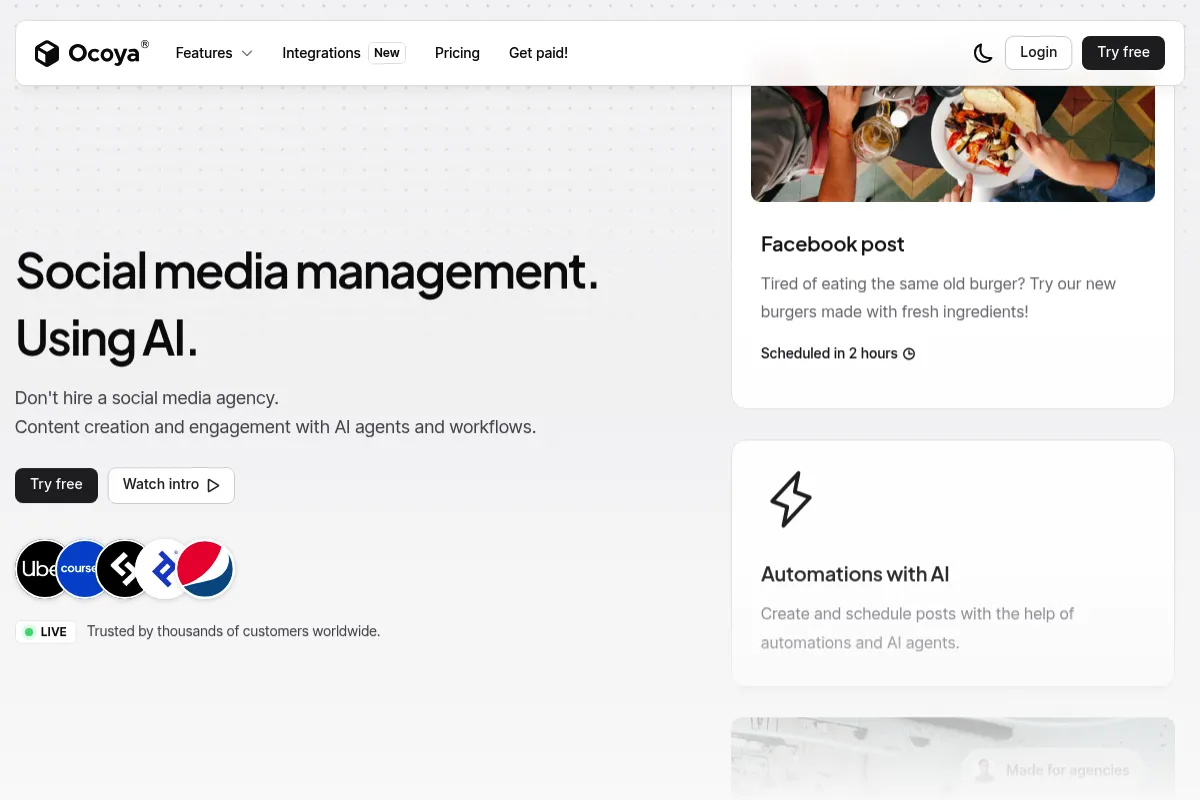
Ocoya is a social media management platform that integrates content creation directly into the scheduling workflow. It was built to eliminate the friction of switching between design tools, AI writers, and posting dashboards.
What it actually does
It allows users to generate marketing copy via an AI assistant, create visuals using a built-in graphic editor, and schedule those assets across major social networks. It also syncs with e-commerce stores to turn product listings into social posts automatically.
What makes it different
Unlike traditional schedulers like Buffer or Hootsuite, Ocoya prioritizes the creation phase. Its 'Travis AI' and built-in editor are designed to work together, allowing a user to go from a blank page to a scheduled post across eight platforms in under a minute.
Ratings across the web

Ratings aggregated from independent review platforms.
Key Features
Travis AI
Generates marketing copy, blog intros, and ad headlines in 26+ languages.
E-commerce Integration
Pulls product images and descriptions from Shopify to create instant promotional posts.
Built-in Canvas
A graphic editor with stock photo integration and templates similar to a simplified Canva.
Social Media Scheduler
Supports direct posting to Instagram Reels, TikTok, and YouTube Shorts.
Hashtag Generator
Suggests trending tags based on your image or caption content.
Link Shortener
Includes a built-in 'Jubas' tool for tracking click-through rates on shared links.
Collaboration Workspaces
Allows agencies to keep client assets and social accounts in isolated environments.
Pricing
Bronze
- 5 Social profiles
- 1 User
- 100 AI credits
- Unlimited scheduled posts
Silver
- 20 Social profiles
- 5 Users
- 500 AI credits
- Copywriting in 26+ languages
Gold
- 50 Social profiles
- 20 Users
- 1,500 AI credits
- Branded reports
Diamond
- 150 Social profiles
- 50 Users
- Unlimited AI credits
- API access
Pricing checked 4 months ago
Pricing guidance
- When you need to manage more than 5 social accounts
- When you need to add team members for approval workflows
- When you run out of AI generation credits on the Bronze plan
- AI credits are consumed per generation, not per successful post
- Branded analytics reports are locked behind the Gold tier
- API access is restricted to the highest Diamond tier
Mid-range pricing that positions itself as a cost-saving alternative to paying for separate Canva, Jasper, and Buffer subscriptions.
Pros & Cons
Strengths
-
Reduced tool switching
By housing the AI writer, image editor, and scheduler in one place, it significantly cuts down the time spent moving files between apps.
-
Strong e-commerce workflow
The ability to import a Shopify store and turn products into social posts with a few clicks is a major time-saver for retail brands.
-
Generous account limits
Compared to legacy platforms, Ocoya often provides more social profiles and scheduled posts at lower price points.
Weaknesses
-
UI can feel cluttered
The interface is packed with features, which can lead to a steep learning curve and occasional lag during navigation.
Affects: New users and those preferring minimalist design
-
AI copy requires heavy editing
While fast, the AI-generated text can sometimes be generic or repetitive, requiring a human touch to match a specific brand voice.
Affects: Content-heavy brands
-
Occasional API connection drops
Users report that social accounts occasionally disconnect without clear notification, leading to failed posts.
Affects: Agencies managing high-volume accounts
Real User Sentiment
Generally positive for its convenience, though power users frequently cite bugs and a 'jack of all trades, master of none' feel.
Users tend to like
- Speed of creating and scheduling in one flow
- The Shopify integration for product posts
- The built-in link shortener and tracker
- Frequent updates and new platform integrations
Users commonly complain about
- The mobile app is significantly weaker than the desktop version
- Occasional bugs in the graphic editor
- Customer support can be slow to resolve technical API issues
Recurring tradeoffs
- You trade the advanced design features of Canva for the convenience of having your editor inside your scheduler.
Happiest users
Solo e-commerce founders who need to maintain a social presence across 5+ platforms without hiring a dedicated social media manager.
Often frustrated
Professional designers or large agency teams who find the creative tools too restrictive and the UI too cluttered for high-volume work.
Use Cases
E-commerce Promotion
Syncing a Shopify store to quickly turn new arrivals into Instagram Reels and Facebook posts.
Agency Client Management
Using separate workspaces to manage social calendars for multiple small business clients.
Content Batching
Spending one hour a week using the AI to write and schedule 30 days of Twitter and LinkedIn updates.
Multi-Channel Video Distribution
Uploading a single video and scheduling it as a TikTok, Reel, and YouTube Short simultaneously.
Affiliate Marketing
Using the built-in link shortener and AI writer to create promotional posts for affiliate products.
Frequently Asked Questions
Does Ocoya have a free plan?
No, Ocoya does not currently offer a free-forever plan. They provide a 7-day free trial on their paid tiers, but you will need to subscribe to one of their plans (starting at $19/month) to continue using the service after the trial ends.
How does Ocoya compare to Canva?
Ocoya includes a graphic editor that mimics Canva's basic functionality, but it is not as feature-rich. While Canva is a dedicated design tool with superior templates and elements, Ocoya's advantage is that its editor is built directly into a social media scheduler, allowing for faster posting.
Can I schedule posts to Instagram and TikTok directly?
Yes, Ocoya supports direct scheduling to Instagram (including Reels) and TikTok. Unlike some older tools that require mobile notifications to post, Ocoya uses official APIs to publish your content automatically at the scheduled time.
What is Travis AI?
Travis AI is Ocoya's proprietary AI writing assistant. It uses GPT-based models to generate social media captions, hashtags, blog outlines, and ad copy. It is integrated into the post-creation screen so you can generate text while you are designing your visuals.
Does Ocoya support e-commerce integrations?
Yes, Ocoya integrates directly with Shopify, WooCommerce, and BigCommerce. This allows you to import your product catalog and quickly generate social media posts featuring your products, including pricing and descriptions.
Is there a limit on how many posts I can schedule?
Most of Ocoya's paid plans, including the entry-level Bronze plan, offer unlimited scheduled posts. The primary limits on the plans are the number of social profiles you can connect and the number of AI credits available for generating copy.
Why trust this page?
This evaluation combines product positioning, pricing analysis, traffic and market signals, and public user sentiment into a single decision-support page. Content is generated editorially — not copied from the vendor's website.
Funding & Company
Founded
2020
Stage
Seed
Total Raised
$66.5K
Latest Round
Pre-Seed (Mar 2021)
Notable Investors
Ocoya has raised a total of $66,500 in a single pre-seed round from the accelerator Startup Wise Guys. This minimal level of funding suggests the company is operating on a very lean budget, likely close to being bootstrapped. The lack of subsequent funding rounds since 2021 indicates a focus on revenue-driven growth rather than venture-backed expansion.
Market Signals & Traffic
Estimated visits, global rank, geography, traffic sources, monthly visit trends, and organic search keywords (Similarweb)—on a dedicated page built for depth and search.
- Estimated visits
- 235,965
- Global rank
- #192,596
- Snapshot
- Apr 2026
- Traffic trend
- Surging
Estimated monthly visits
Alternatives to Ocoya
View all alternatives
Similar Tools
FeedHive
Social Media, Marketing Automation, Content Creation

Social media management platform for scheduling, recycling, and optimizing content
Five9
Communication, Automation & Agents, Productivity

Cloud contact center platform for customer service and sales teams
Lumio
Research, Productivity, Workflow

Centralize customer feedback to drive informed product discovery decisions.
Steve AI
Video Creation, Content Creation, AI Assistant

AI-powered video creation platform for text-to-video generation.
Castmagic
Content Creation, Marketing Automation, Productivity

Turn audio and video files into ready-to-use marketing content.
Munch
Video Creation, Content Creation, Marketing Automation

Extract and edit viral short-form clips from long-form videos