

A social media scheduler built around content recycling and AI-assisted drafting, making it a high-efficiency choice for creators and agencies managing high-volume evergreen posts.
Excellent for automating evergreen content and multi-client management, weaker for deep enterprise-level social listening or complex sentiment analysis.
Analysis based on product data, pricing structure, traffic signals, and public user sentiment.
Who Should Use FeedHive?
Typical users
Solo creators, social media managers, and small-to-mid-sized agencies managing 10 to 100+ social accounts.
Maturity fit
scaling
Choose this if…
- Your priority is maximizing the reach of evergreen content through automated recycling
- You manage multiple brands and need a unified social inbox
- You want AI to generate post ideas and drafts based on your existing performance data
Skip this if…
- You require a free-forever plan for a single account
- Your workflow depends on advanced social listening and brand mention monitoring
- You only post occasionally and don't need automation or recycling features
About FeedHive
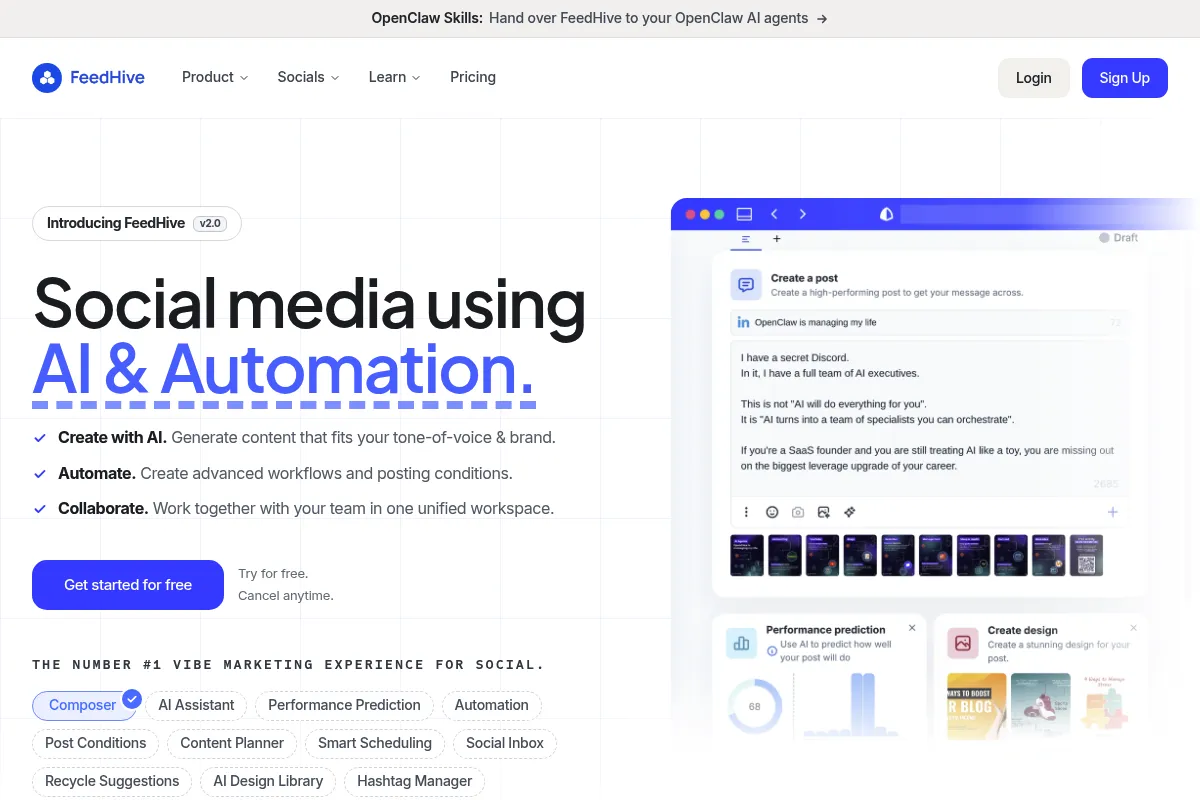
FeedHive is a social media management platform that emphasizes automation and AI to help users scale their online presence. It focuses on solving the 'blank page' problem for creators and the 'manual scheduling' grind for agencies.
What it actually does
It allows users to schedule posts across all major platforms, organize content into reusable 'buckets,' and use AI to optimize posting times and draft copy. It also includes a unified inbox for managing comments and mentions across different social profiles.
What makes it different
Unlike traditional schedulers that focus on a linear timeline, FeedHive uses a 'Recycle' system where posts are assigned to slots and automatically reshared. This architectural choice treats social media as a library of assets rather than a one-time broadcast.
Ratings across the web

Ratings aggregated from independent review platforms.
Key Features
Recurrent Posting
Automatically resharing evergreen content to fill gaps in the schedule
AI Writing Assistant
Generates post variations and suggestions based on your niche
Social Inbox
Consolidates comments and mentions into one feed for faster replies
Visual Planner
A grid and calendar view for organizing multi-channel campaigns
Analytics Dashboard
Tracks engagement trends and identifies top-performing content types
Workspaces
Separates clients or brands with distinct team permissions and assets
Post Labels
Categorizes content for better organization and reporting
Pricing
Creator
- 4 Social accounts
- Unlimited scheduled posts
- AI writing assistant
- Basic analytics
Business
- 10 Social accounts
- Social Inbox
- Engagement features
- Advanced analytics
Pro
- 50 Social accounts
- 5 Workspaces
- Team collaboration
- Priority support
Agency
- 100+ Social accounts
- Unlimited Workspaces
- White-labeling
- Dedicated account manager
Pricing checked 4 months ago
Pricing guidance
- When you need to manage more than 4 social accounts
- When you need a unified inbox to reply to comments
- When you need to white-label the platform for clients
- The Creator plan excludes the Social Inbox
- Analytics history is limited on lower-tier plans
- Post recycling slots are capped based on the plan level
Mid-range pricing that is more expensive than Buffer but significantly cheaper than enterprise tools like Sprout Social.
Pros & Cons
Strengths
-
Superior content recycling logic
The ability to categorize posts into 'buckets' and have them automatically fill schedule slots saves hours of manual rescheduling for evergreen content.
-
Clean, intuitive interface
The UI is significantly more modern and responsive than legacy tools like Hootsuite, reducing the learning curve for new team members.
-
Strong agency features
White-labeling and client approval workflows make it professional for agencies to present to their customers without revealing the underlying tool.
Weaknesses
-
Occasional API disconnection issues
Like many third-party schedulers, users report occasional needs to re-authenticate accounts, particularly with Instagram and LinkedIn.
Affects: Power users managing 20+ accounts
-
Limited social listening
It lacks the deep keyword monitoring and sentiment analysis found in high-end enterprise tools like Sprout Social.
Affects: PR teams and large brand managers
-
No free-forever tier
The lack of a free plan makes it inaccessible for hobbyists or those just starting out compared to Buffer or Publer.
Affects: Beginners and solo hobbyists
Real User Sentiment
Generally very positive, with users frequently citing the 'Recycle' feature as the primary reason they switched from other platforms.
Users tend to like
- The 'Recycle' and 'Recurring' post logic
- Fast and responsive web interface
- AI-generated post ideas that actually feel relevant
- The visual aesthetic of the planner
Users commonly complain about
- Mobile app is less functional than the desktop version
- Occasional bugs with LinkedIn image tagging
- Price jump from Business to Pro is steep for small teams
Recurring tradeoffs
- Users trade deep social listening capabilities for better content automation and recycling workflows.
Happiest users
Social media managers for agencies who need to keep multiple client feeds active with minimal manual effort.
Often frustrated
Users who need a free tool for a single account or those who require heavy-duty enterprise reporting.
Use Cases
Agency Management
Managing 20+ client accounts with white-labeled reports and approval workflows.
Evergreen Content Scaling
Automatically resharing high-performing blog posts or tips every few weeks.
Multi-Channel Launch
Scheduling a single campaign across X, LinkedIn, and Instagram simultaneously.
Community Engagement
Using the Social Inbox to reply to all comments across different platforms from one screen.
Content Curation
Using the AI assistant to turn long-form articles into a series of short social posts.
Frequently Asked Questions
Does FeedHive have a free plan?
No, FeedHive does not offer a free-forever plan. They provide a 7-day free trial for all their paid tiers (Creator, Business, Pro, and Agency) so you can test the features before committing.
How does FeedHive compare to Buffer?
Buffer is better for beginners who need a free tier and simple scheduling. FeedHive is superior for power users who want to automate content recycling and use AI to assist in the writing process, which Buffer handles more basically.
Can I use FeedHive for Instagram Reels and TikTok?
Yes, FeedHive supports direct scheduling for Instagram Reels and TikTok. However, like all third-party tools, you must ensure your accounts are set up as Business or Creator accounts to enable direct publishing.
What is the 'Recycle' feature exactly?
The Recycle feature allows you to put posts into a 'bucket.' You then set specific times in your weekly schedule to pull a post from that bucket. Once a post is used, it goes to the back of the line to be used again later, ensuring your feed never looks empty.
Does it support team collaboration?
Yes, but only on the Pro and Agency plans. These tiers allow you to invite team members, assign roles, and set up approval workflows so clients or managers can review posts before they go live.
Is there a mobile app?
Yes, FeedHive has a mobile app for iOS and Android. While it allows for scheduling and basic management on the go, most users find the desktop web interface much more powerful for complex planning.
Why trust this page?
This evaluation combines product positioning, pricing analysis, traffic and market signals, and public user sentiment into a single decision-support page. Content is generated editorially — not copied from the vendor's website.
Funding & Company
Founded
2020
Stage
Bootstrapped
Total Raised
Bootstrapped
Latest Round
—
FeedHive is a bootstrapped company that has not raised any external venture capital or outside funding. It operates on revenue generated from its customers, indicating a focus on sustainable, product-led growth.
Market Signals & Traffic
Estimated visits, global rank, geography, traffic sources, monthly visit trends, and organic search keywords (Similarweb)—on a dedicated page built for depth and search.
- Estimated visits
- 63,807
- Global rank
- #413,263
- Snapshot
- Apr 2026
- Traffic trend
- Surging
Estimated monthly visits
Alternatives to FeedHive
View all alternatives
Similar Tools
Ocoya
Social Media, Marketing Automation, Content Creation

Create, schedule, and analyze social media content across multiple platforms.
Refiant AI
Privacy & Compliance, Automation, Marketing Automation

Automated compliance review for marketing materials and regulatory risk management.
TextQL
AI Assistant, Automation, Developer Tools

Query data warehouses and documentation using natural language.
Induced AI
Automation, Automation & Agents, Productivity

AI-powered browser automation for complex, repetitive web workflows.
v0
Developer Tools, Website Builder, AI Assistant

AI-powered platform to generate full-stack web apps from prompts.
Avantos
Automation & Agents, Workflow, Productivity

Automate complex business processes and workflows with autonomous agents.