

An AI-driven junior developer agent that converts GitHub issues into pull requests, specifically designed to offload routine maintenance and small feature requests.
Excellent for automating 'janitorial' coding tasks like unit tests and documentation, weaker for complex architectural changes or multi-service refactors.
Analysis based on product data, pricing structure, traffic signals, and public user sentiment.
Who Should Use Sweep?
Typical users
Small to mid-sized engineering teams with a growing backlog of low-priority tickets and technical debt.
Maturity fit
scaling
Choose this if…
- You want to automate the creation of unit tests and documentation updates
- Your priority is reducing the time senior devs spend on trivial bug fixes
- You have well-defined GitHub issues that follow a consistent structure
- You need an agent that works asynchronously without manual oversight
Skip this if…
- You work in a highly regulated industry where AI code generation is restricted
- Your codebase lacks clear documentation or has high architectural complexity
- You require an IDE-based pair programmer rather than an issue-based agent
- Your budget cannot justify the steep jump from the free tier to the Pro plan
About Sweep
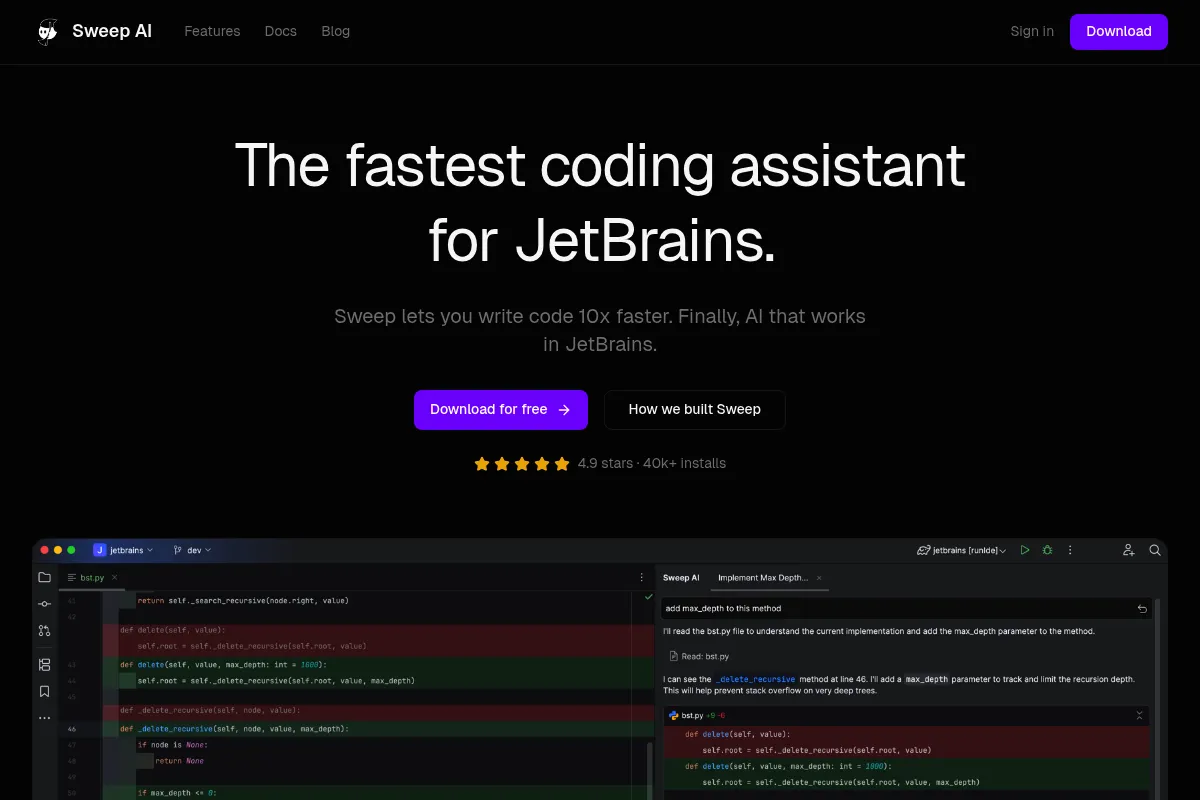
Sweep is an AI-powered software engineer that lives in your GitHub repository. It functions as a junior developer by reading your codebase, planning changes, and submitting pull requests in response to issues. It aims to handle the 'boring' parts of software development so senior engineers can focus on core product logic.
Official profiles
What it actually does
Sweep monitors your GitHub repository for new issues. When triggered, it searches your codebase using vector embeddings, creates a multi-step execution plan, writes the necessary code, and opens a pull request. It can also respond to comments on its PRs to iterate on the solution.
What makes it different
Unlike standard autocomplete tools, Sweep is an autonomous agent that operates at the repository level. It doesn't just suggest lines of code; it manages the entire lifecycle from issue description to a merge-ready PR, including running linters and tests within your CI/CD pipeline.
Ratings across the web

Ratings aggregated from independent review platforms.
Key Features
Sweep Search
Uses a combination of BM25 and vector search to find relevant code context across the entire repo.
Self-Correction
Automatically runs your linters and tests, then fixes its own errors before you see the PR.
Issue Planning
Breaks down complex requests into a series of logical steps before writing any code.
Feedback Loop
Responds to human comments on PRs to refine code or fix logic errors identified during review.
Custom Instructions
Allows teams to define global rules (e.g., 'always use functional components') that the agent must follow.
Parallel Processing
Can handle multiple issues simultaneously, effectively acting as several junior devs at once.
Diff Visualization
Provides clear, standard GitHub diffs for easy human auditing.
Repository Mapping
Maintains an up-to-date index of your codebase to ensure context accuracy.
Pricing
Free
- 5 tickets per month
- GPT-4o powered
- Community support
- Standard search
Pro
- 100 tickets per month
- Priority support
- Custom instructions
- Advanced code search
- Faster execution
Enterprise
- Unlimited tickets
- Self-hosting options
- SSO & SAML
- Dedicated account manager
Pricing checked 6 months ago
Pricing guidance
- When you exceed 5 small tasks per month
- When you need the agent to follow specific team style guides
- When you require faster turnaround times for PR generation
- Ticket counts are monthly and do not roll over
- Large repositories may require Enterprise tier for efficient indexing
- Self-hosting is restricted to the Enterprise tier
Premium pricing that positions the tool as a replacement for a part-time junior developer salary rather than a simple software utility.
Pros & Cons
Strengths
-
Reduces context switching
By handling small bug fixes and chores, it prevents senior developers from having to stop deep work for trivial tasks.
-
Asynchronous productivity
Sweep works in the background; you can open five issues at the end of the day and have five PRs waiting for review the next morning.
-
Consistent documentation and testing
It is particularly effective at writing boilerplate code like unit tests and README updates that humans often skip.
-
Low friction setup
Installation is a simple GitHub App integration, requiring no complex local environment configuration for the agent to start working.
Weaknesses
-
Struggles with high-level logic
It often fails on tasks requiring deep understanding of business logic or complex cross-file dependencies that aren't explicitly documented.
Affects: Teams working on complex enterprise software
-
Aggressive pricing jump
The transition from a free tier to a $480/month Pro plan is a significant hurdle for small startups or individual developers.
Affects: Early-stage startups and solo developers
-
Requires high-quality issue descriptions
If an issue is vague, Sweep will likely produce a PR that misses the mark, leading to more time spent on review than if a human had written it.
Affects: Teams with informal or messy project management habits
Real User Sentiment
Generally positive for specific use cases, with users appreciating the 'hands-off' nature but wary of the high cost for the Pro tier.
Users tend to like
- The ability to fix typos and small bugs without opening an IDE
- Automated unit test generation
- The iterative feedback loop in PR comments
- Integration with linters to ensure code quality
Users commonly complain about
- The high price of the Pro plan
- Occasional hallucinations in complex logic
- Difficulty handling very large PRs
- Tendency to ignore instructions in long comment threads
Recurring tradeoffs
- You trade high monthly cost for reduced developer 'chore' time
- You trade some control over code style for speed of delivery
Happiest users
Engineering managers at scaling startups who need to keep their senior devs focused on high-impact features.
Often frustrated
Solo developers on a budget or engineers working in legacy codebases with high technical debt.
Use Cases
Documentation Updates
Automatically updating READMEs and docstrings when code changes.
Unit Test Expansion
Writing boilerplate tests for new utility functions or components.
Refactoring
Renaming variables or updating API calls across multiple files.
Bug Fixing
Resolving well-defined issues like edge-case crashes or UI glitches.
Library Migrations
Handling the repetitive work of updating syntax for minor library version bumps.
Frequently Asked Questions
How does Sweep's pricing compare to GitHub Copilot?
Sweep is significantly more expensive at $480/month for the Pro plan compared to Copilot's $10-$39/user/month. However, they serve different purposes: Copilot is an autocomplete tool for active coding, while Sweep is an autonomous agent that completes entire tasks independently.
Is there a free version of Sweep?
Yes, Sweep offers a free tier that includes 5 tickets per month. This is primarily intended for testing the tool's capabilities on a small scale before committing to a paid plan.
How does Sweep handle security and private code?
Sweep indexes your code using vector embeddings. While they use providers like OpenAI for processing, they state that code is not used for training models. Enterprise users can opt for self-hosting to keep all data within their own infrastructure.
Can Sweep run my tests before submitting a PR?
Yes, Sweep integrates with GitHub Actions. It can be configured to run your existing test suite and linting tools, and it will attempt to fix any errors it encounters before finalizing the pull request.
What are the main limitations of Sweep?
Sweep struggles with tasks that require high-level architectural decisions or knowledge not present in the codebase. It is also limited by the context window of the underlying LLM, meaning it may lose track of details in extremely large or complex issues.
Does Sweep support languages other than Python and JavaScript?
Yes, Sweep is language-agnostic and works with any language supported by GitHub, though its performance is generally best in widely-used languages like Python, JavaScript, TypeScript, and Go due to the training data of the underlying models.
Why trust this page?
This evaluation combines product positioning, pricing analysis, traffic and market signals, and public user sentiment into a single decision-support page. Content is generated editorially — not copied from the vendor's website.
Funding & Company
Founded
2023
Stage
Seed
Total Raised
$500K
Latest Round
Seed (Jul 2023)
Notable Investors
Sweep has raised a single Seed round of $500,000 from notable early-stage investor Y Combinator and others. This initial funding supports the company's early development and product launch for its AI-powered developer assistant.
Market Signals & Traffic
Estimated visits, global rank, geography, traffic sources, monthly visit trends, and organic search keywords (Similarweb)—on a dedicated page built for depth and search.
- Estimated visits
- 24,673
- Global rank
- #1,128,582
- Snapshot
- Apr 2026
- Traffic trend
- Falling
Estimated monthly visits
Alternatives to Sweep
View all alternativesGitHub Copilot
Developer Tools, AI Assistant

AI-powered coding assistant that suggests and generates code.
Cursor
AI Assistant

An AI-powered code editor designed to help developers build software faster.
Claude
AI Assistant

A conversational AI assistant for writing, analysis, coding, and more.
Similar Tools
PydanticAI
Developer Tools, Automation & Agents

Python agent framework for building production-grade applications with structured data.
SambaNova
Developer Tools, Automation & Agents

Full-stack platform for high-speed AI inference and model deployment.
Agenta
Developer Tools, Automation & Agents

Open-source platform for building, evaluating, and deploying LLM applications.
Tessl
Developer Tools, Automation & Agents

Package manager for agent skills and development context
Cohere
Developer Tools, Automation & Agents

Enterprise large language models for search, discovery, and generation.
E2B
Developer Tools, Automation & Agents

Secure cloud sandboxes for running code and AI agents