

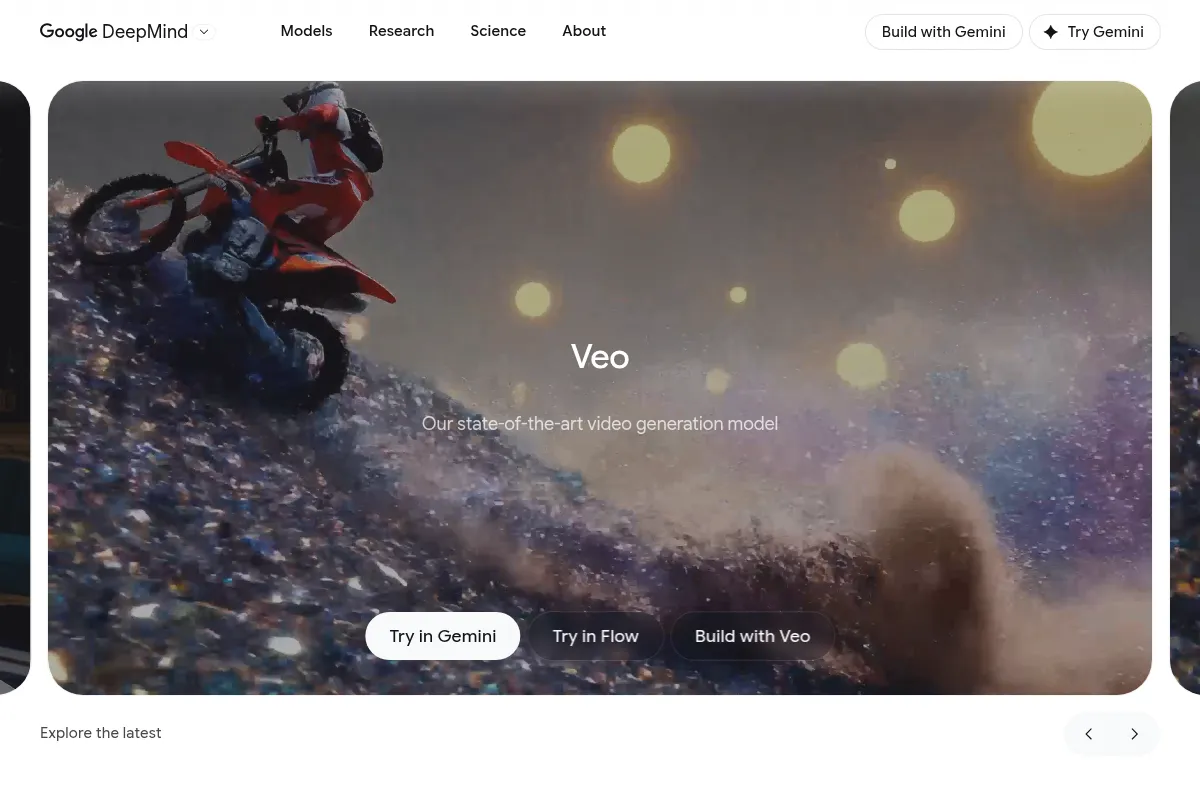
Veo is a high-fidelity AI video generation model from Google DeepMind, excelling in realism and cinematic quality, but limited by short clip durations and high costs for extensive use.
Best for generating short, high-quality video clips with cinematic flair, but not for long-form content or budget-conscious projects.
Analysis based on product data, pricing structure, traffic signals, and public user sentiment.
Who Should Use Veo?
Typical users
Filmmakers, content creators, marketers, and agencies needing to produce short, visually impressive video content for concepting, social media, or promotional materials.
Maturity fit
scaling to advanced
Choose this if…
- You prioritize cinematic quality and realism in short video clips.
- You need to generate videos from text or image prompts with synchronized audio.
- Your workflow involves rapid prototyping of visual concepts.
- You require precise control over camera movements and visual styles.
Skip this if…
- You need to generate videos longer than 8 seconds consistently.
- Your budget is limited, as Veo can be expensive per generation.
- You require extensive character consistency across multiple generated clips.
- You need a tool for full-length video production or complex narrative arcs.
About Veo
Veo is Google DeepMind's advanced text-to-video generation model, designed to produce high-definition, realistic video clips with synchronized audio. It aims to provide creators with precise control over cinematic styles and visual elements, enabling rapid content creation for various professional applications.
Official profiles
What it actually does
Veo generates video content from text or image prompts, creating high-fidelity clips with realistic motion, lighting, and synchronized audio. It supports various resolutions, aspect ratios, and offers features like video extension and reference image guidance.
What makes it different
Veo distinguishes itself through its advanced understanding of physics and cinematography, enabling more realistic motion and camera control compared to many other AI video generators. Its integrated native audio generation also sets it apart, aiming for production-ready clips directly from prompts.
Ratings across the web

Ratings aggregated from independent review platforms.
Key Features
High-Fidelity Video Generation
Produces realistic and visually detailed video clips.
Native Audio Generation
Creates synchronized dialogue, sound effects, and ambient noise, reducing post-production needs.
Cinematic Control
Understands and applies camera movements, lighting, and visual styles for professional aesthetics.
Reference Image Support
Allows users to guide video generation with up to three reference images for style and character consistency.
Video Extension
Enables extending previously generated clips to create longer sequences.
4K Resolution Output
Offers high-resolution video for detailed and professional-grade productions.
Aspect Ratio Flexibility
Supports both landscape (16:9) and portrait (9:16) formats for diverse platform needs.
Pricing
Basic (VEDAI)
- 80 credits
- 30 days validity
Standard (VEDAI)
- 300 credits
- 30 days validity
- Most popular choice
Enterprise (VEDAI)
- 1,500 credits
- 30 days validity
- Best value for power users
Mini Plan (Veo3 AI)
- 200 monthly credits
- Up to 25 Veo3 videos (8s 1080p)
- 1080p resolution output
Standard Plan (Veo3 AI)
- 1000 monthly credits
- Up to 125 Veo3 videos (8s 1080p)
- 4K resolution output
Plus Plan (Veo3 AI)
- 3000 monthly credits
- Up to 375 Veo3 videos (8s 1080p)
- 4K resolution output
- Priority Support
Google AI Pro
- 1,000 credits
- Veo 3 Fast model access via Gemini/Flow
- Watermarked video output
Google AI Ultra
- 25,000 credits
- Veo 3 model access via Gemini/Flow
- Removes watermark
Pricing checked 6 months ago
Pricing guidance
- When you consistently need more than 25-50 video generations per month.
- When you require 4K resolution output for professional projects.
- When daily generation caps on consumer plans become a bottleneck for your workflow.
- When you need to generate videos with synchronized audio for more polished content.
- Daily generation caps on consumer-facing Gemini app access.
- Potential for audio generation to be inconsistent or require refinement.
- Character consistency across multiple generations is not guaranteed.
- API access and Google Flow may have different credit structures and limitations than consumer plans.
Veo is positioned as a premium AI video generation tool, with pricing reflecting its high-fidelity output and advanced capabilities, making it more expensive than many alternatives for extensive use.
Pros & Cons
Strengths
-
Exceptional Visual Realism
Veo generates highly realistic videos with impressive motion, lighting, and physics simulation, often indistinguishable from real footage at first glance. This is crucial for professional-looking content.
-
Integrated Audio Generation
The ability to generate synchronized audio, including dialogue and sound effects, directly with the video streamlines the production process and enhances realism.
-
Cinematic Capabilities
Veo's understanding of camera angles, movements, and lighting allows for sophisticated visual storytelling, making it suitable for high-end creative projects.
-
Advanced Prompt Adherence
The model demonstrates strong adherence to complex prompts, enabling users to achieve more precise control over the generated content compared to less sophisticated tools.
-
High Resolution Options
Support for up to 4K resolution ensures that generated videos are suitable for a wide range of professional applications, from social media to large-screen displays.
Weaknesses
-
Strict Clip Duration Limits
Individual video clips are typically limited to 4-8 seconds, making it unsuitable for generating longer narratives or continuous scenes without significant workarounds.
Affects: Long-form content creators, narrative storytellers
-
High Cost Per Generation
Veo can be expensive, with per-generation costs potentially reaching up to $17 or more, making extensive use prohibitive for many users.
Affects: Budget-conscious creators, high-volume producers
-
Character Consistency Challenges
Maintaining consistent characters across multiple generated clips remains a significant challenge, often requiring workarounds or limiting creative options.
Affects: Creators focused on character-driven narratives or spokespersons
-
Limited Image-to-Video Functionality
While it supports image prompts, a dedicated, robust image-to-video feature for precise character replication is noted as a limitation in some versions.
Affects: Users relying heavily on specific visual inputs for character generation
-
Daily Generation Caps
Access through consumer-facing platforms like Gemini often imposes daily generation limits, restricting iteration and experimentation.
Affects: Users requiring rapid iteration and high-volume generation
Real User Sentiment
Users are impressed by Veo's high-fidelity output, realism, and cinematic quality, often calling it best-in-class for short clips. However, frustration arises from strict clip length limitations, high costs, and occasional inconsistencies in audio or character generation.
Users tend to like
- Exceptional realism and visual quality
- Integrated audio generation
- Cinematic camera control and style adherence
- Advanced prompt understanding
- High-resolution output
Users commonly complain about
- Short clip duration limits (4-8 seconds)
- High cost per generation
- Inconsistent character consistency across clips
- Daily generation caps on some platforms
- Occasional audio glitches or nonsensical text generation
Recurring tradeoffs
- Quality vs. Cost: High-quality output comes at a premium price.
- Realism vs. Consistency: Achieving photorealism is strong, but maintaining character consistency is weak.
- Short Clips vs. Narrative: Excellent for short, impactful scenes but not for longer stories.
Happiest users
Filmmakers, advertisers, and content creators who need short, visually stunning clips for concepting, social media, or promotional materials and can afford the premium cost.
Often frustrated
Users requiring long-form content, consistent characters across multiple generations, or those on a tight budget who find the per-generation cost prohibitive.
Use Cases
Generating cinematic B-roll footage for YouTube videos
Veo can create dynamic shots like drone footage or slow-motion effects from text prompts.
Creating short, high-impact ad creatives for social media
The realistic visuals and synchronized audio make for compelling promotional content.
Prototyping visual concepts for films or games
Filmmakers and game developers can quickly visualize scenes and character interactions.
Producing product showcase videos with professional polish
Veo can generate elegant product shots with detailed camera movements and lighting.
Developing animated explainer segments with realistic visuals
Complex concepts can be visualized with engaging and dynamic motion graphics.
Generating fan animations or short reimaginings of existing media
Creators can explore passion projects with cinematic quality without extensive 3D skills.
Creating event highlights or recap videos from text descriptions
Veo can reconstruct scenes with appropriate lighting and crowd elements.
Frequently Asked Questions
What is Veo 3.1?
Veo 3.1 is Google DeepMind's advanced text-to-video generation model. It creates high-fidelity, realistic video clips with synchronized audio from text or image prompts. Key features include up to 4K resolution, support for portrait and landscape aspect ratios, video extension capabilities, and the ability to use reference images to guide generation. It aims to provide creators with precise control over cinematic styles and visual elements.
How much does Veo cost?
Veo's pricing varies depending on the platform and plan. On third-party platforms like VEDAI, credit packages range from $4.9 for 80 credits to $59.9 for 1,500 credits. Google's own plans, such as Google AI Pro, cost $19.99/month for 1,000 credits, while Google AI Ultra is $249.99/month for 25,000 credits. Direct API access through Google Cloud Vertex AI can cost around $0.50-$0.75 per second of video. Some sources indicate per-generation costs can reach up to $17, making it a premium-priced tool.
What are the limitations of Veo 3?
Veo 3 has several limitations. The most significant is the strict clip duration limit, typically capping videos at 4-8 seconds, making it unsuitable for long-form content. Character consistency across multiple generated clips is also a challenge. Additionally, while audio generation is integrated, it can sometimes be inconsistent. Consumer-facing access through platforms like Gemini often imposes daily generation caps, limiting iteration. The cost per generation can also be a barrier for extensive use.
What are the main alternatives to Veo 3?
Key alternatives to Veo 3 include OpenAI's Sora (though not yet publicly available), Runway ML, Pika Labs, Kling AI, Luma Dream Machine, and PixVerse. For specific use cases, Synthesia is strong for avatar videos, Canva for template-based videos, and InVideo for marketing content. Each alternative offers different strengths in terms of cost, features, and output quality, often requiring a trade-off between realism and affordability.
Can Veo generate videos longer than 8 seconds?
Directly generating videos longer than 8 seconds is not Veo's primary capability due to its design for short, high-impact clips. However, Veo 3.1 introduces a 'video extension' feature that allows users to extend previously generated clips, enabling the creation of longer sequences. This feature is often limited to 720p resolution and requires careful management to maintain visual coherence across extended content.
Does Veo 3.1 support image-to-video generation?
Yes, Veo 3.1 supports image-to-video generation. Users can provide up to three reference images to guide the content, character consistency, and visual style of the generated video. This feature helps in maintaining a specific aesthetic or character appearance across different generated clips, though perfect consistency can still be challenging.
Is Veo 3 suitable for commercial use?
Yes, many Veo 3 plans, particularly those on Veo3 AI's subscription tiers (Mini, Standard, Plus), explicitly mention commercial usage rights. However, it's always advisable to review the specific terms of service for the platform or API you are using to ensure compliance with licensing and usage policies, especially regarding output ownership and distribution.
How does Veo's audio generation work?
Veo 3 and 3.1 can generate synchronized audio, including dialogue, sound effects, and ambient noise, natively within the video generation process. This aims to create more complete and realistic clips without requiring extensive post-production. The audio is generated based on the prompt and the visual content, ensuring it aligns with the scene's context. However, users may still need to refine or replace the generated audio for specific professional needs.
Why trust this page?
This evaluation combines product positioning, pricing analysis, traffic and market signals, and public user sentiment into a single decision-support page. Content is generated editorially — not copied from the vendor's website.
Funding & Company
Founded
2010
Stage
Acquired
Total Raised
$50M
Latest Round
Undisclosed
Notable Investors
Veo is an AI model developed by Google DeepMind, which was acquired by Google in 2014 for a sum reportedly between $400M and $650M. It is not a standalone company and does not rely on venture capital; instead, it is funded by its parent company, Alphabet Inc., one of the largest technology corporations in the world. This backing provides Veo with exceptionally high stability and a long-term development runway.
Market Signals & Traffic
Estimated visits, global rank, geography, traffic sources, monthly visit trends, and organic search keywords (Similarweb)—on a dedicated page built for depth and search.
- Estimated visits
- 6,668,969
- Global rank
- #11,509
- Snapshot
- Apr 2026
- Traffic trend
- Surging
Estimated monthly visits
Alternatives to Veo
View all alternativesRunway ML
Video Creation, Content Creation

AI-powered creative suite for generating and editing video, images, and audio.
Pika Labs
Content Creation, Video Creation

AI-powered platform to generate and edit videos from text and images.
Kapwing AI
Content Creation, Video Creation

Online video editor with AI tools for content creation and repurposing.
Similar Tools
HeyGen
Video Creation, Content Creation, AI Assistant

AI-powered video creation platform with realistic avatars and multi-language support.
Steve AI
Video Creation, Content Creation, AI Assistant

AI-powered video creation platform for text-to-video generation.
Minimax / Hailuo AI
Video Creation, Content Creation, AI Assistant

AI tool to generate high-quality videos from text or images.
AirBrush
Design, Content Creation

Professional photo editing and retouching tool for portraits and selfies.
Together AI
AI Assistant, Developer Tools, Productivity

AI Acceleration Cloud for building and deploying generative AI models.
Brevo
Email Marketing, Marketing Automation, Communication

CRM suite for managing customer relationships across multiple marketing channels.