

A specialized web utility for high-resolution face replacement in images and video, optimized for speed and accessibility rather than deep technical control.
Best for social media creators and meme-makers needing fast video swaps, weaker for professional VFX artists requiring manual keyframe adjustments.
Analysis based on product data, pricing structure, traffic signals, and public user sentiment.
Who Should Use AI Face Swap (aifaceswap.io)?
Typical users
Social media managers, meme creators, and freelance video editors who need to swap faces without learning complex software like DeepFaceLab.
Maturity fit
beginner to scaling
Choose this if…
- Your priority is a browser-based workflow over local hardware setup
- You need to swap multiple faces within a single video clip
- You want high-resolution (up to 4K) output without manual upscaling
Skip this if…
- You require frame-by-frame manual masking and lighting control
- You are working with high-motion clips where facial occlusion is frequent
- You need a tool with a generous free tier for long-form video content
About AI Face Swap (aifaceswap.io)
AI Face Swap is a dedicated media manipulation tool designed to replace facial features in photos and videos. It utilizes pre-trained models to map source faces onto target media while attempting to preserve the original lighting and expressions. It exists to lower the technical barrier to entry for high-fidelity face swapping, which previously required significant GPU power and technical expertise.
Official profiles
What it actually does
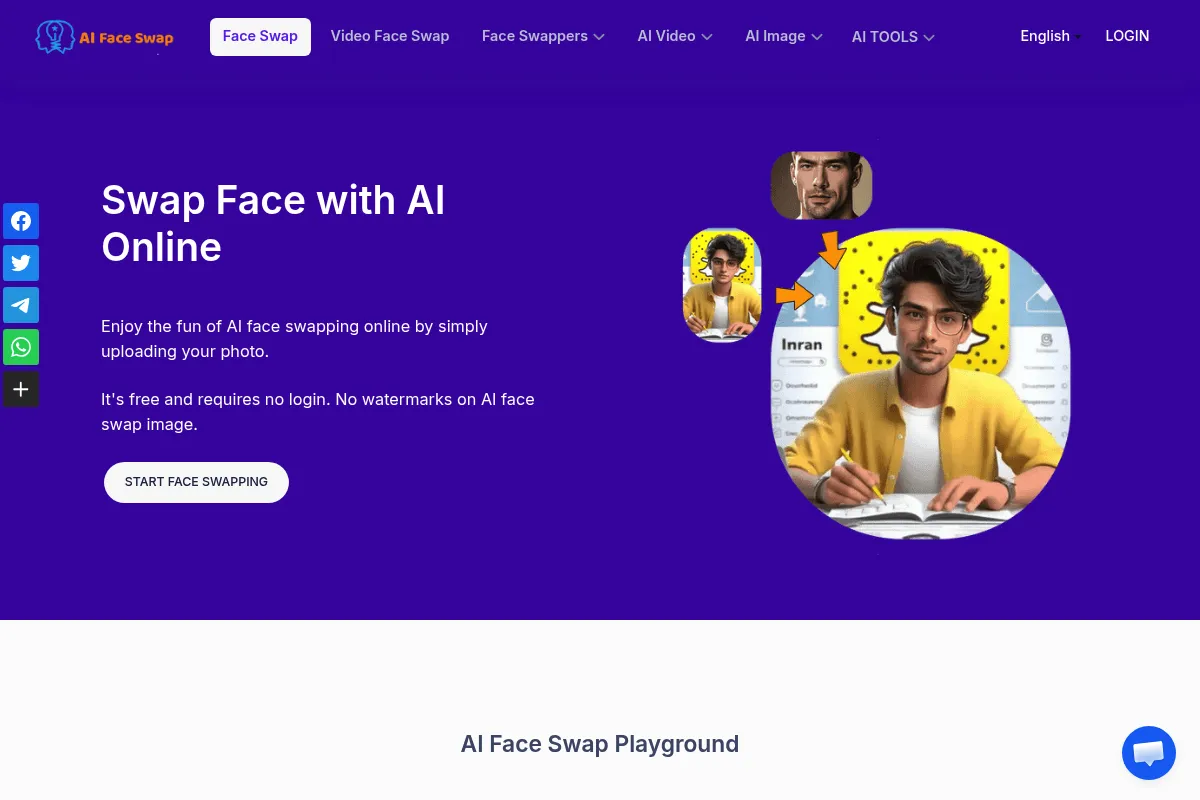
The tool allows users to upload a source image (the face to use) and a target file (the image or video to be changed). It processes the media in the cloud and returns a downloadable file with the face replaced. It handles facial alignment, blending, and basic color matching automatically.
What makes it different
Unlike general-purpose AI image generators, this tool focuses exclusively on the swapping mechanism, offering a 'Multiple Face Swap' feature that can detect and replace several distinct individuals in one shot. Its infrastructure is built to handle video files up to 500MB, which is higher than many entry-level competitors.
Ratings across the web

Ratings aggregated from independent review platforms.
Key Features
Multiple Face Detection
Identifies and allows individual replacement of every face in a group photo or video.
High-Definition Output
Supports 2K and 4K rendering to prevent the 'blurry face' look common in lower-end tools.
Video Duration Support
Processes clips longer than 15 seconds, depending on the credit balance.
Face Enhancement
Applies a sharpening filter to the swapped face to match the target media's clarity.
Batch Upload
Allows users to queue multiple images for swapping simultaneously to save time.
No-Watermark Downloads
Paid tiers remove branding from the final output.
Cloud Storage
Keeps a history of recent swaps for easy re-downloading.
Pricing
Free
- 2 credits per day
- Standard resolution
- Watermark included
- Limited video length
Basic
- 80 credits per month
- No watermarks
- High-speed processing
- Priority support
Pro
- 200 credits per month
- Batch processing
- 4K video support
- Multiple face swap
Max
- 600 credits per month
- Highest priority rendering
- Early access to new features
- Commercial usage rights
Pricing checked 5 months ago
Pricing guidance
- When you need to remove the watermark for professional use
- When you start swapping faces in video clips longer than 5 seconds
- When you need to process multiple faces in one image
- Credits do not always roll over month-to-month
- Video processing costs 1 credit per second of footage
- Failed renders may still consume credits unless disputed
Mid-market pricing that is affordable for hobbyists but can become expensive for high-volume video production.
Pros & Cons
Strengths
-
Low technical barrier
Requires zero knowledge of masking, tracking, or GANs. The interface is a simple three-step upload process.
-
Strong multi-face handling
The ability to map specific source faces to specific target faces in a group shot is more reliable here than in generic AI editors.
-
High-resolution video support
Maintains the integrity of the original video quality, which is essential for creators posting to YouTube or TikTok.
-
No local hardware requirements
Since processing happens on their servers, users don't need an expensive GPU to generate video swaps.
Weaknesses
-
Aggressive credit consumption
Video swaps are expensive; a 30-second clip can deplete a significant portion of a monthly Basic plan allowance.
Affects: Video-heavy creators
-
Artifacts in high-motion clips
Fast head movements or objects passing in front of the face often cause the swap to flicker or detach.
Affects: Action or sports content creators
-
Limited creative control
You cannot manually adjust the blending, skin tone matching, or facial expressions if the AI gets it wrong.
Affects: Professional editors and VFX artists
Real User Sentiment
Generally positive for ease of use, though users frequently express frustration with the credit-to-video-length ratio.
Users tend to like
- Simplicity of the interface
- Quality of static image swaps
- Ability to handle group photos
- Fast cloud rendering speeds
Users commonly complain about
- High cost for long videos
- Occasional 'uncanny valley' results with side profiles
- Lack of refund policy for failed AI generations
Recurring tradeoffs
- Users trade granular control for a one-click experience
- Cloud processing offers convenience but raises privacy concerns for some
Happiest users
Meme creators and social media influencers who need to produce short, funny clips quickly.
Often frustrated
Professional videographers who expect pixel-perfect results in complex lighting or high-motion scenes.
Use Cases
Meme Generation
Swapping a friend's face into a famous movie scene for social media.
Personalized Marketing
Creating video ads where the spokesperson's face is tailored to specific demographics.
Privacy Protection
Replacing faces in sensitive footage with AI-generated faces to maintain anonymity.
Content Localization
Swapping an actor's face with a local influencer's face for regional campaigns.
Avatar Creation
Using a personal face on a stylized or 3D character body for profile pictures.
Frequently Asked Questions
Is AI Face Swap actually free?
It offers a very limited free tier of 2 credits per day. This is enough for 2 image swaps or a very short, watermarked video preview. For any meaningful project, a paid plan is required.
How does it compare to Remaker.ai or Vidnoz?
AI Face Swap (aifaceswap.io) is more specialized than Vidnoz, which is a broader video suite. Compared to Remaker, it often handles high-resolution 4K video exports more reliably, though pricing structures are similar.
What are the main limitations of the video swap?
The biggest limitations are motion blur and occlusion. If a hand passes in front of the face or the person turns their head more than 45 degrees, the AI often loses the track, resulting in a glitchy appearance.
Does it support multiple faces in one video?
Yes, the tool can detect multiple faces. You can choose to swap all of them or just specific individuals, provided you have enough credits for the processing power required.
Are my uploaded photos private?
The platform claims to delete uploaded data after processing, but like all cloud-based AI tools, you should avoid uploading highly sensitive or private imagery as you are ultimately trusting their server security.
Can I use the results for commercial purposes?
Commercial rights are typically reserved for the higher-tier paid plans (Pro and Max). Always check the latest Terms of Service on their site before using swaps in paid advertisements.
Why trust this page?
This evaluation combines product positioning, pricing analysis, traffic and market signals, and public user sentiment into a single decision-support page. Content is generated editorially — not copied from the vendor's website.
Funding & Company
Founded
—
Stage
Bootstrapped
Total Raised
Bootstrapped
Latest Round
—
AI Face Swap (aifaceswap.io) appears to be a bootstrapped company, as there is no public record of any external funding rounds, venture capital investment, or investors. The company operates on a freemium model, generating revenue from paid users who purchase credits for advanced features and API access.
Market Signals & Traffic
Estimated visits, global rank, geography, traffic sources, monthly visit trends, and organic search keywords (Similarweb)—on a dedicated page built for depth and search.
- Estimated visits
- 7,435,782
- Global rank
- #6,201
- Snapshot
- Apr 2026
- Traffic trend
- Surging
Estimated monthly visits
Alternatives to AI Face Swap (aifaceswap.io)
View all alternativesReface
Video Creation, Content Creation, Design

AI-powered face swap app for videos, GIFs, and photos.
Remaker AI
Content Creation, Design, Video Creation

Face swapping and image generation platform for creative visual content.
Magic Hour
Video Creation, Content Creation

Video generation platform for style transfer, animation, and face swapping.
Similar Tools
Luma
Content Creation, Video Creation, Design

AI platform for generating realistic video and 3D models.
Lightricks
Content Creation, Video Creation, Design

Creative suite for professional photo and video editing.
Refabric
Design, E-commerce, Content Creation

Generative design platform for fashion professionals and brands.
Anima
AI Assistant, Communication

Virtual companion for conversation practice and emotional support.
Aragon AI
Content Creation, Design, Productivity

Professional headshot generator for LinkedIn and corporate profiles.
LivePortrait
Video Creation, Content Creation, Design

Animate static portraits using driving videos or audio