

A security-focused digital whiteboard that trades a massive integration ecosystem for strict GDPR compliance and a stable, infinite canvas.
Best for European enterprises prioritizing data privacy, weaker for teams needing a vast library of third-party plugins.
Analysis based on product data, pricing structure, traffic signals, and public user sentiment.
Who Should Use Conceptboard?
Typical users
Product managers, agile coaches, and UX designers working within highly regulated industries like finance, healthcare, or government.
Maturity fit
scaling to advanced
Choose this if…
- Data residency in Germany and strict GDPR compliance are non-negotiable requirements
- You want built-in video conferencing and screen sharing directly on the board without external apps
- Your priority is a stable, infinite canvas that handles large amounts of content without lagging
- You need a straightforward tool that non-technical stakeholders can use without a steep learning curve
Skip this if…
- Your workflow relies on deep integrations with niche developer tools or specialized CRMs
- You want a highly modern, 'slick' UI similar to FigJam or Miro
- You require advanced interactive widgets or a massive library of community-made plugins
About Conceptboard
Conceptboard is a visual collaboration workspace designed for teams to brainstorm, plan projects, and review designs. Based in Germany, it positions itself as the secure alternative to US-based whiteboarding tools, focusing on data privacy and enterprise-grade stability.
Official profiles
What it actually does
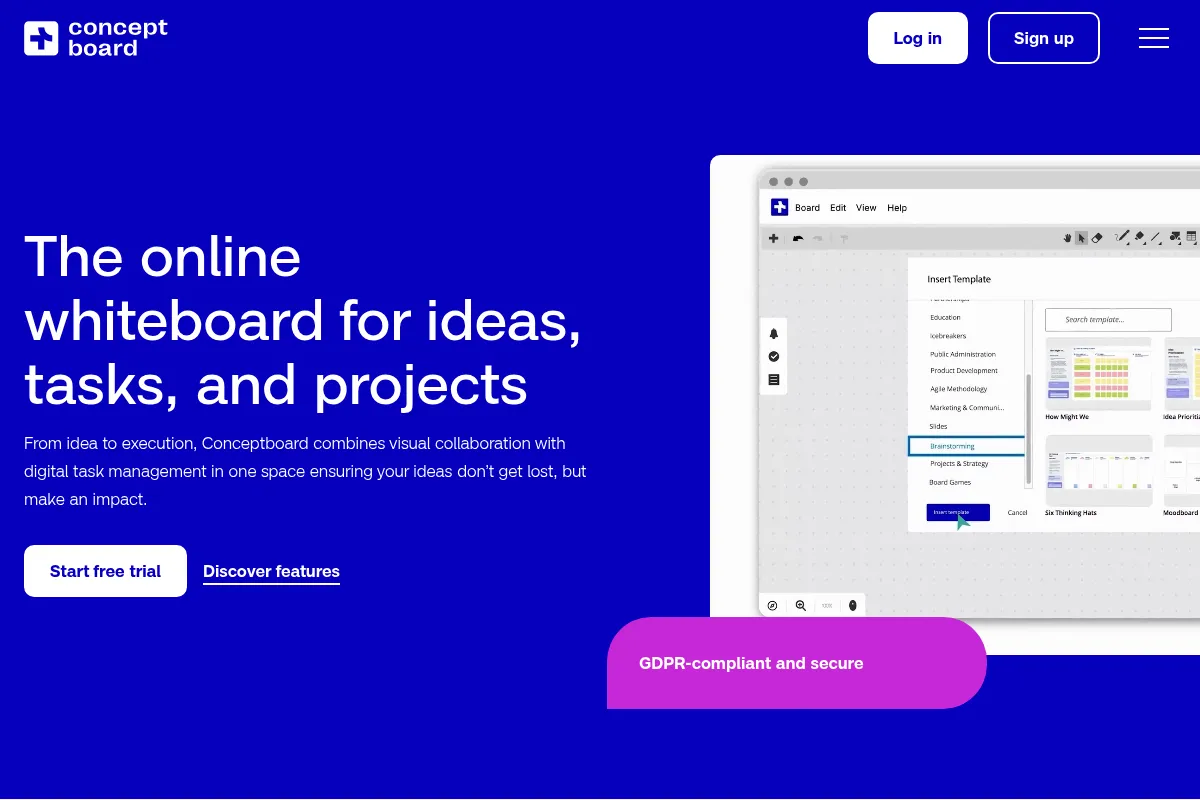
It provides an infinite digital canvas where users can place sticky notes, draw diagrams, upload documents, and collaborate in real-time. The tool includes built-in communication features like video chat and task management to keep project context in one place.
What makes it different
Unlike its primary competitors, Conceptboard is built on a security-first architecture with ISO 27001 certification and German data hosting. It also includes native video conferencing as a core feature rather than an afterthought, reducing the need for a separate Zoom or Teams window.
Ratings across the web

Ratings aggregated from independent review platforms.
Key Features
Conceptboard AI
Generates ideas and summarizes board content to speed up brainstorming sessions.
Sections and Navigation
Allows users to organize large boards into structured areas for easier presentation.
Built-in Video Chat
Enables real-time audio and video collaboration without leaving the browser tab.
Approval Workflows
Provides a formal way to mark boards or specific sections as 'Approved' or 'Needs Review'.
Guest Access
Allows external stakeholders to join boards via a link without creating a full account.
Board Minimap
Helps users navigate massive canvases by showing a high-level view of all content.
Template Library
Includes pre-built frameworks for Kanban, SWOT, and Customer Journey Mapping.
Pricing
Free
- 1 Team member
- Unlimited boards
- 100 Objects per board
- 500MB Storage
- Basic support
Premium
- Up to 10 team members
- Unlimited objects
- 5.2GB Storage
- 90-day Board history
- Audio/Video calls
Business
- Minimum 10 users
- Unlimited objects
- 20GB Storage
- Unlimited board history
- Single Sign-On (SSO)
- Custom templates
Enterprise
- Minimum 100 users
- Full security suite
- Dedicated account manager
- Custom storage limits
- On-premise options available
Pricing checked 6 months ago
Pricing guidance
- When you hit the 100-object limit on the Free plan
- When you need to invite more than one team member
- When your organization requires SSO for security compliance
- When you need to keep a permanent history of board changes
- The Free plan limits storage to 500MB, which is very low if you upload high-res images or PDFs
- Board history is capped at 90 days on the Premium plan
- Business plan requires a minimum of 10 seats
Competitive pricing that undercuts Miro and Mural on the mid-tier, while positioning itself as a premium security choice for enterprise.
Pros & Cons
Strengths
-
Strict GDPR and data security
Hosting in Germany and adherence to high European privacy standards make it easier for legal departments to approve than US-based competitors.
-
Performance on large boards
The engine handles thousands of objects and large file uploads smoothly, which is critical for long-term project planning.
-
All-in-one communication
Having video, chat, and screen sharing built-in reduces context switching and the cost of maintaining multiple subscriptions.
-
Granular access controls
Admins can control exactly what guests can see or edit, providing more security when working with external clients.
Weaknesses
-
Dated user interface
The UI feels less fluid and modern than FigJam or Miro, which can impact adoption for design-heavy teams.
Affects: Creative agencies and UX designers
-
Limited integration ecosystem
While it covers the basics like Slack and Trello, it lacks the hundreds of third-party 'apps' found in Miro's marketplace.
Affects: Teams with complex, multi-tool workflows
-
Weak mobile experience
The browser-based mobile version is difficult to use for active editing; it is mostly suitable for viewing only.
Affects: On-the-go managers and field workers
Real User Sentiment
Users generally view Conceptboard as a reliable, 'no-nonsense' tool that gets the job done without the complexity of larger competitors.
Users tend to like
- Ease of use for non-designers
- Reliable performance on large canvases
- Built-in video chat functionality
- Clear folder structure for board organization
Users commonly complain about
- UI feels clunky or old-fashioned
- Lack of advanced integrations
- Mobile tablet app is not as responsive as competitors
Recurring tradeoffs
- You trade a modern, fast-paced feature release cycle for higher data security and stability.
Happiest users
Project managers in European corporations who need a digital space that their legal team will actually approve.
Often frustrated
Tech-forward startups who want their whiteboard to integrate with every other tool in their stack.
Use Cases
Agile Ceremonies
Running sprint retrospectives and planning sessions with remote teams.
Design Reviews
Uploading UI mockups and having stakeholders leave specific, pinned feedback.
Strategic Planning
Creating SWOT analyses or business model canvases that require long-term storage.
Client Workshops
Inviting external guests to a secure board for collaborative ideation sessions.
Project Documentation
Using the infinite canvas to map out complex user flows and technical architectures.
Frequently Asked Questions
How does Conceptboard compare to Miro?
Miro has a much larger integration library and a more modern UI, but Conceptboard offers better data privacy for European users and includes native video chat in its core plans. Miro is better for creative teams; Conceptboard is better for corporate compliance.
Is Conceptboard really GDPR compliant?
Yes, it is one of the few whiteboarding tools that hosts data exclusively in Germany and adheres to strict EU data protection regulations, making it a preferred choice for the public sector and regulated industries.
Can I use Conceptboard for free?
Yes, there is a free plan, but it is limited to 100 objects per board. This is usually enough for a very small personal mind map but insufficient for a professional team brainstorming session.
Does Conceptboard have an AI feature?
Yes, Conceptboard AI can generate sticky notes based on prompts, summarize existing content on the board, and help group ideas logically to save time during workshops.
What are the main limitations of Conceptboard?
The primary limitations are its smaller integration ecosystem compared to US competitors and a user interface that some find less intuitive or visually appealing than newer tools like FigJam.
Can I host Conceptboard on my own servers?
Yes, Conceptboard offers an on-premises solution for Enterprise customers who require total control over their data environment, which is a rarity in the SaaS-heavy whiteboard market.
Why trust this page?
This evaluation combines product positioning, pricing analysis, traffic and market signals, and public user sentiment into a single decision-support page. Content is generated editorially — not copied from the vendor's website.
Funding & Company
Founded
2010
Stage
Series a
Total Raised
$10.5M
Latest Round
Series A (Feb 2025)
Notable Investors
Conceptboard operated on a single undisclosed seed round for over a decade before securing a significant €10 million Series A in early 2025. This recent influx of capital from Cipio Partners is aimed at product development and European expansion, indicating a new phase of growth for the mature company.
Market Signals & Traffic
Estimated visits, global rank, geography, traffic sources, monthly visit trends, and organic search keywords (Similarweb)—on a dedicated page built for depth and search.
- Estimated visits
- 659,879
- Global rank
- #72,161
- Snapshot
- Apr 2026
- Traffic trend
- Cooling
Estimated monthly visits
Alternatives to Conceptboard
View all alternativesMural
Communication, Design, Productivity

Digital whiteboard for visual collaboration and strategic teamwork.
Figma AI
Developer Tools, Content Creation

Collaborative interface design and prototyping tool for digital products.
Canva AI
Content Creation

Online design tool for creating graphics, presentations, videos, and websites.
Similar Tools
Mural
Communication, Design, Productivity
Digital whiteboard for visual collaboration and strategic teamwork.
AgentSmyth
AI Assistant, Research, Automation & Agents

Autonomous agents for financial research and investment analysis.
SmartDraw
Design, Productivity, Documentation

Professional diagramming software for creating flowcharts, floor plans, and visuals.
DagsHub
Developer Tools, Workflow, Research

Collaboration platform for data science and machine learning teams
Monity
Automation & Agents, Data Extraction, SEO

Monitor website changes and automate browser tasks using natural language.
Bretton
Automation & Agents, Productivity, Workflow

Currency risk management platform for international businesses.