

DeepBrain AI (AI Studios)
A specialized video generator that converts scripts and PowerPoints into avatar-led presentations, prioritizing production speed for corporate training over cinematic realism.
Excellent for L&D teams needing to turn decks into videos quickly, weaker for high-end marketing requiring emotive or highly dynamic avatars.
Analysis based on product data, pricing structure, traffic signals, and public user sentiment.
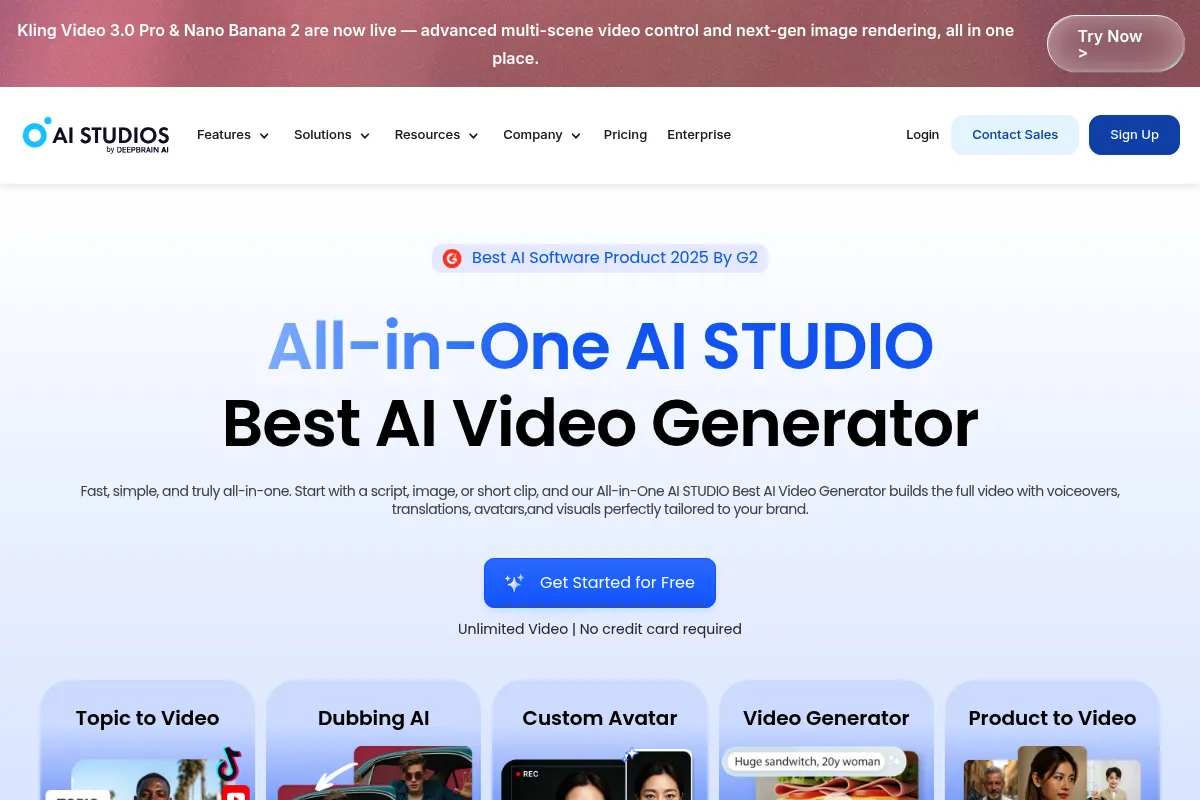
Who Should Use DeepBrain AI (AI Studios)?
Typical users
Corporate trainers, HR managers, and internal communications leads in mid-sized to large enterprises.
Maturity fit
scaling
Choose this if…
- You need to convert existing PowerPoint decks into video format with minimal manual effort.
- Your primary goal is high-volume production of instructional or news-style content.
- You want a straightforward interface that doesn't require video editing experience.
Skip this if…
- You require avatars with high emotional range and fluid body language for brand advertisements.
- You need a comprehensive free-forever tier for casual or hobbyist use.
- Your workflow involves complex multi-track video editing and advanced motion graphics.
About DeepBrain AI (AI Studios)
DeepBrain AI (AI Studios) is a video synthesis platform focused on reducing the friction of traditional video production. It replaces cameras and actors with digital avatars that speak any text input, specifically targeting the business and educational sectors.
Official profiles
What it actually does
The tool generates videos where a synthetic avatar reads a provided script with synchronized lip movements. Users can upload PowerPoints to automatically create scenes, choose from a library of digital humans, and export finished videos in various aspect ratios.
What makes it different
Unlike general-purpose AI video tools, AI Studios features a deep integration with PowerPoint, allowing users to maintain slide layouts while adding a digital presenter. It also offers a '3D Digital Human' branch for real-time conversational AI, though the core studio product remains focused on asynchronous video generation.
Ratings across the web

Ratings aggregated from independent review platforms.
Key Features
PPT Import
Automatically generates video scenes based on uploaded slide content.
Custom Avatars
Creates a digital likeness of a specific person for brand consistency.
AI Script Assistant
Uses LLMs to draft or refine video scripts based on a topic or URL.
Instant Preview
Allows users to hear the audio and see the script timing before spending credits on rendering.
Gesture Control
Enables specific movements like waving or pointing to be triggered via the script.
Chromakey Support
Exports videos with green screens for easier compositing in other editors.
Pricing
Starter
- 10 minutes of video per month
- 100+ AI avatars
- 80+ languages
- No watermark on paid exports
Pro
- 90 minutes of video per month
- Up to 20 minutes per video
- Priority video rendering
- API access
Enterprise
- Custom avatar creation
- Unlimited scenes per video
- Dedicated account manager
- SSO and advanced security
Pricing checked 6 months ago
Pricing guidance
- When you need to produce more than 10 minutes of content monthly.
- When you require videos longer than 10 minutes in a single export.
- When you need API access for automated video generation.
- Custom avatars are typically an expensive add-on or restricted to Enterprise tiers.
- Stock assets within the editor are limited compared to dedicated stock libraries.
- Rendering times can vary significantly based on server load for non-Pro users.
Premium positioning with a focus on enterprise scalability rather than budget-conscious creators.
Pros & Cons
Strengths
-
Rapid turnaround for training content
Reduces the time to produce a 5-minute instructional video from days to minutes by eliminating the need for filming and voice recording.
-
Low barrier to entry for non-editors
The slide-based interface is intuitive for anyone familiar with presentation software, removing the learning curve of professional video suites.
-
Efficient content localization
Translating a video into multiple languages only requires swapping the text script, making global training rollouts significantly cheaper.
Weaknesses
-
Robotic avatar movements
While lip-syncing is accurate, the overall body language can feel stiff and repetitive compared to competitors like HeyGen.
Affects: Marketing teams aiming for high-engagement social media content
-
Restrictive credit system
The per-minute pricing is relatively high, and unused credits on certain plans do not always roll over, leading to potential waste.
Affects: Small businesses with inconsistent video production needs
-
Limited creative flexibility
The built-in editor is basic; users looking for advanced transitions, complex layering, or precise timing of elements will find it frustrating.
Affects: Professional video editors and creative agencies
Real User Sentiment
Users generally appreciate the speed and the PowerPoint integration but often compare the avatar realism unfavorably to newer market entrants.
Users tend to like
- The ease of converting PPT files to video
- Fast rendering speeds compared to traditional methods
- Wide variety of available avatars and languages
- Clean, uncluttered user interface
Users commonly complain about
- Avatars can look 'uncanny' or robotic in their gestures
- Pricing is perceived as high for the allotted minutes
- Customer support response times can be inconsistent
Recurring tradeoffs
- You trade creative control and avatar expressiveness for extreme production speed and ease of use.
Happiest users
Corporate trainers who need to update internal compliance or software tutorials frequently without a production crew.
Often frustrated
Social media managers trying to create 'human-like' viral content that requires high emotional resonance.
Use Cases
Employee Onboarding
Converting handbook text into a series of short, engaging welcome videos.
Compliance Training
Rapidly updating regulatory videos when laws change without re-filing.
News Summaries
Generating daily video briefings from text-based news reports.
Product Demos
Creating quick walkthroughs for new software features using screen recordings and an avatar narrator.
Multilingual Support
Turning English help articles into localized videos for global customers.
Frequently Asked Questions
Does DeepBrain AI have a free plan?
No, DeepBrain AI does not offer a permanent free tier. They provide a demo version on their website where you can generate a short video to test the quality, but it is watermarked and limited. To use the tool for actual projects, you must subscribe to at least the Starter plan at $30/month.
How does DeepBrain AI compare to HeyGen?
HeyGen is generally considered to have more realistic avatar movements and better 'instant avatar' features for creators. DeepBrain AI (AI Studios) is often preferred by corporate users for its superior PowerPoint-to-video workflow and its focus on structured, slide-based presentations.
Can I create a custom avatar of myself?
Yes, but this is usually a premium feature. DeepBrain AI offers 'Digital Twin' services where they record a person in a studio to create a high-fidelity avatar. They also have a faster, lower-cost 'Dream Avatar' option, but for professional results, the studio-based custom avatar is recommended.
Do I own the commercial rights to the videos I create?
Yes, once you are on a paid subscription (Starter, Pro, or Enterprise), you own the commercial rights to the videos you generate. You can use them for marketing, YouTube, or internal business purposes without additional royalties.
What are the main limitations of the Starter plan?
The biggest limitation is the 10-minute monthly cap. Additionally, videos are limited to 10 minutes in length, and you do not get priority rendering, which means your videos may take longer to process during peak times.
Does it integrate with other tools like Canva or Slack?
DeepBrain AI offers an API for custom integrations and has been expanding its ecosystem, but it lacks the deep, native plugin library found in some competitors. Most users export the MP4 files and manually upload them to their preferred platforms.
Why trust this page?
This evaluation combines product positioning, pricing analysis, traffic and market signals, and public user sentiment into a single decision-support page. Content is generated editorially — not copied from the vendor's website.
Funding & Company
Founded
2016
Stage
Series b
Total Raised
$52M
Latest Round
Series B (Aug 2021)
Notable Investors
DeepBrain AI has raised a total of $52 million, with a significant $44 million Series B round in August 2021. This funding is aimed at global expansion, particularly in the U.S. market. The company's valuation reached $180 million following this latest round.
Market Signals & Traffic
Estimated visits, global rank, geography, traffic sources, monthly visit trends, and organic search keywords (Similarweb)—on a dedicated page built for depth and search.
- Estimated visits
- 1,760,070
- Global rank
- #29,534
- Snapshot
- Apr 2026
- Traffic trend
- Steady
Estimated monthly visits
Alternatives to DeepBrain AI (AI Studios)
View all alternativesSynthesia
Video Creation, Content Creation, Training & Onboarding

An AI video generation platform for creating professional videos without traditional equipment.
HeyGen
Video Creation, Content Creation, AI Assistant

AI-powered video creation platform with realistic avatars and multi-language support.
Captions
Content Creation, Video Creation, AI Assistant

AI-powered video editor for automated captions, editing, and translation.
Similar Tools
Vortexify
Video Creation, Social Media, Content Creation

Automated video creation for faceless social media channels
VoiceMy.ai
Content Creation, Music Generation

Generate custom voice clones for text-to-speech and vocal covers.
Nano Banana
Video Creation, Content Creation, Social Media

Generate faceless social media videos from text prompts.
Yepic AI
Video Creation, AI Assistant

AI-powered platform for creating, dubbing, and personalizing videos.
FlexClip
Video Creation, Content Creation, Design

AI-powered online video editor with templates and stock media.
Wondercraft
Content Creation, Video Creation, Marketing Automation

Create professional podcasts, audiobooks, and videos from text content.