

Dumme
A narrative-focused video repurposing tool that prioritizes story structure over simple keyword matching, making it a strong choice for interview-heavy content.
Best for podcasters who need coherent story arcs, weaker for high-action gaming or visual-heavy tutorials.
Analysis based on product data, pricing structure, traffic signals, and public user sentiment.
Who Should Use Dumme?
Typical users
Solo podcasters, social media managers for talk-show brands, and YouTube creators scaling their short-form presence without a dedicated editor.
Maturity fit
scaling
Choose this if…
- You want clips that preserve the context of a conversation rather than just random loud moments
- Your primary content is speech-centric (interviews, lectures, or podcasts)
- You need a hands-off workflow from YouTube link to vertical export
Skip this if…
- You require frame-by-frame manual control over caption placement and motion graphics
- Your content is highly visual or action-oriented with minimal dialogue
- You are looking for a completely free, unlimited-use tool
About Dumme
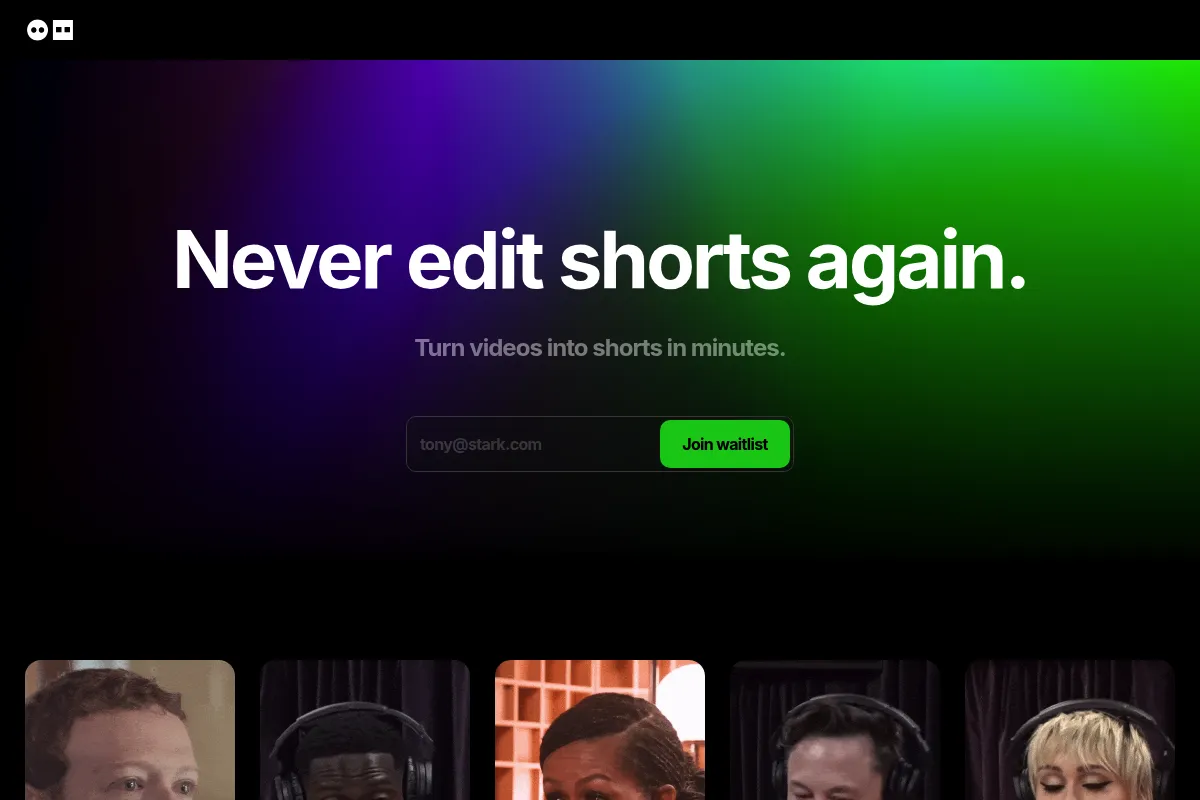
Dumme is an AI-driven video editor designed to extract viral-ready shorts from long-form videos. It focuses on semantic understanding to identify the beginning, middle, and end of a story within a longer recording. The tool exists to eliminate the manual labor of scrubbing through hours of footage to find shareable highlights.
What it actually does
Users provide a YouTube link or upload a video file, and the AI analyzes the transcript and visual cues to generate 9:16 vertical clips. It automatically handles speaker-tracking, generates synchronized captions, and provides AI-written titles and descriptions for social platforms.
What makes it different
Most competitors rely on transcript keywords or audio spikes to find clips, which often results in choppy or nonsensical segments. Dumme uses a context-aware engine trained to recognize narrative flow, ensuring the resulting shorts make sense as standalone pieces of content.
Ratings across the web

Ratings aggregated from independent review platforms.
Key Features
Context-Aware Clipping
Identifies full narrative arcs rather than just high-energy soundbites.
Face-Tracking Auto-Crop
Keeps the active speaker centered in the 9:16 frame automatically.
Multi-Speaker Logic
Switches the focus between participants during a dialogue to mimic professional editing.
Dynamic Captions
Generates styled text overlays that sync with speech to improve viewer retention.
Metadata Generation
Provides ready-to-use titles and descriptions optimized for social algorithms.
Bulk Processing
Analyzes videos of any length to find multiple potential viral moments in one pass.
Pricing
Basic
- 10 exported shorts per month
- Process up to 5 videos
- Max video length: 1 hour
- Standard support
Plus
- 30 exported shorts per month
- Process up to 15 videos
- Priority processing queue
- Advanced AI features
Pro
- 100 exported shorts per month
- Unlimited video uploads
- Highest priority processing
- Early access to new features
Pricing checked 6 months ago
Pricing guidance
- When you exceed the 10-short limit on the Basic plan
- When you need to process videos longer than 60 minutes
- When processing times become a bottleneck for your publishing schedule
- Unused export credits typically do not roll over to the next month
- Uploading a video counts against your 'processed video' limit even if you don't export any clips
Mid-market pricing that is competitive with OpusClip but more expensive than manual tools like CapCut.
Pros & Cons
Strengths
-
Superior narrative selection
The AI is better than most at finding the actual 'point' of a story, reducing the time spent manually trimming clip starts and ends.
-
Minimal manual intervention
The 'upload and wait' workflow is effective for creators who want to spend zero time in a timeline editor.
-
Accurate speaker tracking
Handles multi-person interviews well by centering the person talking, which is a common failure point in cheaper AI clippers.
Weaknesses
-
Credit-heavy pricing model
Users are often charged based on the length of the uploaded video, even if the AI fails to find high-quality clips.
Affects: Creators with unpolished or rambling long-form content
-
Limited caption customization
While it generates captions, the styling and font options are restrictive compared to dedicated apps like Submagic or CapCut.
Affects: Brands with strict visual identity guidelines
-
No manual timeline editing
If the AI misses a specific frame or cut, you cannot easily jump into a timeline to fix it within the platform.
Affects: Power users who want 'AI-assisted' rather than 'AI-automated' editing
Real User Sentiment
Users generally praise the 'intelligence' of the clips but express frustration with the rigid credit system.
Users tend to like
- Accuracy of the 'hook' detection
- Clean, distraction-free user interface
- Ability to handle long YouTube links without downloading files first
Users commonly complain about
- Paying for videos that don't result in usable clips
- Lack of advanced text styling options
- Occasional long wait times during peak hours
Recurring tradeoffs
- You trade granular creative control for significant time savings on the initial cut.
Happiest users
Interview-style podcasters who want to turn one episode into a week's worth of social content in five minutes.
Often frustrated
Editors who want to tweak every transition and font shadow, or creators on a very tight budget.
Use Cases
Podcast Repurposing
Turning a 60-minute interview into 10 high-impact TikToks.
Webinar Highlights
Extracting key insights from corporate presentations for LinkedIn.
Educational Content
Breaking down long lectures into bite-sized tips for Instagram Reels.
Live Stream Summaries
Finding the best conversational moments from a Twitch or YouTube stream.
Event Promotion
Using highlights from past speakers to sell tickets for upcoming events.
Frequently Asked Questions
Does Dumme have a free plan?
Dumme offers a limited free trial that allows you to test the AI on a single video. However, there is no permanent free tier; you will need to subscribe to a paid plan starting at $9/month to export content regularly.
How does Dumme compare to OpusClip?
While OpusClip is the market leader with more 'gamified' features like virality scores, Dumme is often cited for having better narrative logic. Dumme is less likely to cut a sentence off mid-thought, making it superior for deep-dive interviews.
Can I edit the captions generated by Dumme?
Yes, you can edit the text of the captions to fix transcription errors. However, the styling options (fonts, colors, animations) are more limited compared to dedicated video editing software.
Does Dumme support languages other than English?
Yes, Dumme supports over 20 languages, including Spanish, French, German, and Italian. The AI can transcribe and caption content in these languages with high accuracy.
Can I upload videos directly or only use links?
You can do both. Dumme supports direct file uploads from your computer as well as importing via links from YouTube, Spotify, and Twitter.
What are the main limitations of the AI?
The AI can struggle with videos that have a lot of fast movement or multiple people talking over each other. It is optimized for clear, one-at-a-time speech found in podcasts and interviews.
Why trust this page?
This evaluation combines product positioning, pricing analysis, traffic and market signals, and public user sentiment into a single decision-support page. Content is generated editorially — not copied from the vendor's website.
Funding & Company
Founded
2022
Stage
Series a
Total Raised
$50M
Latest Round
Series A (Mar 2025)
Notable Investors
OpusClip has raised a total of $50 million over two significant funding rounds, including a $20 million Series A led by SoftBank Vision Fund 2. This substantial backing from major investors indicates strong confidence in the company's AI-powered video editing platform and its potential for long-term growth and stability.
Market Signals & Traffic
Estimated visits, global rank, geography, traffic sources, monthly visit trends, and organic search keywords (Similarweb)—on a dedicated page built for depth and search.
- Estimated visits
- 1,993
- Global rank
- #9,014,560
- Snapshot
- Apr 2026
- Traffic trend
- Surging
Estimated monthly visits
Alternatives to Dumme
View all alternativesOpusClip
Video Creation, Content Creation, Marketing Automation

Repurpose long-form videos into viral short-form clips.
Canva AI
Content Creation

Online design tool for creating graphics, presentations, videos, and websites.
Pictory
Content Creation, Video Creation

AI-powered platform to create engaging videos from text and existing content.
Similar Tools
Runway ML
Video Creation, Content Creation

AI-powered creative suite for generating and editing video, images, and audio.
JoggAI
Video Creation, E-commerce, Marketing Automation

Transform product URLs into high-converting video ads and content.
OpusClip
Video Creation, Content Creation, Marketing Automation
Repurpose long-form videos into viral short-form clips.
Wonder Studio
Video Creation, Content Creation

Automatically animates and composes CG characters into live-action footage.
Vortexify
Video Creation, Social Media, Content Creation

Automated video creation for faceless social media channels
MakeInfluencer
Content Creation, Social Media, Marketing Automation

Create and manage consistent virtual influencers for social media.