

A browser-based PCB design platform that applies software engineering principles like real-time collaboration and AI assistance to hardware development.
Excellent for agile teams and rapid prototyping, but lacks the advanced signal integrity and high-layer-count features of legacy desktop suites.
Analysis based on product data, pricing structure, traffic signals, and public user sentiment.
Who Should Use FLUX (by Black Forest Labs)?
Typical users
Hardware startups, electrical engineers in distributed teams, and firmware developers who need to contribute to hardware designs.
Maturity fit
Beginner to scaling
Choose this if…
- Your priority is team collaboration over complex RF simulation
- You want to avoid the overhead of managing local component libraries
- You need an AI assistant to help with part selection and basic circuit debugging
Skip this if…
- Your workflow requires air-gapped, offline security for sensitive IP
- You are designing ultra-high-speed digital boards requiring advanced signal integrity analysis
- Your organization mandates the use of industry-standard Altium or Cadence files
About FLUX (by Black Forest Labs)
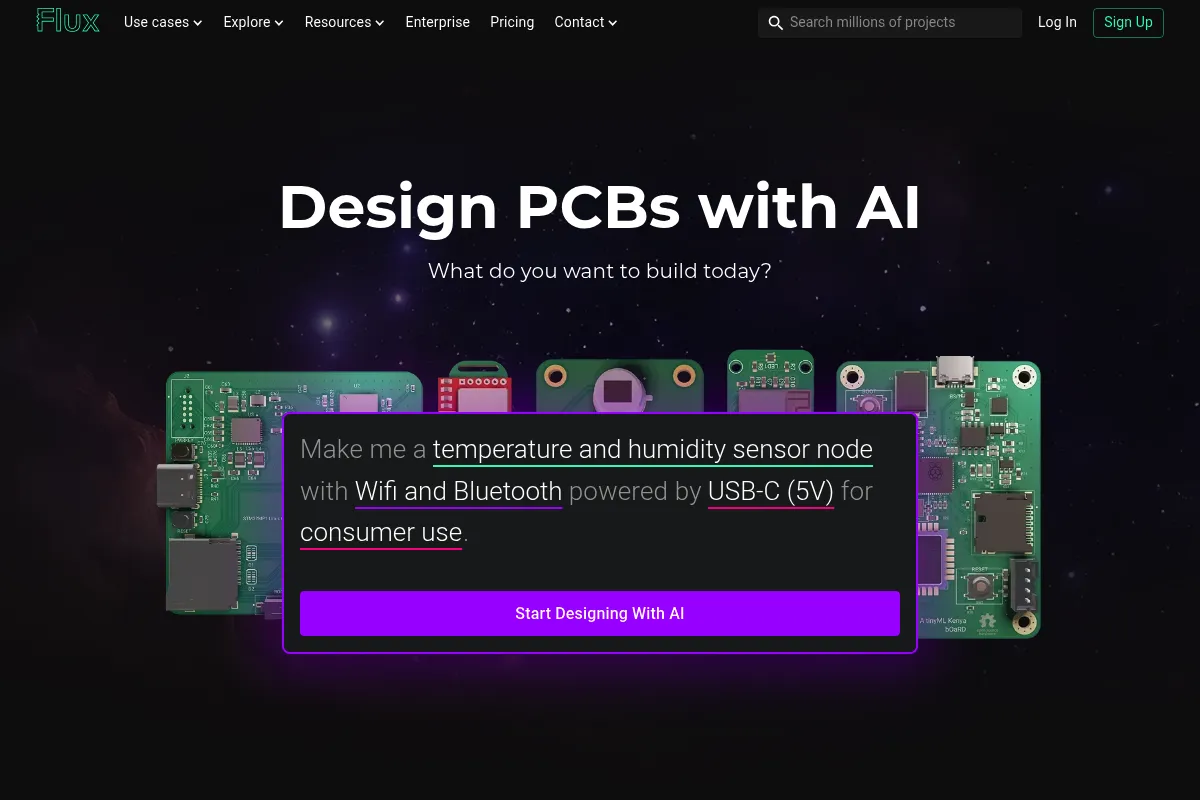
Flux is a web-based Electronic Design Automation (EDA) tool built to modernize the hardware design process. It moves PCB design from isolated desktop files to a collaborative, cloud-native environment where multiple users can edit schematics and layouts simultaneously.
Official profiles
What it actually does
It provides a full suite for schematic capture, PCB layout, and 3D visualization within a web browser. The platform integrates an AI 'Copilot' that can answer technical questions, suggest components, and identify potential design errors in real-time.
What makes it different
Unlike traditional EDA tools, Flux uses a 'multiplayer' architecture similar to Figma, enabling real-time collaboration. It also treats components as live objects that can be shared and updated across the community, rather than static local library files.
Ratings across the web


Ratings aggregated from independent review platforms.
Key Features
Flux Copilot
An AI assistant that understands your schematic to suggest parts and find wiring errors.
Multiplayer Collaboration
Allows multiple engineers to work on the same board at the same time without merge conflicts.
Reusable Modules
Enables users to nest entire sub-circuits (like a power regulator) as a single component.
Live Parts
Components automatically include footprints, symbols, and real-time stock data from distributors.
Integrated Simulation
Runs electrical simulations directly in the design environment to verify circuit behavior.
Web-Based Layout
Full PCB routing capabilities without requiring high-end local hardware or software installation.
Pricing
Free
- Up to 10 projects
- Public projects only
- Community support
- Access to Copilot (limited)
Pro
- Unlimited private projects
- Full Copilot access
- Priority support
- Advanced simulation features
Organization
- Team workspaces
- Shared component libraries
- Role-based access control
- Centralized billing
Pricing checked 5 months ago
Pricing guidance
- When you need to keep a project private
- When you exceed the 10-project limit
- When you need team-wide shared libraries
- The Free plan forces all projects to be public
- Copilot usage may be throttled on lower tiers during peak times
Disruptively affordable compared to traditional EDA software which often costs thousands per seat.
Pros & Cons
Strengths
-
Zero-friction collaboration
Eliminates the 'emailing zip files' workflow by allowing teams to share a link and work together in real-time, significantly speeding up design reviews.
-
AI-accelerated part selection
The Copilot reduces the time spent reading datasheets by answering specific questions about pinouts and voltage requirements directly in the editor.
-
Automated library management
Users don't have to build footprints from scratch; the community-driven library is vast and components are often pre-verified by other users.
Weaknesses
-
Browser performance limits
Large, complex boards with thousands of components can cause significant lag in the browser compared to optimized desktop applications.
Affects: Engineers working on high-density, complex enterprise hardware
-
Limited advanced routing
Lacks some of the sophisticated auto-routing and length-matching features found in high-end tools like Altium Designer.
Affects: Designers of high-speed digital interfaces like DDR4 or PCIe
-
Cloud-only dependency
Requires a constant internet connection and relies on Flux's servers, which is a dealbreaker for companies with strict offline security requirements.
Affects: Defense, aerospace, and high-security corporate R&D
Real User Sentiment
Users are generally impressed by the modern UI and the speed of the AI assistant, though veteran engineers remain skeptical of browser-based tools for high-end work.
Users tend to like
- The 'Google Docs' feel of collaboration
- The AI Copilot's ability to explain circuit logic
- No installation or license key management
- Built-in 3D viewer that just works
Users commonly complain about
- Occasional lag on complex layouts
- Lack of advanced DRC (Design Rule Check) customization
- Inability to work offline
Recurring tradeoffs
- You trade deep, specialized simulation features for significantly faster collaboration and ease of use.
Happiest users
Small, fast-moving hardware teams and startups building IoT devices or simple consumer electronics.
Often frustrated
Engineers at large corporations with strict IT policies or those designing high-frequency RF boards.
Use Cases
IoT Prototyping
Quickly designing and iterating on connected sensor nodes.
Educational Projects
Students collaborating on a single board design for a university project.
Distributed Engineering
Teams across different time zones working on the same hardware design without versioning issues.
AI-Assisted Debugging
Using the Copilot to find why a specific power rail isn't working as expected.
Open Source Hardware
Creating public designs that the community can easily fork and modify.
Frequently Asked Questions
Is Flux.ai free to use?
Flux offers a free tier that allows for up to 10 projects, but all projects created on this tier are public. To create private projects, you must upgrade to the Pro plan for $15/month.
How does Flux compare to Altium Designer?
Altium is a heavy-duty desktop application with superior high-speed design and simulation tools. Flux is browser-based, much cheaper, and far better for real-time collaboration, but it lacks Altium's depth in advanced PCB manufacturing features.
Can I use Flux offline?
No, Flux is a cloud-native platform and requires an active internet connection to function. There is currently no standalone offline version available.
Does Flux support importing files from other EDA tools?
Yes, Flux supports importing projects and libraries from KiCad and Eagle, making it easier to migrate existing designs into their collaborative environment.
What is the Flux Copilot?
The Copilot is a built-in AI assistant that can read your schematic, suggest parts based on your requirements, and help you troubleshoot electrical issues by analyzing the connections you've made.
Is my data secure on Flux?
Flux uses industry-standard encryption for data at rest and in transit. However, because it is a cloud platform, it may not meet the strict compliance requirements of certain defense or high-security industries that mandate local data storage.
Why trust this page?
This evaluation combines product positioning, pricing analysis, traffic and market signals, and public user sentiment into a single decision-support page. Content is generated editorially — not copied from the vendor's website.
Funding & Company
Founded
2024
Stage
Series b
Total Raised
$331M
Latest Round
Series B (Dec 2025)
Notable Investors
Black Forest Labs, the company behind the FLUX.ai image generation models, has raised over $331 million, with a significant $300 million Series B in late 2025 valuing the company at $3.25 billion. This substantial backing from top-tier investors like Andreessen Horowitz and Salesforce Ventures signals strong confidence in its advanced AI research and its position in the competitive generative AI market.
Market Signals & Traffic
Estimated visits, global rank, geography, traffic sources, monthly visit trends, and organic search keywords (Similarweb)—on a dedicated page built for depth and search.
- Estimated visits
- 717,252
- Global rank
- #68,918
- Snapshot
- Apr 2026
- Traffic trend
- Rising
Estimated monthly visits
Similar Tools
TeleportHQ
Developer Tools, Design, Productivity

AI-powered low-code platform for building and exporting websites.
Anytype
Productivity, Documentation, Privacy & Compliance

Local-first, privacy-focused workspace for notes, tasks, and knowledge management.
RemNote
Productivity, Research, Documentation

Note-taking platform with integrated flashcards and PDF annotation tools.
Ablo
E-commerce, Design, Automation

Design, manufacture, and scale fashion brands through a unified platform.
Hugging Face
Developer Tools, Productivity

Open-source platform for machine learning models, datasets, and tools.
Hugo
AI Assistant, Productivity, Communication

Centralized workspace for agencies to manage email, tasks, and calendars.