

A specialized outliner that integrates note-taking with a native spaced-repetition system, specifically designed for high-volume academic and technical learning.
Excellent for students and researchers managing dense information, weaker for general-purpose project management or collaborative team documentation.
Analysis based on product data, pricing structure, traffic signals, and public user sentiment.
Who Should Use RemNote?
Typical users
Medical and law students, academic researchers, and lifelong learners who need to memorize large volumes of structured data.
Maturity fit
beginner to advanced
Choose this if…
- You want flashcards to be a byproduct of your note-taking process rather than a separate task.
- Your workflow involves heavy PDF annotation and you need those highlights linked to a knowledge graph.
- You prefer an outliner-based hierarchy over a traditional document-style interface.
- You require a built-in Spaced Repetition System (SRS) without managing third-party plugins.
Skip this if…
- You need a highly visual, 'blank canvas' workspace for creative brainstorming.
- Your primary requirement is a fast, lightweight mobile app for quick capture on the go.
- You are looking for a simple task manager or a team-wide wiki with advanced permission controls.
About RemNote
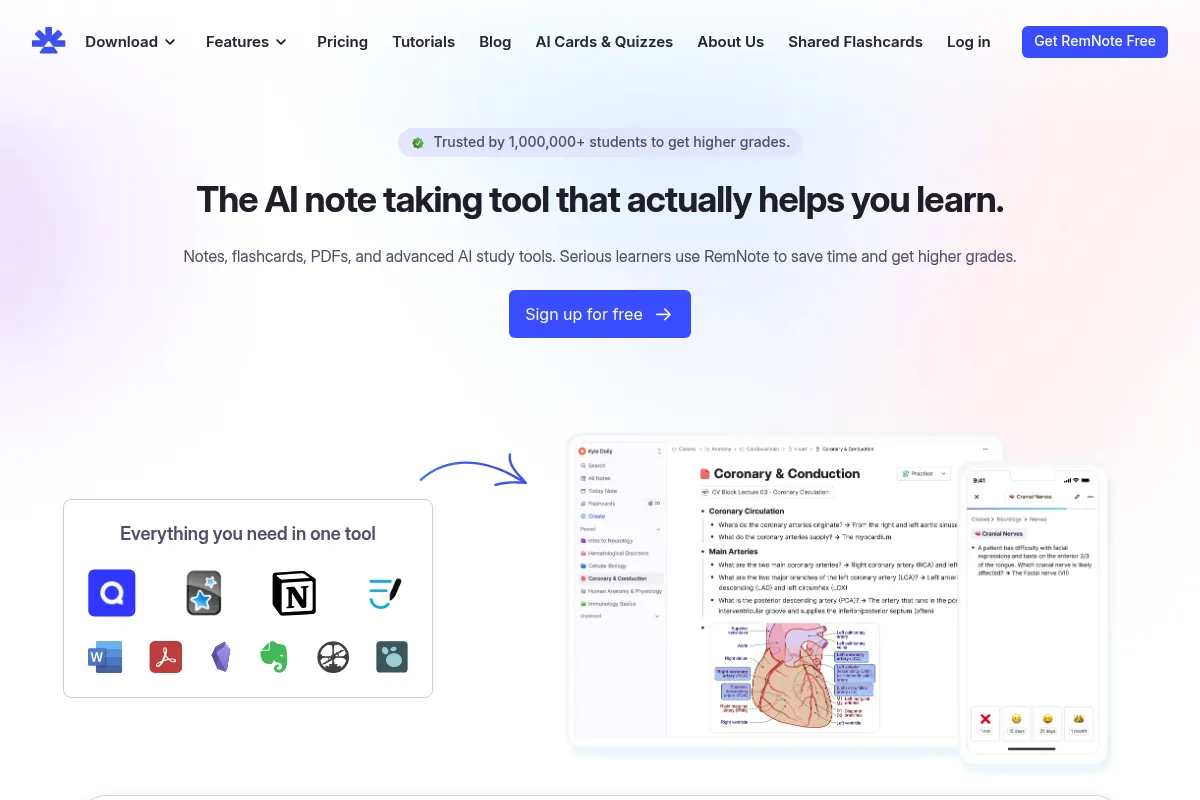
RemNote is a networked knowledge management tool built on an atomic outliner structure. It treats every bullet point as a 'Rem,' which can be transformed into a flashcard, linked to other concepts, or embedded across different pages.
What it actually does
It combines structured outlining, bi-directional linking, and an integrated PDF reader with a native spaced-repetition algorithm. Users can annotate documents and instantly turn those annotations into active recall study cards within the same interface.
What makes it different
Unlike Obsidian or Notion, where flashcards are an afterthought or plugin-dependent, RemNote makes the Spaced Repetition System (SRS) its core architectural pillar. It uses a unique 'Concept-Descriptor' framework that forces users to structure notes in a way that facilitates long-term memory.
Ratings across the web

Ratings aggregated from independent review platforms.
Key Features
Concept-Descriptor Syntax
Automatically formats notes into flashcards based on how you type (e.g., using '::' or '>>').
PDF-to-Rem Linking
Highlights in a PDF link directly to your notes, allowing you to jump back to the exact source page.
Image Occlusion
Allows you to hide parts of an image to test your knowledge of anatomy, maps, or diagrams.
Portals
Embeds a live version of one note inside another, allowing you to edit the same data from multiple locations.
Aliasing
Lets you link to the same concept using different names or synonyms to maintain a clean knowledge graph.
Daily Notes
A dedicated space for chronological logging that integrates with your broader knowledge base.
Flashcard Home
A centralized dashboard to manage review queues and track learning progress across all subjects.
Pricing
Free
- Unlimited notes and flashcards
- Basic SRS features
- Community plugins and themes
- Local-only knowledge bases
Pro
- PDF annotation and highlighting
- Image occlusion
- 3,000 AI credits per month
- Priority support
- Advanced search and filters
Life-long Learner
- All Pro features forever
- Early access to new features
- Direct input into the product roadmap
Pricing checked 6 months ago
Pricing guidance
- When you need to annotate PDFs directly within the app
- When you need image occlusion for medical or technical diagrams
- When you want to use AI to automate flashcard creation
- AI features are capped by monthly credits even on the Pro plan
- Syncing large PDF libraries may hit storage friction on lower-tier setups
Mid-range pricing that reflects its specialized utility; the one-time payment option is a rare and attractive offer for long-term users.
Pros & Cons
Strengths
-
Unified learning loop
Eliminates the friction of context switching between a note-taking app and a flashcard app like Anki, saving significant time for students.
-
Granular data references
Because every bullet is an addressable block, you can link to specific ideas rather than just entire pages, creating a more precise knowledge web.
-
Superior PDF workflow
The side-by-side PDF reader and note editor make it one of the most efficient tools for extracting information from academic papers.
-
Flexible flashcard types
Supports cloze deletions, multi-line cards, and list-based cards out of the box, catering to complex technical subjects.
Weaknesses
-
Steep learning curve
The outliner logic, specific syntax, and 'Rem' hierarchy require a significant time investment to master compared to standard note apps.
Affects: New users and those used to traditional document editors
-
Mobile app performance
The mobile experience is frequently cited as slower and less intuitive than the desktop version, making quick capture difficult.
Affects: Users who study or take notes on tablets and phones
-
Visual clutter
The interface can feel dense and overwhelming due to the sheer number of features and the hierarchical nature of the outliner.
Affects: Users who prefer minimalist or distraction-free writing environments
Real User Sentiment
Generally positive, with users praising the efficiency of the integrated SRS while expressing frustration over the mobile app's stability.
Users tend to like
- The seamless transition from note-taking to flashcard review
- The ability to link PDF highlights directly to notes
- The 'Portal' feature for viewing information in multiple contexts
- The active community and frequent feature updates
Users commonly complain about
- Mobile app lag and occasional sync errors
- The complexity of the initial setup and learning the syntax
- UI can feel 'buggy' or unpolished compared to Notion
Recurring tradeoffs
- Users trade a simple, clean writing experience for a highly structured, feature-dense learning environment.
Happiest users
Medical students and researchers who have high-retention requirements and deal with hundreds of PDFs.
Often frustrated
Casual note-takers who find the outliner structure too rigid and the mobile experience lacking.
Use Cases
Medical School
Organizing anatomy notes and using image occlusion to memorize structures.
Academic Research
Highlighting papers and linking findings across a broad knowledge graph.
Language Learning
Creating vocabulary flashcards directly from reading materials.
Coding Documentation
Using the outliner to map out complex software architectures and syntax.
ADHD Support
Utilizing the rigid outliner structure to maintain focus and organize scattered thoughts.
Frequently Asked Questions
How does RemNote compare to Anki?
Anki is a dedicated flashcard app that requires you to manually input data, while RemNote is a note-taking app that generates flashcards from your notes. RemNote is better for understanding context and long-form writing, whereas Anki is more lightweight and has a more mature mobile ecosystem.
Is the RemNote free plan actually usable?
Yes, the free plan is quite generous, offering unlimited notes and basic flashcards. However, it excludes the PDF annotator and image occlusion, which are the primary reasons many students choose the tool.
Does RemNote work offline?
Yes, RemNote has a desktop application that supports offline use. You can create local-only knowledge bases if you have high privacy requirements or limited internet access.
Can I import my notes from Notion or Obsidian?
RemNote supports Markdown and JSON imports, which allows for a relatively smooth transition from Obsidian. Importing from Notion is possible but often requires more cleanup due to Notion's proprietary block structure.
What is a 'Rem' exactly?
A 'Rem' is the atomic unit of RemNote. It is essentially a bullet point that can function as a page, a folder, a flashcard, or a simple line of text, depending on how you use it.
Is there a mobile app for RemNote?
Yes, there are apps for iOS and Android. While they allow for flashcard review and basic note-taking, they are generally considered less stable and slower than the desktop and web versions.
Why trust this page?
This evaluation combines product positioning, pricing analysis, traffic and market signals, and public user sentiment into a single decision-support page. Content is generated editorially — not copied from the vendor's website.
Funding & Company
Founded
2020
Stage
Seed
Total Raised
$2.8M
Latest Round
Seed (Sep 2021)
Notable Investors
RemNote has raised a single Seed round of $2.8 million in September 2021, led by General Catalyst. This funding provides the company with a foundational level of stability to support its remote-first team and continue product development. The lack of subsequent funding rounds suggests a focus on sustainable growth and achieving profitability with its current capital.
Market Signals & Traffic
Estimated visits, global rank, geography, traffic sources, monthly visit trends, and organic search keywords (Similarweb)—on a dedicated page built for depth and search.
- Estimated visits
- 2,241,817
- Global rank
- #18,631
- Snapshot
- Apr 2026
- Traffic trend
- Surging
Estimated monthly visits
Alternatives to RemNote
View all alternatives
Similar Tools
Recall
Productivity, Research, Documentation

Summarize and organize online content into a personal knowledge base.
Alby
AI Assistant, Automation & Agents, Marketing Automation

Shopping agent for e-commerce product discovery and customer support
Swisscows
Search, Privacy & Compliance, AI Assistant

Privacy-focused search engine providing anonymous results and secure web browsing.
Sembly
Data Extraction, Productivity

AI models for speech-to-text, summarization, and voice understanding.
LobeChat
AI Assistant, Developer Tools, Productivity

Open-source chatbot framework supporting multiple large language models and plugins.
Bookmark AI
AI Assistant, Content Creation, Productivity

AI-powered website builder for non-technical users.