

A veteran email platform that has expanded into a broad marketing suite, best for small businesses that want to bundle webinars and sales funnels into their email tool.
Excellent for SMBs requiring integrated webinar and funnel tools, weaker for teams needing a deep, standalone CRM.
Analysis based on product data, pricing structure, traffic signals, and public user sentiment.
Who Should Use GetResponse?
Typical users
Solo entrepreneurs, small marketing teams, and course creators who need to manage the entire lead-to-sale journey in one place.
Maturity fit
beginner to scaling
Choose this if…
- You want to host webinars without paying for a separate service like Zoom or Demio.
- Your priority is visual funnel mapping over complex CRM data management.
- You need a built-in website builder to quickly launch landing pages tied to your lists.
Skip this if…
- You require advanced CRM capabilities like lead scoring and pipeline management found in HubSpot.
- You have a very large contact list where per-subscriber pricing becomes significantly more expensive than competitors.
- You need highly modern, minimalist email templates; many GetResponse designs feel dated.
About GetResponse
GetResponse is an all-in-one marketing platform that originated as an email autoresponder service in 1998. It has since evolved to include landing pages, webinars, and automated sales funnels to serve as a central hub for small business growth.
What it actually does
It manages email lists, automates marketing sequences, and hosts live webinars. Users can build websites from scratch, create conversion funnels, and send triggered SMS or web push notifications to subscribers.
What makes it different
The inclusion of native webinar hosting is its primary differentiator; most competitors require third-party integrations. Its 'Conversion Funnel' feature also provides a visual, step-by-step builder that connects ads, landing pages, and emails into a single workflow.
Ratings across the web



Ratings aggregated from independent review platforms.
Key Features
Conversion Funnels
Pre-designed paths for sales or lead generation that track every stage of the customer journey.
Native Webinars
Integrated hosting that automatically syncs attendee data with your email lists and automation triggers.
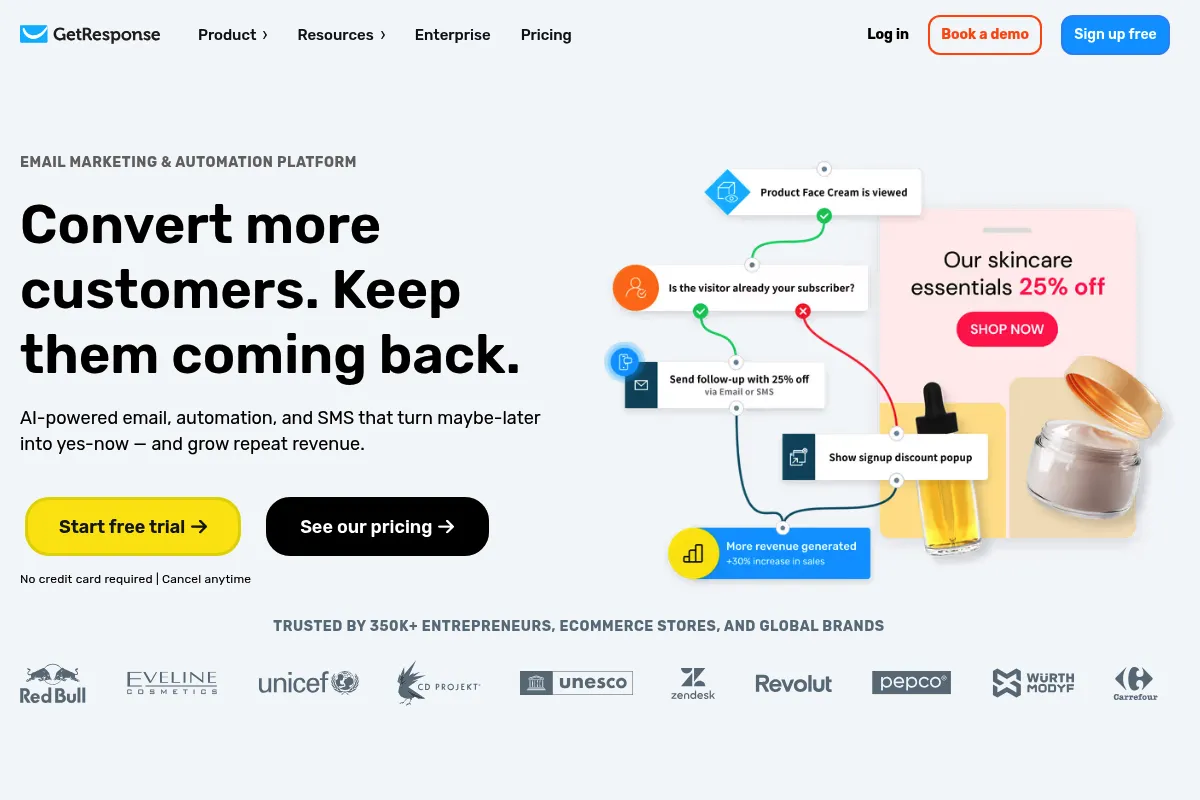
Visual Automation
A canvas-based builder for creating conditional logic sequences based on user behavior.
AI Email Generator
Uses GPT-based technology to draft subject lines and body content based on specific keywords.
Autoresponders
Time-based email sequences used for automated onboarding and lead nurturing.
Web Push Notifications
Browser-based alerts to re-engage visitors who aren't currently on your site.
Website Builder
A code-free editor with AI assistance for creating full websites or simple portfolios.
Pricing
Free
- Up to 500 contacts
- 2,500 newsletters/mo
- 1 landing page
- Website builder
Email Marketing
- Unlimited newsletters
- Autoresponders
- Basic segmentation
- AI email generator
Marketing Automation
- Event-based automation
- Webinars (up to 100 attendees)
- Advanced segmentation
- Sales funnels
Ecommerce Marketing
- Quick transactional emails
- Abandoned cart recovery
- Promo codes
- Webinars (up to 300 attendees)
Pricing checked 6 months ago
Pricing guidance
- When you need to build automated workflows rather than just sending manual blasts.
- When you want to host webinars for more than 10 people.
- When you need to track abandoned carts for an online store.
- Webinar attendee limits are strictly capped based on your plan tier.
- The Free plan includes GetResponse branding on all emails and pages.
- List size includes unsubscribed contacts unless you manually delete them.
Mid-range pricing that becomes expensive at high volumes, justified primarily by the bundled webinar and funnel features.
Pros & Cons
Strengths
-
Integrated webinar functionality
Eliminates the cost and technical friction of connecting external webinar software to your email list.
-
Comprehensive funnel visualization
The Conversion Funnel tool makes it easy to see exactly where leads are dropping off in a multi-step campaign.
-
Strong automation logic
The visual builder is intuitive and allows for complex branching based on clicks, opens, and site visits.
-
Flexible landing page builder
Includes a wide variety of templates and a drag-and-drop editor that is more capable than basic ESP landing page tools.
Weaknesses
-
Pricing scales aggressively
As your list grows, the cost per subscriber increases faster than on platforms like MailerLite or ConvertKit.
Affects: Scaling businesses with large lists
-
Dated template library
Many of the pre-made email and landing page templates look like they haven't been updated in several years.
Affects: Design-conscious brands
-
Basic CRM features
While it has 'tags' and 'custom fields,' it lacks the deep sales pipeline and task management of a dedicated CRM.
Affects: B2B sales teams
Real User Sentiment
Users generally appreciate the 'all-in-one' convenience but often complain about the user interface feeling clunky compared to modern SaaS tools.
Users tend to like
- Native webinar integration
- Visual automation builder
- Ease of setting up basic autoresponders
- Reliable deliverability for most users
Users commonly complain about
- Customer support can be slow to resolve complex issues
- The landing page editor can be buggy
- Pricing jumps are significant when crossing contact thresholds
Recurring tradeoffs
- You trade a modern, slick UI for a broader feature set that includes webinars and funnels.
Happiest users
Small business owners who want one bill and one login for their entire marketing stack.
Often frustrated
Advanced marketers who find the CRM features too shallow or the template design too restrictive.
Use Cases
Course Launches
Using the webinar tool to pitch a course and the automation tool to follow up with attendees.
Lead Magnet Delivery
Setting up a landing page to offer a PDF and an autoresponder to deliver it immediately.
Ecommerce Recovery
Connecting a Shopify store to send automated emails to users who leave items in their cart.
Local Business Newsletters
Managing a simple mailing list and a basic website for a service-based business.
Event Promotion
Using the built-in funnel templates to drive registrations and send reminders for live events.
Frequently Asked Questions
How does GetResponse compare to Mailchimp?
GetResponse offers much stronger automation and native webinar hosting, whereas Mailchimp focuses more on brand aesthetics and basic email. GetResponse's visual automation builder is more flexible than Mailchimp's 'Customer Journey' tool on lower-tier plans.
Is the GetResponse free plan actually useful?
The free plan is best for testing the interface or for very small hobby projects. With a 500-contact limit and restricted features, most businesses will need to upgrade to the 'Email Marketing' plan ($19/mo) almost immediately.
Can I host webinars on all plans?
No. Webinars are only available starting on the 'Marketing Automation' plan ($59/mo), which allows up to 100 attendees. Higher tiers increase this limit to 300 or 1,000 attendees.
Does GetResponse integrate with Shopify?
Yes, it has a deep integration with Shopify that allows you to sync customer data, track purchases, and send automated abandoned cart emails. These features are primarily locked behind the 'Ecommerce Marketing' plan.
What are the main limitations of the website builder?
While easy to use, the website builder lacks advanced SEO controls and deep customization options found in dedicated platforms like Webflow or WordPress. It is best for simple 5-10 page sites.
Is GetResponse good for cold emailing?
No. GetResponse is an opt-in marketing platform. Sending cold, unsolicited emails will lead to account suspension. For cold outreach, you should look at tools like instantly.ai or Lemlist.
Why trust this page?
This evaluation combines product positioning, pricing analysis, traffic and market signals, and public user sentiment into a single decision-support page. Content is generated editorially — not copied from the vendor's website.
Funding & Company
Founded
1998
Stage
Bootstrapped
Total Raised
Bootstrapped
Latest Round
—
GetResponse has been bootstrapped since its founding in 1998, growing for over two decades without external venture capital. This self-funded status indicates a long history of profitability and sustainable growth, suggesting significant operational stability.
Market Signals & Traffic
Estimated visits, global rank, geography, traffic sources, monthly visit trends, and organic search keywords (Similarweb)—on a dedicated page built for depth and search.
- Estimated visits
- 0
- Global rank
- —
- Snapshot
- May 2026
- Traffic trend
- Cooling
Estimated monthly visits
Alternatives to GetResponse
View all alternativesActiveCampaign
Email Marketing, Marketing Automation, Automation

Marketing automation and CRM platform for personalized customer experiences.
Brevo
Email Marketing, Marketing Automation, Communication

CRM suite for managing customer relationships across multiple marketing channels.
MailerLite
Email Marketing, Marketing Automation, Website Builder

Email marketing and automation platform for creators and businesses.
Similar Tools
Kit
Email Marketing, Marketing Automation, Website Builder

Email marketing and automation platform for professional creators.
MailerLite
Email Marketing, Marketing Automation, Website Builder
Email marketing and automation platform for creators and businesses.
iMini
AI Assistant, Automation & Agents, Productivity

Create and use intelligent agents through a modular interface.
Decktopus
Content Creation, Productivity, Design

AI-powered presentation maker for creating stunning slides in seconds.
Flodesk
Email Marketing, Marketing Automation, Content Creation

Design-focused email marketing and digital commerce platform for creatives.
Bland AI
AI Assistant, Automation

AI platform for automating inbound and outbound phone calls.