

Glasp
A social-first web highlighter that turns reading into a public knowledge graph, best for researchers who value community discovery over private archiving.
Excellent for active learners and YouTube researchers, weaker for those requiring strict privacy or offline reading.
Analysis based on product data, pricing structure, traffic signals, and public user sentiment.
Who Should Use Glasp?
Typical users
Individual researchers, students, and content curators who want to build a public digital legacy and discover content through a community.
Maturity fit
beginner to scaling
Choose this if…
- You want to see what others are highlighting in real-time
- Your workflow relies heavily on extracting insights from YouTube videos
- You prefer a browser-native highlighter over a separate 'read-it-later' app
- You want to build a 'digital clone' based on your personal knowledge base
Skip this if…
- You need a distraction-free reading environment with offline support
- Your highlights frequently contain sensitive or proprietary information
- You require advanced spaced-repetition features like those in Readwise
About Glasp
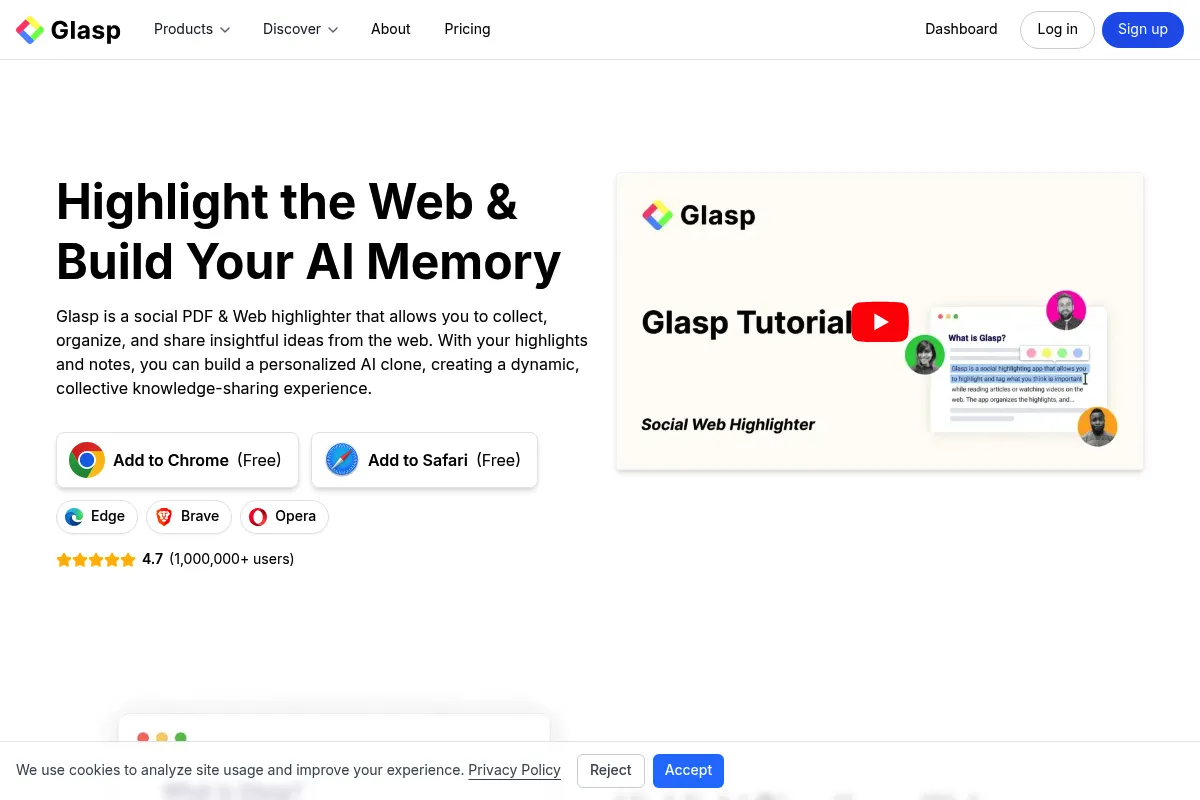
Glasp is a social web highlighter designed to help users organize their digital learning while contributing to a collective knowledge pool. It enables users to capture text from articles, PDFs, and YouTube transcripts directly in the browser. The platform emphasizes 'learning in public,' allowing users to follow others and discover curated insights.
What it actually does
Users install a browser extension to highlight text on any webpage or PDF, which then syncs to a personal profile. It automatically generates AI summaries for YouTube videos and articles, providing quick takeaways without requiring full consumption. The tool also facilitates the export of these highlights to popular note-taking apps like Notion and Obsidian.
What makes it different
Unlike traditional bookmarking tools that focus on private storage, Glasp is social by default, creating a feed of highlights from other users. Its 'Digital Clone' feature is a unique architectural choice that uses your highlights to train a personal AI assistant capable of answering questions based on your specific reading history.
Key Features
YouTube Summary
Generates AI-driven takeaways and transcripts directly in the browser sidebar.
Social Discovery
Allows you to follow other readers to see what they are highlighting on specific articles.
Digital Clone
Creates an AI agent trained on your highlights that can answer questions based on your knowledge base.
Kindle Sync
Imports book highlights to centralize them with web and video notes.
PDF Highlighting
Annotates web-based and uploaded PDFs without leaving the browser.
Export Integrations
Provides formatted Markdown or direct sync to Notion, Obsidian, and Roam Research.
Highlight Visibility Control
Allows users to toggle between public and private highlights (Pro feature).
Pricing
Free
- Unlimited public highlights
- Basic YouTube summaries
- Notion & Obsidian export
- Kindle highlight import
Pro
- Unlimited private highlights
- 5,000 advanced AI summaries/mo
- PDF Chat (5,000 messages/mo)
- Private domain list
Unlimited
- Higher AI usage limits
- Priority support
- Early access to new features
Pricing checked 4 months ago
Pricing guidance
- When you need to highlight sensitive or private documents
- When you hit the monthly limit for advanced AI summaries
- When you want to use the PDF Chat feature for deep research
- Privacy is strictly a paid feature
- YouTube summaries are limited by volume on the free tier
- Advanced AI models (like GPT-4o) are reserved for Pro users
Affordable for individuals, but the jump to the 'Unlimited' tier is steep for the marginal feature gains.
Pros & Cons
Strengths
-
Superior YouTube integration
It is the most efficient tool for extracting value from video content, providing transcripts and AI summaries that save hours of manual note-taking.
-
Community-driven discovery
By seeing what experts in your field are highlighting, you discover high-quality content that algorithms often miss.
-
Generous free tier
Most core highlighting and basic AI features are available without a subscription, making it accessible for students and casual learners.
Weaknesses
-
Public by default
Privacy is a paid feature; new users often accidentally share sensitive highlights because the 'private' toggle is locked behind a subscription.
Affects: Corporate researchers and privacy-conscious users
-
No offline mode
The tool requires an active internet connection and the browser extension to function, making it useless for offline reading on planes or commutes.
Affects: Mobile users and frequent travelers
-
Cluttered user interface
The social feed and extension sidebar can feel busy and distracting compared to minimalist alternatives like Matter.
Affects: Users seeking a focused reading experience
Real User Sentiment
Users generally praise the tool for its speed and YouTube features but remain divided on the social-by-default philosophy.
Users tend to like
- Instant YouTube transcripts
- Ease of exporting to Notion
- Discovering niche articles through the community feed
- The 'Digital Clone' concept
Users commonly complain about
- Accidental public sharing of private notes
- Extension occasionally breaks on certain websites
- Lack of a robust mobile reading experience
Recurring tradeoffs
- You trade privacy for a free, feature-rich highlighter
- You trade a clean reading UI for social discovery features
Happiest users
YouTube-heavy learners and researchers who enjoy sharing their findings with a community.
Often frustrated
Users who want a private, Readwise-like experience for free or those who need offline access.
Use Cases
YouTube Research
Extracting key points from long-form video essays or lectures without watching them in full.
Academic Study
Highlighting web-based PDFs and syncing them directly to an Obsidian Zettelkasten.
Content Curation
Building a public profile of interesting reads to share with a professional network.
Personal Knowledge Management
Using the Digital Clone to query your own past reading history for specific facts.
Kindle Consolidation
Bringing physical book highlights into the same digital space as web and video notes.
Frequently Asked Questions
Is Glasp completely free?
Glasp offers a generous free tier that includes unlimited public highlights and basic YouTube summaries. However, if you want to keep your highlights private or use advanced AI features, you must upgrade to the Pro plan, which costs $15 per month.
How does Glasp compare to Readwise?
Readwise is a private-first tool focused on spaced repetition and long-term retention, starting at roughly $9/month. Glasp is a social-first tool focused on community discovery and YouTube summarization, offering a free tier for public use.
Can I keep my highlights private on Glasp?
Only if you have a Pro or Unlimited subscription. On the free plan, all highlights and notes are public by default and visible on your profile to anyone who follows you.
Does Glasp work on mobile?
Yes, Glasp has dedicated apps for iOS and Android. You can also use it through mobile browsers, though the full highlighting experience is most robust on the desktop Chrome or Safari extensions.
Can I export my highlights to Notion or Obsidian?
Yes, Glasp supports direct export to Notion, Obsidian, Roam Research, and Logseq. For Obsidian, there is a community plugin that automates the sync process.
What is the 'Digital Clone' feature?
The Digital Clone is an AI feature that indexes your highlights and notes. You can then 'chat' with your clone to ask questions like 'What did I read about market psychology last month?' and it will answer based on your saved data.
Why trust this page?
This evaluation combines product positioning, pricing analysis, traffic and market signals, and public user sentiment into a single decision-support page. Content is generated editorially — not copied from the vendor's website.
Market Signals & Traffic
Estimated visits, global rank, geography, traffic sources, monthly visit trends, and organic search keywords (Similarweb)—on a dedicated page built for depth and search.
- Estimated visits
- 2,761,077
- Global rank
- #18,804
- Snapshot
- May 2026
- Traffic trend
- Surging
Estimated monthly visits
Similar Tools
Nitro PDF AI
Productivity, Documentation, Privacy & Compliance

Professional PDF editing, electronic signatures, and document workflow management.
PDFgear AI
Productivity, AI Assistant, Documentation

Comprehensive PDF editor and manager with integrated chat-to-document capabilities.
Nabla
AI Assistant, Documentation, Health & Wellness
Ambient assistant for automated clinical documentation and medical notes.
Omi (Based Hardware)
AI Assistant, Productivity, Communication

Wearable necklace that transcribes and summarizes real-world conversations
Mendable
Documentation, Search, Developer Tools

Search and chat interface for technical documentation and knowledge bases.
Aymo AI
AI Assistant, Productivity, Communication

Personal assistant for managing tasks and information via WhatsApp.