

A comprehensive, free PDF editor that integrates GPT-powered chat for document analysis and command execution, serving as the most viable zero-cost alternative to Adobe Acrobat for individual users.
Excellent for individuals needing full editing and AI-assisted summarization without subscriptions, weaker for enterprises requiring strict on-premise data security.
Analysis based on product data, pricing structure, traffic signals, and public user sentiment.
Who Should Use PDFgear AI?
Typical users
Students, freelancers, and researchers who handle high volumes of documents and need to extract insights or edit text without paying for premium software.
Maturity fit
beginner to scaling
Choose this if…
- You want a full-featured PDF editor without a monthly subscription fee
- Your priority is summarizing long documents quickly using natural language
- You need to convert PDFs to editable formats like Word or Excel frequently
- You prefer a desktop-based application over browser-only tools for performance
Skip this if…
- You need enterprise-grade document lifecycle management and advanced team collaboration
- Your workflow requires processing highly sensitive data that cannot be sent to cloud-based AI models
- You require advanced prepress or professional print production tools found in Acrobat Pro
About PDFgear AI
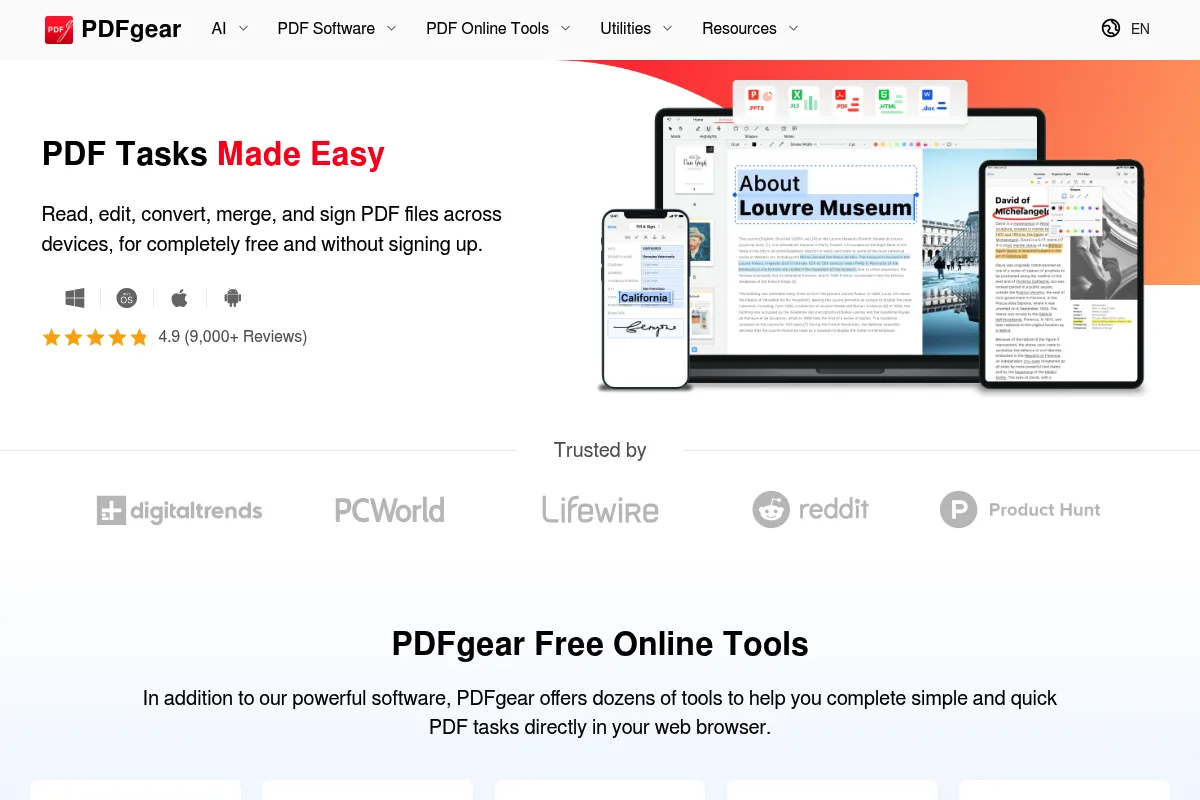
PDFgear is a multi-platform PDF management suite designed to replace paid editors like Adobe Acrobat and Nitro. It combines standard document manipulation tools with an AI-driven copilot to automate tasks and analyze content.
Official profiles
What it actually does
It provides a local desktop environment to edit, convert, merge, and sign PDF files. The integrated AI chatbot allows users to query document content, generate summaries, and execute software commands like 'compress this file' through a chat interface.
What makes it different
Unlike most 'Chat with PDF' tools that are web-based and charge per document, PDFgear is a full desktop editor that offers its AI features for free. It uniquely uses AI not just for content analysis, but as a UI shortcut to trigger software functions.
Ratings across the web

Ratings aggregated from independent review platforms.
Key Features
PDFgear Copilot
Uses natural language to perform actions like 'convert to PNG' or 'delete page 5' without searching menus.
No-Cost Editing
Allows direct modification of text and images within the PDF, a feature usually locked behind paywalls.
High-Accuracy OCR
Extracts text from scanned documents or images with support for multiple languages.
Chat-to-Document
Summarizes long reports and answers specific questions based on the document's context.
Batch Converter
Processes multiple files simultaneously to save time on repetitive administrative tasks.
Form Filler
Automatically detects form fields for quick data entry and digital signing.
Page Organizer
Drag-and-drop interface for reordering, rotating, or deleting pages within a document.
Pricing
Free
- Full PDF editing and conversion
- OCR and batch processing
- AI Copilot (50 messages/day)
- No watermarks or ads
- All platforms (Win, Mac, iOS)
Pricing checked 6 months ago
Pricing guidance
- No upgrade path currently exists as the tool is entirely free.
- AI Chatbot is limited to 50 messages per day
- Maximum file size for AI analysis is 50MB or 300 pages
- No multi-user enterprise management console
Disruptive free-to-use model aimed at capturing market share from established paid incumbents.
Pros & Cons
Strengths
-
Completely free with no watermarks
Unlike 'freemium' competitors, it provides professional-level features like OCR and direct text editing without adding branding or charging for exports.
-
AI-driven workflow efficiency
The Copilot feature reduces the learning curve by allowing users to type what they want to do instead of hunting through complex toolbars.
-
Cross-platform availability
Consistent experience across Windows, macOS, and iOS, which is rare for high-quality free utility software.
-
Privacy-conscious AI implementation
While AI processing happens in the cloud, the software clearly defines what data is sent, and standard editing functions remain strictly local.
Weaknesses
-
AI message limitations
The AI chatbot has a daily message limit (currently 50 messages per day), which can be restrictive for heavy research sessions.
Affects: Researchers and students processing multiple long documents daily
-
Cloud dependency for AI
The Copilot and summarization features require an active internet connection to communicate with the GPT models.
Affects: Users working in offline or high-security environments
-
Occasional formatting shifts
Complex PDF-to-Word conversions can sometimes lose original layout precision compared to Adobe's proprietary engine.
Affects: Legal or design professionals requiring pixel-perfect document fidelity
Real User Sentiment
Highly positive, with users frequently expressing surprise that such a feature-rich tool is actually free.
Users tend to like
- Absence of watermarks on exported files
- Speed and responsiveness of the desktop app
- The ability to edit text directly like a Word document
- Clean, modern user interface without ad clutter
Users commonly complain about
- Daily AI message cap can be hit quickly
- Lack of advanced pre-flight tools for professional printing
- Occasional bugs in the macOS version compared to Windows
Recurring tradeoffs
- Users trade the absolute reliability of Adobe's conversion engine for a zero-cost, AI-integrated experience.
Happiest users
Individual professionals and students who need to manipulate PDFs daily but cannot justify an Adobe Creative Cloud subscription.
Often frustrated
Users in highly regulated industries who are wary of free tools or require local-only AI processing for sensitive data.
Use Cases
Academic Research
Summarizing 50-page whitepapers and asking specific questions about data points.
Contract Management
Editing text in existing contracts and adding digital signatures for quick turnaround.
Administrative Tasks
Converting batches of image-based invoices into searchable PDFs using OCR.
Content Creation
Extracting images and text from PDFs to repurpose in presentations or reports.
File Optimization
Compressing large PDF portfolios for email attachments without losing significant quality.
Frequently Asked Questions
Is PDFgear really free, or is there a catch?
PDFgear is currently 100% free with no hidden fees, watermarks, or ads. The developers state they are currently focused on user acquisition and may introduce premium features or enterprise versions in the future, but the core editing and conversion tools remain free.
How does PDFgear compare to Adobe Acrobat?
PDFgear offers about 90% of Acrobat's core functionality—including text editing, OCR, and conversion—for free. It lacks Acrobat's advanced prepress tools, deep enterprise security integrations, and cloud-based team collaboration features, but it includes an AI Copilot which Acrobat only recently added as a paid add-on.
Is PDFgear safe and private for sensitive documents?
Standard editing and conversion are processed locally on your device. However, using the AI Copilot sends document text to the cloud (via OpenAI's API) for processing. If you are handling highly sensitive or classified data, you should avoid using the AI features or any cloud-connected tool.
What are the limits on the AI chatbot?
Currently, the AI Copilot is limited to 50 messages per day per user. It can process documents up to 50MB in size or approximately 300 pages. These limits are in place to manage the costs of using the GPT-4o/GPT-3.5 API.
Does PDFgear work on Mac and mobile?
Yes, PDFgear is available for Windows, macOS (including M1/M2/M3 chips), and iOS. The feature set is remarkably consistent across platforms, though the desktop versions (Windows/Mac) are more powerful for heavy editing and batch processing.
Can PDFgear convert PDF to Word accurately?
For most documents, the conversion is highly accurate. However, like all converters, it may struggle with extremely complex layouts, nested tables, or non-standard fonts. It is generally on par with other high-end converters like Nitro or Foxit.
Why trust this page?
This evaluation combines product positioning, pricing analysis, traffic and market signals, and public user sentiment into a single decision-support page. Content is generated editorially — not copied from the vendor's website.
Funding & Company
Founded
2020
Stage
Seed
Total Raised
—
Latest Round
Undisclosed
PDFgear is financed by undisclosed 'healthy initial investments' rather than being bootstrapped. This funding supports its current strategy of offering a comprehensive, multi-platform PDF tool for free to rapidly acquire a large user base before introducing paid features.
Market Signals & Traffic
Estimated visits, global rank, geography, traffic sources, monthly visit trends, and organic search keywords (Similarweb)—on a dedicated page built for depth and search.
- Estimated visits
- 3,093,385
- Global rank
- #19,937
- Snapshot
- Apr 2026
- Traffic trend
- Steady
Estimated monthly visits
Similar Tools
Heuristica
Research, Education, Productivity

Visual knowledge exploration and research tool using mind maps.
Venice
AI Assistant, Privacy & Compliance, Content Creation

Private and uncensored assistant for text and image generation.
Evisort
Data Extraction, Privacy & Compliance, Workflow

Contract intelligence platform for automated legal document management and analysis.
Beautiful.ai
Design, Productivity, Content Creation

AI-powered presentation software that automates design.
ThinkAny
AI Assistant, Productivity, Content Creation

AI-powered search engine for direct, synthesized, and sourced answers.
Arc
Productivity, Search, AI Assistant

A reimagined web browser built for focus and organized navigation.