

A meeting notes tool that enhances your own notes with AI transcription, focusing on privacy and discretion by avoiding a meeting 'bot'.
Excellent for professionals who need high-quality, private notes without altering meeting dynamics; weaker for teams needing full video recording or cross-platform web access.
Analysis based on product data, pricing structure, traffic signals, and public user sentiment.
Who Should Use Granola?
Typical users
Consultants, executives, product managers, and user researchers on macOS or iOS who value discretion in calls and want to augment their own note-taking with AI.
Maturity fit
beginner to scaling
Choose this if…
- You find meeting bots intrusive and want to capture conversations discreetly.
- Your priority is enhancing your own notes rather than getting a raw, verbatim transcript.
- You work primarily within the Apple ecosystem (macOS/iOS).
- You need to turn customer conversations into a searchable library of product insights.
- You want structured, summarized notes, not just a wall of text.
Skip this if…
- You or your team members use Windows or require a web-based application.
- You need video and audio playback of your meetings, not just transcripts and notes.
- You need a tool that automatically drafts follow-up emails or syncs action items to task managers.
- You're on a tight budget and need a completely free tool with no history limitations.
- You require deep, complex integrations beyond CRM, Slack, and Notion.
About Granola
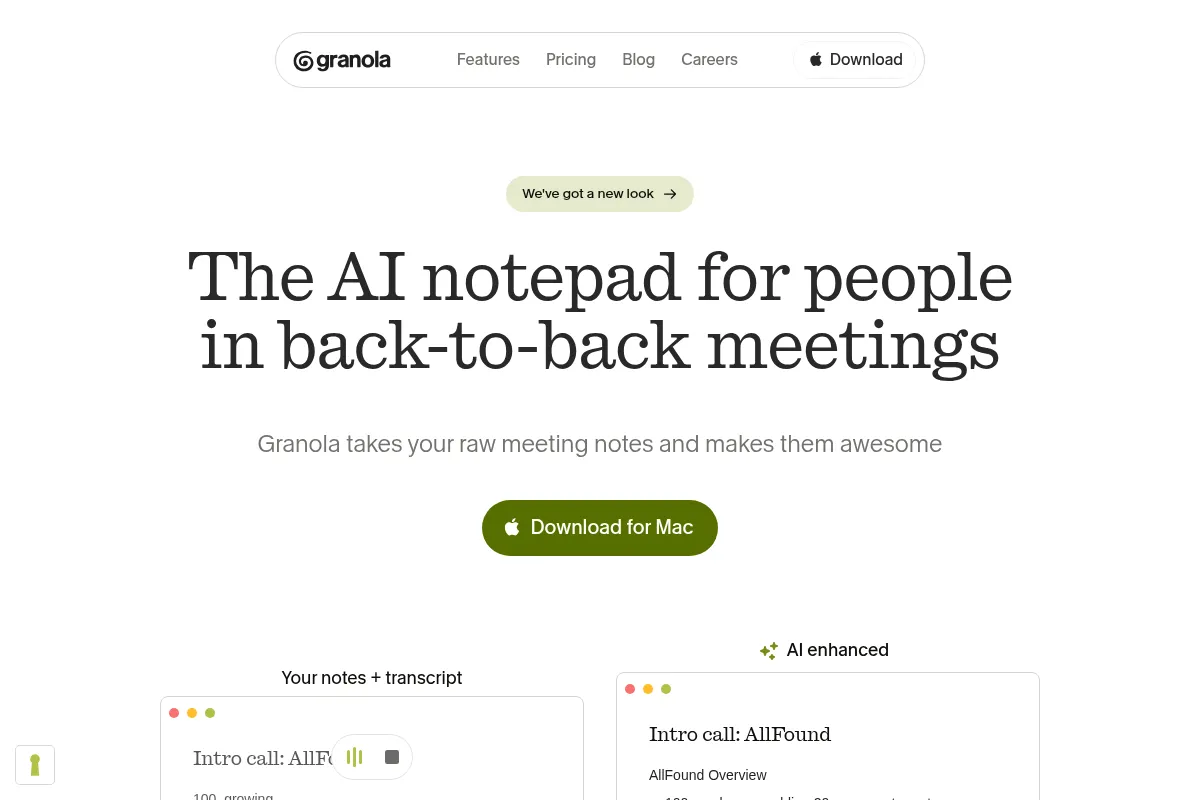
Granola is an AI notepad that runs on your device to transcribe meetings and enhance your notes. It's designed for users who want to capture conversations without an AI bot visibly joining the call, offering a more private and natural meeting experience. The tool focuses on creating structured, usable notes by combining AI transcription with the user's own input, rather than just producing a raw transcript.
Official profiles
What it actually does
Granola captures audio directly from your Mac or iOS device, transcribes it in real-time, and generates AI-powered summaries, action items, and key points after the meeting. It allows users to type their own notes during the call, which are then integrated with the AI-generated content for a richer, more contextual output. The tool organizes all conversations into a searchable library, enabling users to find insights across multiple meetings.
What makes it different
Granola's primary differentiator is its 'bot-free' architecture. Unlike competitors like Otter.ai that join calls as a visible participant, Granola captures system audio locally, which maintains privacy and doesn't alter the social dynamics of the meeting. This approach also means it works with any meeting platform. Its secondary distinction is the hybrid note-taking model, which blends user-typed notes with AI transcription to produce more relevant and structured summaries.
Ratings across the web

Ratings aggregated from independent review platforms.
Key Features
Device-level Audio Capture
Avoids intrusive meeting bots, ensuring privacy and a natural conversation flow.
AI-Enhanced Notes
Combines your typed notes with the full transcript to create structured, contextual summaries, not just raw text.
Searchable Insight Library
Turns all your conversations into a queryable database to identify patterns and feedback over time.
Customizable Templates
Standardize note formats for recurring meeting types like user interviews, sales calls, or 1-on-1s.
CRM & Workflow Integrations
Pushes meeting notes to tools like HubSpot, Notion, and Slack to streamline post-meeting tasks.
AI Chat
Ask questions directly to your transcript to quickly find key decisions, data points, or commitments.
No Minute Caps
Paid plans are based on features and history access, not a per-minute transcription allowance.
Pricing
Basic
- AI-enhanced notes
- AI chat
- Unlimited meetings
- Access to the last 30 days of notes
Business
- Everything in Basic
- Unlimited meeting notes and history
- Advanced AI models
- Integrations (Notion, Slack, HubSpot, Zapier)
- Centralized billing & team management
Enterprise
- Everything in Business
- Enterprise-grade security & admin controls
- Single Sign-On (SSO)
- Priority support
- Org-wide opt-out of model training
Pricing checked 6 months ago
Pricing guidance
- You need to access meeting notes older than 30 days.
- You want to integrate with CRM, Notion, or Slack.
- You need to manage billing for a team.
- You require access to more advanced AI models for summarization.
- The free plan's 30-day history access is a significant limitation.
- AI model training is opt-in on paid plans and requires the Enterprise plan for an organization-wide mandate.
- The tool does not record or store audio/video files, only the transcript and notes.
Competitively priced for individuals and small teams, positioning itself as a more affordable option than bot-based alternatives by avoiding high infrastructure costs.
Pros & Cons
Strengths
-
Discreet and Private
The 'bot-free' approach is a significant advantage for sensitive conversations. Participants are not made aware they are being transcribed, which leads to more natural dialogue.
-
High-Quality, Structured Notes
By blending user input with AI, Granola produces summaries that are more organized and contextually relevant than raw transcripts from fully automated tools.
-
Platform Agnostic
Because it captures system audio, it works with any meeting platform (Zoom, Teams, Google Meet, Slack Huddles) without needing direct integration.
-
Simple, Clean Interface
Users consistently praise the intuitive and easy-to-use design, which allows for quick setup and effortless operation during calls.
Weaknesses
-
No Video or Audio Playback
Granola does not record the meeting's audio or video; it only creates a transcript and notes. If you need to review the original recording, this tool is insufficient.
Affects: Users in regulated industries or those who need recordings for training.
-
Limited Platform Support
The service is primarily focused on macOS and iOS. There is a Windows app but no web-based version, which restricts access for users on other operating systems or locked-down work environments.
Affects: Cross-platform teams and Windows users.
-
Free Plan History is Limited
The free plan only allows you to access notes from the last 30 days, making it unsuitable for building a long-term searchable knowledge base without upgrading.
Affects: Budget-conscious users needing long-term history.
-
Data Used for AI Model Training by Default
Granola uses anonymized conversation data to train its AI models unless you are on the Enterprise plan or manually opt-out on a paid plan.
Affects: Companies with strict data privacy and compliance requirements.
Real User Sentiment
Users who value privacy and high-quality notes are overwhelmingly positive, frequently describing it as an indispensable part of their workflow. The primary points of friction are the lack of video playback and limited platform support.
Users tend to like
- The bot-free, discreet recording approach.
- High-quality, structured AI summaries.
- The clean, simple, and intuitive user interface.
- The ability to focus on the conversation instead of taking notes.
- Specific value for user research and product teams.
Users commonly complain about
- Lack of video or audio playback.
- Limited to macOS and iOS for the best experience; no web app.
- Free plan's history limitation is too restrictive.
- Concerns about data being used for AI model training by default.
Recurring tradeoffs
- Users trade video/audio recording for increased privacy and discretion in meetings.
- Users accept a platform limitation (Mac/iOS-centric) for a more native and stable experience.
Happiest users
Mac-based consultants, product managers, and executives who are in frequent meetings and prioritize discretion and high-quality summaries over raw recordings.
Often frustrated
Cross-platform teams, Windows-primary users, and anyone who requires video/audio archives for compliance, training, or detailed review.
Use Cases
User Researchers
Capture customer interviews without an intimidating bot, then search across all transcripts to find patterns in user feedback.
Sales Executives
Focus on the client conversation and build rapport, knowing that notes and key details are being captured for CRM entry.
Product Managers
Document feature requests and customer pain points from meetings and turn them into a searchable insight database.
Consultants
Discreetly capture client meetings to ensure no detail is missed, improving the quality of deliverables and follow-ups.
Executives
Stay fully present in back-to-back leadership meetings, relying on AI summaries to track decisions and action items.
Frequently Asked Questions
What is the main difference between Granola and Otter.ai?
The primary difference is the recording method. Granola captures audio from your device without a bot joining the call, making it more private and discreet. Otter.ai uses a bot that visibly joins the meeting as a participant. Granola also focuses on enhancing your own notes, while Otter is geared towards providing a fully automated, verbatim transcript.
What are the limitations of Granola's free plan?
The free 'Basic' plan allows for unlimited meetings but only provides access to the last 30 days of your note history. To access notes older than that, you must upgrade to a paid plan. The free plan also lacks integrations with tools like Slack, Notion, and various CRMs.
Can I export my notes from Granola?
Yes, on the paid 'Business' plan, you can export your notes and integrate with other tools. This includes sending notes to Notion, Slack, HubSpot, Affinity, and other platforms via Zapier. The free plan has limited export options.
Does Granola record video or just audio?
Granola does not record video or store audio files. It only transcribes the audio from your device in real-time to create a text transcript and AI-generated notes. If you need a video or audio recording of your meeting, you will need to use a different tool.
Is Granola available on Windows?
Yes, Granola has a Windows application. However, it is primarily known for its Mac-native experience, and some reviews note that the Mac app is its core platform. There is no web-based version of the application.
Does Granola use my data to train its AI models?
Yes, by default, Granola uses anonymized data from your conversations to train its AI models. Users on paid plans can opt-out of this. The Enterprise plan includes an organization-wide opt-out by default to meet compliance needs.
Why trust this page?
This evaluation combines product positioning, pricing analysis, traffic and market signals, and public user sentiment into a single decision-support page. Content is generated editorially — not copied from the vendor's website.
Funding & Company
Founded
2023
Stage
Series c
Total Raised
$192.25M
Latest Round
Series C (Mar 2026)
Notable Investors
Granola has raised a total of $192.25 million over four rounds, culminating in a $125 million Series C in March 2026 which valued the company at $1.5 billion. This significant and rapid funding from top-tier investors like Index Ventures, Kleiner Perkins, and Spark Capital indicates strong market confidence and provides substantial runway for product development and enterprise expansion.
Market Signals & Traffic
Estimated visits, global rank, geography, traffic sources, monthly visit trends, and organic search keywords (Similarweb)—on a dedicated page built for depth and search.
- Estimated visits
- 1,752,650
- Global rank
- #36,430
- Snapshot
- Apr 2026
- Traffic trend
- Surging
Estimated monthly visits
Alternatives to Granola
View all alternativesOtter.ai
AI Assistant, Productivity, Documentation
AI-powered transcription and meeting assistant for accurate notes and summaries.
Fireflies.ai
AI Assistant, Productivity, Documentation

AI meeting assistant that records, transcribes, and summarizes calls.
Fathom
Productivity, Video Creation, AI Assistant

AI notetaker that records, transcribes, and summarizes meetings.
Similar Tools
PDF.ai
AI Assistant, Documentation

An AI-powered platform for interacting with and analyzing PDF documents.
Keycard
Developer Tools, Automation & Agents, Privacy & Compliance
Identity and access management infrastructure for autonomous agents.
Whimsical
Design, Documentation, Productivity

Collaborative workspace for flowcharts, wireframes, mind maps, and documentation.
AutoShorts.ai
Video Creation, Social Media, Automation

Automate the creation and posting of faceless short-form videos.
Lovo AI
Content Creation, AI Assistant

AI voice generator and text-to-speech platform with video editing.
Heidi Health
Health & Wellness, Documentation, Productivity

Ambient medical scribe for automated clinical documentation and SOAP notes.