

A local-first, open-source note-taking application that prioritizes data ownership and privacy over modern UI aesthetics.
Best for privacy-conscious technical users who want an Evernote alternative with Markdown support, weaker for teams requiring polished real-time collaboration.
Analysis based on product data, pricing structure, traffic signals, and public user sentiment.
Who Should Use Joplin?
Typical users
Developers, researchers, and privacy advocates who prefer Markdown and want to avoid vendor lock-in.
Maturity fit
beginner to advanced
Choose this if…
- You want full control over where your data is stored (local, Dropbox, WebDAV)
- Your priority is end-to-end encryption over a 'pretty' interface
- You need a reliable web clipper that preserves Markdown formatting
Skip this if…
- You require Notion-style relational databases or complex project management features
- You need a seamless, zero-configuration sync experience without technical setup
- Your workflow relies on a highly polished, modern mobile application
About Joplin
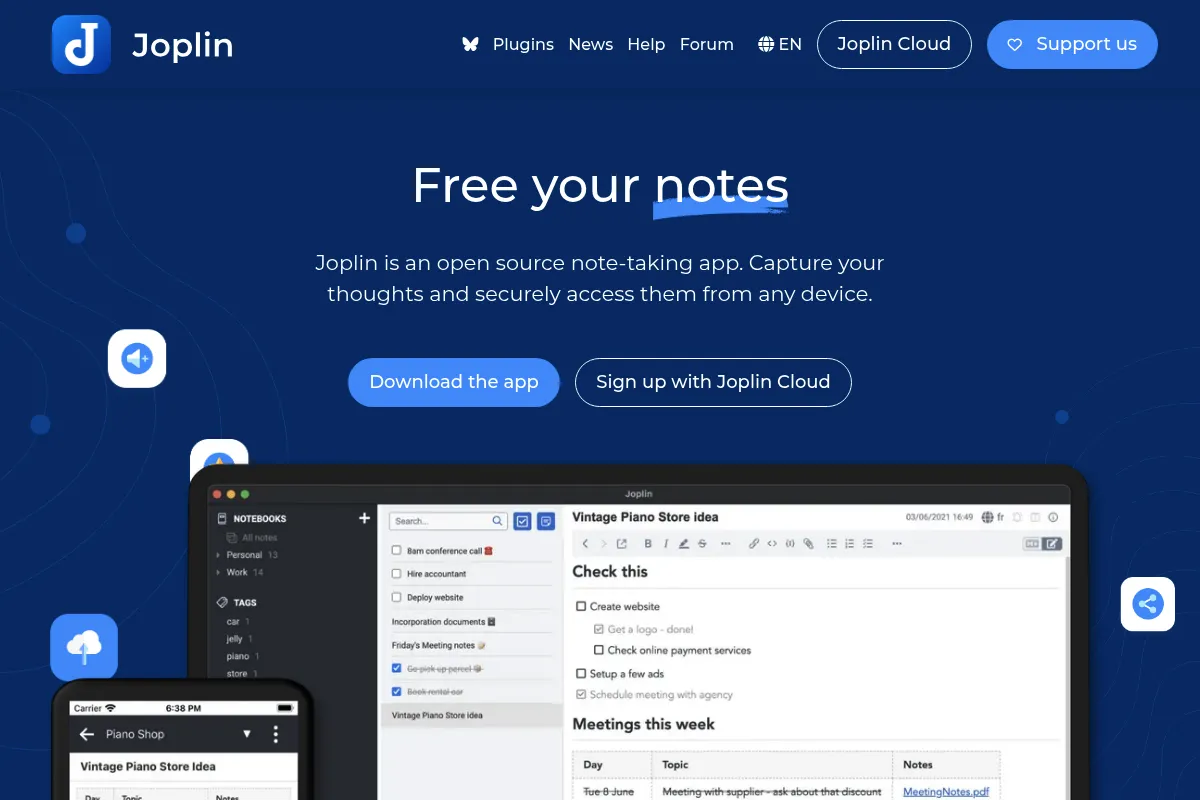
Joplin is an open-source, cross-platform note-taking application designed as a privacy-focused alternative to mainstream cloud-based tools. It stores notes locally in Markdown format and allows users to choose their own synchronization backend, ensuring no single company controls the data.
What it actually does
It manages text, images, and file attachments organized into a notebook hierarchy with support for tagging and full-text search. Users can capture web content via a browser extension, sync across mobile and desktop devices, and extend functionality through a community-driven plugin ecosystem.
What makes it different
Unlike most competitors, Joplin is architecturally local-first and agnostic about sync providers. It offers a terminal-based version for CLI power users and maintains a strict commitment to open formats, making it nearly impossible to get 'locked in' to the software.
Ratings across the web


Ratings aggregated from independent review platforms.
Key Features
End-to-End Encryption
Secures notes with a master password so even sync providers cannot read content.
Web Clipper
Captures web pages as Markdown or HTML snippets directly into specific notebooks.
Flexible Sync
Supports Dropbox, OneDrive, Nextcloud, WebDAV, and Joplin Cloud.
Plugin System
Enables features like Kanban boards, backlink graphs, and AI-assisted writing.
External Editor Support
Allows opening notes in VS Code, Vim, or Emacs while maintaining sync.
Note History
Keeps previous versions of notes for a user-defined period to prevent accidental data loss.
Search Filters
Uses advanced syntax to find notes by date, tag, or specific notebook location.
Pricing
Free / Open Source
- Full application access
- Local storage
- Manual sync (Dropbox/OneDrive/WebDAV)
- All plugins
Cloud Basic
- 1GB storage
- 10MB max file size
- Easy sync setup
- Email notes to Joplin
Cloud Pro
- 10GB storage
- 200MB max file size
- Notebook sharing
- Priority support
Cloud Teams
- 10GB storage per user
- Team management console
- Consolidated billing
- Collaborative features
Pricing checked 6 months ago
Pricing guidance
- When you need to share and collaborate on notebooks with others
- When you want a 'one-click' sync experience without configuring WebDAV
- When you want to support the ongoing development of the open-source project
- The Basic Cloud plan has a strict 10MB file size limit per attachment
- End-to-end encryption must be manually enabled and configured
- Collaborative editing is only available on paid Cloud plans
Disruptively affordable, as the core software is free and the paid cloud tiers are priced lower than most SaaS competitors.
Pros & Cons
Strengths
-
Total Data Sovereignty
Notes are stored in an open format on your own hardware, meaning you are never at the mercy of a vendor's pricing changes or service shutdowns.
-
Extensive Plugin Ecosystem
The community has built hundreds of plugins that add specialized functionality, allowing users to build a custom workspace without core software bloat.
-
Superior Web Clipper
One of the most reliable clippers in the open-source space, effectively handling complex CSS and images that often break in other tools.
Weaknesses
-
Dated User Interface
The UI feels like legacy software from the early 2010s, lacking the fluidity and visual polish found in modern tools like Obsidian or Bear.
Affects: Design-conscious users
-
Sync Configuration Friction
Setting up third-party sync (like WebDAV) can be technical and occasionally results in sync conflicts that require manual resolution.
Affects: Non-technical users
-
Mobile App Performance
The mobile experience is significantly slower than the desktop version, particularly when handling large notebooks or numerous attachments.
Affects: Power users on the go
Real User Sentiment
Users generally respect Joplin for its reliability and ethics, though they frequently complain about the lack of UI polish.
Users tend to like
- Complete data ownership
- Robust Markdown support
- Excellent Web Clipper
- Active plugin community
Users commonly complain about
- Clunky mobile application
- Occasional sync conflicts
- Dated interface design
- Steep learning curve for E2EE
Recurring tradeoffs
- You trade a modern, 'slick' user experience for total privacy and data control.
Happiest users
Developers and technical researchers who value Markdown and local-first data storage.
Often frustrated
Casual users who want a 'pretty' app that works instantly without any configuration.
Use Cases
Personal Knowledge Management
Organizing research, snippets, and long-form notes using Markdown.
Evernote Migration
Moving large note libraries to a platform with no subscription requirements.
Secure Journaling
Using end-to-end encryption to keep private thoughts safe from cloud providers.
Technical Documentation
Writing and previewing code-heavy documentation with syntax highlighting.
Web Research
Using the browser extension to save and annotate articles for offline use.
Frequently Asked Questions
Is Joplin really free?
Yes, the Joplin application is open-source and free to use. You only pay if you choose to subscribe to Joplin Cloud for simplified syncing and notebook sharing; otherwise, you can sync for free using Dropbox, OneDrive, or your own server.
How does Joplin compare to Obsidian?
Joplin uses a database-led approach with a built-in sync engine and a superior web clipper, whereas Obsidian is strictly file-over-folder. Obsidian has a more modern UI and better internal linking features, but Joplin is often easier for users migrating from Evernote.
Can I use Joplin offline?
Yes, Joplin is a local-first application. All your notes are stored on your device and are fully accessible without an internet connection. Changes will sync once you are back online.
Is the encryption automatic?
No, End-to-End Encryption (E2EE) is disabled by default. You must enable it in the settings and create a master password to ensure your notes are encrypted before they leave your device.
What happens if I stop paying for Joplin Cloud?
Your notes remain on your local devices. However, they will stop syncing across devices until you either renew your subscription or configure an alternative sync method like Dropbox or WebDAV.
Does Joplin support real-time collaboration?
No, Joplin does not support Google Docs-style real-time co-editing. On paid Cloud plans, you can share notebooks and others can edit notes, but changes are synced periodically rather than instantly.
Why trust this page?
This evaluation combines product positioning, pricing analysis, traffic and market signals, and public user sentiment into a single decision-support page. Content is generated editorially — not copied from the vendor's website.
Funding & Company
Founded
2017
Stage
Bootstrapped
Total Raised
Bootstrapped
Latest Round
—
Joplin is a bootstrapped, open-source project sustained by its creator, community donations, and revenue from its optional Joplin Cloud subscription service. It has not taken any venture capital or external funding, ensuring its direction is guided by its users and core developers rather than investors.
Market Signals & Traffic
Estimated visits, global rank, geography, traffic sources, monthly visit trends, and organic search keywords (Similarweb)—on a dedicated page built for depth and search.
- Estimated visits
- 470,129
- Global rank
- #100,038
- Snapshot
- Apr 2026
- Traffic trend
- Cooling
Estimated monthly visits
Alternatives to Joplin
View all alternativesNotion AI
AI Assistant, Content Creation

AI assistant integrated into Notion for content creation and task automation.
Anytype
Productivity, Documentation, Privacy & Compliance

Local-first, privacy-focused workspace for notes, tasks, and knowledge management.
Similar Tools
Nitro PDF AI
Productivity, Documentation, Privacy & Compliance

Professional PDF editing, electronic signatures, and document workflow management.
Anytype
Productivity, Documentation, Privacy & Compliance
Local-first, privacy-focused workspace for notes, tasks, and knowledge management.
Xoul AI
AI Assistant, Communication, Content Creation

Create unique characters and explore immersive storytelling worlds.
1min.AI
AI Assistant, Content Creation, Productivity

Unified workspace for text, image, video, and audio generation.
Pitch
Content Creation, Productivity, Design

AI-powered presentation software for collaborative teams.
Sunoh.ai
Health & Wellness, Documentation, AI Assistant

Ambient medical scribe for automated clinical documentation and SOAP notes