

Pitch is a collaborative presentation tool that streamlines deck creation with a focus on design and team workflows, but it's less suited for deep content customization or complex automation.
Best for collaborative teams needing polished presentations, weaker for users requiring extensive design control or advanced automation.
Analysis based on product data, pricing structure, traffic signals, and public user sentiment.
Who Should Use Pitch?
Typical users
Teams of 5-50 people, including startups, agencies, and marketing departments, who frequently create presentations for internal or external stakeholders.
Maturity fit
beginner to scaling
Choose this if…
- You need real-time collaboration features for multiple team members.
- Your priority is creating visually appealing, on-brand presentations quickly.
- You want to track audience engagement with presentation analytics.
- You need to integrate presentation creation into existing workflows with tools like Slack or Notion.
Skip this if…
- You require deep customization of animations and complex slide transitions.
- Your workflow involves heavy reliance on traditional PowerPoint features like advanced charting or file recovery.
- You need robust, multi-step automation sequences for presentation content.
- Your budget is extremely limited and advanced features are not a priority.
About Pitch
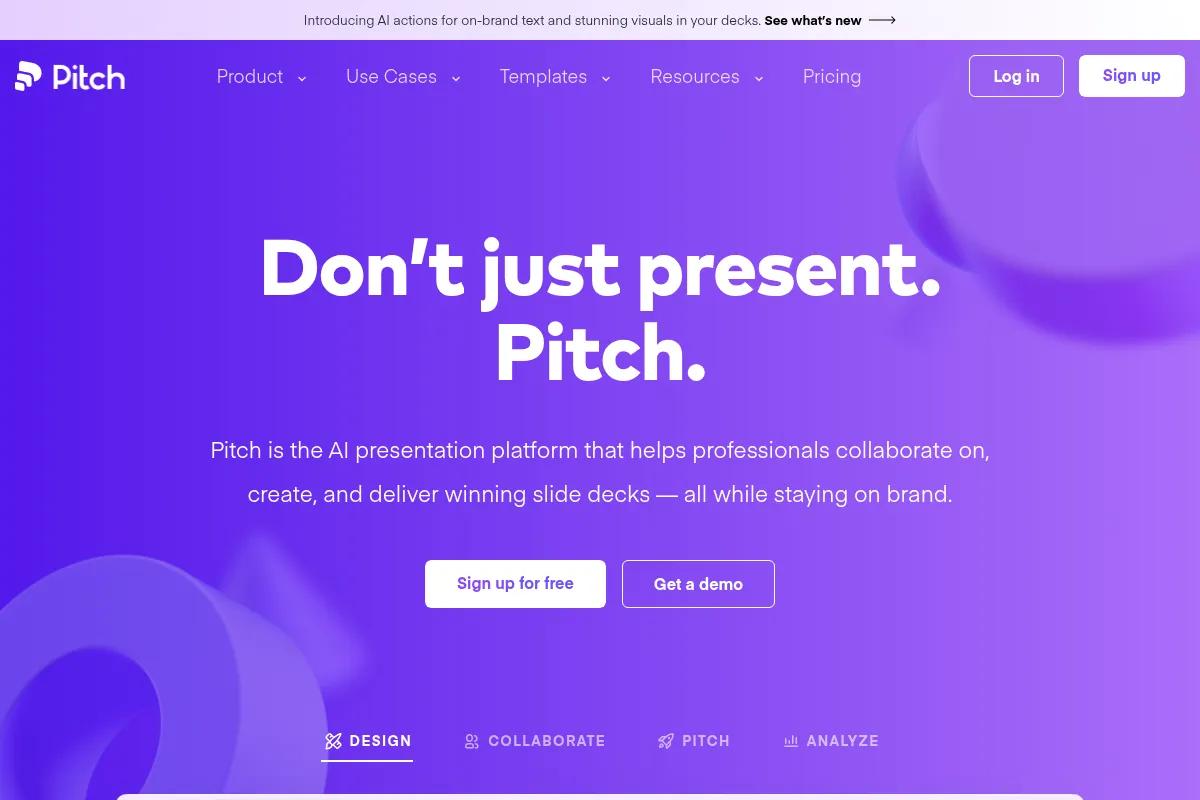
Pitch is a cloud-based presentation software designed for collaborative teams. It aims to simplify the creation, design, and delivery of professional-looking slide decks, with an emphasis on maintaining brand consistency and tracking audience engagement. It offers a modern alternative to traditional presentation tools by integrating real-time collaboration and AI-assisted features.
What it actually does
Pitch allows teams to collaboratively build presentations using customizable templates and a library of design assets. It offers features for real-time co-editing, version control, and sharing presentations via links. The platform also includes analytics to track viewer engagement and AI tools to assist with content generation and refinement.
What makes it different
Pitch differentiates itself through its strong emphasis on real-time team collaboration and a streamlined, design-focused workflow. Unlike traditional tools that can feel clunky for group work, Pitch is built from the ground up for co-creation. Its AI features are integrated to enhance existing workflows rather than replace them entirely, focusing on brand consistency and professional polish.
Ratings across the web



Ratings aggregated from independent review platforms.
Key Features
Real-time Collaboration
Allows multiple users to edit presentations simultaneously, preventing version conflicts and speeding up team workflows.
AI-Powered Content Generation
Assists in creating initial drafts, refining text, and adjusting tone, reducing the time spent on content creation.
Customizable Templates & Brand Kit
Enables teams to create and save their own templates, upload custom fonts, and maintain brand consistency across all presentations.
Presentation Analytics
Provides insights into viewer engagement, such as slide views and time spent on each slide, helping to understand audience interest.
Integrations
Connects with popular tools like Slack, Notion, Google Drive, and HubSpot to streamline workflows and import content.
Shareable Links
Allows presentations to be shared easily via a link, with options for password protection and tracking.
Offline Editing
Desktop and mobile apps enable users to work on presentations even without an internet connection, syncing changes later.
AI Actions
Tools for proofreading, rewriting, adjusting tone, and enhancing images to quickly polish presentation content.
Pricing
Free
- Unlimited presentations
- Unlimited slides
- AI creation
- Custom templates
- 5 members
- Basic analytics
Pro
- Unlimited presentations
- Unlimited slides
- AI creation
- Custom templates
- 2 seats
- Advanced links
- Pitch rooms
- Custom fonts
- Priority support
Business
- Unlimited presentations
- Unlimited slides
- AI creation
- Custom templates
- 5 seats
- Unlimited features
- Priority support
Enterprise
- SAML SSO
- Dedicated success manager
- Tailored onboarding
- Unlimited features
Pricing checked 6 months ago
Pricing guidance
- When you need to add more than 5 team members.
- When you require advanced analytics and custom branding features.
- When you need priority support for faster issue resolution.
- When you want to utilize features like Pitch Rooms for client presentations.
- AI credit quotas on paid plans can be a limitation for heavy AI users.
- While the free plan offers basic analytics, advanced insights are reserved for paid tiers.
- Direct video uploads are not supported; only embedding from platforms like YouTube is possible.
- Custom font support may be limited to Google Fonts on lower tiers.
Pitch offers a tiered pricing structure that scales from a generous free plan to custom enterprise solutions, positioning itself as accessible for small teams while offering advanced features for larger organizations.
Pros & Cons
Strengths
-
Strong real-time collaboration
Pitch excels at enabling multiple team members to work on presentations simultaneously, making it ideal for fast-moving teams and reducing version control issues.
-
Visually appealing templates and design
Offers a wide range of modern, professional templates that help users create polished and on-brand presentations with minimal design effort.
-
Integrated AI assistance
AI tools help speed up content creation and refinement, making it easier to generate and polish presentations quickly without sacrificing quality.
-
Good for brand consistency
Features like custom font uploads and a brand kit help ensure all presentations adhere to brand guidelines, which is crucial for businesses.
-
Useful audience analytics
Provides insights into how viewers interact with presentations, allowing teams to gauge engagement and refine their content for better impact.
Weaknesses
-
Limited advanced design customization
While templates are polished, users seeking deep control over complex animations, transitions, or highly specific design elements may find Pitch restrictive.
Affects: Advanced designers, users with very specific branding needs
-
Basic AI content generation
The AI is helpful for drafting and refinement, but users often need to heavily edit generated content for accuracy and nuance, and it's not a fully automated content solution.
Affects: Users expecting fully automated content creation
-
PowerPoint integration issues
While Pitch can import PPTX files, users report that exporting to PowerPoint can lead to formatting problems, and it's not a direct replacement for advanced PowerPoint features.
Affects: Teams heavily reliant on PowerPoint for specific features or workflows
-
Storage limitations on free/lower tiers
While not always explicitly stated, some users may encounter storage limits or restrictions on premium features like analytics links in lower-tier plans.
Affects: Heavy users, teams with large media assets
Real User Sentiment
Users generally have a positive view of Pitch, praising its ease of use, collaborative features, and modern design. However, some users express frustration with limitations in customization and export options.
Users tend to like
- Real-time collaboration features
- Modern and intuitive user interface
- High-quality, professional templates
- Ease of use for non-designers
- Good for maintaining brand consistency
Users commonly complain about
- Limited customization options for advanced users
- Issues with exporting to PowerPoint
- Restrictive font options (e.g., limited to Google Fonts)
- Performance lag with complex presentations
- Lack of direct video upload support
Recurring tradeoffs
- Design flexibility vs. ease of use
- Collaboration features vs. advanced customization
- Modern interface vs. traditional PowerPoint functionality
Happiest users
Startups, agencies, and marketing teams who value speed, collaboration, and polished design in their presentations.
Often frustrated
Advanced designers seeking deep customization, or users who rely heavily on specific PowerPoint features and encounter export/compatibility issues.
Use Cases
Creating investor pitch decks for startups
Developing sales presentations for client proposals
Designing internal company-wide announcements and updates
Collaborating on marketing campaign presentations
Building training materials and onboarding decks for new employees
Crafting project proposals and status reports for stakeholders
Frequently Asked Questions
What is Pitch's pricing structure?
Pitch offers a tiered pricing structure. The Free plan is $0/month and includes basic features for up to 5 members. Paid plans include Pro ($20/month), Business ($80/month), and Enterprise (custom pricing). Each tier offers progressively more features, seats, and support. Pricing is generally per seat or per workspace, depending on the plan.
Is Pitch's free plan sufficient for individual use?
Yes, the Free plan is often sufficient for individual users or very small teams with basic presentation needs. It offers unlimited presentations and slides, AI creation, custom templates, and basic analytics for up to 5 members. However, if you require advanced analytics, more seats, or priority support, you will need to upgrade.
How does Pitch compare to Google Slides?
Pitch offers a more design-centric experience with a focus on professional templates and brand consistency, along with built-in analytics for tracking engagement. Google Slides is more of a general-purpose presentation tool, deeply integrated into Google Workspace, with strong collaboration but fewer design-focused features out-of-the-box. Pitch aims for a more polished output with less effort, while Google Slides offers greater flexibility for users already in the Google ecosystem.
What are the limitations of Pitch's AI features?
While Pitch's AI features assist with content generation, refinement, and design suggestions, they are not a fully automated solution. Users often need to heavily edit AI-generated content for accuracy and nuance. Additionally, the use of AI features consumes credits, which are allocated per seat on paid plans and have a one-time allocation on the Free plan. Heavy AI users may need to purchase additional credits.
Does Pitch integrate with other tools?
Yes, Pitch offers a wide range of integrations with popular tools such as Slack, Notion, Google Drive, HubSpot, Figma, and Loom. These integrations help streamline workflows by allowing users to embed content, share presentations, and receive notifications directly within their existing applications.
Can I export presentations from Pitch to PowerPoint?
Pitch allows exporting presentations to PDF, but exporting to PowerPoint (PPTX) can be problematic. Users have reported formatting issues and limitations when exporting to PPTX, suggesting that Pitch is best used within its own platform for the optimal experience. If direct PowerPoint compatibility is a critical requirement, other tools might be more suitable.
What kind of analytics does Pitch offer?
Pitch offers presentation analytics that track viewer engagement. This includes data on who viewed the presentation, which slides were viewed, and how much time was spent on each slide. These analytics are available on paid plans and provide insights into audience interaction, helping users refine their content and delivery.
Is Pitch suitable for enterprise-level use?
Pitch offers an Enterprise plan with features like SAML SSO, dedicated success managers, and tailored onboarding, indicating suitability for larger organizations. However, some users have noted limitations in advanced features like file recovery, permissions, and versioning that might be critical for strict corporate environments.
Why trust this page?
This evaluation combines product positioning, pricing analysis, traffic and market signals, and public user sentiment into a single decision-support page. Content is generated editorially — not copied from the vendor's website.
Funding & Company
Founded
2018
Stage
Series b
Total Raised
$137.7M
Latest Round
Series B (May 2021)
Notable Investors
Pitch has raised a total of $137.7 million over four funding rounds, culminating in a substantial $85 million Series B in May 2021. This significant backing from notable investors like Index Ventures, Tiger Global, and Thrive Capital initially positioned the company for aggressive growth in the presentation software market.
Market Signals & Traffic
Estimated visits, global rank, geography, traffic sources, monthly visit trends, and organic search keywords (Similarweb)—on a dedicated page built for depth and search.
- Estimated visits
- 1,267,180
- Global rank
- #16,793
- Snapshot
- Apr 2026
- Traffic trend
- Falling
Estimated monthly visits
Alternatives to Pitch
View all alternativesBeautiful.ai
Design, Productivity, Content Creation

AI-powered presentation software that automates design.
Gamma
Content Creation, Productivity, Design

AI-powered platform for creating presentations, documents, and websites.
Canva AI
Content Creation

Online design tool for creating graphics, presentations, videos, and websites.
Similar Tools
Gamma
Content Creation, Productivity, Design
AI-powered platform for creating presentations, documents, and websites.
Tome
Content Creation, Productivity, Design

AI-powered storytelling and presentation tool.
Decktopus
Content Creation, Productivity, Design

AI-powered presentation maker for creating stunning slides in seconds.
Presentations.ai
Content Creation, Productivity, Design

AI-powered platform for creating professional presentations quickly and easily.
Backtrackit
Music Learning, Content Creation

Practice toolkit for musicians with backing tracks and stem separation.
Pieces
Developer Tools, Productivity, AI Assistant

Workflow copilot for capturing and managing developer context and snippets.