

Kimi Slides
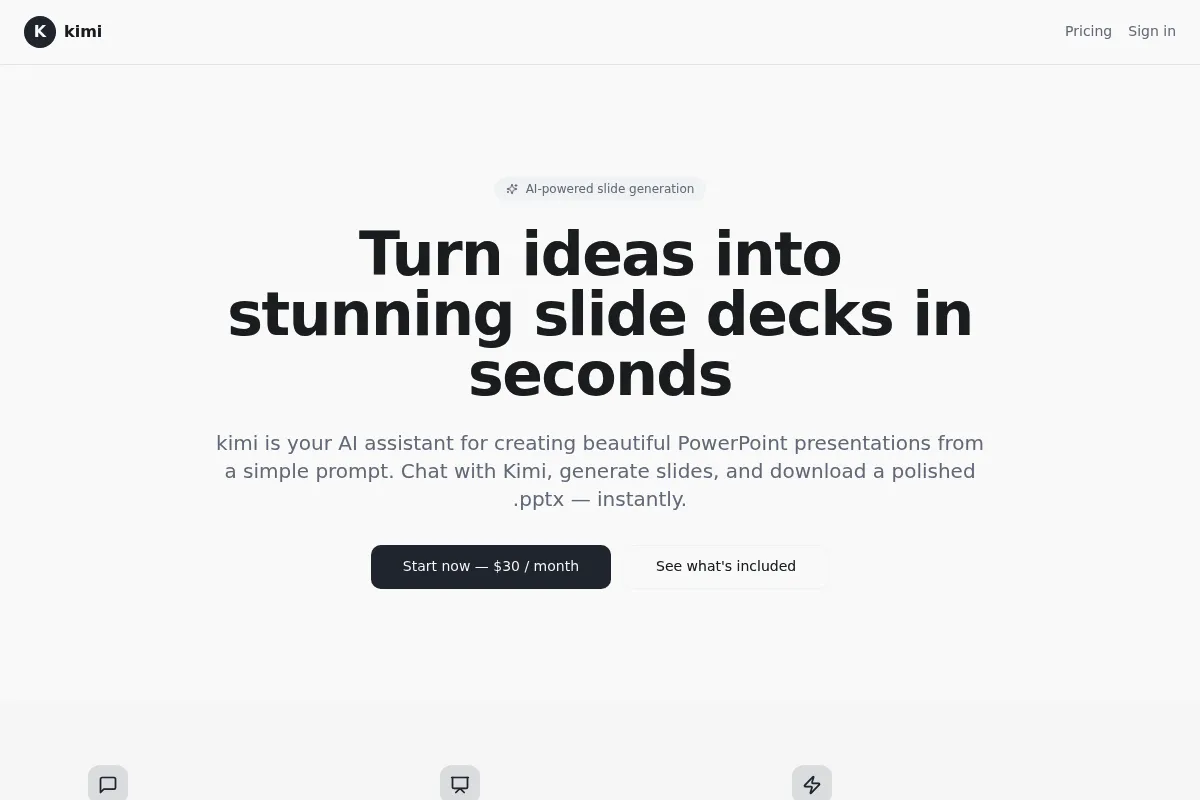
A document-to-deck generator that excels at converting dense reports and long-form text into structured presentations, though it lacks the granular design control of established creative suites.
Best for researchers and analysts who need to turn complex documents into outlines and slides quickly, weaker for high-stakes brand design.
Analysis based on product data, pricing structure, traffic signals, and public user sentiment.
Who Should Use Kimi Slides?
Typical users
Researchers, students, and corporate analysts who frequently work with long-form documentation and need to summarize it for meetings.
Maturity fit
beginner
Choose this if…
- You have a 50-page PDF that needs to become a 10-slide deck in under three minutes.
- Your priority is structural accuracy and content summarization over custom branding.
- You prefer editing a text outline before the AI generates the final visual layout.
Skip this if…
- You need pixel-perfect control over element placement and animations.
- Your workflow requires a deep library of proprietary stock photography and brand assets.
- You need to collaborate in real-time with a large team on the same file.
About Kimi Slides
Kimi Slides is a specialized presentation tool from Moonshot AI designed to bridge the gap between long-form text and visual storytelling. It leverages the Kimi LLM's large context window to process complex documents into logical slide structures without losing key details.
What it actually does
The tool takes prompts, uploaded files (PDF, Word), or URLs and generates a multi-slide presentation. Users refine an AI-generated outline first, ensuring the narrative is correct before the tool applies layouts, themes, and images for the final export.
What makes it different
Unlike many AI slide tools that struggle with long inputs, Kimi Slides handles massive documents—up to 100MB—without truncation. It functions more as a summarization-to-presentation engine than a simple prompt-to-image tool, prioritizing the logical flow of information.
Key Features
Outline-First Workflow
Allows users to fix structural errors before the AI spends time on visual generation.
Long Document Processing
Handles large PDFs and Word files that exceed the token limits of standard AI tools.
Web-to-Deck
Converts live URLs into structured presentations by scraping and summarizing the content.
PPTX Export
Enables final polishing in Microsoft PowerPoint or Google Slides after the AI does the heavy lifting.
Context-Aware Image Generation
Automatically creates or selects visuals that match the specific text on each slide.
One-Click Theme Swapping
Changes the visual style of the entire deck instantly without breaking the layout.
Pricing
Free Beta
- Unlimited slide generation (current beta)
- PDF and Word document uploads
- URL to slide conversion
- PPTX and PDF exports
- Standard AI image generation
Pricing checked 4 months ago
Pricing guidance
- When the beta ends and a credit system is introduced
- If you need higher-resolution AI image generation
- When enterprise-grade security or SSO is required
- Exported PPTX files may require manual font adjustments
- Image generation quality varies by topic complexity
- Daily generation limits may apply during peak traffic
Currently following a growth-first strategy by offering the tool for free to capture the market from Gamma and Tome.
Pros & Cons
Strengths
-
Superior summarization logic
It handles dense academic or corporate text better than most competitors, identifying key arguments rather than just pulling random sentences.
-
Minimalist, fast UI
The interface is stripped of unnecessary features, allowing users to go from a raw file to a finished deck with very few clicks.
-
High input limits
The ability to process 100MB files makes it viable for legal briefs, technical manuals, and long-form research papers.
Weaknesses
-
Limited design flexibility
Users cannot easily move elements around or create custom layouts; you are largely restricted to the AI's chosen templates.
Affects: Designers and marketing teams
-
Generic visual assets
The AI-generated images and icons can sometimes feel disconnected or overly literal compared to the professional quality of the text.
Affects: Users creating external-facing or high-stakes presentations
-
No real-time collaboration
The tool lacks the multi-user editing features found in Google Slides or Canva, making it a solo production tool.
Affects: Large project teams
Real User Sentiment
Users generally appreciate the tool for its speed and its ability to handle complex source material that other AI tools fail to parse.
Users tend to like
- The outline editing phase
- Accuracy of the summarization
- Clean export to PowerPoint
- Ease of use for non-designers
Users commonly complain about
- Lack of template variety
- Inability to manually drag elements
- Occasional hallucinations in data charts
Recurring tradeoffs
- You trade design freedom for extreme speed and content accuracy.
Happiest users
Students and analysts who care more about the information being correct than the slides being beautiful.
Often frustrated
Creative directors or marketing managers who need to adhere to strict brand guidelines.
Use Cases
Research Summarization
Turning a 30-page academic paper into a 15-minute lecture deck.
Meeting Prep
Converting a long internal memo or project brief into a discussion guide.
Sales Outreach
Quickly building a deck based on a prospect's website URL.
Study Aids
Transforming textbook chapters into digestible slide summaries for revision.
Technical Briefing
Creating presentations from complex technical documentation or manuals.
Frequently Asked Questions
Is Kimi Slides free?
As of mid-2024, Kimi Slides is in a free beta phase. Users can generate and export presentations without a subscription, though Moonshot AI may introduce a credit-based or subscription model in the future.
How does Kimi Slides compare to Gamma?
Gamma offers much better design flexibility and interactive 'blocks,' making it superior for websites and high-end decks. Kimi Slides is better at processing very long, complex documents and generating a logical outline from them.
Can I export Kimi Slides to PowerPoint?
Yes, Kimi Slides supports exporting to .pptx format. This allows you to perform final design tweaks, add animations, or change fonts using Microsoft PowerPoint or Google Slides.
Does it support languages other than Chinese?
Yes, Kimi Slides fully supports English. It can take English documents as input and generate English slides, making it a viable tool for global users.
What is the maximum file size I can upload?
Kimi Slides supports document uploads (PDF, Word, etc.) up to 100MB, which is significantly higher than many other AI presentation tools.
Can I use my own images in the slides?
While the AI generates images automatically, you can replace them with your own uploads once the deck is generated or after exporting it to PowerPoint.
Why trust this page?
This evaluation combines product positioning, pricing analysis, traffic and market signals, and public user sentiment into a single decision-support page. Content is generated editorially — not copied from the vendor's website.
Funding & Company
Founded
2023
Stage
Late stage
Total Raised
$3.86B
Latest Round
Series D (May 2026)
Notable Investors
Moonshot AI, the parent company of Kimi Slides, has raised approximately $3.86 billion since its founding in March 2023. The company is backed by a consortium of China's largest technology giants, including Alibaba, Tencent, and Meituan, signaling strong strategic support. This massive capital infusion provides a very long operational runway and ensures the stability required for continued product development and infrastructure scaling.
Market Signals & Traffic
Estimated visits, global rank, geography, traffic sources, monthly visit trends, and organic search keywords (Similarweb)—on a dedicated page built for depth and search.
- Estimated visits
- 0
- Global rank
- —
- Snapshot
- Jun 2026
- Traffic trend
- —
Alternatives to Kimi Slides
View all alternativesGamma
Content Creation, Productivity, Design

AI-powered platform for creating presentations, documents, and websites.
Canva AI
Content Creation

Online design tool for creating graphics, presentations, videos, and websites.
SlidesAI
Content Creation, Productivity, AI Assistant

AI-powered tool that transforms any text into professional presentation slides.
Similar Tools
Visme
Content Creation, Design, Productivity

All-in-one platform for creating presentations, infographics, and visual content.
Clipdrop
Content Creation, Design, Productivity

AI-powered suite for creating and editing stunning visuals in seconds.
Gamma.AI
Content Creation, Design, Productivity

Create presentations, documents, and websites from simple text prompts.
ZMO AI
Content Creation, Design, Productivity

AI-powered image generation and editing tool for creators and marketers.
Let's Enhance
Content Creation, Design, Productivity

AI-powered tool to upscale, sharpen, and enhance image quality.
Recraft
Content Creation, Design, Productivity

AI-powered design tool for creating consistent brand visuals, illustrations, and vector graphics.