

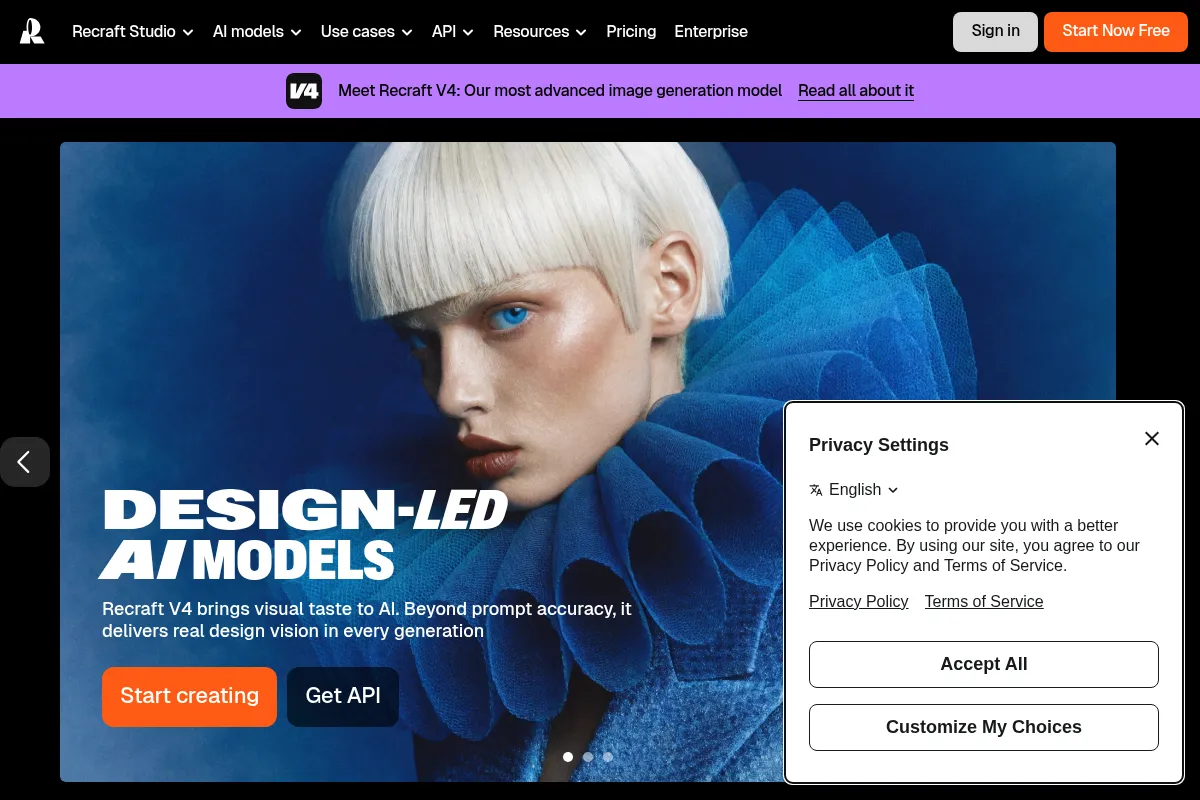
Recraft is an AI design platform focused on brand consistency and professional workflows, offering both raster and vector image generation with advanced editing tools.
Best for designers and marketing teams needing on-brand, scalable visuals; less ideal for purely artistic exploration.
Analysis based on product data, pricing structure, traffic signals, and public user sentiment.
Who Should Use Recraft?
Typical users
Professional designers, marketing teams, agencies, and businesses that require consistent visual branding across multiple assets. This includes roles like graphic designers, brand managers, and content creators who need to produce a high volume of on-brand visuals efficiently.
Maturity fit
scaling to advanced
Choose this if…
- You need to generate vector graphics (SVG) alongside raster images.
- Maintaining strict brand consistency across all visual assets is a top priority.
- You require precise control over element placement and text within images.
- Your workflow involves integrating AI-generated assets into professional design software.
Skip this if…
- You primarily need highly artistic or abstract imagery with less emphasis on brand consistency.
- Your budget is extremely limited and you cannot afford any subscription costs.
- You require open-source AI models for extensive customization and local deployment.
About Recraft
Recraft is an AI-powered design platform that generates raster and vector images, illustrations, and mockups. It distinguishes itself with a strong emphasis on brand consistency, offering tools for precise control over visual elements and styles. Developed with professional designers and marketing teams in mind, Recraft aims to streamline the creation of high-quality, on-brand visual content.
Official profiles
What it actually does
Recraft allows users to generate a wide range of visual assets from text prompts, including raster images, vector graphics, icons, and 3D visuals. It provides a comprehensive suite of editing tools for refining these assets, such as background removal, upscaling, and inpainting, with a particular focus on maintaining brand style and precise element placement.
What makes it different
Recraft's primary differentiator is its focus on brand consistency and professional design workflows. It offers native vector generation, precise control over element positioning, and the ability to create and apply custom brand styles, setting it apart from AI image generators that prioritize artistic output or lack robust editing and vector capabilities.
Ratings across the web



Ratings aggregated from independent review platforms.
Key Features
AI Image Generator
Creates raster images from text prompts, with a focus on stylistic consistency.
AI Vector Generator
Produces scalable vector graphics (SVG) directly, ideal for logos and branding.
Brand Style Controls
Allows users to upload reference images to create and apply custom brand styles for consistent outputs.
Precise Positioning
Enables exact placement of text and design elements within generated images.
AI Editing Suite
Includes tools like background remover, AI eraser, and inpainting for detailed image manipulation.
Infinite Canvas
Provides a flexible workspace for arranging and editing multiple design elements.
Text Generation
Excels at integrating legible text into images, with precise control over placement and size.
Mockup Generator
Creates realistic product mockups for visualizing designs in context.
Pricing
Free
- 30 credits (renewed daily)
- Public images
- No commercial use
Pro
- 1,000 credits (renewed monthly)
- Full ownership rights
- Private images
- Commercial use
- Priority image generation
Teams
- 9,000 credits per seat (renewed monthly)
- All Pro features
- Collaborative workspace
- Advanced controls and support
Pricing checked 6 months ago
Pricing guidance
- When you need commercial rights for generated images.
- When you require private image storage.
- When you exceed the daily credit limit of the free plan.
- When you need to collaborate with a team.
- Free plan images are public and owned by Recraft.
- Monthly credits on paid plans do not roll over.
- Higher tiers are priced per seat, which can increase costs significantly for larger teams.
Recraft offers a freemium model with a capable free tier for exploration, with paid plans scaling from individual professional use to team-based solutions, priced competitively for its feature set.
Pros & Cons
Strengths
-
Native Vector Output
Recraft can generate scalable vector graphics (SVG) directly, which is crucial for professional design work like logos and branding, eliminating the need for extra conversion steps.
-
Brand Consistency Tools
The ability to create and apply custom styles based on reference images ensures that all generated assets align with a brand's visual identity, saving significant time and effort.
-
Precise Control
Features like exact text positioning and element placement offer a level of control often missing in other AI image generators, making it suitable for professional workflows.
-
Comprehensive Editing Suite
A range of integrated editing tools, including background removal, inpainting, and upscaling, allows for detailed refinement of AI-generated assets within the platform.
-
User-Friendly Interface
Despite its advanced capabilities, Recraft offers an intuitive interface that makes it accessible to users with varying levels of design experience.
Weaknesses
-
Less focus on artistic exploration
While capable of generating creative visuals, Recraft's primary strength lies in its professional and brand-focused output, potentially making it less appealing for users seeking purely artistic or experimental imagery.
Affects: Artists and hobbyists prioritizing unique artistic styles over brand consistency.
-
Credit-based system can be unpredictable
The credit system for image generation and editing can lead to unpredictable monthly costs, especially for high-volume users, making budgeting challenging.
Affects: Businesses and teams with fluctuating design needs or strict budget constraints.
-
Ownership limitations on free tier
Images generated on the free plan are owned by Recraft and cannot be used commercially, requiring an upgrade for any professional application.
Affects: Freelancers and small businesses needing commercial rights without a paid subscription.
Real User Sentiment
Users generally praise Recraft for its professional-grade output, brand consistency features, and vector capabilities, though some find the credit system and pricing structure less intuitive.
Users tend to like
- Vector generation capabilities
- Brand style consistency tools
- Precise control over text and element placement
- User-friendly interface for professional workflows
- High-quality output for marketing and branding
Users commonly complain about
- Credit system can lead to unpredictable costs
- Free plan limitations (ownership, commercial use)
- Less focus on purely artistic or experimental styles compared to competitors
- Some users find the pricing tiers complex
Recurring tradeoffs
- Professional control and brand consistency vs. pure artistic freedom.
- Predictable credit costs vs. unlimited creative exploration.
Happiest users
Professional designers, marketing teams, and agencies who prioritize brand consistency, vector output, and efficient workflow integration.
Often frustrated
Hobbyists or users seeking purely artistic, experimental AI art without regard for brand guidelines or commercial use limitations.
Use Cases
Generating logos and brand identity assets
Creating consistent visual content for marketing campaigns
Designing scalable icons for UI/UX projects
Producing vector illustrations for websites and print
Developing product mockups for e-commerce
Brainstorming and iterating on design concepts with brand constraints
Creating social media graphics with precise text placement
Frequently Asked Questions
What is Recraft AI?
Recraft AI is an AI-powered design platform that allows users to generate and edit visual assets like images, vector graphics, illustrations, and mockups. It is particularly known for its focus on brand consistency, precise control over design elements, and its ability to produce both raster and vector outputs. It aims to streamline creative workflows for professional designers and marketing teams.
What are the main differences between Recraft and Midjourney?
Recraft's primary advantage over Midjourney lies in its professional design focus. Recraft offers native vector (SVG) generation, precise control over text and element placement, and robust tools for maintaining brand consistency. Midjourney, while excelling in artistic and imaginative image generation, primarily produces raster images and lacks the same level of design-specific control and vector capabilities. Recraft is often preferred for asset creation and branding, while Midjourney is favored for artistic exploration.
What are the limitations of Recraft's free plan?
The free plan for Recraft offers access to its core features but comes with significant limitations. Images generated on the free plan are public, owned by Recraft, and cannot be used for commercial purposes. Users also receive a limited daily credit allowance for generation and editing. To gain ownership, privacy, and commercial rights, a paid subscription is necessary.
Does Recraft offer an API?
Yes, Recraft provides an API that allows developers to integrate its image generation and editing capabilities into their own applications, workflows, or systems. This enables programmatic asset creation and management, and the ability to build custom solutions on top of Recraft's models. Details on API access, pricing, and documentation are available through Recraft's developer resources.
How does Recraft's credit system work?
Recraft operates on a credit-based system where generating or editing images consumes credits. The number of credits used can vary depending on the action (e.g., raster vs. vector generation, using upscale tools). Free users receive a daily credit allowance, while paid plans offer monthly credit allocations. Additional credits can be purchased as top-ups, which do not expire. Monthly credits on paid plans typically do not roll over.
Can I use Recraft for commercial projects?
Yes, you can use Recraft for commercial projects, but only if you have a paid subscription (Pro or Teams plan). The free plan does not grant commercial rights, and images generated on it remain owned by Recraft. Paid plans provide full ownership and commercial licenses for the generated assets.
What kind of file formats can Recraft export?
Recraft can export images in various raster formats like JPG and PNG. Crucially, it also supports exporting in vector formats such as SVG, which is highly valuable for scalable graphics like logos, icons, and illustrations. It also supports Lottie files for animations.
How does Recraft compare to Stable Diffusion?
Recraft and Stable Diffusion differ significantly in their approach and target audience. Stable Diffusion is an open-source model known for its flexibility and customization, often favored by developers and users who want to run models locally or fine-tune them extensively. Recraft, on the other hand, is a proprietary platform focused on professional design workflows, offering a more curated experience with features like native vector generation, precise control, and brand consistency tools. While Stable Diffusion offers raw power and adaptability, Recraft provides a more integrated and user-friendly solution for specific design tasks and brand management.
Why trust this page?
This evaluation combines product positioning, pricing analysis, traffic and market signals, and public user sentiment into a single decision-support page. Content is generated editorially — not copied from the vendor's website.
Funding & Company
Founded
2022
Stage
Series b
Total Raised
$42M
Latest Round
Series B (May 2025)
Notable Investors
Recraft has secured a total of $42 million in funding across two rounds, a $12 million Series A in January 2024 and a $30 million Series B in May 2025. This consistent attraction of capital from notable investors like Accel and Khosla Ventures indicates strong market confidence in its AI-powered design platform. The funding provides a solid financial base for product development and market expansion, suggesting good stability and longevity.
Market Signals & Traffic
Estimated visits, global rank, geography, traffic sources, monthly visit trends, and organic search keywords (Similarweb)—on a dedicated page built for depth and search.
- Estimated visits
- 1,775,431
- Global rank
- #28,295
- Snapshot
- Apr 2026
- Traffic trend
- Cooling
Estimated monthly visits
Alternatives to Recraft
View all alternativesCanva AI
Content Creation

Online design tool for creating graphics, presentations, videos, and websites.
Midjourney
Content Creation
AI tool that generates images from natural language text prompts.
Ideogram
Content Creation, Design

AI image generator that excels at rendering text within images.
Similar Tools
Visme
Content Creation, Design, Productivity

All-in-one platform for creating presentations, infographics, and visual content.
Icons8 AI
Content Creation, Design, Productivity

Vast library of icons, illustrations, photos, music, and AI design tools.
Let's Enhance
Content Creation, Design, Productivity

AI-powered tool to upscale, sharpen, and enhance image quality.
Gamma.AI
Content Creation, Design, Productivity

Create presentations, documents, and websites from simple text prompts.
Clipdrop
Content Creation, Design, Productivity

AI-powered suite for creating and editing stunning visuals in seconds.
Napkin
Content Creation, Design, Productivity

AI tool that transforms text into visual diagrams, infographics, and flowcharts.