

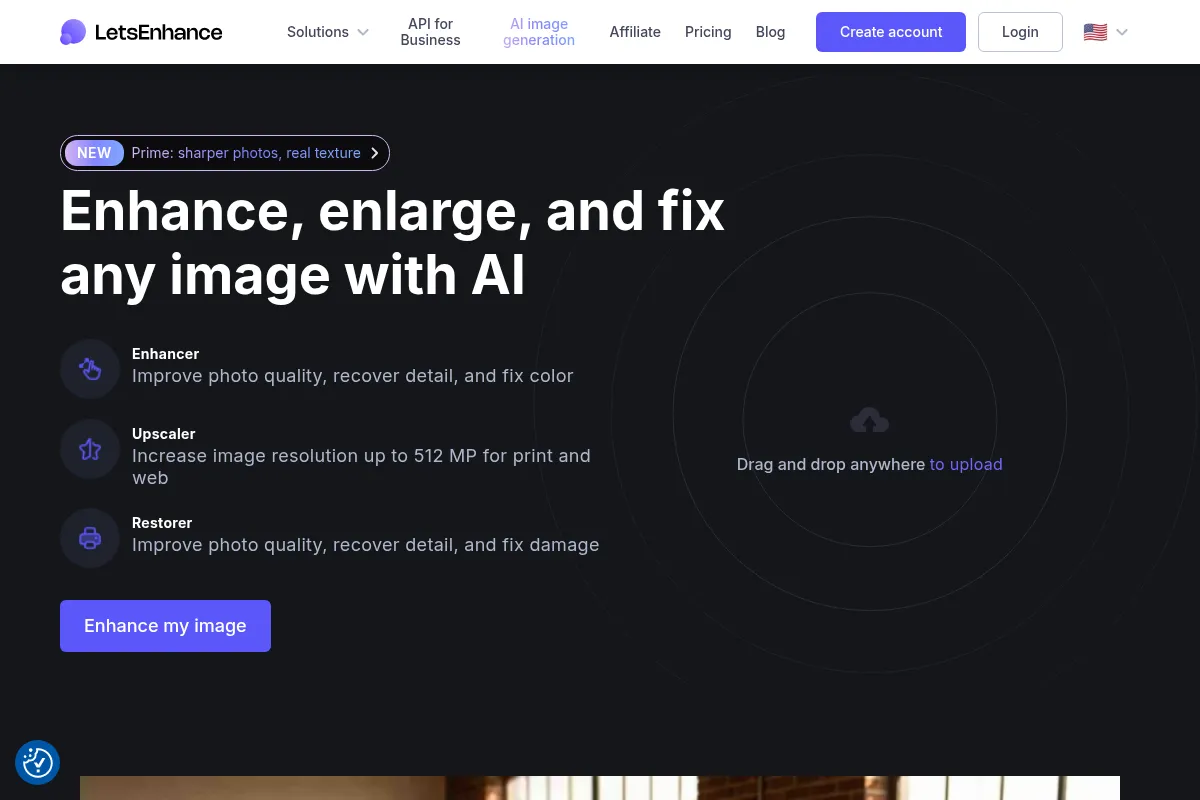
LetsEnhance is an AI-powered image enhancement tool that upscales and sharpens images, making them suitable for professional use, print, or online display.
Best for photographers, designers, and e-commerce sellers needing to improve image quality and resolution, weaker for users requiring advanced editing capabilities.
Analysis based on product data, pricing structure, traffic signals, and public user sentiment.
Who Should Use Let's Enhance?
Typical users
Photographers, graphic designers, marketers, e-commerce sellers, and content creators who need to improve the quality and resolution of their images for professional use, print, or online display.
Maturity fit
beginner to scaling
Choose this if…
- You need to upscale low-resolution images without significant quality loss.
- You want to sharpen blurry or pixelated photos.
- You need to prepare images for print or high-resolution online display.
- You require a user-friendly tool that automates image enhancement.
- You are working with AI-generated art and need to clean up artifacts.
Skip this if…
- You need advanced photo editing features like layers, complex retouching, or manual manipulation.
- Your primary need is creative image generation rather than enhancement.
- You require a completely free tool with unlimited high-resolution output.
- You need to edit very large batches of images beyond the tool's limits without using the API.
About Let's Enhance
LetsEnhance is an AI-driven platform designed to upscale, sharpen, and enhance images without sacrificing quality. It offers tools to improve low-resolution photos, adjust details, reduce noise, and correct colors, making images suitable for professional use, print, or online display. It caters to photographers, designers, marketers, and e-commerce sellers.
Official profiles
What it actually does
LetsEnhance uses AI to upscale images to higher resolutions, sharpen details, reduce noise, and correct colors. It aims to make low-quality images usable for professional purposes, print, or online display by improving clarity and detail without manual editing.
What makes it different
LetsEnhance differentiates itself through its specialized AI models tailored for different image types (e.g., portraits, digital art, old photos, images with text) and its focus on preserving natural detail rather than over-processing. It also offers a user-friendly interface and a credit-based system that allows for predictable costing.
Ratings across the web



Ratings aggregated from independent review platforms.
Key Features
Multiple AI Models (Prime, Gentle, Strong, Ultra, Digital Art, Old Photo)
Tailors enhancement to specific image types for optimal results.
1x Upscale Option
Improves image quality without changing dimensions, ideal for web optimization.
Batch Processing (up to 20 images)
Saves time by enhancing multiple images simultaneously.
AI Image Generation
Creates new visuals based on text prompts.
API Access (via Claid.ai)
Integrates image enhancement into custom workflows and applications.
Print-Ready Output
Upscales images to high resolutions (up to 512 MP) suitable for print.
Face Enhancement
Specifically improves facial details in portraits.
Pricing
Free
- 10 free credits
- Upscale up to 64 megapixels
- Watermark on output
Personal 100
- 100 credits/month
- Credits roll over (up to 600)
- Upscale up to 256 megapixels
- Unlimited storage for 3 months
- No watermark
Personal 300
- 300 credits/month
- Credits roll over (up to 1800)
- Upscale up to 350 megapixels
- Unlimited storage for 6 months
- No watermark
Personal 500
- 500 credits/month
- Credits roll over (up to 3000)
- Upscale up to 512 megapixels
- Unlimited storage for 6 months
- No watermark
Business 1000
- 1000 credits/month
- Credits do not roll over
- Upscale up to 512 megapixels
- Unlimited storage for 6 months
- No watermark
Business 2500
- 2500 credits/month
- Credits do not roll over
- Upscale up to 512 megapixels
- Unlimited storage for 6 months
- No watermark
Business 5000
- 5000 credits/month
- Credits do not roll over
- Upscale up to 512 megapixels
- Unlimited storage for 6 months
- No watermark
Pricing checked 6 months ago
Pricing guidance
- When you consistently need more than 100 credits per month.
- When you require upscaling beyond 256 megapixels.
- When you need to remove watermarks from your enhanced images.
- When you want to store credits for future use (Personal plans).
- Credits do not roll over on Business plans.
- Maximum accumulated credits are 6x the monthly subscription.
- Output image resolution limits vary by plan.
- Background removal has a 16-megapixel limit.
Mid-tier pricing with a credit-based system, offering a free trial but requiring paid plans for professional use and higher resolutions.
Pros & Cons
Strengths
-
Effective Image Enhancement
LetsEnhance consistently improves image quality, making low-resolution or blurry photos sharper and more detailed, which is crucial for professional use and print.
-
User-Friendly Interface
The tool is easy to use with a drag-and-drop interface and minimal settings, making it accessible for users without advanced editing skills.
-
Versatile AI Models
Offers various AI models (e.g., Gentle, Balanced, Strong, Ultra) optimized for different image types, allowing for tailored enhancements.
-
Print-Ready Output
Can upscale images to high resolutions (up to 512 MP) and 300 DPI, making them suitable for posters, canvas, and other print materials.
-
Time-Saving Batch Processing
Allows users to process up to 20 images at once, significantly speeding up workflows for bulk image needs.
-
Good Customer Support
Users report responsive and helpful customer support, with issues being resolved efficiently.
Weaknesses
-
Watermark on Free Version
The free tier applies a significant watermark to enhanced images, limiting their usability without a paid subscription.
-
Limited Free Credits
New users receive only 10 free credits, which are quickly consumed, requiring a paid plan for extensive use.
-
Upscaling Limits on Free/Lower Tiers
Higher resolution upscaling (e.g., 8x or 16x) and advanced features are locked behind paid memberships.
-
Not for Advanced Editing
The tool focuses on enhancement and upscaling, lacking the comprehensive editing features found in professional software like Photoshop.
-
Credit System Can Be Confusing
While credits are generally straightforward, the accumulation and rollover rules, especially between personal and business plans, can be a point of confusion.
Real User Sentiment
Generally positive, with users praising its effectiveness in improving image quality and its ease of use, though some find the pricing and limitations of the free tier restrictive.
Users tend to like
- Effective upscaling and enhancement quality
- User-friendly interface
- Good customer support
- Variety of enhancement models
- Print-ready output quality
Users commonly complain about
- Watermark on free version
- Limited free credits
- Higher resolutions locked behind paywalls
- Credit rollover limitations on business plans
Recurring tradeoffs
- Free tier limitations vs. paid features
- Ease of use vs. advanced editing capabilities
- Credit system predictability vs. potential confusion
Happiest users
Photographers, e-commerce sellers, and designers who need to quickly improve image quality for print or online use without complex software.
Often frustrated
Users seeking a completely free, unlimited high-resolution image enhancer or those needing advanced, layer-based photo editing capabilities.
Use Cases
Upscaling low-resolution photos for print or high-resolution displays.
Sharpening blurry or pixelated images for better clarity.
Restoring old or damaged photographs.
Enhancing product photos for e-commerce listings.
Cleaning up artifacts and improving quality of AI-generated art.
Preparing images for social media or marketing campaigns.
Automating image enhancement workflows via API for applications.
Frequently Asked Questions
Is LetsEnhance free to use?
LetsEnhance offers a free tier that provides new users with 10 free credits. Each enhancement operation consumes at least one credit. While this allows for testing, advanced features like 8x and 16x upscaling, and watermark-free output require a paid membership. The free version also applies a watermark to enhanced images, limiting their professional use.
What is the difference between LetsEnhance and Photoshop?
LetsEnhance is an AI-powered tool focused on upscaling, sharpening, and enhancing image quality with minimal user input. It excels at making low-resolution images usable for print or display. Photoshop, on the other hand, is a comprehensive professional photo editing suite offering advanced manual control over layers, retouching, color grading, and complex manipulations. LetsEnhance is a shortcut for quality improvement, while Photoshop is a creative studio for detailed editing.
What are the limitations of LetsEnhance?
The primary limitations include a watermark on free outputs, a limited number of free credits for new users, and higher resolution upscaling options being restricted to paid plans. Business plans do not allow credits to roll over, and there are specific limits on image size (up to 50MB input) and background removal output size (16MP). Images with significant motion blur or taken in very low light may not yield optimal results.
Does LetsEnhance have an API?
Yes, LetsEnhance offers an API through its sister product, Claid.ai. This API allows developers to integrate image enhancement and upscaling capabilities into their own applications, websites, or workflows. It supports batch processing and various enhancement operations, making it suitable for high-volume e-commerce and platform needs.
How does the credit system work?
LetsEnhance operates on a credit-based system where each image processed consumes one credit. Subscription plans include a monthly budget of credits that can be used within the month or rolled over to the next month as long as you remain subscribed (this applies to Personal plans). The maximum number of credits you can accumulate is typically six times your monthly subscription amount. Business plans do not allow credits to roll over.
Can I upscale AI-generated images?
Yes, LetsEnhance can be used to clean up artifacts, sharpen soft areas, and add realistic texture to AI-generated images from platforms like Midjourney, Stable Diffusion, and DALL-E. It helps make these images more polished and suitable for commercial use or printing.
What is the maximum image resolution I can upscale to?
The maximum output resolution depends on your plan. Personal plans can upscale up to 512 megapixels, while business plans also offer upscaling up to 512 megapixels. Input images can be up to 64 megapixels or 50MB.
What file formats does LetsEnhance support?
LetsEnhance supports JPG, PNG, and WebP file formats for uploads. Output can be downloaded in JPG or PNG format at full resolution.
What is the difference between the 'Prime' and 'Gentle' enhancement modes?
The 'Prime' mode is the default and works well for most images, especially portraits, products, and textures, aiming for sharper photos with real texture. The 'Gentle' mode is designed for images with small text or fine details that need to be preserved exactly, such as labels on product packaging or maps, providing smooth results.
Can I remove watermarks from images enhanced before I became a paid member?
No, watermarks are applied to images processed using the free tier. To obtain watermark-free images, you need to use a paid subscription plan. Images processed under a paid plan will not have watermarks.
What are the best use cases for LetsEnhance?
LetsEnhance is best used for upscaling low-resolution photos for print, sharpening blurry images, restoring old photos, enhancing product photos for e-commerce, and cleaning up AI-generated art. It's also useful for marketers preparing visuals for campaigns and designers needing quick image quality improvements.
How does LetsEnhance compare to other AI upscalers like Topaz Gigapixel AI?
While specific direct comparisons are not detailed in the provided search results, LetsEnhance is generally praised for its ease of use and effective results for a broad range of users, particularly for print and e-commerce needs. Competitors like Topaz Gigapixel AI are often considered more advanced with more granular controls, potentially offering superior results for highly technical users or specific professional photography workflows, but may come with a steeper learning curve and higher price point.
Why trust this page?
This evaluation combines product positioning, pricing analysis, traffic and market signals, and public user sentiment into a single decision-support page. Content is generated editorially — not copied from the vendor's website.
Funding & Company
Founded
2018
Stage
Seed
Total Raised
$3.12M
Latest Round
Seed (Oct 2021)
Notable Investors
Let's Enhance has raised a total of $3.12 million, primarily from a $3 million Seed round in late 2021. This funding, though not recent, provides a degree of stability for the company to continue developing its AI-powered image enhancement tools.
Market Signals & Traffic
Estimated visits, global rank, geography, traffic sources, monthly visit trends, and organic search keywords (Similarweb)—on a dedicated page built for depth and search.
- Estimated visits
- 1,239,121
- Global rank
- #40,202
- Snapshot
- Apr 2026
- Traffic trend
- Surging
Estimated monthly visits
Alternatives to Let's Enhance
View all alternativesTopaz Labs
Content Creation, Design

AI-powered software for enhancing photo and video quality.
Magnific AI
Content Creation, Design

AI-powered tool to upscale and enhance images with incredible detail.
VanceAI
Content Creation, Design, Productivity

AI-powered online tools for image enhancement, generation, and editing.
Similar Tools
Clipdrop
Content Creation, Design, Productivity

AI-powered suite for creating and editing stunning visuals in seconds.
Recraft
Content Creation, Design, Productivity

AI-powered design tool for creating consistent brand visuals, illustrations, and vector graphics.
Kimi Slides
Content Creation, Design, Productivity
Create professional presentation slides from text prompts, documents, or images.
VanceAI
Content Creation, Design, Productivity
AI-powered online tools for image enhancement, generation, and editing.
ZMO AI
Content Creation, Design, Productivity

AI-powered image generation and editing tool for creators and marketers.
Icons8 AI
Content Creation, Design, Productivity

Vast library of icons, illustrations, photos, music, and AI design tools.