

Magnific AI is a specialized AI tool for enhancing and upscaling images, offering creative detail generation beyond simple resolution increases.
Best for creative image enhancement and upscaling, weaker for precise, unadulterated upscaling.
Analysis based on product data, pricing structure, traffic signals, and public user sentiment.
Who Should Use Magnific AI?
Typical users
Digital artists, graphic designers, and photographers who need to enhance the detail and resolution of their images, particularly AI-generated art.
Maturity fit
scaling to advanced
Choose this if…
- You need to add creative details and textures to AI-generated images.
- You want to upscale images up to 16x their original resolution.
- You require control over the enhancement process through prompts and parameters.
- Your workflow involves refining existing AI art or photographs for higher quality output.
Skip this if…
- You need a simple, lossless image upscaler without creative alterations.
- Your budget is limited, as Magnific AI is a premium-priced tool.
- You require batch processing for a large number of images across all plans.
- You need extensive integration with other design software.
About Magnific AI
Magnific AI is an AI-powered image enhancement and upscaling tool designed to transform low-resolution visuals into high-resolution versions with added detail and clarity. It caters to digital artists, photographers, and designers looking to refine AI-generated art or existing images for professional use.
Official profiles
What it actually does
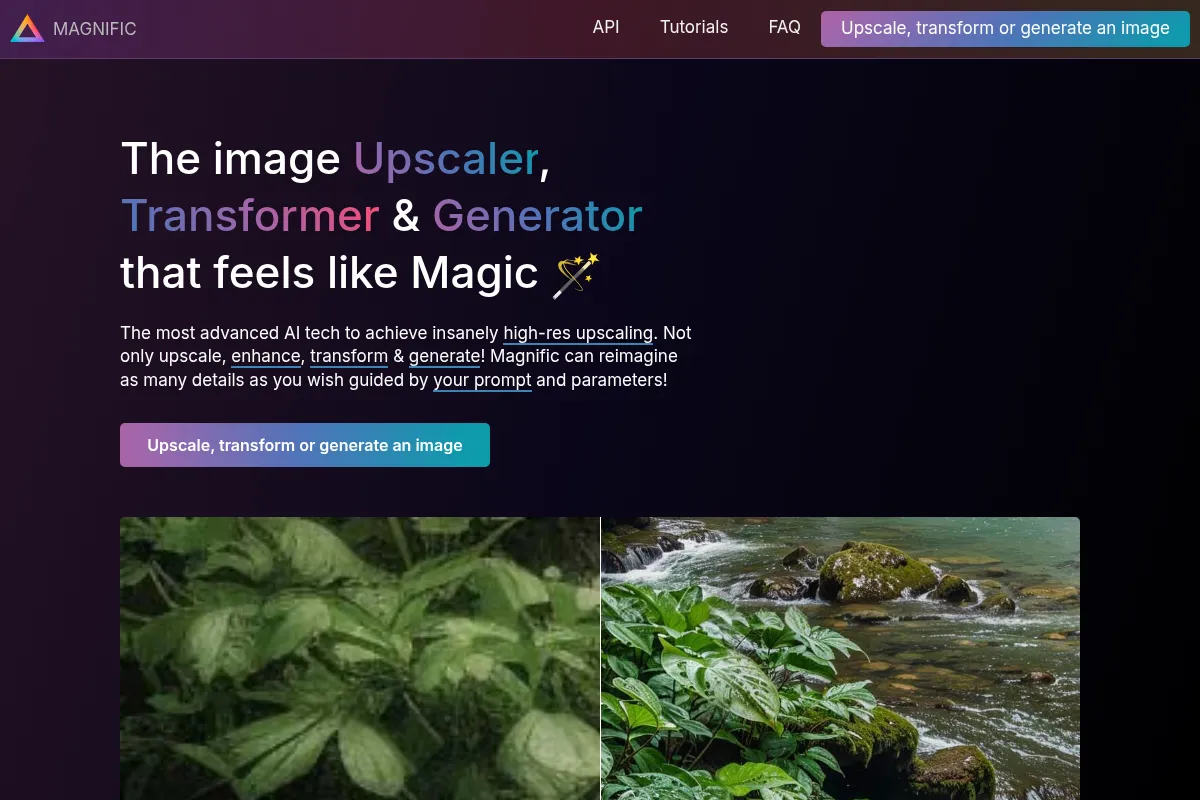
Magnific AI upscales images by intelligently adding new details and textures, going beyond simple pixel extrapolation. It allows users to control the enhancement process through parameters like 'Creativity,' 'HDR,' and 'Anchor,' and can also incorporate text prompts to guide the AI's reimagining of the image content.
What makes it different
Unlike traditional upscalers that merely increase resolution, Magnific AI focuses on 'creative upscaling' by generating new, high-fidelity details and textures. It offers a unique blend of control through prompts and parameters, allowing users to co-create enhanced images rather than just enlarging existing ones.
Ratings across the web

Ratings aggregated from independent review platforms.
Key Features
Smart Upscaling
Transforms low-quality images into high-resolution versions with reconstructed textures and details, suitable for print or commercial use.
Imperfection Correction
Addresses common AI image flaws like extra fingers or misaligned eyes, improving overall image quality.
Style and Consistency Adjustment
Maintains visual consistency across a series of images, crucial for branding or thematic projects.
Refinement of Lighting and Colors
Adjusts lighting and colors to avoid an overly digital look and enhance visual appeal.
Customizable Parameters (Creativity, HDR, Anchor)
Allows users to control the extent of AI-driven enhancements, balancing fidelity with imagination.
Prompt-Guided Enhancements
Enables users to guide the AI's reimagining process with text descriptions for tailored results.
Pricing
Pro
- 2,500 tokens
- Up to 4x resolution
- Access to all sliders
- Custom prompts
Premium
- 6,500 tokens
- Up to 16x resolution
- Priority processing
- Batch tools
Business
- 20,000 tokens
- API access
- White-label features
Pricing checked 6 months ago
Pricing guidance
- When you consistently exceed the token limit of your current plan.
- When you need higher resolution upscaling (beyond 4x).
- When you require priority processing or batch tools for larger projects.
- Token consumption varies by enhancement and resolution, potentially leading to faster depletion than expected.
- Unused credits/tokens typically expire at the end of the subscription period.
- The 'creative' nature of the tool can lead to unpredictable results, requiring experimentation and potentially more credits.
Premium positioning with a token-based system that requires careful management of usage.
Pros & Cons
Strengths
-
Exceptional detail enhancement
Magnific AI excels at adding intricate details and textures, making AI-generated images appear more lifelike and professional.
-
Creative control through prompts and parameters
Users can guide the AI's output, allowing for a co-creative process that balances fidelity with artistic interpretation.
-
High resolution upscaling
The tool can upscale images up to 16x their original size, making them suitable for large prints or detailed viewing.
-
Versatile application
Works with both AI-generated images and real photographs, suitable for various use cases like portraits, illustrations, and game assets.
Weaknesses
-
High pricing
Magnific AI's subscription plans are considered expensive by many users, especially for individuals or those with limited budgets.
Affects: Budget-conscious users and freelancers
-
Potential for unwanted alterations
The 'creative' aspect can sometimes lead to the AI hallucinating details that deviate significantly from the original image, especially with small faces or when pushing 'Creativity' settings too high.
Affects: Users prioritizing exact fidelity to the original image
-
Credit consumption and potential waste
The token/credit system can lead to wasted credits if users experiment extensively with settings without achieving desired results, particularly without a free trial.
Affects: Users new to AI enhancement or those who experiment frequently
-
Limited batch processing
While some plans may offer batch tools, it's not a universally available feature across all tiers, limiting efficiency for large projects.
Affects: Users needing to process many images simultaneously
Real User Sentiment
Users generally praise Magnific AI for its impressive detail enhancement and creative upscaling capabilities, though its high price and potential for unexpected alterations are common points of criticism.
Users tend to like
- Exceptional detail and texture generation.
- Ability to add creative elements beyond simple upscaling.
- User-friendly interface and control parameters.
- Fast processing times for enhanced images.
Users commonly complain about
- High subscription cost and perceived lack of value for money.
- Unpredictable results or unwanted alterations, especially with high 'Creativity' settings.
- Lack of a comprehensive free trial and expiring credits.
- Limited batch processing capabilities on lower tiers.
Recurring tradeoffs
- Creative enhancement vs. precise fidelity.
- High cost vs. advanced features.
- Ease of use vs. the learning curve for optimal results.
Happiest users
Digital artists and designers who value creative control and enhanced detail in AI-generated art.
Often frustrated
Users on a tight budget or those seeking a simple, lossless upscaler without creative interpretation.
Use Cases
Upscaling AI-generated art for higher resolution and detail.
Enhancing photographs for professional printing or digital display.
Refining game textures and assets for increased realism.
Restoring old or degraded photographs with added clarity.
Creating unique visual styles for digital illustrations.
Generating high-resolution concept art for various creative projects.
Improving architectural renderings with finer details.
Frequently Asked Questions
What is Magnific AI and what does it do?
Magnific AI is an AI-powered tool that enhances and upscales images by adding realistic details and improving resolution. It goes beyond traditional upscaling by using generative AI to reconstruct missing details and textures, allowing users to control the enhancement process through parameters and text prompts. It can transform low-resolution images into high-resolution visuals suitable for professional use.
Is Magnific AI free to use?
No, Magnific AI is not free to use. It operates on a subscription-based model with several paid plans. While there is a limited 24-hour free trial that offers 50 free tokens for testing purposes, a subscription is required to access the full features and capabilities.
What are the main differences between Magnific AI and traditional image upscalers?
Traditional image upscalers primarily focus on increasing the resolution of an image by interpolating existing pixels, aiming to maintain fidelity to the original. Magnific AI, on the other hand, uses generative AI to 'hallucinate' and create new details and textures, effectively reimagining the image. This 'creative upscaling' allows for significant enhancement and detail addition, but also means the output may differ more from the original than with traditional methods. Magnific AI also offers more control through prompts and creative parameters.
What are the limitations of Magnific AI?
One of the main limitations is its pricing, which is considered high by many users. The 'creative' nature of the AI can also lead to unpredictable results or unwanted alterations, especially when pushing the 'Creativity' settings too high, which may not be ideal for users who require exact fidelity. Additionally, the credit/token system can lead to wasted credits if experimentation is required, and batch processing is not available on all plans. Small faces can also sometimes be altered in ways that are not desired.
What are some alternatives to Magnific AI?
Several alternatives exist, depending on your specific needs. For professional photographers seeking high-end results without extensive fine-tuning, Topaz Labs (including Gigapixel AI and Bloom) is a strong contender. For more budget-friendly options with flexible pricing and credit systems, Upsampler.com and Let's Enhance are often mentioned. For general design needs that might include upscaling, Canva is a popular choice. Other alternatives include Krea AI, D5 Render (for architectural visualization), and MyArchitectAI.
How does the token system in Magnific AI work?
Magnific AI operates on a token system where each enhancement or generation consumes a certain number of tokens. The number of tokens required depends on factors like the desired resolution and the complexity of the enhancement. Each subscription plan comes with a set allocation of tokens per month. It's important to manage these tokens wisely, as unused tokens typically expire at the end of the subscription period, and overages may require purchasing additional tokens.
Can Magnific AI be used for both AI-generated images and real photographs?
Yes, Magnific AI is versatile and can be used to enhance both AI-generated images and real photographs. It offers specialized optimizations for different types of images, allowing users to refine portraits, illustrations, landscapes, and more. This makes it a valuable tool for a wide range of creative professionals.
What is the maximum resolution Magnific AI can upscale an image to?
Magnific AI can upscale images up to 16 times their original resolution. This capability is particularly useful for projects requiring extremely high-detail outputs, such as large-format prints, cinematic renders, or detailed game assets.
Why trust this page?
This evaluation combines product positioning, pricing analysis, traffic and market signals, and public user sentiment into a single decision-support page. Content is generated editorially — not copied from the vendor's website.
Funding & Company
Founded
2010
Stage
Late stage
Total Raised
Bootstrapped
Latest Round
—
Notable Investors
Magnific AI was initially a bootstrapped startup that was acquired by the large, profitable design platform Freepik in May 2024. In April 2026, the parent company Freepik, which is backed by private equity firm EQT, rebranded itself as Magnific, signaling a full commitment to the AI tool's brand and technology.
Market Signals & Traffic
Estimated visits, global rank, geography, traffic sources, monthly visit trends, and organic search keywords (Similarweb)—on a dedicated page built for depth and search.
- Estimated visits
- 637,976
- Global rank
- #82,173
- Snapshot
- Apr 2026
- Traffic trend
- Surging
Estimated monthly visits
Alternatives to Magnific AI
View all alternativesTopaz Labs
Content Creation, Design

AI-powered software for enhancing photo and video quality.
Let's Enhance
Content Creation, Design, Productivity

AI-powered tool to upscale, sharpen, and enhance image quality.
VanceAI
Content Creation, Design, Productivity

AI-powered online tools for image enhancement, generation, and editing.
Similar Tools
Brandmark
Content Creation, Design

AI-powered logo and brand identity generator.
Remove.bg
Content Creation, Design

AI-powered tool to automatically remove image backgrounds in seconds.
Cleanup.pictures
Content Creation, Design

AI-powered tool to remove unwanted objects, people, and text from photos.
BeFunky
Content Creation, Design

All-in-one platform for photo editing, collage making, and graphic design.
Upscale.media
Content Creation, Design

AI-powered tool to upscale and enhance image resolution and quality.
Artbreeder
Content Creation, Design

AI-powered platform for creating and manipulating images.