

Upscale.media is a free, web-based AI tool for enhancing image resolution and quality, suitable for users who need quick, straightforward upscaling without complex editing.
Best for quick, free image upscaling, weaker for advanced editing needs.
Analysis based on product data, pricing structure, traffic signals, and public user sentiment.
Who Should Use Upscale.media?
Typical users
Individuals, small businesses, and content creators who need to improve the resolution of images for web use, social media, or basic print needs. It's ideal for those who prioritize ease of use and speed over advanced editing capabilities.
Maturity fit
beginner to scaling
Choose this if…
- You need to quickly upscale images without installing software.
- Your primary goal is to increase resolution and clarity for web or social media.
- You want a free tool with no watermarks or hidden costs for basic enhancements.
- You need to process multiple images in batches.
Skip this if…
- You require advanced editing features like retouching, color correction, or complex manipulation.
- You need to upscale images for high-end professional printing or critical detail work.
- You need precise control over the upscaling algorithm and artifact reduction.
- You require integration with other design software or complex workflows.
About Upscale.media
Upscale.media is an AI-powered online tool designed to enhance and upscale image resolution. It aims to transform low-resolution images into higher-definition visuals without losing detail, catering to users of all skill levels. The platform offers a simple interface for quick image enhancements.
Official profiles
What it actually does
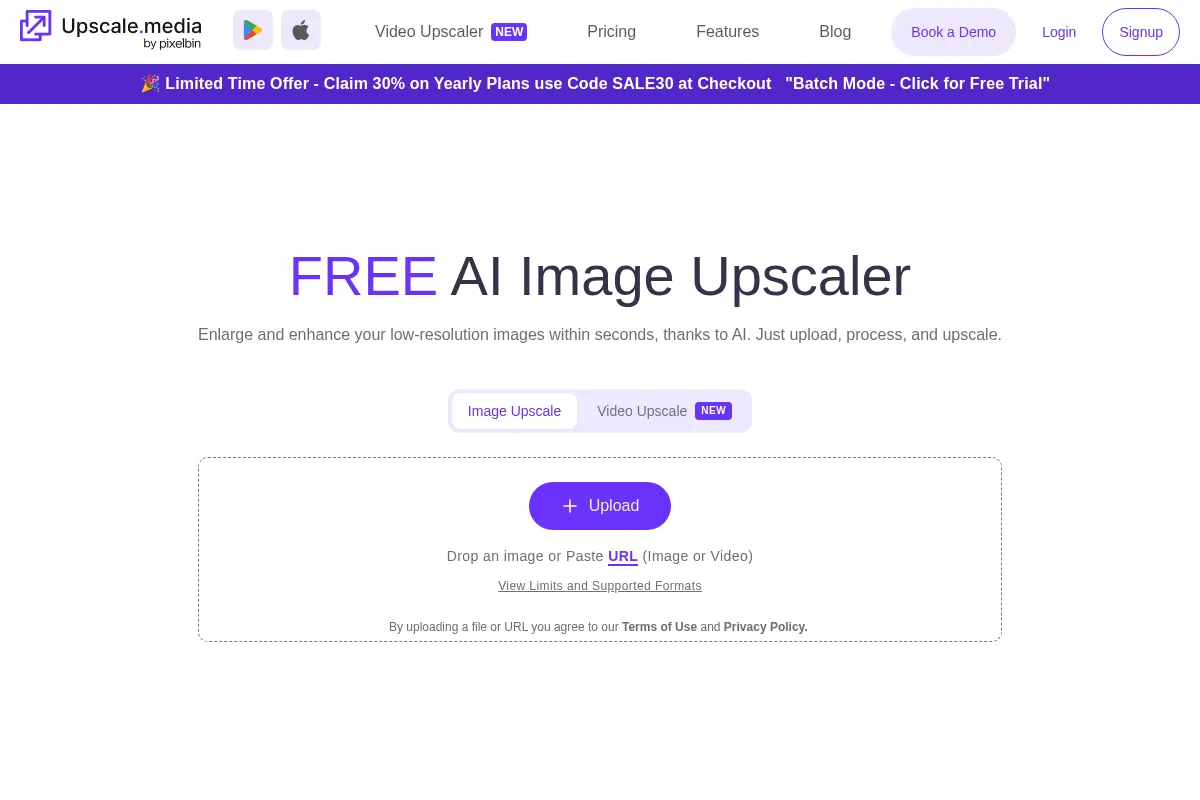
Upscale.media uses AI to increase the resolution and quality of images. Users upload an image, select an enhancement level (e.g., 2x, 4x, 8x), and the tool processes it to produce a sharper, higher-definition version. It also offers features like sharpening, deblurring, and face enhancement.
What makes it different
Upscale.media differentiates itself by offering a completely free, web-based service with no watermarks and a very simple, intuitive interface. Unlike more complex desktop software or subscription-based services, it focuses on providing quick, accessible AI-powered upscaling for everyday users.
Ratings across the web


Ratings aggregated from independent review platforms.
Key Features
Fast & Free AI Upscaling
Delivers high-resolution images in seconds without cost or watermarks, making it accessible for immediate use.
No Software, No Skills Needed
A browser-based tool with a drag-and-drop interface that requires no installation or technical expertise, ideal for beginners.
Enhance Quality Toggle
Allows users to further refine the upscaled image by toggling an 'Enhance quality' option for improved clarity and detail.
Batch Processing (via PixelBin.io)
Enables users to process multiple images simultaneously, saving time for businesses and creators handling large volumes.
Multiple Enhancement Tools
Beyond upscaling, offers features like sharpening, deblurring, and face enhancement to improve various aspects of an image.
Pricing
Free Tier
- Unlimited manual image transformations
- 2x, 4x upscaling
- Basic enhancement tools
- Support for common image formats
Pricing checked 6 months ago
Pricing guidance
- You need to automate image processing for a large number of images.
- You require API access for integration into existing workflows.
- You need higher resolution upscaling beyond 8x or more advanced AI models.
- Batch processing is primarily available through PixelBin.io, not directly on Upscale.media.
- While upscaling up to 8x is supported, the quality for extreme enlargements may vary.
- Advanced features or higher volumes might require moving to PixelBin.io's paid plans.
Freemium, with a generous free offering for manual use and paid solutions for automation and scale via a sister platform.
Pros & Cons
Strengths
-
Completely Free to Use
Upscale.media offers its core upscaling and enhancement features at no cost, with no watermarks, making it highly accessible for individuals and small businesses.
-
User-Friendly Interface
The tool is designed for simplicity, allowing users to upload, process, and download images with minimal clicks, requiring no prior editing experience.
-
Fast Processing Speed
Images are processed quickly, often within seconds, which is beneficial for users needing rapid results for web or social media content.
-
No Software Installation Required
Being a web-based tool, it can be accessed from any device with an internet connection, eliminating the need for downloads or updates.
-
Supports Multiple Formats
It handles common image formats like PNG, JPG, JPEG, WEBP, and HEIC, ensuring compatibility with a wide range of user files.
Weaknesses
-
Limited Advanced Features
Lacks sophisticated editing tools found in professional software like Photoshop, such as precise artifact control, advanced color correction, or layer-based editing.
Affects: Professional photographers, graphic designers, advanced retouchers
-
Quality Can Be Inconsistent
While good for general enhancement, the AI's output may not always meet the highest standards for critical detail work or very low-quality source images, sometimes resulting in a 'messy' upscale.
Affects: Users with very low-resolution source images, those requiring perfect detail preservation
-
Batch Processing Not Directly on Upscale.media
While batch processing is mentioned, it appears to be primarily offered through their related PixelBin.io platform, which may involve a different workflow or pricing.
Affects: Users expecting seamless batch processing directly within Upscale.media
-
Potential for Over-Smoothing or Artifacts
Like many AI upscalers, it can sometimes over-smooth textures or introduce artifacts, especially on complex images, which may require manual correction in other software.
Affects: Users needing highly natural-looking results, those sensitive to AI-generated artifacts
Real User Sentiment
Users generally find Upscale.media to be a fast, easy-to-use, and effective tool for basic image upscaling, especially given its free nature. Some note that while it performs as advertised, it may not match the quality of more advanced or professional tools for critical work.
Users tend to like
- Ease of use and simple interface
- Speed of processing
- Free access without watermarks
- Effectiveness for web/social media images
- Support for multiple file formats
Users commonly complain about
- Quality can be inconsistent for very low-res images or critical detail work
- Lacks advanced editing features found in professional software
- Batch processing is not directly integrated into the Upscale.media interface
- AI can sometimes produce over-smoothed results or artifacts
Recurring tradeoffs
- Speed and ease of use vs. advanced control and quality
- Free access vs. limitations in professional-grade output
- Web-based convenience vs. lack of deep integration
Happiest users
Casual users, bloggers, social media managers, and small businesses needing quick, free image enhancements for web content.
Often frustrated
Professional photographers, graphic designers, or users requiring highly detailed, artifact-free results for print or critical applications.
Use Cases
Enhancing product photos for e-commerce listings to appear sharper and more professional.
Improving the resolution of images for social media posts and online articles.
Upscaling personal photos or scanned images to make them clearer for digital sharing.
Quickly preparing images for presentations or basic web graphics.
Restoring slightly blurry or low-resolution images for better visual appeal.
Frequently Asked Questions
Is Upscale.media free to use?
Yes, Upscale.media offers a free tier that allows for unlimited manual image transformations. You can upscale and enhance images without any cost and without watermarks. For automated processes or higher volumes, their sister platform PixelBin.io offers paid plans.
What is the difference between Upscale.media and Photoshop's Super Resolution?
Upscale.media is a dedicated, AI-powered online tool focused on quick and easy image upscaling with a simple interface. Adobe Photoshop's Super Resolution is a feature within a professional, complex editing suite that offers more control over the upscaling process and integrates with a vast array of other editing tools. Upscale.media is ideal for fast, basic enhancements, while Photoshop is for users needing precise control and advanced editing capabilities.
What are the limitations of Upscale.media?
The primary limitation is the lack of advanced editing features; it focuses solely on upscaling and basic enhancements. While it supports up to 8x upscaling, the quality for extreme enlargements may not match professional-grade software. Batch processing is also primarily handled through their PixelBin.io platform, not directly within Upscale.media's interface.
Can Upscale.media handle batch processing?
Upscale.media itself is designed for individual image processing. However, its associated platform, PixelBin.io, offers bulk processing capabilities for businesses and creators who need to upscale multiple images simultaneously. This may involve different workflows or pricing structures.
What image formats does Upscale.media support?
Upscale.media supports a range of common image formats, including PNG, JPG, JPEG, WEBP, and HEIC. This broad compatibility ensures that users can upload and enhance various types of image files without compatibility issues.
How does Upscale.media compare to other AI upscalers like Topaz Gigapixel AI?
Upscale.media is a free, web-based tool focused on simplicity and speed for casual users. Topaz Gigapixel AI is a professional, desktop software that offers more advanced algorithms, greater control over the upscaling process, and often superior results for critical detail work, but it comes at a cost and requires installation.
Can I upscale images for professional printing with Upscale.media?
While Upscale.media can improve image resolution, it is generally best suited for web and digital use. For professional printing, especially for large formats or high-detail work, dedicated professional software like Topaz Gigapixel AI or Adobe Photoshop's Super Resolution might yield better, more consistent results with fewer artifacts.
What happens if I exceed the free usage limits?
Upscale.media's core manual upscaling function is unlimited and free. If you require features like automated batch processing or API integration, you would typically look into the paid plans offered by their sister platform, PixelBin.io, which has different credit systems and usage tiers.
Why trust this page?
This evaluation combines product positioning, pricing analysis, traffic and market signals, and public user sentiment into a single decision-support page. Content is generated editorially — not copied from the vendor's website.
Funding & Company
Founded
2020
Stage
Bootstrapped
Total Raised
Bootstrapped
Latest Round
—
Upscale.media is a product by PixelBin (legally Shopsense Retail Technologies Limited), which is a bootstrapped company. It has not raised any external venture capital, relying on its own revenue for growth and operations.
Market Signals & Traffic
Estimated visits, global rank, geography, traffic sources, monthly visit trends, and organic search keywords (Similarweb)—on a dedicated page built for depth and search.
- Estimated visits
- 3,005,329
- Global rank
- #20,013
- Snapshot
- Apr 2026
- Traffic trend
- Surging
Estimated monthly visits
Alternatives to Upscale.media
View all alternativesTopaz Labs
Content Creation, Design

AI-powered software for enhancing photo and video quality.
Let's Enhance
Content Creation, Design, Productivity

AI-powered tool to upscale, sharpen, and enhance image quality.
VanceAI
Content Creation, Design, Productivity

AI-powered online tools for image enhancement, generation, and editing.
Similar Tools
Looka
Content Creation, Design

AI-powered platform for logo design, branding, and website creation.
AirBrush
Content Creation, Design

Generate professional stock photos and illustrations from text prompts
AnimeGenius
Content Creation, Design

Anime art generator for creating high-quality characters and illustrations.
BeFunky
Content Creation, Design

All-in-one platform for photo editing, collage making, and graphic design.
Magnific AI
Content Creation, Design

AI-powered tool to upscale and enhance images with incredible detail.
Topaz Labs
Content Creation, Design
AI-powered software for enhancing photo and video quality.