

A budget-friendly AI image generator that aggregates multiple models like Stable Diffusion and DALL-E to produce quick stock-style visuals without the steep learning curve of professional design tools.
Excellent for bloggers needing high-volume, generic stock photos on a budget, weaker for professional designers requiring complex character consistency or high-fidelity realism.
Analysis based on product data, pricing structure, traffic signals, and public user sentiment.
Who Should Use AirBrush?
Typical users
Solo content creators, bloggers, and small marketing teams who need unique visuals for articles and social posts without paying for expensive stock photo subscriptions.
Maturity fit
beginner to scaling
Choose this if…
- You want a simple web interface rather than using Discord-based tools like Midjourney.
- You need a one-time payment option via lifetime deals to avoid recurring subscriptions.
- Your priority is speed and volume over hyper-realistic artistic detail.
- You want basic image utilities like upscaling and background removal in the same dashboard.
Skip this if…
- You require precise control over human anatomy or complex textures, which often result in 'uncanny valley' artifacts here.
- Your workflow depends on advanced generative features like inpainting, outpainting, or canvas-based editing.
- You already have a Canva Pro subscription, which includes similar AI generation and better design templates.
About AirBrush
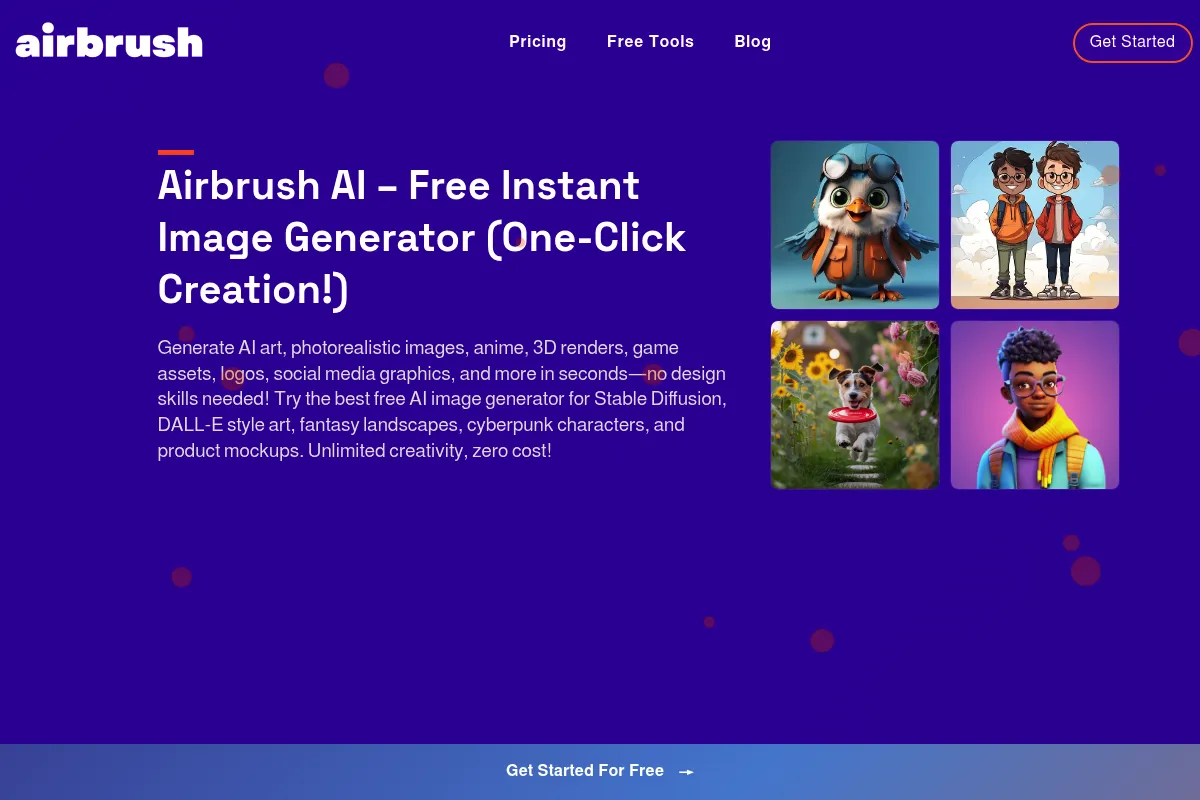
Airbrush is an AI-powered image generation tool designed to replace traditional stock photography. It provides a centralized web dashboard where users can generate art, illustrations, and photos using various underlying AI models.
What it actually does
The tool converts text prompts into digital images and offers a suite of enhancement features. Users can generate visuals, upscale low-resolution images to 4K, and remove backgrounds for product shots or headshots.
What makes it different
Unlike single-model tools, Airbrush allows users to toggle between different AI engines (including Stable Diffusion and DALL-E) within one interface. It positions itself as a utility for 'good enough' content rather than a high-end creative suite.
Ratings across the web



Ratings aggregated from independent review platforms.
Key Features
Multi-Engine Selection
Allows users to switch between Stable Diffusion, DALL-E, and niche artistic models to find the best output for a specific prompt.
Image Upscaler
Increases resolution up to 4096x4096px, making AI-generated or low-quality source images usable for print or high-res displays.
Prompt Templates
Provides pre-built structures for common requests like 'blog covers' or 'portraits' to help non-experts get better results.
Image-to-Text
Generates a descriptive prompt from an uploaded image, useful for reverse-engineering styles you like.
Public Gallery
A searchable database of community-generated images and their exact prompts to reduce trial-and-error.
Commercial Usage Rights
Grants full rights to use, sell, or merchandise generated images on all paid plans.
Pricing
Free
- 20 image credits
- Standard resolution
- Public gallery access
- Basic upscaling
Premium
- 500 image credits per month
- Commercial usage rights
- High-resolution upscaling
- Priority processing
Corporate
- Unlimited image credits
- API access
- Early access to new models
- Dedicated support
Pricing checked 5 months ago
Pricing guidance
- When you need more than 500 images per month
- When you require API access for custom workflows
- When you need to generate high-resolution 4K upscales frequently
- The 'Unlimited' plan is subject to fair use policies to prevent bot abuse.
- Credits on the monthly plan typically do not roll over to the next month.
- Upscaling and background removal may consume more than one credit per action.
Aggressively affordable, targeting the budget-conscious segment of the creator economy.
Pros & Cons
Strengths
-
Extremely low barrier to entry
The interface is stripped of complex settings, making it accessible for users who find professional AI tools intimidating.
-
High value-to-cost ratio
The availability of lifetime deals and low-cost monthly tiers makes it one of the most affordable ways to access multiple AI models.
-
All-in-one utility stack
Combining generation, upscaling, and background removal in one place saves users from jumping between different single-purpose websites.
Weaknesses
-
Inconsistent output quality
Compared to Midjourney v6 or DALL-E 3, the images often lack fine detail and frequently struggle with hands, faces, and text.
Affects: Users needing professional-grade marketing assets
-
Limited advanced editing
It lacks the 'Generative Fill' or layer-based editing found in modern competitors, making it hard to fix specific parts of an image.
Affects: Designers and power users
-
Basic user interface
The dashboard feels functional but dated, with occasional bugs in the credit tracking and image history sections.
Affects: Teams expecting a polished SaaS experience
Real User Sentiment
Users generally view Airbrush as a 'workhorse' tool—not the most impressive, but reliable for the price.
Users tend to like
- The simplicity of the web UI
- The incredible value of the lifetime deal
- The ability to quickly generate blog thumbnails
- The effective image upscaler
Users commonly complain about
- Slow customer support response times
- Occasional 'melting' artifacts in complex images
- Lack of advanced prompt controls
Recurring tradeoffs
- Users trade the high-end artistic 'wow factor' of Midjourney for a much lower price and easier workflow.
Happiest users
Bloggers and affiliate marketers who need 5-10 unique images a day and don't want to spend time learning complex prompting.
Often frustrated
Professional illustrators or brand designers who need pixel-perfect accuracy and consistent character styles.
Use Cases
Blog Post Visuals
Generating unique featured images that match the article's specific topic.
Social Media Content
Creating a high volume of background images for quote cards or Instagram stories.
E-commerce Product Prep
Using the background remover to create clean PNGs for online storefronts.
Presentation Slides
Quickly generating custom illustrations for internal decks to avoid generic clip art.
Ad Creative Testing
Producing multiple variations of a visual concept to see which performs best in low-stakes campaigns.
Frequently Asked Questions
Is Airbrush really free?
Airbrush offers a free trial with 20 credits. Once those are used, you must upgrade to a paid plan starting at $9/month or purchase a lifetime deal if one is currently active on platforms like AppSumo.
How does Airbrush compare to Midjourney?
Airbrush is significantly easier to use because it has a standard web dashboard, whereas Midjourney requires using Discord. However, Midjourney's image quality and artistic detail are vastly superior. Choose Airbrush for budget and ease; choose Midjourney for professional art.
Can I use the images for my business?
Yes, all paid plans include full commercial usage rights. You can use the images for ads, book covers, websites, and even merchandise without paying royalties.
What are the main limitations?
The tool struggles with rendering legible text inside images and often produces anatomical errors in human figures (like extra fingers). It also lacks advanced features like 'Inpainting' to edit specific parts of an image.
Does Airbrush integrate with other tools?
Direct integrations are limited. While it offers an API on the Corporate plan for developers, most users will need to manually download and upload images into their CMS or design tools.
What AI models does it use?
Airbrush uses a variety of models including Stable Diffusion, DALL-E 2, and several custom-tuned models for specific styles like 'Anime' or 'Realistic Vision'.
Why trust this page?
This evaluation combines product positioning, pricing analysis, traffic and market signals, and public user sentiment into a single decision-support page. Content is generated editorially — not copied from the vendor's website.
Funding & Company
Founded
2020
Stage
Series a
Total Raised
$22M
Latest Round
Series A (Oct 2023)
Notable Investors
Pixocial, the parent company of AirBrush, secured $22 million in a Series A funding round in late 2023. This investment, led by notable firms, provides significant capital for product development and market expansion in the competitive AI content creation space.
Market Signals & Traffic
Estimated visits, global rank, geography, traffic sources, monthly visit trends, and organic search keywords (Similarweb)—on a dedicated page built for depth and search.
- Estimated visits
- 13,515
- Global rank
- #1,529,981
- Snapshot
- Apr 2026
- Traffic trend
- Falling
Estimated monthly visits
Alternatives to AirBrush
View all alternativesMidjourney
Content Creation

AI tool that generates images from natural language text prompts.
Adobe Firefly
Content Creation, Video Creation

Generative AI tools for creating and editing images, video, and more.
ChatGPT
AI Assistant, Content Creation

AI-powered conversational chatbot for generating text and assisting with various tasks.
Similar Tools
Brandmark
Content Creation, Design

AI-powered logo and brand identity generator.
Flux
Content Creation, Design

AI-powered text-to-image generation and editing models.
FaceApp
Content Creation, Design
AI-powered mobile app for realistic photo and video editing.
BeFunky
Content Creation, Design

All-in-one platform for photo editing, collage making, and graphic design.
Magnific AI
Content Creation, Design

AI-powered tool to upscale and enhance images with incredible detail.
Tripo AI
Content Creation, Design

AI-powered platform for generating 3D models from text or images.