

VanceAI offers a broad suite of AI-powered image editing tools that are accessible to users of all skill levels, but its credit-based system and limitations on free usage can be restrictive.
Best for quick AI image enhancements and upscaling, weaker for users needing extensive batch processing or advanced manual control.
Analysis based on product data, pricing structure, traffic signals, and public user sentiment.
Who Should Use VanceAI?
Typical users
Individuals and small teams looking for an easy-to-use, online solution for common image enhancement tasks like upscaling, denoising, and background removal. This includes content creators, e-commerce sellers, and hobbyist photographers.
Maturity fit
beginner to scaling
Choose this if…
- You need to quickly enhance images without a steep learning curve.
- You frequently upscale images for web or print.
- You require automated background removal for product photos.
- You want to experiment with AI art generation.
Skip this if…
- You require granular control over editing parameters.
- Your workflow involves extensive batch processing (online).
- You need to edit RAW image files.
- You have strict privacy requirements for your images.
About VanceAI
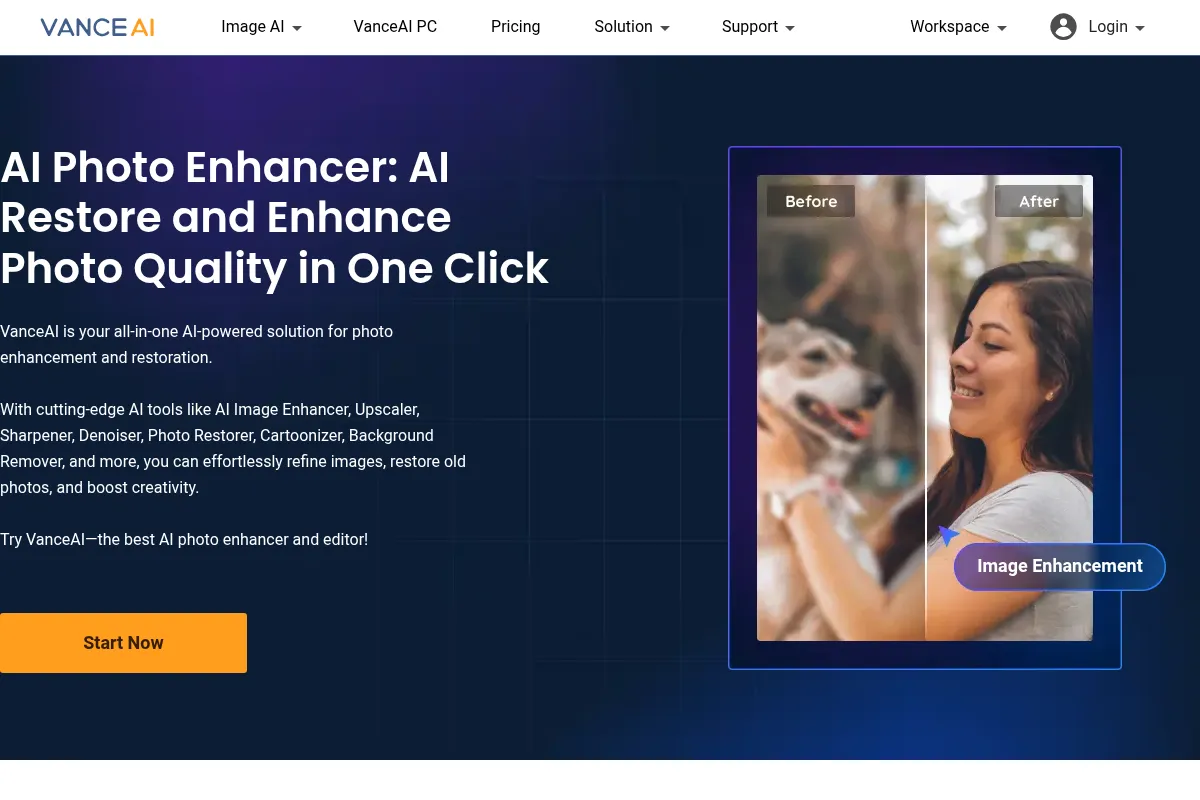
VanceAI is an online suite of AI-powered tools designed for image enhancement, editing, and generation. It aims to simplify complex image processing tasks for users without professional editing experience, offering solutions for upscaling, denoising, background removal, and AI art creation.
What it actually does
VanceAI provides a collection of AI tools that automatically enhance image quality, increase resolution, remove backgrounds, reduce noise, sharpen details, and generate AI art. Users can upload images and apply various AI enhancements with minimal manual input.
What makes it different
VanceAI differentiates itself by offering a wide array of specialized AI tools within a single online platform, accessible via a credit-based system. It also provides a desktop version for faster, offline batch processing, which is a key differentiator from purely web-based competitors.
Ratings across the web


Ratings aggregated from independent review platforms.
Key Features
AI Image Upscaler
Increases image resolution up to 40x, useful for print or detailed viewing.
AI Background Remover
Quickly removes backgrounds from images, ideal for e-commerce or graphic design.
AI Denoiser
Reduces noise and grain in images without sacrificing detail, beneficial for low-light photos.
AI Sharpener
Corrects blurriness in images, improving clarity with options for different blur types.
AI Photo Restorer
Repairs old or damaged photos by removing scratches and enhancing details.
AI Art Generation (Cartoonizer/Sketch)
Transforms photos into various artistic styles.
API Access
Allows integration of VanceAI tools into other applications.
VanceAI PC (Desktop App)
Offers faster, offline batch processing capabilities.
Pricing
100 Credits
- 100 credits
- Credits valid for 1 year
200 Credits
- 200 credits
- Credits valid for 1 year
500 Credits
- 500 credits
- Credits valid for 1 year
1000 Credits
- 1000 credits
- Credits valid for 1 year
100 Credits/Month
- 100 credits/month
- Unused credits roll over (up to 5x monthly budget)
- Cancel anytime
200 Credits/Month
- 200 credits/month
- Unused credits roll over (up to 5x monthly budget)
- Cancel anytime
500 Credits/Month
- 500 credits/month
- Unused credits roll over (up to 5x monthly budget)
- Cancel anytime
1000 Credits/Month
- 1000 credits/month
- Unused credits roll over (up to 5x monthly budget)
- Cancel anytime
VanceAI PC (Personal License)
- All functions available
- License for 1 PC
- 300 credits for online processing
- Priority technical support
- 14-day money back guarantee
Pricing checked 6 months ago
Pricing guidance
- When you consistently need more than 3 free credits per month.
- When you require watermark-free downloads.
- When you need to process a significant number of images regularly.
- When you need access to advanced AI features like upscaling beyond 8x or specific restoration tools.
- Free downloads are watermarked.
- Only 3 free credits are provided monthly for AI processing.
- Batch processing is primarily a feature of the desktop version.
- Maximum upload size is 3000x3000 pixels.
VanceAI positions itself as an accessible AI image editing solution with a credit-based system that offers flexibility through pay-as-you-go and subscription options, though the credit system can become costly for heavy users.
Pros & Cons
Strengths
-
User-friendly Interface
The platform is designed for ease of use, making it accessible for beginners and those without extensive editing experience.
-
Wide Range of AI Tools
VanceAI offers a comprehensive suite of tools for various image enhancement needs, from upscaling to background removal and art generation.
-
Effective Upscaling and Enhancement
Users report high-quality results for image upscaling, denoising, and sharpening, often achieving noticeable improvements.
-
Desktop Version for Batch Processing
The VanceAI PC desktop application allows for faster, offline batch processing, which is a significant advantage for users with large volumes of images.
Weaknesses
-
Credit-Based System
The reliance on credits for most features can be confusing and costly, especially for users who need to process many images.
-
Limited Free Usage
The free tier offers very few credits and often applies watermarks to downloaded images, making it insufficient for anything beyond basic testing.
-
Lack of Advanced Manual Control
Users seeking granular control over editing parameters may find VanceAI's automated approach too restrictive.
-
RAW File Support Missing
The platform primarily supports common formats like JPG and PNG, excluding RAW files which are crucial for professional photographers.
-
Potential for Over-Processing
Some users have noted that results can occasionally appear over-processed or unnatural.
Real User Sentiment
Users generally find VanceAI easy to use and appreciate the quality of its AI enhancements, particularly for upscaling and noise reduction. However, the credit system and limitations on free usage are common points of frustration.
Users tend to like
- Ease of use and user-friendly interface.
- Effective AI upscaling and noise reduction.
- Quick and automated results.
- Variety of AI tools available.
- Desktop version for batch processing.
Users commonly complain about
- Confusing and costly credit system.
- Restrictive free tier with watermarks.
- Lack of advanced manual editing controls.
- Exclusion of RAW file support.
- Occasional over-processed results.
Recurring tradeoffs
- Ease of use vs. lack of granular control.
- Affordability of free tier vs. cost of paid plans for heavy users.
- Online convenience vs. desktop batch processing capabilities.
Happiest users
Hobbyists, content creators, and small businesses that need quick, automated image enhancements without a steep learning curve.
Often frustrated
Professional photographers and advanced users who require precise control, RAW file support, or a more predictable pricing model without credit limitations.
Use Cases
Upscaling low-resolution images for better display or print.
Removing backgrounds from product photos for e-commerce listings.
Restoring old or damaged photographs.
Enhancing the clarity of blurry or noisy images.
Generating AI-generated artwork or cartoon versions of photos.
Quickly sharpening details in images for social media.
Automating repetitive image editing tasks for marketing materials.
Frequently Asked Questions
Is VanceAI free to use?
VanceAI offers a limited free version. Non-subscribers receive 3 free credits per month for AI processing features, and some basic image editing tools like resizing and cropping are free. However, advanced AI features and watermark-free downloads require credits, which are purchased through various plans or pay-as-you-go options. The free tier is generally insufficient for regular use.
What are the main differences between VanceAI and ClipDrop?
Both VanceAI and ClipDrop are AI-powered image editing tools. VanceAI offers a broader suite of specialized AI tools and a desktop version for offline batch processing, while ClipDrop is known for its user-friendly interface and strong text-to-image generation capabilities. Some users find VanceAI's upscaler to be more feature-rich for paid users, while ClipDrop's free features might feel more limited.
What are the limitations of VanceAI?
Key limitations include a credit-based system that can become expensive, limited free usage with watermarked outputs, a lack of support for RAW image files, and minimal manual editing control. Some users also report occasional over-processed results. The maximum upload size is 3000x3000 pixels.
Does VanceAI offer an API?
Yes, VanceAI offers an API solution that allows developers to integrate its AI image editing tools into their own applications or workflows. This enables programmatic access to features like upscaling, denoising, and background removal.
How does VanceAI pricing work?
VanceAI uses a credit system. You can purchase credits in bundles (pay-as-you-go) or subscribe to monthly plans that include a set number of credits. Credits are consumed when you process or download images, with different tools costing varying amounts of credits. Subscription plans offer better value per credit and include features like credit rollover.
Can VanceAI be used for commercial purposes?
Yes, images processed by VanceAI can generally be used for commercial purposes, especially when using paid plans. However, it's always advisable to check the specific terms of service for any restrictions or requirements related to commercial use, particularly concerning AI-generated content.
What are the best alternatives to VanceAI?
Popular alternatives to VanceAI include Adobe Photoshop (for professional control), Canva (for general design and ease of use), Luminar Neo (for photographers), Topaz Photo AI (for desktop enhancement), and ClipDrop (for AI generation and simpler editing). Other options like Picwand and ImageRestoreAI are also noted for specific strengths.
Does VanceAI offer a desktop version?
Yes, VanceAI offers a desktop application called VanceAI PC. This version allows for faster, offline batch processing and includes all the features available in the online suite. Purchasing a license for VanceAI PC also comes with a certain number of online credits.
Why trust this page?
This evaluation combines product positioning, pricing analysis, traffic and market signals, and public user sentiment into a single decision-support page. Content is generated editorially — not copied from the vendor's website.
Funding & Company
Founded
2020
Stage
Bootstrapped
Total Raised
Bootstrapped
Latest Round
—
VanceAI appears to be a bootstrapped company, having grown without raising any external venture capital. The company has been self-funded since its establishment in 2020 and relies on revenue from its subscription-based services.
Market Signals & Traffic
Estimated visits, global rank, geography, traffic sources, monthly visit trends, and organic search keywords (Similarweb)—on a dedicated page built for depth and search.
- Estimated visits
- 421,247
- Global rank
- #104,322
- Snapshot
- Apr 2026
- Traffic trend
- Steady
Estimated monthly visits
Alternatives to VanceAI
View all alternativesAdobe Firefly
Content Creation, Video Creation

Generative AI tools for creating and editing images, video, and more.
Let's Enhance
Content Creation, Design, Productivity

AI-powered tool to upscale, sharpen, and enhance image quality.
Topaz Labs
Content Creation, Design

AI-powered software for enhancing photo and video quality.
Similar Tools
Icons8 AI
Content Creation, Design, Productivity

Vast library of icons, illustrations, photos, music, and AI design tools.
Clipdrop
Content Creation, Design, Productivity

AI-powered suite for creating and editing stunning visuals in seconds.
Napkin
Content Creation, Design, Productivity

AI tool that transforms text into visual diagrams, infographics, and flowcharts.
ZMO AI
Content Creation, Design, Productivity

AI-powered image generation and editing tool for creators and marketers.
Kimi Slides
Content Creation, Design, Productivity

Create professional presentation slides from text prompts, documents, or images.
Pixelcut
Content Creation, Design, Productivity

All-in-one photo editor for product photography and e-commerce visuals.