

Remove.bg is an AI-powered tool that automates background removal from images with impressive speed and accuracy.
Excellent for quick, high-volume background removal, weaker for intricate editing needs.
Analysis based on product data, pricing structure, traffic signals, and public user sentiment.
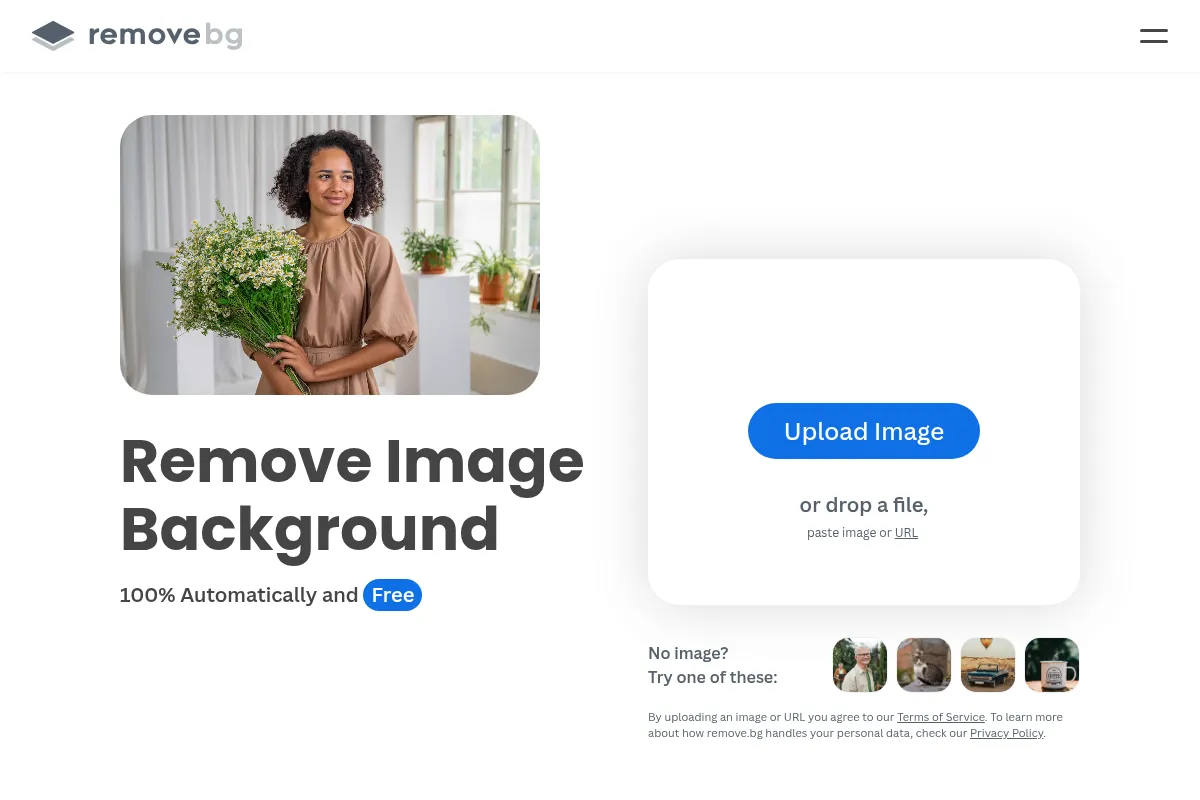
Who Should Use Remove.bg?
Typical users
Content creators, e-commerce sellers, marketers, and designers who need to quickly isolate subjects from images. It's suitable for individuals and teams looking to streamline their visual content creation process.
Maturity fit
beginner to scaling
Choose this if…
- You need to process a large volume of images quickly.
- You prioritize speed and ease of use over advanced editing features.
- You need to integrate background removal into existing workflows via API or plugins.
- You require accurate background removal for standard subjects like people, products, and animals.
Skip this if…
- You require extensive manual editing capabilities for complex images.
- Your primary need is advanced photo manipulation beyond background removal.
- You need to remove backgrounds from video content.
- You are looking for a completely free solution for high-resolution images.
About Remove.bg
Remove.bg is an AI-driven service designed to automatically remove backgrounds from images in seconds. It caters to users who need to efficiently isolate subjects for various applications, from e-commerce listings to marketing materials. The tool aims to eliminate the time-consuming manual process of background removal.
What it actually does
Remove.bg uses artificial intelligence to detect and remove the background from an image, leaving the main subject isolated. It can then output the image with a transparent background or allow users to add a new background. The service is accessible via a web interface, desktop app, and API.
What makes it different
Remove.bg differentiates itself through its singular focus on automated background removal, achieving high accuracy and speed with minimal user input. While other tools offer background removal as part of a larger suite, Remove.bg's specialization allows for a streamlined, efficient, and highly accurate process for this specific task.
Ratings across the web



Ratings aggregated from independent review platforms.
Key Features
AI-Powered Background Removal
Automatically removes backgrounds in seconds with high accuracy, saving significant manual editing time.
High-Resolution Downloads
Offers full-resolution image downloads for professional use, unlike many free tools that limit resolution.
Batch Processing via Desktop App
Allows users to process thousands of images simultaneously, ideal for e-commerce and high-volume workflows.
API and Integrations
Enables developers to integrate background removal into their own applications and workflows, connecting with tools like Photoshop, Figma, and Zapier.
Manual Editor (Magic Brush/Erase)
Provides tools for fine-tuning the AI's results, allowing users to manually restore or erase parts of the image for precision.
AI Background Generator
Creates custom backdrops for subjects without requiring text prompts, offering creative options for image enhancement.
Support for Complex Details
Handles intricate elements like hair, fur, and fine edges with remarkable accuracy.
Pricing
Pay-as-you-go
- 3 credits
- Credits do not expire
- Ideal for occasional use
Lite
- 40 credits
- AI Photo Editor
- Remove background
- AI background
Pro
- 200 credits
- Bulk editing
- API access
- AI Photo Editor
- Remove background
Volume Plus
- 500 credits
- Custom API controls
- Scalable volume options
- Everything in Pro
Pricing checked 6 months ago
Pricing guidance
- When you need high-resolution downloads for professional use.
- When you need to process more than one high-resolution image.
- When you require API access for automation or integration into other software.
- When your monthly image processing volume exceeds the credits provided by lower tiers.
- Free plan limits downloads to low-resolution previews.
- Subscription credits are only valid while the subscription is active.
- Pay-as-you-go credits are used as a backup after subscription credits are depleted.
- API free tier is limited to preview resolution.
Remove.bg offers a tiered pricing structure based on credits, with options ranging from pay-as-you-go for occasional users to monthly subscriptions for higher volumes, positioning itself as a cost-effective solution for automated background removal.
Pros & Cons
Strengths
-
Speed and Efficiency
The AI processes most images in under five seconds, dramatically reducing the time required for background removal compared to manual editing. This speed is crucial for agencies and individuals working with tight deadlines.
-
Accuracy for Standard Subjects
Remove.bg is highly accurate in detecting and separating main subjects like people, products, and animals from their backgrounds, even with challenging details like hair. This ensures professional-quality results for common use cases.
-
Ease of Use
The drag-and-drop interface and straightforward process make it accessible to users of all skill levels, requiring no prior design experience. This simplicity is a major draw for quick edits.
-
Bulk Processing Capabilities
The desktop app and API allow for processing hundreds or thousands of images per minute, making it an indispensable tool for e-commerce businesses and photographers handling large volumes of photos.
-
Integration Options
Plugins for popular design tools like Photoshop and Figma, as well as API access and Zapier integration, allow for seamless incorporation into existing workflows, further boosting efficiency.
Weaknesses
-
Limited Advanced Editing
While it offers manual refinement tools, Remove.bg is not a full-fledged photo editor. Users needing extensive manipulation, complex retouching, or advanced effects will find its capabilities insufficient.
Affects: Users requiring comprehensive photo editing features
-
Credit System Can Be Expensive
The credit-based system, especially for high-resolution downloads, can become costly for users with high-volume needs, with some users finding it more expensive than alternatives for bulk processing.
Affects: High-volume users and those on a tight budget
-
Accuracy Challenges with Complex Scenes
While generally accurate, Remove.bg can struggle with highly complex images, such as those with very similar subject-to-background colors, multiple overlapping subjects, or extremely intricate textures that require nuanced segmentation.
Affects: Users working with highly complex or abstract imagery
-
No Video Background Removal
The tool is exclusively for image background removal and does not support video editing, requiring users to seek different solutions for video content.
Affects: Users needing to edit video backgrounds
Real User Sentiment
Users generally praise Remove.bg for its speed, ease of use, and accuracy in removing backgrounds from images. It's widely regarded as an efficient tool for common use cases.
Users tend to like
- Speed of background removal
- Ease of use and simple interface
- Accuracy on common subjects (people, products)
- Bulk processing capabilities
- API and integration options
Users commonly complain about
- Credit system can become expensive for high volumes
- Limited advanced editing features
- Occasional struggles with highly complex images
- Difficulty in canceling subscriptions (reported by some users)
- Free plan resolution limitations
Recurring tradeoffs
- Speed and simplicity vs. advanced editing capabilities
- Cost-effectiveness for bulk processing vs. per-image pricing
- Accuracy on standard subjects vs. performance on highly complex images
Happiest users
E-commerce sellers, marketers, and content creators who need to process many images quickly and efficiently for standard use cases.
Often frustrated
Users requiring advanced editing features, those on a very tight budget for high-volume work, or individuals dealing with exceptionally complex image compositions.
Use Cases
E-commerce Product Photography
Quickly create clean, white-background product images for online stores.
Marketing and Advertising
Isolate subjects for ad creatives, social media posts, and promotional materials.
Content Creation
Prepare images for blogs, presentations, and digital publications.
Graphic Design
Extract elements for use in logos, graphics, and design projects.
Personal Use
Enhance profile pictures or create custom images for social media.
API Integration for Developers
Build background removal directly into applications or custom workflows.
Bulk Image Processing for Agencies
Streamline background removal for large client projects or campaigns.
Frequently Asked Questions
Is Remove.bg free to use?
Remove.bg offers a free account that allows for unlimited low-resolution preview downloads (up to 0.25 megapixels). You also receive one free credit for a high-resolution download and 50 free API previews per month. For high-resolution downloads and extensive API usage, paid plans with credits are required. These plans include Pay-as-you-go options and monthly subscriptions like Lite, Pro, and Volume Plus, which offer increasing amounts of credits and features.
How does Remove.bg compare to Photoroom?
Remove.bg is highly specialized in automated background removal, known for its speed and accuracy on standard subjects. Photoroom offers background removal as part of a broader suite of photo editing tools, including templates and AI background generation, and is often cited as having superior accuracy on very complex images according to some third-party tests. Remove.bg is generally simpler and faster for its core function, while Photoroom provides more creative editing options.
What are the limitations of Remove.bg?
The primary limitations of Remove.bg include its focus solely on image background removal, with no video editing capabilities. While it handles many complex details well, it can struggle with extremely intricate scenes or subjects with very similar colors to the background. The credit system for high-resolution downloads can also become expensive for high-volume users, and the free tier is limited to low-resolution previews. Advanced editing features beyond background refinement are also absent.
Does Remove.bg integrate with other tools?
Yes, Remove.bg offers extensive integration options. It provides plugins for popular design software such as Adobe Photoshop, Figma, and GIMP. Additionally, it offers an API for developers to integrate its functionality into custom applications and workflows. Integrations with automation platforms like Zapier and Make allow for seamless connection with thousands of other apps, enabling automated background removal within various workflows.
How accurate is Remove.bg with fine details like hair?
Remove.bg is generally praised for its ability to handle fine details like hair strands with high accuracy, even in challenging conditions. This is a key strength that sets it apart from many other tools. However, for extremely complex or abstract images, or when the subject's hair blends significantly with the background, manual refinement using the provided tools might still be necessary for perfect results.
Can I use Remove.bg for commercial purposes?
Yes, Remove.bg can be used for commercial purposes. The tool is widely adopted by e-commerce sellers, marketers, and agencies for creating professional visuals. High-resolution downloads, which are necessary for commercial use, are available through paid plans and credits. The API is also available for commercial integration into applications and services.
What happens if I run out of credits?
If you run out of credits on a paid plan, you have a few options. You can purchase additional credits through the 'Pay-as-you-go' option, which allows for one-off purchases that do not expire. Alternatively, you can upgrade to a higher subscription tier that offers more credits per month. If you are on a subscription plan, your Pay-as-you-go credits will be used as a backup once your subscription credits are depleted.
Does Remove.bg offer a desktop application?
Yes, Remove.bg offers a desktop application for Windows, macOS, and Linux. This application allows for drag-and-drop functionality and bulk processing of images directly on your computer. It connects to the Remove.bg API, so an internet connection and an API key are required for its use. The desktop app provides full control over settings like background color and image size for batch operations.
Why trust this page?
This evaluation combines product positioning, pricing analysis, traffic and market signals, and public user sentiment into a single decision-support page. Content is generated editorially — not copied from the vendor's website.
Funding & Company
Founded
2017
Stage
Acquired
Total Raised
Bootstrapped
Latest Round
—
Remove.bg, developed by parent company Kaleido AI, was acquired by design platform Canva in February 2021 for an undisclosed amount. Prior to the acquisition, Kaleido AI was reportedly bootstrapped, having taken no outside investment. This acquisition provides the tool with significant stability and resources under the umbrella of a major, well-funded company in the design space.
Market Signals & Traffic
Estimated visits, global rank, geography, traffic sources, monthly visit trends, and organic search keywords (Similarweb)—on a dedicated page built for depth and search.
- Estimated visits
- 62,723,315
- Global rank
- #788
- Snapshot
- Apr 2026
- Traffic trend
- Rising
Estimated monthly visits
Alternatives to Remove.bg
View all alternativesPhotoroom
Design, Content Creation

Professional photo editor for background removal and product photography
Canva AI
Content Creation

Online design tool for creating graphics, presentations, videos, and websites.
Clipdrop
Content Creation, Design, Productivity

AI-powered suite for creating and editing stunning visuals in seconds.
Similar Tools
AirBrush
Content Creation, Design

Generate professional stock photos and illustrations from text prompts
Generated Photos
Content Creation, Design

AI-generated images for any project, royalty-free.
Cleanup.pictures
Content Creation, Design

AI-powered tool to remove unwanted objects, people, and text from photos.
Getty Images (Generative AI)
Content Creation, Design

Create commercially safe images using a licensed creative library.
Artbreeder
Content Creation, Design

AI-powered platform for creating and manipulating images.
Tripo AI
Content Creation, Design

AI-powered platform for generating 3D models from text or images.