

A search-centric AI image platform that excels at prompt discovery and high-speed photorealistic generation, though it lacks the deep creative control of raw Stable Diffusion or Midjourney.
Excellent for creators who need to reverse-engineer successful prompts, weaker for those requiring advanced artistic manipulation or non-photographic styles.
Analysis based on product data, pricing structure, traffic signals, and public user sentiment.
Who Should Use Lexica?
Typical users
Content creators, web designers, and prompt engineers who need a searchable library of AI art to kickstart their creative process.
Maturity fit
beginner to scaling
Choose this if…
- You want to see the exact prompts used for millions of existing AI images
- Your priority is a fast, web-based interface over a Discord-based workflow
- You need high-quality photorealistic results with minimal prompt tweaking
Skip this if…
- You require advanced tools like ControlNet, Inpainting, or local model execution
- Your workflow depends on the specific 'artistic' aesthetic of Midjourney
- You need to generate highly specific brand assets with consistent character persistence
About Lexica
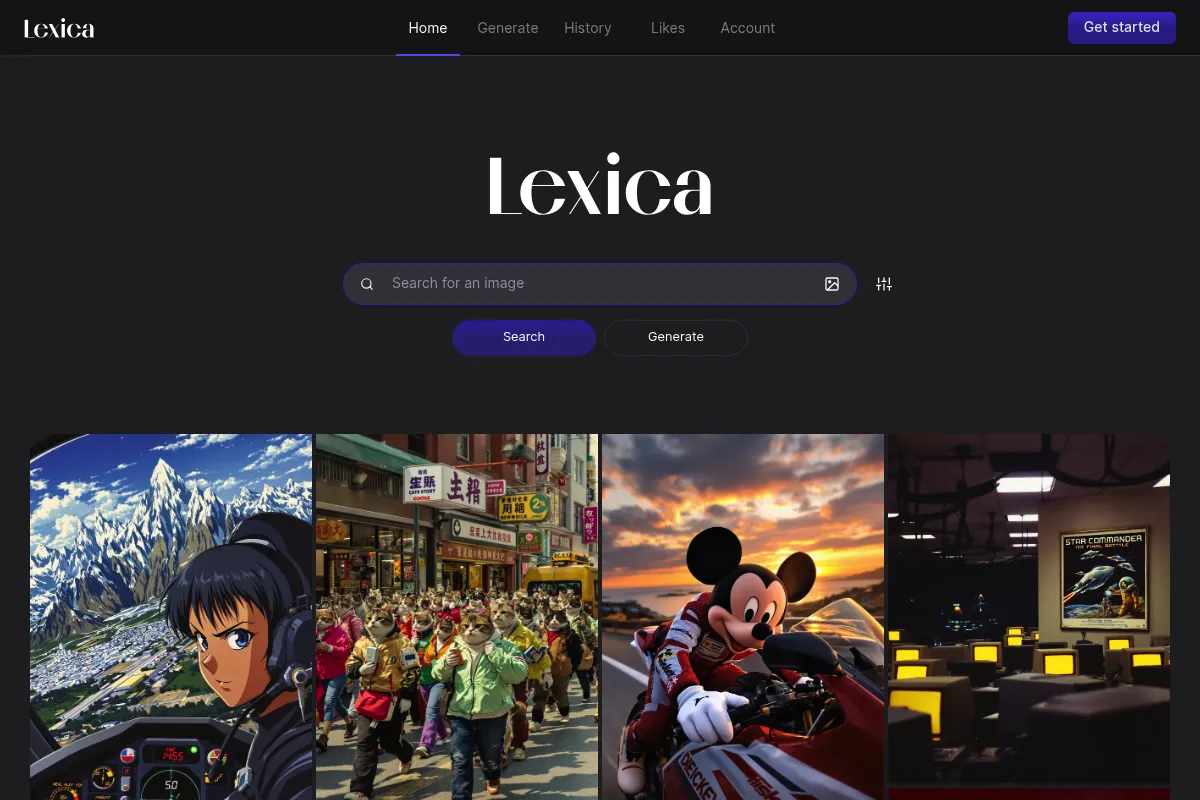
Lexica is a specialized search engine and generation interface for Stable Diffusion. It bridges the gap between complex prompt engineering and user-friendly image creation by indexing millions of existing images and offering its own fine-tuned model, Aperture.
What it actually does
It allows users to search a massive database of AI-generated images by keyword or image upload to reveal the exact prompts and settings used. Users can also generate new images using Lexica’s proprietary Aperture models directly in the browser without any technical configuration.
What makes it different
Lexica is 'search-first' rather than 'creation-first.' While most tools start with a blank prompt box, Lexica encourages users to find an existing image they like and iterate on its DNA, making the discovery of successful prompt structures a core part of the workflow.
Ratings across the web

Ratings aggregated from independent review platforms.
Key Features
Aperture Model
A proprietary fine-tuned version of Stable Diffusion optimized for photorealism and cinematic lighting.
Prompt Search Engine
Indexes millions of images from the Stable Diffusion community to show exactly how specific visual results were achieved.
Reverse Image Search
Allows users to upload any image to find similar AI-generated styles and their corresponding prompt data.
No-Code Interface
Replaces complex CLI or Discord commands with simple sliders for dimensions and guidance scale.
Commercial Usage Rights
Grants paid users the right to use generated images for business purposes.
Private Mode
Allows Pro and Max users to keep their generations and prompts hidden from the public search index.
High-Speed Generations
Optimized server-side processing that delivers four image variations in seconds.
Pricing
Starter
- 1,000 images per month
- Commercial license (solo)
- Standard generation speed
Pro
- 3,000 images per month
- Commercial license
- Private generations
- Fast generation speed
Max
- 7,000 images per month
- Commercial license
- Private generations
- Unlimited fast generations
Pricing checked 4 months ago
Pricing guidance
- When you need to keep your prompts and images private
- When you exceed 1,000 generations in a month
- When you require faster generation speeds for high-volume workflows
- Free users cannot use images commercially
- Private mode is strictly locked behind the $30/month Pro tier
- Annual billing offers a 20% discount not immediately obvious on the monthly toggle
Affordable entry point for individuals, but scales quickly to premium pricing for high-volume or private use.
Pros & Cons
Strengths
-
Unmatched prompt discovery
The search engine is the most efficient way to learn how specific keywords and modifiers affect Stable Diffusion outputs without wasting credits on trial and error.
-
Streamlined user experience
By removing the friction of Discord or the complexity of local Stable Diffusion installs, it allows designers to move from idea to asset in under a minute.
-
Superior photorealism
The Aperture model is specifically tuned to avoid the 'plastic' look common in early AI models, producing convincing textures and lighting by default.
Weaknesses
-
Limited artistic flexibility
While excellent at realism, it struggles to match the diverse, painterly, and abstract styles that Midjourney handles with ease.
Affects: Digital artists and illustrators
-
Lack of granular control
Professional users will miss features like seed locking, LoRA support, and precise ControlNet integration found in more technical platforms.
Affects: Advanced AI artists
-
Restrictive free tier
The free version has transitioned from a generous monthly allowance to a very limited trial, making it difficult to use long-term without a subscription.
Affects: Casual users and hobbyists
Real User Sentiment
Users generally view Lexica as an essential utility for research, though many have migrated to other tools for their primary generation needs.
Users tend to like
- The speed of the search engine
- The ability to see prompts for almost any style
- The clean, minimalist web interface
- The quality of the Aperture v3.5 model
Users commonly complain about
- The reduction of the free tier benefits
- Lack of 'remix' or 'vary region' tools
- Images can sometimes look 'too similar' or repetitive
Recurring tradeoffs
- Users trade the deep customization of Stable Diffusion for a much faster, simplified workflow.
Happiest users
Bloggers and marketers who need high-quality, realistic images quickly without learning complex prompt syntax.
Often frustrated
Power users who want to fine-tune every aspect of an image or those who used the platform when it was entirely free.
Use Cases
Bloggers
Finding specific, high-quality featured images by searching for existing prompts.
Prompt Engineers
Researching how specific modifiers like 'volumetric lighting' or 'depth of field' impact visual output.
Web Designers
Generating consistent UI assets or background textures using the Aperture model.
Concept Artists
Rapidly iterating on mood boards by searching and tweaking existing styles.
Social Media Managers
Creating realistic lifestyle imagery for posts without the cost of stock photography.
Frequently Asked Questions
Is Lexica.art free to use?
Lexica offers a limited free trial for image generation. Once the trial credits are exhausted, you must subscribe to a paid plan starting at $10/month to continue generating. However, the search engine and prompt gallery remain free to browse for inspiration.
Can I use Lexica images for commercial projects?
Commercial usage is only permitted for users on a paid plan (Starter, Pro, or Max). If you are using the free trial, you do not have the rights to use the images for business purposes. Large companies with more than 10 employees require a custom enterprise license.
How does Lexica compare to Midjourney?
Lexica is web-based and easier to search, making it better for prompt research. Midjourney, which operates through Discord, generally offers higher artistic quality and more diverse styles but has a steeper learning curve and no native prompt search engine.
What is the Lexica Aperture model?
Aperture is Lexica's proprietary model based on Stable Diffusion. It has been specifically fine-tuned to produce high-quality, photorealistic images that look like professional photography, often requiring much shorter prompts than standard Stable Diffusion models.
Can I make my Lexica images private?
By default, all images generated on Lexica are public and searchable by other users. To make your images and prompts private, you must subscribe to the Pro plan ($30/mo) or the Max plan ($60/mo).
Does Lexica support outpainting or upscaling?
Yes, Lexica includes built-in upscaling to increase image resolution for print or high-res web use. It also offers an 'Outpaint' feature that allows you to expand the borders of a generated image to change its composition.
Why trust this page?
This evaluation combines product positioning, pricing analysis, traffic and market signals, and public user sentiment into a single decision-support page. Content is generated editorially — not copied from the vendor's website.
Funding & Company
Founded
2022
Stage
Seed
Total Raised
$5M
Latest Round
Seed (Sep 2022)
Notable Investors
Lexica secured a $5 million seed round in September 2022, led by prominent AI investor Daniel Gross. This single round of funding for the very small team suggests a focus on capital efficiency and product-led growth rather than aggressive expansion.
Market Signals & Traffic
Estimated visits, global rank, geography, traffic sources, monthly visit trends, and organic search keywords (Similarweb)—on a dedicated page built for depth and search.
- Estimated visits
- 0
- Global rank
- —
- Snapshot
- May 2026
- Traffic trend
- —
Alternatives to Lexica
View all alternativesMidjourney
Content Creation

AI tool that generates images from natural language text prompts.
Adobe Firefly
Content Creation, Video Creation

Generative AI tools for creating and editing images, video, and more.
Leonardo AI
Content Creation

AI platform for creating and editing visual assets like images and video.
Similar Tools
getimg.ai
Content Creation, Design, Video Creation

Comprehensive suite for image generation, editing, and video creation
Mage
Content Creation, Design

Generate and edit high-quality images using various diffusion models.
Malva AI
AI Assistant, Content Creation, Productivity

Curated directory and toolkit for free content creation tools.
Rosebud AI
Content Creation, Developer Tools, Design

Text-to-game platform for creating interactive games and assets.
Glaze
Privacy & Compliance, Design, Content Creation

Protects human artists' styles from being mimicked by AI models
Vizcom
Design, Content Creation

Real-time sketch-to-render tool for industrial and product designers.