
A unified development platform that bridges the gap between local PyTorch experimentation and multi-node cloud training without the infrastructure overhead of traditional cloud providers.
Excellent for PyTorch-heavy teams needing instant GPU scaling and collaborative cloud IDEs, weaker for organizations requiring deep integration with non-Python legacy stacks.
Analysis based on product data, pricing structure, traffic signals, and public user sentiment.
Who Should Use Lightning AI?
Typical users
Machine learning engineers, researchers, and data science teams who have outgrown local workstations or Google Colab and need reproducible, scalable environments.
Maturity fit
scaling to advanced
Choose this if…
- Your workflow is built on PyTorch and you want to scale to multi-node training with minimal code changes.
- You want a cloud-based VS Code environment that persists state and handles environment management automatically.
- Your priority is reducing the time spent on Kubernetes, Docker, and CUDA driver configuration.
Skip this if…
- You require a low-code or no-code interface for model building.
- Your team is standardized on JAX or TensorFlow and doesn't use the Lightning library.
- You have strict data residency requirements that necessitate a fully air-gapped on-premise solution without an enterprise budget.
About Lightning AI
Lightning AI is the commercial evolution of the PyTorch Lightning framework, providing a cloud platform to build, train, and deploy models. It centralizes the ML lifecycle into 'Studios'—persistent, collaborative cloud environments that connect directly to scalable GPU clusters.
Official profiles
What it actually does
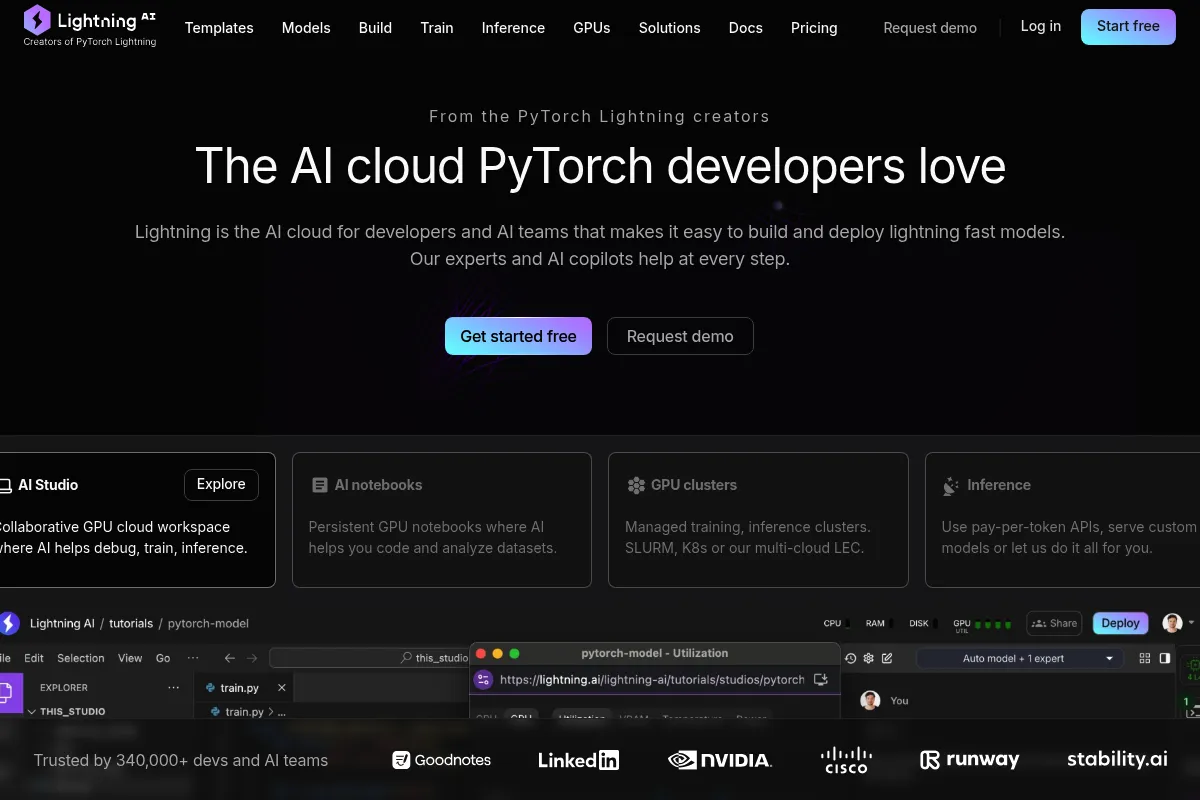
The platform provides a browser-based IDE (Studios) where users write code, manage data, and launch training jobs. It automates the provisioning of GPUs, handles distributed training across multiple nodes, and provides serverless endpoints for model deployment.
What makes it different
Unlike AWS SageMaker or Google Vertex AI, which often feel like a collection of disconnected services, Lightning AI treats the development environment as the core. It uses a 'Studio' concept that keeps your code, dependencies, and data together, making the transition from a single GPU to a 1,000-GPU cluster a configuration change rather than a refactor.
Ratings across the web

Ratings aggregated from independent review platforms.
Key Features
Lightning Studios
Persistent cloud environments that function like a local machine but with instant access to high-end GPUs.
Multi-Node Training
Scale PyTorch models across hundreds of GPUs with a single command, bypassing manual cluster setup.
Data Connectors
High-speed access to S3 and other cloud storage directly within the development environment.
App Gallery
Pre-configured templates for LLM fine-tuning, stable diffusion, and other common architectures.
Serverless Inference
Deploy models as API endpoints that scale to zero when not in use to save costs.
Lightning Fabric
A lightweight library to scale any PyTorch code without the full Lightning framework boilerplate.
Collaborative Coding
Real-time shared environments for teams to debug and build models together.
Pricing
Free
- 22 free credits per month
- Access to CPU and T4 GPU instances
- Community support
- Public Studios
Pro
- Access to A10G and A100 GPUs
- Persistent storage
- Private Studios
- Usage-based credit billing
Team
- Shared workspaces
- Multi-node training
- Priority GPU access
- Role-based access control
Enterprise
- VPC deployment
- SSO/SAML integration
- Custom quotas
- Dedicated support engineer
Pricing checked 5 months ago
Pricing guidance
- When you need to keep your code and data private.
- When you require A100 or H100 GPUs for large-scale training.
- When you need to train on more than one node simultaneously.
- Storage is billed separately from compute credits.
- Idle instances still consume a small amount of credits if not fully stopped.
- GPU availability can vary based on regional demand, even for paid tiers.
Competitive with other specialized ML clouds like Lambda or Modal, and significantly more user-friendly than the 'Big Three' cloud providers.
Pros & Cons
Strengths
-
Zero-friction GPU access
Eliminates the need to manage SSH keys, CUDA versions, or complex cloud provider consoles to get a GPU instance running.
-
State persistence
Unlike Colab, Studios save your files, installed packages, and configurations even when the instance is stopped, preventing setup fatigue.
-
Framework-native scaling
Because it's built by the creators of PyTorch Lightning, the platform handles distributed training more reliably than generic container orchestrators.
-
Unified workflow
Building, training, and serving happen in one place, reducing the 'glue code' typically needed to move models between different tools.
Weaknesses
-
Credit-based pricing complexity
The abstraction of costs into 'credits' can make it difficult to predict monthly spend compared to direct hourly GPU rates.
Affects: Finance teams and budget-conscious startups
-
PyTorch-centric design
While it supports other libraries, the best features and smoothest experiences are heavily optimized for the PyTorch ecosystem.
Affects: Teams using JAX, TensorFlow, or Scikit-learn
-
Vendor lock-in for Studios
The more you rely on the Studio-specific environment and data handling, the harder it becomes to migrate back to raw EC2 or other cloud providers.
Affects: Infrastructure architects
Real User Sentiment
Users generally praise the platform for its 'it just works' approach to GPU environments, though there is some friction regarding the transition to the credit-based billing model.
Users tend to like
- The speed of going from code to a running GPU instance.
- The ability to use VS Code directly in the browser with all extensions.
- The simplicity of distributed training commands.
- The 'Studio' concept for keeping projects organized.
Users commonly complain about
- Confusion over how credits are consumed for storage vs. compute.
- Occasional UI bugs in the cloud dashboard.
- The cost can escalate quickly if instances are left running accidentally.
Recurring tradeoffs
- You trade granular infrastructure control for development speed and ease of use.
Happiest users
PyTorch developers who are tired of fighting with Dockerfiles and cloud consoles.
Often frustrated
Users on tight, fixed budgets who find the variable credit system stressful to manage.
Use Cases
LLM Fine-tuning
Quickly spin up A100s to fine-tune Llama or Mistral models using pre-built templates.
Collaborative Research
Teams sharing a single Studio to iterate on model architectures in real-time.
Scaling Prototypes
Moving a model that works on a local laptop to a multi-GPU cluster without rewriting the training loop.
Serverless Deployment
Turning a trained model into a production API without managing a separate inference server.
ML Education
Instructors providing students with pre-configured environments that don't require local setup.
Frequently Asked Questions
Is Lightning AI free?
Lightning AI offers a free tier that includes 22 credits per month, which can be used for CPU or small GPU (T4) instances. However, for serious training or access to high-end GPUs like the A100, you will need to upgrade to a paid plan and purchase additional credits.
How does Lightning AI compare to AWS SageMaker?
Lightning AI is significantly more developer-focused and less complex than SageMaker. While SageMaker offers a massive suite of enterprise features, it often requires significant configuration. Lightning AI provides a more 'local-like' experience with its Studios, making it faster for R&D teams to iterate.
Can I use Lightning AI without the PyTorch Lightning library?
Yes. While it is optimized for the Lightning framework, you can run any Python code, including raw PyTorch, JAX, or TensorFlow, within a Lightning Studio. The platform functions as a general-purpose cloud IDE and compute provider.
What are the limitations of the Studio environment?
Studios are essentially managed containers. While you have root access and can install any Linux packages, very low-level kernel modifications or custom drivers are generally not supported. Additionally, you are limited by the GPU quotas associated with your plan level.
How does the credit system work?
You buy credits (or get them via subscription), and different machine types consume credits at different hourly rates. For example, a CPU instance might cost 1 credit/hour, while an A100 instance could cost 20+ credits/hour. Storage also consumes a small number of credits per GB per month.
Does Lightning AI support multi-node training?
Yes, multi-node training is one of its core strengths. On the Team and Enterprise plans, you can scale a Studio to run across multiple nodes (clusters of GPUs) with minimal configuration, which is essential for training large models.
Why trust this page?
This evaluation combines product positioning, pricing analysis, traffic and market signals, and public user sentiment into a single decision-support page. Content is generated editorially — not copied from the vendor's website.
Funding & Company
Founded
2019
Stage
Late stage
Total Raised
$103M
Latest Round
Undisclosed (Nov 2024)
Notable Investors
Lightning AI has raised a total of $103 million, backed by a mix of top-tier venture capital like Coatue and Index Ventures, and strategic corporate investors including NVIDIA and Cisco. This strong financial position was significantly enhanced by a 2026 merger with GPU infrastructure provider Voltage Park, signaling a strategic move to tightly integrate its AI development platform with underlying hardware.
Market Signals & Traffic
Estimated visits, global rank, geography, traffic sources, monthly visit trends, and organic search keywords (Similarweb)—on a dedicated page built for depth and search.
- Estimated visits
- 454,824
- Global rank
- #85,977
- Snapshot
- Apr 2026
- Traffic trend
- Rising
Estimated monthly visits
Alternatives to Lightning AI
View all alternativesAmazon CodeWhisperer
Developer Tools

AI-powered coding companion that generates code recommendations.
Weights & Biases (W&B)
Developer Tools, Research

Developer platform for tracking, visualizing, and managing machine learning experiments.
Hugging Face
Developer Tools, Productivity

Open-source platform for machine learning models, datasets, and tools.
Similar Tools
Snorkel AI
Developer Tools, Automation, Research

Programmatic data labeling and development platform for enterprise model building.
Julep
Developer Tools, Automation & Agents, Workflow

Development platform for building stateful agents with long-term memory.
Airbyte
Data Extraction, Developer Tools, Automation

Open-source data integration platform for building automated ELT pipelines.
Akash Network
Developer Tools, Research

Decentralized cloud marketplace for high-performance GPU and compute resources.
Unitree
Automation & Agents, Developer Tools, Research

High-performance quadruped and humanoid robots for consumer and industrial applications.
Fiddler
Developer Tools, Privacy & Compliance, Automation

Monitor, explain, and analyze machine learning models and LLMs.