

A private communication coach that provides real-time speech metrics during virtual meetings—best for individuals focused on self-improvement rather than team-wide meeting documentation.
Excellent for professionals looking to eliminate filler words and monitor pacing, weaker for teams needing collaborative AI note-taking or transcription.
Analysis based on product data, pricing structure, traffic signals, and public user sentiment.
Who Should Use Poised?
Typical users
Individual contributors, managers, and non-native English speakers who spend significant time in high-stakes virtual meetings.
Maturity fit
beginner to scaling
Choose this if…
- Your priority is personal professional development over team meeting notes
- You want immediate, private feedback on your speaking habits during a live call
- You need to track communication trends across multiple platforms like Zoom, Meet, and Teams
Skip this if…
- You find on-screen notifications distracting while trying to focus on a conversation
- You are looking for a tool to record, transcribe, and summarize meetings for a group
- Your computer has limited CPU resources, as live video/audio analysis can be taxing
About Poised
Poised is a personal communication coach designed to help professionals speak more clearly and confidently. It operates as a private background application that monitors speech patterns without other meeting participants knowing it is active.
Official profiles
What it actually does
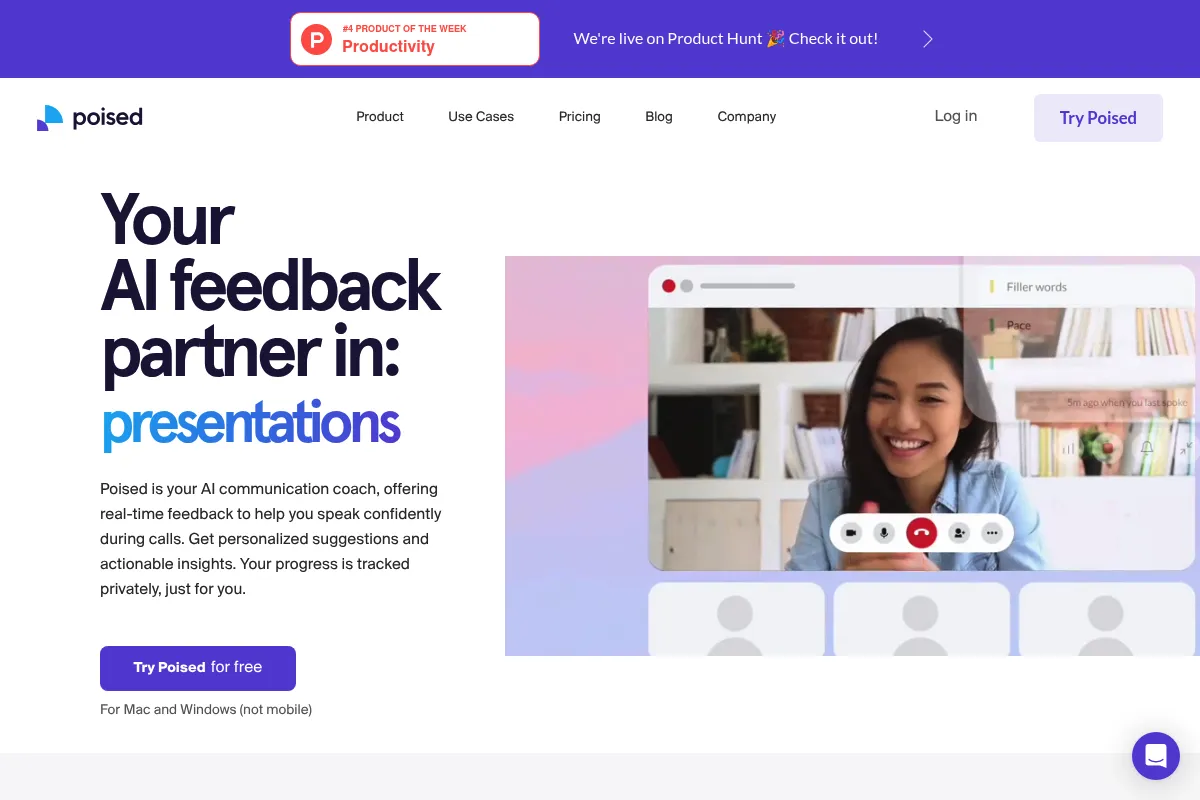
The tool analyzes your audio and video in real-time to provide visual cues regarding your pace, filler words, and confidence levels. After each session, it generates a performance report with a 'Poised Score' and specific recommendations for improvement.
What makes it different
Unlike most AI meeting assistants that join calls as a visible 'bot' to record and transcribe, Poised is a local application that acts as a private overlay. It focuses exclusively on the speaker's performance rather than the meeting's content or the other participants.
Ratings across the web

Ratings aggregated from independent review platforms.
Key Features
Live Feedback Overlay
Displays subtle visual alerts when you speak too fast or use crutch words.
Poised Score
A proprietary metric that aggregates clarity, confidence, and energy into a single daily or weekly grade.
Filler Word Breakdown
Identifies specific habits like overusing 'actually,' 'literally,' or 'um.'
Meeting History
A dashboard that visualizes your communication growth over months of usage.
Privacy-First Processing
Analyzes data locally to ensure your audio and video are not stored on external servers.
Custom Goals
Allows users to set specific targets, such as reducing interruptions or increasing 'encouraging' language.
Integration Library
Works with Zoom, Microsoft Teams, Google Meet, Slack, and BlueJeans.
Pricing
Free
- 1 meeting per week
- Basic metrics
- Limited history
Monthly
- Unlimited meetings
- Advanced coaching
- Full history
- Eye contact analysis
Annual
- Everything in Monthly
- Significant discount for yearly commitment
Pricing checked 4 months ago
Pricing guidance
- When you have more than one important meeting per week
- When you want to track long-term trends
- When you need specific coaching on facial expressions and eye contact
- Free plan excludes 'Energy' and 'Empathy' scores
- Historical data is purged on the free tier after a short period
Mid-range pricing that positions itself as a cheaper alternative to a human speech coach but a premium addition to a standard software stack.
Pros & Cons
Strengths
-
Complete privacy
Because it is a local overlay and not a meeting bot, you can receive coaching without your boss or clients ever knowing you are using it.
-
Objective performance data
Replaces vague feelings about a meeting with hard data on talk-to-listen ratios and speech clarity.
-
Broad compatibility
Works across virtually any video conferencing software, including browser-based tools, making it versatile for freelancers and consultants.
-
Actionable post-call review
Provides specific transcripts of the moments where you used filler words, allowing for targeted self-correction.
Weaknesses
-
Potential for distraction
Watching live alerts while trying to maintain a complex conversation can lead to a loss of focus or unnatural speech patterns.
Affects: Users in high-pressure or highly technical roles
-
High system resource usage
Running real-time AI analysis alongside video conferencing can cause lag or fan noise on older laptops.
Affects: Users with mid-range or older hardware
-
Limited free tier
The free version is so restricted that it functions more as a demo than a usable tool for habit change.
Affects: Budget-conscious individuals
Real User Sentiment
Generally positive, with users praising the accuracy of the metrics but occasionally complaining about the mental load of live feedback.
Users tend to like
- Privacy from other participants
- Detailed breakdown of specific filler words
- Clean and intuitive dashboard
- Helpful for non-native speakers
Users commonly complain about
- High CPU usage on MacBooks
- Notifications can be annoying during intense calls
- Subscription feels expensive for a single-purpose app
Recurring tradeoffs
- Users must trade some mental focus during the call for better data after the call.
Happiest users
ESL professionals and junior managers looking to build executive presence.
Often frustrated
Power users with older computers or those who expected a full meeting transcription service.
Use Cases
Interview Preparation
Practice common responses while the tool flags 'ums' and 'uhs' in real-time.
Sales Demos
Monitor your talking speed to ensure you aren't rushing through key product features.
Executive Presence
Help leaders reduce hedge words like 'just' or 'I think' to sound more authoritative.
Non-native Speaking
Assist professionals in monitoring their clarity and volume in a second language.
Public Speaking
Use the solo practice mode to refine a presentation before delivering it to an audience.
Frequently Asked Questions
Does Poised record my meetings?
No, Poised does not record or store your audio or video by default. It processes the data in real-time to provide feedback. You can choose to record specific segments for your own review, but these are private to you.
Can other people in the meeting see Poised?
No. Poised is a local application that runs as an overlay on your screen. It does not join the meeting as a participant, and your screen share will not show the Poised interface unless you specifically choose to share your entire desktop.
How does Poised compare to Yoodli?
Yoodli is better for offline practice, speech preparation, and team coaching. Poised is specifically designed for live, in-meeting feedback and operates as a background utility rather than a web-based practice platform.
Is the free version actually useful?
The free version is limited to one meeting per week. While it allows you to test the technology, it is generally insufficient for making long-term improvements to your speaking habits, which requires daily consistency.
What are the system requirements?
Poised requires a relatively modern Mac or Windows computer. Because it performs real-time AI analysis on video and audio streams, it can be resource-intensive and may cause performance issues on older hardware or machines with low RAM.
Does it work with Slack and Discord?
Yes, Poised is platform-agnostic. It monitors the audio and video output of your system, meaning it works with Slack huddles, Discord, and even browser-based conferencing tools like Jitsi.
Why trust this page?
This evaluation combines product positioning, pricing analysis, traffic and market signals, and public user sentiment into a single decision-support page. Content is generated editorially — not copied from the vendor's website.
Funding & Company
Founded
2020
Stage
Acquired
Total Raised
$4.5M
Latest Round
Seed (Jun 2021)
Notable Investors
Poised raised a total of $4.5M in a single Seed round in 2021 before being acquired by Deepgram in mid-2024. This acquisition provides a stable financial backing, shifting the tool's longevity from being dependent on venture capital to its strategic importance within its new parent company.
Market Signals & Traffic
Estimated visits, global rank, geography, traffic sources, monthly visit trends, and organic search keywords (Similarweb)—on a dedicated page built for depth and search.
- Estimated visits
- 74,817
- Global rank
- #441,037
- Snapshot
- Apr 2026
- Traffic trend
- Falling
Estimated monthly visits
Alternatives to Poised
View all alternatives
Similar Tools
Outrank
Content Creation

An AI-powered platform that automates SEO analysis and content creation to grow organic traffic.
Beam AI
Automation & Agents, Productivity, Communication

Platform for deploying autonomous agents to automate complex business workflows.
Anima
AI Assistant, Communication

Virtual companion for conversation practice and emotional support.
1min.AI
AI Assistant, Content Creation, Productivity

Unified workspace for text, image, video, and audio generation.
Listen Labs
Research, Productivity, Communication

Extract actionable insights from user interviews and feedback recordings.
HubSpot
Marketing Automation, Automation & Agents, Website Builder

Customer platform for marketing, sales, and service automation.