

A simplified, browser-based gateway to Stable Diffusion models that prioritizes accessibility and ease of use over the granular control found in local installations.
Excellent for beginners testing AI prompts without hardware constraints, weaker for professional workflows requiring custom LoRAs or complex node-based setups.
Analysis based on product data, pricing structure, traffic signals, and public user sentiment.
Who Should Use Stable Diffusion?
Typical users
Hobbyists, social media managers, and entry-level designers who need quick visual assets without managing Python environments or high-end hardware.
Maturity fit
beginner
Choose this if…
- You lack a dedicated GPU with high VRAM
- Your priority is immediate prompt testing over technical customization
- You want a searchable database of existing prompts to learn from
- You need a zero-setup environment to generate standard AI art
Skip this if…
- You need to use custom LoRAs, Checkpoints, or ControlNet extensions
- Your workflow requires high-volume API automation
- You require absolute privacy for sensitive commercial assets
- You are a power user who prefers the flexibility of Automatic1111 or ComfyUI
About Stable Diffusion
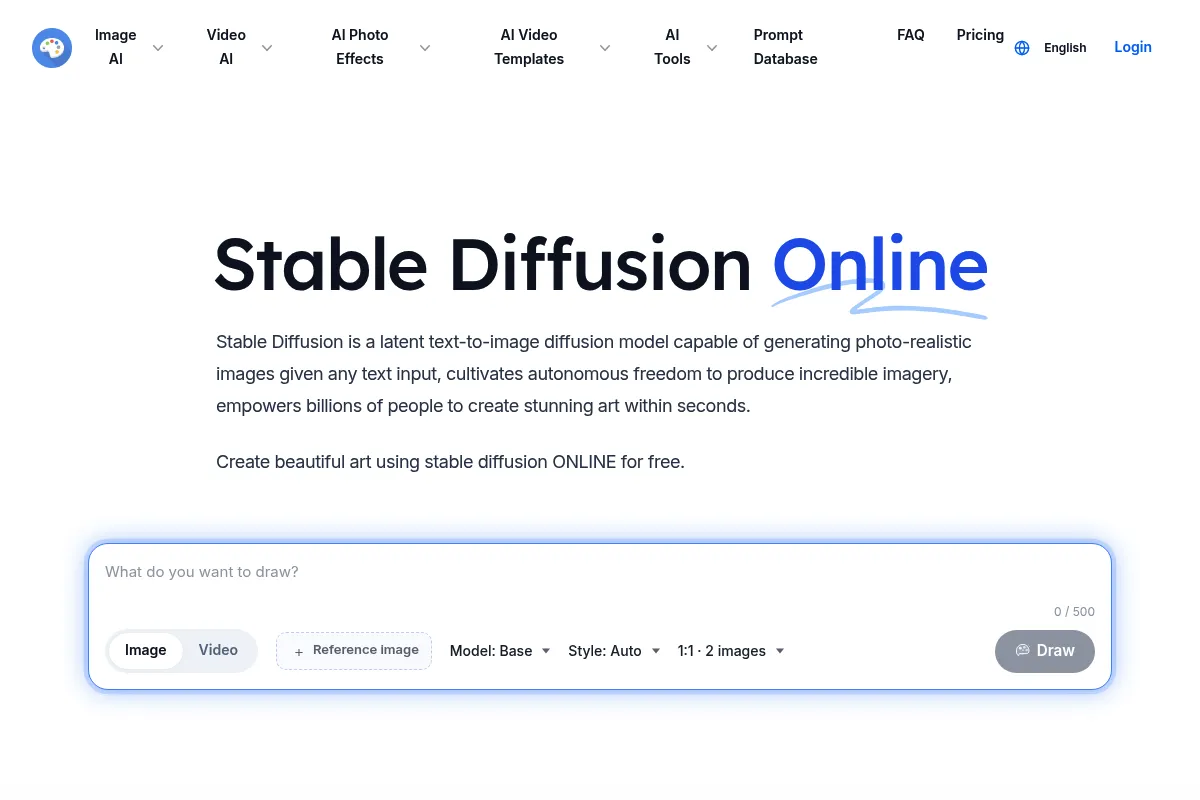
Stable Diffusion Online is a web-based implementation of the open-source Stable Diffusion models. It removes the technical barrier of local installation, allowing users to generate images directly in a browser using shared cloud compute.
What it actually does
The tool converts text descriptions into digital images using models like SDXL and SD 1.5. It provides a structured interface for prompting, image-to-image transformations, and basic editing tools like inpainting and outpainting.
What makes it different
Unlike official Stability AI tools or local installs, this platform focuses on a 'community-first' approach with a massive searchable prompt library. It trades the deep technical configuration of local setups for a streamlined, ad-supported free tier that works on any device.
Ratings across the web

Ratings aggregated from independent review platforms.
Key Features
Prompt Database
Allows users to search millions of existing images and their prompts to reverse-engineer styles.
SDXL Integration
Provides access to the high-resolution Stable Diffusion XL model without local hardware requirements.
Browser-Based Interface
Eliminates the need for Git, Python, or high-end NVIDIA GPUs.
Image-to-Image
Uses an uploaded image as a structural guide for new generations.
Inpainting
Allows users to erase parts of an image and fill them with new AI-generated content via text.
Negative Prompts
Gives users the ability to explicitly define what should not appear in the image.
Public Gallery
A community feed for sharing and discovering generated artwork.
Pricing
Free
- Public image generations
- Standard queue priority
- Ad-supported interface
- Basic SDXL access
Pro
- Faster generation speeds
- Private image generations
- No advertisements
- Priority support
Premium
- Highest priority queue
- Increased daily generation limits
- Commercial usage rights
- Early access to new models
Pricing checked 6 months ago
Pricing guidance
- When you need to keep your generated images private
- When queue times exceed 60 seconds consistently
- When you want to remove intrusive advertisements
- Daily credit caps even on paid plans
- Resolution limits on basic upscaling
- Public by default on the free tier
Budget-friendly entry point compared to Midjourney, but more expensive than running the software locally for free.
Pros & Cons
Strengths
-
Zero technical setup
Users can start generating images in seconds without worrying about dependencies, drivers, or hardware compatibility.
-
Accessible on low-end devices
Since the processing happens on the platform's servers, it works on Chromebooks, tablets, and older laptops.
-
Strong prompt discovery
The integrated prompt search engine is one of the best for beginners to learn how to structure complex AI instructions.
-
Generous free entry point
Allows for basic experimentation without an immediate financial commitment, unlike Midjourney.
Weaknesses
-
Limited model flexibility
You cannot upload custom models from Civitai or use specific LoRAs, which is the primary draw of the Stable Diffusion ecosystem.
Affects: Advanced creators and professional artists
-
Aggressive advertising
The free version is heavily monetized with ads and 'click-to-unlock' mechanics that degrade the user experience.
Affects: Free-tier users
-
Queue wait times
Free users often face significant delays during peak hours as priority is given to paid subscribers.
Affects: Casual users needing quick results
Real User Sentiment
Generally positive for ease of use, but frequently criticized for the 'cluttered' web experience and lack of advanced features found in local installs.
Users tend to like
- Ease of prompt discovery
- No GPU required
- Fast results on paid tiers
- Simple UI for inpainting
Users commonly complain about
- Too many ads on the free site
- Lack of custom LoRA support
- Occasional server instability
- Limited control over seeds and samplers
Recurring tradeoffs
- Convenience vs. Control: You get a browser interface but lose the ability to fine-tune the model.
Happiest users
Casual creators and beginners who want to generate AI art without learning how to code or manage hardware.
Often frustrated
Experienced AI artists who find the lack of extensions and custom model support too restrictive.
Use Cases
Social Media Content
Creating unique illustrations for posts without stock photo fees.
Concept Art
Rapidly visualizing characters or environments for writers and game devs.
Prompt Engineering Practice
Using the database to learn how specific keywords affect image output.
Blog Visuals
Generating header images that match specific article themes.
Personal Projects
Creating custom wallpapers or avatars for non-commercial use.
Frequently Asked Questions
Is Stable Diffusion Online free?
Yes, there is a free tier that allows you to generate images, but it is ad-supported, has longer wait times, and all generated images are public. For private generations and faster speeds, you must upgrade to a Pro or Premium plan starting at $10/month.
How does this compare to Midjourney?
Stable Diffusion Online is generally cheaper and offers a web UI, whereas Midjourney requires Discord. However, Midjourney typically produces higher aesthetic quality 'out of the box,' while Stable Diffusion requires more prompt effort but offers more technical tools like inpainting.
Can I use the images commercially?
Commercial rights are typically reserved for paid tiers. On the free tier, images are public and ownership rights can be murky. Always check the latest Terms of Service on the site before using images for business.
Can I upload my own models or LoRAs?
No. This platform uses a fixed set of models (like SDXL and SD 1.5). If you need to use custom models from sites like Civitai, you must use a local installation like Automatic1111 or a cloud service like RunPod.
Does it integrate with other tools?
Stable Diffusion Online is a standalone web tool and does not offer native integrations with Photoshop, Figma, or Canva. For integrated workflows, you would need to download the images and manually import them.
What are the hardware requirements?
There are no hardware requirements for your computer because the images are generated on the platform's servers. You only need a modern web browser and an internet connection.
Why trust this page?
This evaluation combines product positioning, pricing analysis, traffic and market signals, and public user sentiment into a single decision-support page. Content is generated editorially — not copied from the vendor's website.
Funding & Company
Founded
2019
Stage
Seed
Total Raised
$181M
Latest Round
Seed (Jun 2024)
Notable Investors
Stability AI, the company behind Stable Diffusion, has raised a total of $181 million across two significant seed rounds. Its initial $101 million round in 2022 valued the company at $1 billion, followed by a crucial $80 million investment in mid-2024 amidst a leadership overhaul. This funding from notable investors like Coatue and Lightspeed Venture Partners provides the company with capital to navigate a turbulent period.
Market Signals & Traffic
Estimated visits, global rank, geography, traffic sources, monthly visit trends, and organic search keywords (Similarweb)—on a dedicated page built for depth and search.
- Estimated visits
- 1,806,357
- Global rank
- #25,476
- Snapshot
- Apr 2026
- Traffic trend
- Cooling
Estimated monthly visits
Alternatives to Stable Diffusion
View all alternativesMidjourney
Content Creation

AI tool that generates images from natural language text prompts.
Adobe Firefly
Content Creation, Video Creation

Generative AI tools for creating and editing images, video, and more.
Leonardo AI
Content Creation

AI platform for creating and editing visual assets like images and video.
Similar Tools
Generated Photos
Content Creation, Design

AI-generated images for any project, royalty-free.
AirBrush
Content Creation, Design

Generate professional stock photos and illustrations from text prompts
Magnific AI
Content Creation, Design

AI-powered tool to upscale and enhance images with incredible detail.
Remove.bg
Content Creation, Design

AI-powered tool to automatically remove image backgrounds in seconds.
Brandmark
Content Creation, Design

AI-powered logo and brand identity generator.
Tripo AI
Content Creation, Design

AI-powered platform for generating 3D models from text or images.