

TLDR This
A straightforward summarization utility that strips web clutter and condenses articles into bullet points—best for casual readers and students, but lacks the depth required for heavy academic research.
Excellent for clearing information backlogs and skimming news, weaker for synthesizing complex technical papers or multi-document analysis.
Analysis based on product data, pricing structure, traffic signals, and public user sentiment.
Who Should Use TLDR This?
Typical users
Students, content curators, and professionals who need to skim high volumes of news or blog posts daily.
Maturity fit
beginner
Choose this if…
- You want a one-click summary from your browser without opening a separate AI chat
- Your priority is removing ads and distractions while reading
- You need to quickly determine if a long-form article is worth a full read
Skip this if…
- You need to summarize highly technical PDFs with complex tables and charts
- Your workflow requires deep citations and cross-referencing between multiple documents
- You already pay for a general-purpose AI like ChatGPT Plus or Claude Pro
About TLDR This
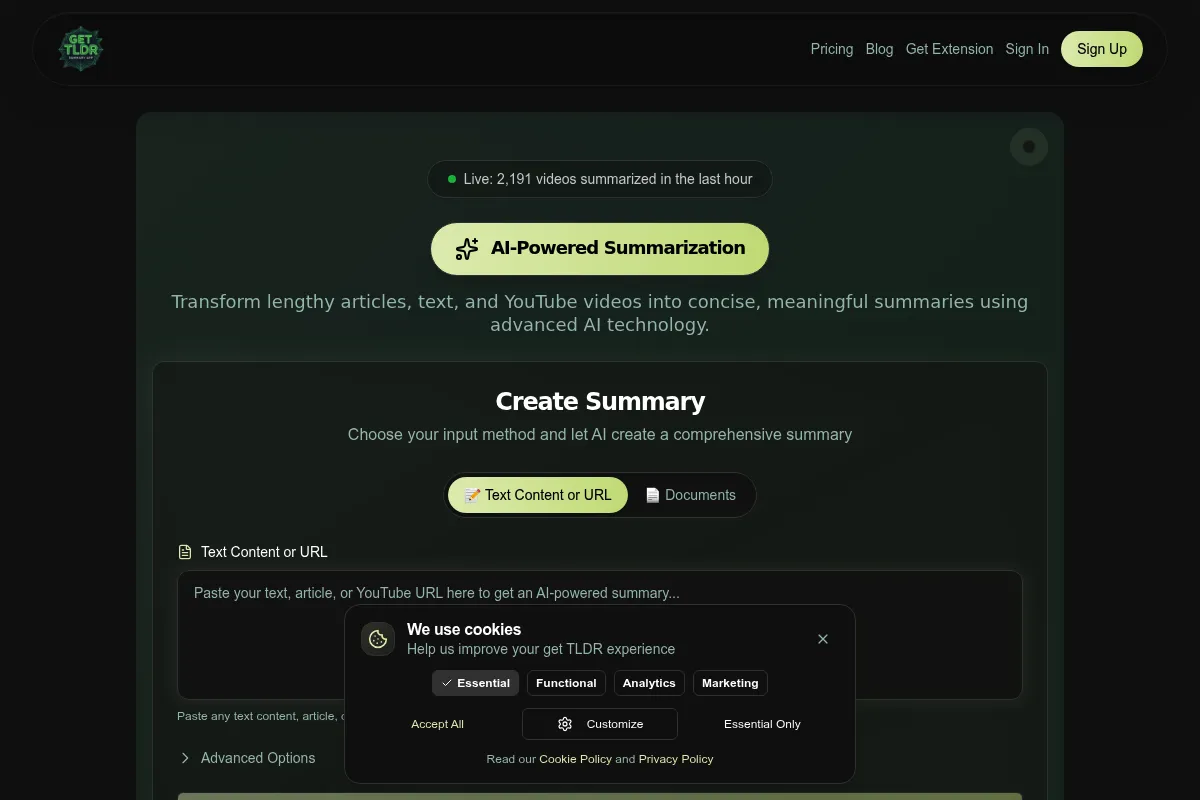
TLDR This is a web-based utility and browser extension designed to combat information overload. It extracts core themes from URLs and uploaded files, presenting them in a clean, ad-free interface for faster consumption.
What it actually does
The tool converts long-form web content into short or detailed summaries using extractive and abstractive AI. It also identifies key metadata like reading time, author, and relevant images while removing distracting site elements.
What makes it different
Unlike general AI chat interfaces, it is purpose-built for reading. It includes a distraction-free mode that re-renders the original article without ads or pop-ups, functioning more like a 'Reader Mode' with built-in intelligence rather than just a text generator.
Key Features
Browser Extensions
Summarize any web page instantly without leaving the current tab.
Detailed vs. Short Summaries
Toggle between a 3-bullet overview or a comprehensive breakdown of the text.
Distraction-free Mode
Removes ads, sidebars, and pop-ups to provide a clean reading environment.
Metadata Extraction
Automatically pulls author names, publication dates, and primary images for context.
Clickbait Filter
Attempts to identify and ignore sensationalist filler text to find the actual story.
Human-like Summarization
Uses abstractive AI to rewrite points for better flow rather than just cutting and pasting sentences.
Pricing
Free
- 10 Advanced AI summaries per month
- Unlimited Basic summaries
- Distraction-free reader
- Browser extensions
Starter
- 100 Advanced AI summaries per month
- Priority support
- No ads
- Detailed summary mode
Professional
- 500 Advanced AI summaries per month
- Priority support
- Early access to new features
Business
- Unlimited Advanced AI summaries
- Highest priority support
- Full feature set
Pricing checked 4 months ago
Pricing guidance
- Exhausting the 10 advanced summary monthly limit
- Needing to process long PDF documents frequently
- Requiring higher accuracy for professional research
- Basic summaries use older extractive technology and are significantly lower quality than Advanced summaries
- Monthly limits do not roll over
Affordable for casual users, though the value proposition is challenged by free general-purpose AI tools.
Pros & Cons
Strengths
-
Low-friction workflow
The browser extension makes it significantly faster to get a summary than copying and pasting text into a separate AI tool.
-
Clean reading experience
By stripping away ads and trackers, it functions as a high-quality 'Reader Mode' that happens to include AI summaries.
-
Metadata awareness
It provides estimated reading times and author info, which helps in deciding how to prioritize content in a queue.
Weaknesses
-
Accuracy on technical text
It can miss critical nuances in scientific papers or legal documents, occasionally oversimplifying complex arguments.
Affects: Researchers and legal professionals
-
Paywall limitations
The tool often fails to summarize content behind hard paywalls (e.g., WSJ or FT) unless the user has an active subscription and the extension can read the rendered text.
Affects: Business users and news junkies
-
Credit-based system
The distinction between 'Basic' and 'Advanced' summaries can be confusing, with the best results locked behind a limited credit count.
Affects: Heavy users on the free or starter plans
Real User Sentiment
Users generally appreciate the convenience and the clean UI, though power users find the AI models less capable than the latest GPT or Claude iterations.
Users tend to like
- The 'Distraction-free' mode is a favorite for reading long articles
- The Chrome extension is reliable and fast
- Simple, no-nonsense interface
Users commonly complain about
- Occasional server lag during peak hours
- Struggles with very long documents (>50 pages)
- Advanced summary credits run out quickly on the free tier
Recurring tradeoffs
- Users trade the depth and conversational flexibility of ChatGPT for the speed and 'one-click' nature of this dedicated tool.
Happiest users
Casual readers who want to clear their 'Read Later' lists quickly.
Often frustrated
Academic researchers who need high-precision summaries of dense scientific papers.
Use Cases
Newsletter Curation
Quickly skimming 20+ articles to find the best links for a weekly roundup.
Student Research
Summarizing a dozen open-access papers to see which ones are relevant for a thesis.
News Consumption
Getting the gist of daily headlines without clicking through 15 different ad-heavy websites.
Content Marketing
Analyzing competitor blog posts to identify their core arguments and structure.
Email Management
Pasting long email threads into the tool to get a bulleted list of action items.
Frequently Asked Questions
Is TLDR This actually free?
Yes, there is a free tier that offers unlimited 'Basic' summaries (which extract existing sentences) and 10 'Advanced' summaries (which use AI to rewrite the text) per month. For most users, the 10 advanced summaries are the only ones that feel truly useful.
How does it compare to ChatGPT?
TLDR This is a specialized tool with a browser extension and a distraction-free reader mode, making it much faster for web browsing. However, ChatGPT is more flexible, allowing you to ask follow-up questions or change the tone of the summary, which TLDR This cannot do.
Can it summarize PDFs?
Yes, you can upload PDF and Docx files directly to the web app. It works best on text-heavy documents but may struggle with PDFs that are primarily images or have complex multi-column layouts.
Does it work on paywalled sites?
It depends. If the browser extension can see the full text on your screen (because you are logged in), it can usually summarize it. If the content is hidden behind a server-side paywall that requires a login to even load the text, the tool will likely fail.
What is the difference between Basic and Advanced summaries?
Basic summaries use extractive algorithms to pick out the most important-looking sentences from the original text. Advanced summaries use abstractive AI (similar to GPT) to understand the context and write entirely new, more coherent bullet points.
Why trust this page?
This evaluation combines product positioning, pricing analysis, traffic and market signals, and public user sentiment into a single decision-support page. Content is generated editorially — not copied from the vendor's website.
Funding & Company
Founded
2019
Stage
Bootstrapped
Total Raised
Bootstrapped
Latest Round
—
TLDR This is a bootstrapped company and has not raised any external funding. Its stability and longevity are dependent on its own revenue generation and operational efficiency rather than venture capital.
Market Signals & Traffic
Estimated visits, global rank, geography, traffic sources, monthly visit trends, and organic search keywords (Similarweb)—on a dedicated page built for depth and search.
- Estimated visits
- 945
- Global rank
- #8,184,517
- Snapshot
- Apr 2026
- Traffic trend
- Falling
Estimated monthly visits
Alternatives to TLDR This
View all alternativesQuillBot
Content Creation, AI Assistant

AI-powered writing assistant for paraphrasing, grammar checking, and summarizing.
Wordtune
AI Assistant, Content Creation

AI-powered writing assistant for rewriting, refining, and improving text.
Similar Tools
Jace
AI Assistant, Automation & Agents, Workflow

Autonomous agent for automating complex digital tasks and workflows.
Dot
AI Assistant, Health & Wellness, Productivity

Personal assistant and companion that builds long-term memory.
Noty
AI Assistant, Productivity, Communication

Meeting assistant for automated transcription, summaries, and action items.
Felo AI
Productivity, Content Creation, Automation & Agents

AI-powered platform for search, content creation, and automation.
Rose
Research, Productivity, Search

Platform for discovering, cleaning, and visualizing complex data sets.
Nabla
AI Assistant, Documentation, Health & Wellness

Ambient assistant for automated clinical documentation and medical notes.