

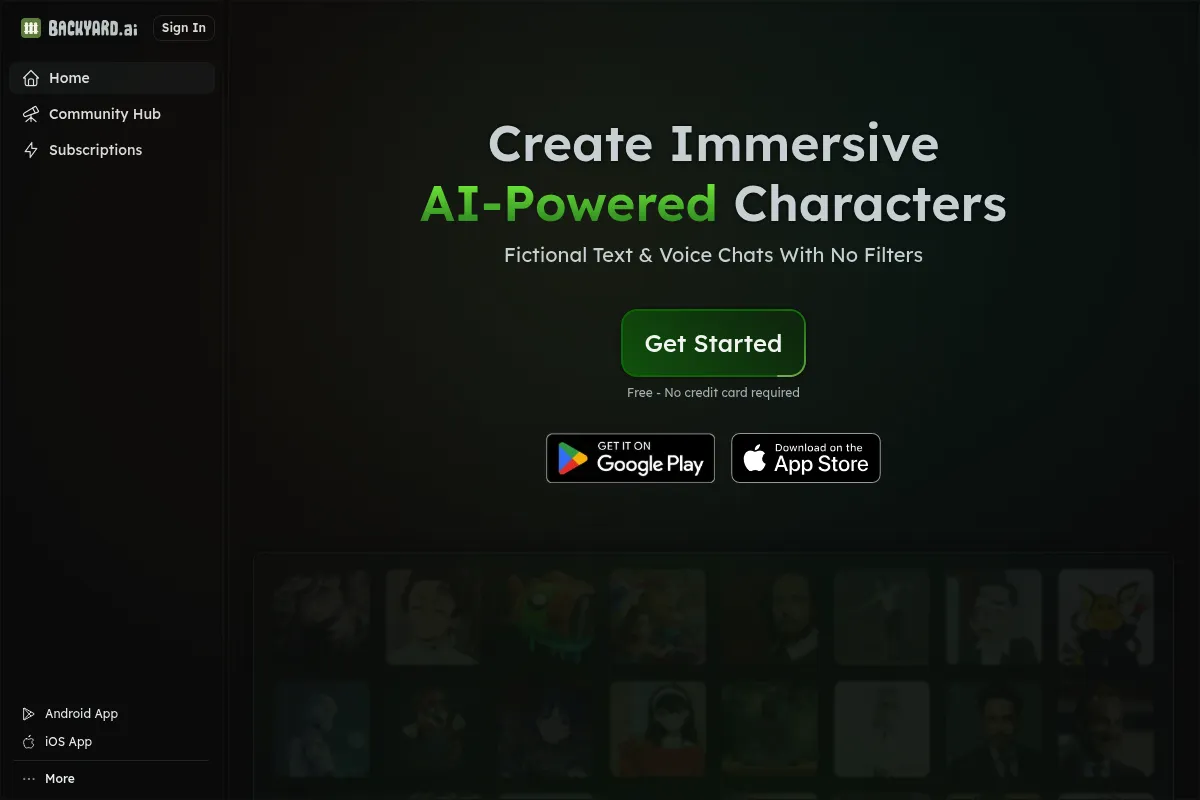
A local LLM desktop client that simplifies model management and character-based chatting for privacy-conscious users who want to avoid technical configuration.
Best for non-technical users seeking a private, offline ChatGPT alternative, but weaker for developers requiring deep API control or open-source transparency.
Analysis based on product data, pricing structure, traffic signals, and public user sentiment.
Who Should Use Faraday?
Typical users
Privacy-focused individuals, creative writers, and hobbyists who want to run open-source models on their own hardware without using the command line.
Maturity fit
beginner to scaling
Choose this if…
- You want a one-click installer for local AI models
- Your priority is data privacy and offline access over model size
- You want to chat with specific AI characters or personas
- You have a modern Mac (M1/M2/M3) or a PC with a dedicated NVIDIA/AMD GPU
Skip this if…
- You need to integrate local LLMs into a production software workflow via a robust API
- You require a fully open-source software stack (the Faraday client is proprietary)
- Your hardware lacks a dedicated GPU or has less than 8GB of RAM
About Faraday
Faraday is a cross-platform desktop application designed to make local large language models accessible to the general public. It removes the technical friction of setting up Python environments or managing model weights manually, providing a consumer-grade interface for local AI.
What it actually does
The application allows users to browse a curated hub of open-source models, download them directly, and start chatting immediately. It manages hardware acceleration automatically, offloading tasks to the GPU to ensure responsive performance without requiring manual configuration.
What makes it different
Unlike developer-centric tools like Ollama or LM Studio, Faraday emphasizes a 'character' ecosystem and offers a proprietary cloud sync service. This allows users to start a conversation on their desktop and continue it on mobile via Faraday Cloud while maintaining the core processing on their local machine.
Ratings across the web

Ratings aggregated from independent review platforms.
Key Features
One-Click Setup
Eliminates the need for terminal commands or complex environment variables.
Character Hub
Provides a library of pre-configured AI personalities for roleplay or specific tasks.
Faraday Cloud
Syncs local chats to a mobile app without sending data to third-party LLM providers.
Automatic Quantization Selection
Suggests the best model version based on your available VRAM.
Local Storage
Keeps all chat logs and model weights on your physical hard drive by default.
Model Switching
Allows users to swap between Llama 3, Mistral, and Phi-3 within the same interface.
Tethering Mode
Enables remote access to your home PC's hardware from a web browser or phone.
Pricing
Desktop App
- Unlimited local chatting
- Full model hub access
- Local character management
- Hardware acceleration
Faraday Plus
- Cloud sync for mobile
- Remote tethering
- Early access to new features
- Priority support
Faraday Pro
- Higher cloud storage limits
- Hosted model access (when local PC is off)
- Advanced character tools
Pricing checked 4 months ago
Pricing guidance
- When you want to chat with your local models from your phone
- When you need to back up your characters and chats to the cloud
- When you want to support the developers of the platform
- Cloud sync requires your home PC to be powered on and connected to the internet
- The free version does not include hosted cloud models
Freemium model where the core local utility is free, and convenience/mobility features are monetized.
Pros & Cons
Strengths
-
Zero-configuration hardware acceleration
It automatically detects Apple Silicon or NVIDIA/AMD GPUs, ensuring users get the fastest possible inference without tweaking backend settings.
-
Superior user experience for non-developers
The interface is polished and intuitive, making it the most accessible entry point for users who find tools like Text-Generation-WebUI intimidating.
-
Privacy-first mobile access
The Cloud sync feature allows for mobile use while keeping the 'brain' of the AI on your own hardware, avoiding the privacy risks of centralized AI services.
Weaknesses
-
Proprietary source code
While it runs open-source models, the Faraday client itself is closed-source, which may be a dealbreaker for users who demand total transparency.
Affects: Privacy enthusiasts and open-source purists
-
Limited developer API features
It lacks the extensive local server and API capabilities found in Ollama, making it less suitable for building apps on top of the local model.
Affects: Software developers and engineers
-
High hardware requirements for large models
Running high-quality models (30B+ parameters) requires significant VRAM, which can lead to slow performance or crashes on standard consumer laptops.
Affects: Users with older or entry-level hardware
Real User Sentiment
Generally positive, with users praising the 'it just works' experience compared to other local LLM runners.
Users tend to like
- Ease of installation
- Polished user interface
- Mobile tethering capability
- Active Discord community
Users commonly complain about
- Closed-source nature of the app
- Occasional bugs with cloud sync
- Resource intensity on mid-range laptops
Recurring tradeoffs
- Users trade the customizability of a CLI for the convenience of a GUI.
- Cloud features introduce a dependency on Faraday's servers for an otherwise local tool.
Happiest users
Creative writers and roleplayers who want a private, uncensored AI with a great UI.
Often frustrated
Developers who want to use their local LLM as a backend for other applications via a standardized API.
Use Cases
Creative Writing
Brainstorming plot points and dialogue without the content filters found in ChatGPT.
Private Journaling
Using an AI to reflect on personal thoughts without data ever leaving the computer.
Coding Assistance
Pasting sensitive internal code into a local model to avoid leaking intellectual property.
Offline Learning
Accessing a knowledge-based AI during travel or in areas with no internet connectivity.
Character Roleplay
Creating and interacting with specific personas for entertainment or practice.
Frequently Asked Questions
Is Faraday completely free?
The desktop application is free to download and use for local models. You only pay if you want to use Faraday Cloud for mobile syncing or remote access, which starts at $10/month.
How does Faraday compare to LM Studio?
Faraday is more focused on the 'chat' and 'character' experience, making it easier for non-technical users. LM Studio offers more granular control over model parameters and is generally preferred by developers testing specific configurations.
Do I need an internet connection to use Faraday?
You need an internet connection to download the app and the models. Once a model is downloaded, you can chat with it entirely offline unless you are using the Cloud sync features.
What are the minimum hardware requirements?
You generally need at least 8GB of RAM. For a smooth experience, a dedicated GPU (NVIDIA RTX or Apple M-series chip) is highly recommended. Without a GPU, the AI will respond much slower using only your CPU.
Can I use Faraday for business data?
Yes, because the models run locally, your data does not leave your machine. This makes it safer for processing sensitive business information than cloud-based AI like Claude or Gemini.
Does Faraday support the latest models like Llama 3?
Yes, Faraday supports the GGUF format, which means it can run almost any open-source model, including Llama 3, Mistral, and Google's Gemma, shortly after they are released.
Why trust this page?
This evaluation combines product positioning, pricing analysis, traffic and market signals, and public user sentiment into a single decision-support page. Content is generated editorially — not copied from the vendor's website.
Funding & Company
Founded
2022
Stage
Seed
Total Raised
$2.46M
Latest Round
Seed (Jan 2024)
Notable Investors
Backyard AI (formerly Faraday.dev) has raised a single seed round of $2.46 million. This early-stage funding provides the initial capital to develop its privacy-focused, local AI platform and build a user base. The company's stability will depend on its ability to secure further funding or generate sufficient revenue to support its growth.
Market Signals & Traffic
Estimated visits, global rank, geography, traffic sources, monthly visit trends, and organic search keywords (Similarweb)—on a dedicated page built for depth and search.
- Estimated visits
- 2,052
- Global rank
- #8,163,921
- Snapshot
- Apr 2026
- Traffic trend
- Surging
Estimated monthly visits
Alternatives to Faraday
View all alternativesOllama
Developer Tools, Privacy & Compliance

Run large language models locally on your machine.
LM Studio
Developer Tools, Privacy & Compliance, AI Assistant

Run large language models locally on your own computer
GitHub Copilot
Developer Tools, AI Assistant

AI-powered coding assistant that suggests and generates code.
Similar Tools
GIMP
Design, Content Creation

Professional open-source image editor for photo retouching and graphic design.
Mem0
Developer Tools, Automation & Agents, Productivity
Persistent memory layer for personalized agents and applications.
StepFun
AI Assistant, Content Creation, Developer Tools

Multimodal platform for text, image, video, and audio generation
Skild AI
Automation & Agents, Developer Tools
General-purpose foundation model for robotics and physical intelligence.
Poe
AI Assistant, Content Creation
A platform to chat with and create AI bots, accessing multiple models in one place.
Kindo
Automation & Agents, Privacy & Compliance, Workflow
Centralized enterprise platform for managing and orchestrating multiple language models.