

A browser-based video editor that offloads processing to the cloud, making fast rendering accessible on low-spec hardware like Chromebooks and older laptops.
Excellent for social media managers and educators needing fast turnaround on short-form content, weaker for high-bitrate professional cinematography.
Analysis based on product data, pricing structure, traffic signals, and public user sentiment.
Who Should Use Flixier?
Typical users
Social media managers, YouTube creators, and corporate trainers who need to produce video quickly without investing in high-end hardware.
Maturity fit
beginner to scaling
Choose this if…
- You are working on a computer with limited CPU/GPU power
- Your priority is export speed over advanced color grading
- You need to generate subtitles or voiceovers automatically within the editor
- You want to edit and collaborate entirely within a web browser
Skip this if…
- You require offline editing capabilities
- You need advanced 3D motion graphics or complex visual effects
- You are working with extremely large raw 4K/8K files that exceed browser upload stability
About Flixier
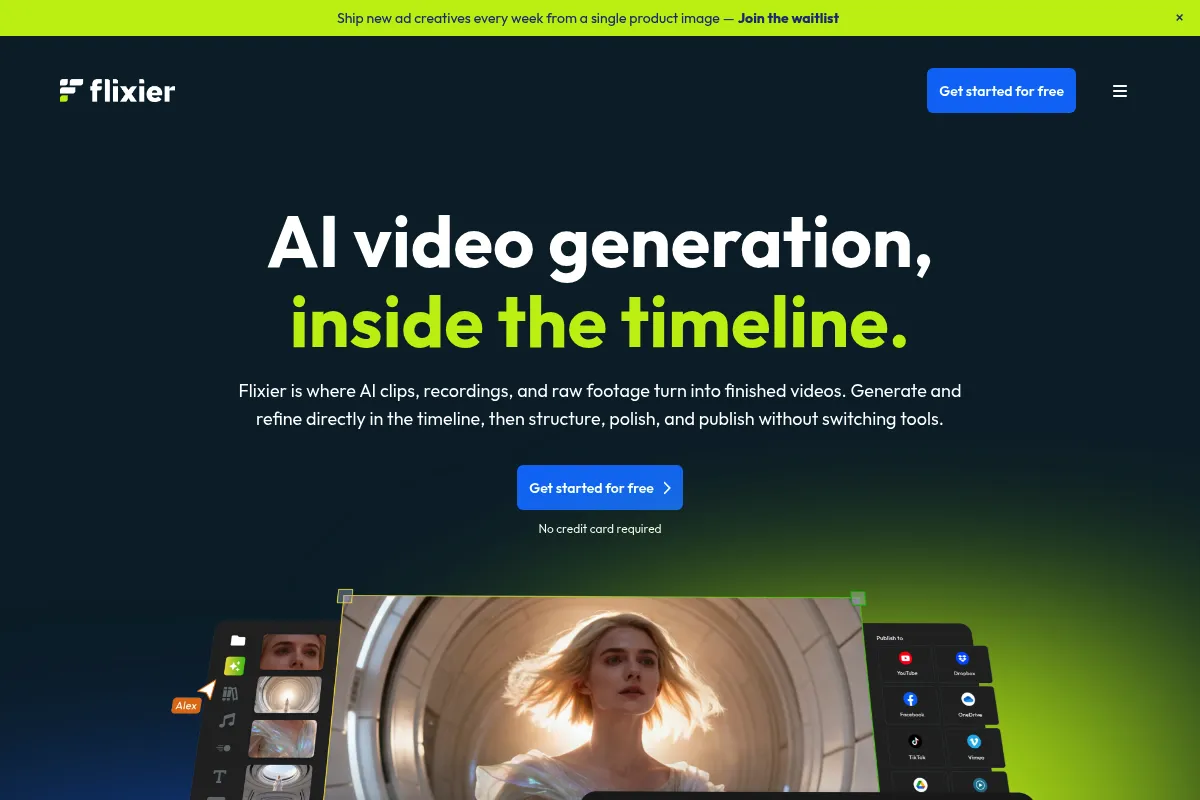
Flixier is a cloud-native video editing platform designed to bring desktop-level timeline features to the browser. It focuses on speed by using remote servers to handle the heavy lifting of video rendering and encoding.
What it actually does
It provides a multi-track timeline for trimming, layering, and syncing video, audio, and text. Users can record their screens, generate AI-powered subtitles, and export finished videos directly to social media platforms.
What makes it different
The core differentiator is its cloud-rendering engine, which processes video on Flixier's servers rather than the user's local machine. This allows for consistent export speeds regardless of whether the user is on a $300 Chromebook or a $3,000 workstation.
Ratings across the web

Ratings aggregated from independent review platforms.
Key Features
Cloud Rendering
Offloads video processing to remote servers to ensure fast exports on any device.
Auto-Subtitle Generator
Transcribes audio into synchronized captions to improve social media accessibility.
Text-to-Speech
Converts written scripts into AI-generated voiceovers in multiple languages.
Stock Library Integration
Provides built-in access to millions of royalty-free images, videos, and music tracks.
Collaborative Review
Generates shareable links for stakeholders to leave time-stamped feedback on drafts.
Screen Recorder
Captures browser tabs or full desktops for creating tutorials and software demos.
Brand Kits
Stores logos, fonts, and color palettes for consistent visual identity across projects.
Pricing
Free
- 10 minutes of export per month
- 720p export resolution
- 2GB cloud storage
- Flixier watermark included
Pro
- 300 minutes of export per month
- 1080p Full HD resolution
- 10GB cloud storage
- No watermarks
- Priority support
Business
- 600 minutes of export per month
- 4K Ultra HD resolution
- 50GB cloud storage
- Brand kits
- Collaboration features
Pricing checked 6 months ago
Pricing guidance
- When you need to remove the Flixier watermark
- When you exceed 10 minutes of finished video per month
- When you need 4K resolution for professional delivery
- Export minutes do not roll over to the next month
- Storage limits apply to raw assets, not just finished exports
- 4K resolution is locked behind the most expensive tier
Affordable for hobbyists and small businesses, but can become expensive for agencies requiring high-volume exports.
Pros & Cons
Strengths
-
Hardware-agnostic performance
Because rendering happens in the cloud, users on low-end laptops can export 1080p video as fast as those on high-end machines.
-
Efficient subtitle workflow
The AI transcription is surprisingly accurate and saves hours of manual typing, which is critical for social media creators.
-
Zero installation required
Being entirely browser-based means teams can jump into projects from any computer without managing software updates or licenses.
Weaknesses
-
Internet dependency
You cannot edit or export without a stable internet connection, and large file uploads can be slow on poor connections.
Affects: Remote workers or those with inconsistent bandwidth
-
Strict export limits on lower tiers
The monthly export minutes are consumed quickly, and hitting the limit mid-month can halt production unless you upgrade.
Affects: High-volume content creators
-
Browser stability issues
Complex projects with many layers can occasionally cause browser tabs to crash or lag if the cache isn't managed.
Affects: Users working on long-form or high-complexity edits
Real User Sentiment
Users generally appreciate the speed and ease of use, though there is recurring frustration regarding the strictness of the free tier and export limits.
Users tend to like
- Extremely fast export times
- Intuitive drag-and-drop interface
- Reliable auto-subtitle feature
- Ability to edit on low-powered devices
Users commonly complain about
- Watermarks on the free version
- Occasional browser crashes during heavy edits
- Limited advanced audio editing tools
- Upload times for large 4K files
Recurring tradeoffs
- You trade deep technical control (like advanced color grading) for speed and accessibility.
Happiest users
Social media managers who need to turn a raw clip into a captioned, branded video in under 15 minutes.
Often frustrated
Professional editors used to keyboard shortcuts and the stability of local software like DaVinci Resolve.
Use Cases
YouTube Content
Trimming footage and adding motion titles for weekly vlogs.
Social Media Ads
Creating short, captioned videos for Instagram and TikTok.
Educational Tutorials
Recording screens and adding voiceovers for online courses.
Corporate Communications
Quickly editing internal announcements or training clips.
Webinar Highlights
Cutting long recordings into bite-sized clips for LinkedIn.
Frequently Asked Questions
Is Flixier actually free?
Flixier offers a free tier, but it is highly restrictive. It includes a watermark on all exports and limits you to only 10 minutes of exported video per month. It is best used as a trial to see if the interface works for you before committing to a paid plan starting at $14/month.
How does Flixier compare to CapCut?
CapCut is more focused on mobile-first trends and viral effects, whereas Flixier is built for a desktop-style browser experience with a focus on cloud rendering. Flixier is generally better for professional-looking horizontal content and corporate videos, while CapCut wins on creative filters and mobile ease.
Can I use Flixier offline?
No. Flixier is a cloud-based tool and requires an active internet connection to access your projects, assets, and to perform the rendering process. If you need to edit while traveling without Wi-Fi, you should look at local software like Adobe Premiere or Final Cut Pro.
Does Flixier support 4K video?
Yes, but only on the Business plan ($30/month billed annually). The Pro plan is limited to 1080p, and the Free plan is limited to 720p. If your workflow requires 4K, you must be prepared to pay for the highest tier.
What happens if I run out of export minutes?
Once you hit your monthly limit (e.g., 300 minutes on the Pro plan), you cannot export any more videos until your billing cycle resets. You can either wait for the next month or upgrade to a higher tier to get more minutes immediately.
Can I collaborate with others on a video?
Yes, the Business and Enterprise plans include collaboration features that allow you to share projects with team members and receive time-stamped feedback via review links, similar to how Google Docs works for text.
Why trust this page?
This evaluation combines product positioning, pricing analysis, traffic and market signals, and public user sentiment into a single decision-support page. Content is generated editorially — not copied from the vendor's website.
Funding & Company
Founded
2019
Stage
Seed
Total Raised
$56.5K
Latest Round
Seed (Jun 2019)
Notable Investors
Flixier raised a single seed round of approximately $56,500 (€50,000) in mid-2019 through the Techcelerator accelerator program. The company has not announced any subsequent funding and appears to have operated and grown on this initial capital and its own revenue for over seven years.
Market Signals & Traffic
Estimated visits, global rank, geography, traffic sources, monthly visit trends, and organic search keywords (Similarweb)—on a dedicated page built for depth and search.
- Estimated visits
- 1,390,778
- Global rank
- #32,560
- Snapshot
- Apr 2026
- Traffic trend
- Surging
Estimated monthly visits
Alternatives to Flixier
View all alternativesVEED AI
Video Creation, Content Creation

AI-powered online video editor for creating and enhancing content.
Kapwing AI
Content Creation, Video Creation

Online video editor with AI tools for content creation and repurposing.
Canva AI
Content Creation

Online design tool for creating graphics, presentations, videos, and websites.
Similar Tools
Nano Banana
Video Creation, Content Creation, Social Media

Generate faceless social media videos from text prompts.
Digen
Video Creation, Content Creation, Social Media

Create realistic videos and talking avatars from text or images.
Mubert
Music Generation, Content Creation

AI-powered platform for generating royalty-free music.
DeepAI
Content Creation, AI Assistant, Productivity

AI platform for generating images, videos, music, and text.
LMNT
Developer Tools, Communication, Gaming

Real-time speech synthesis and voice cloning for developers.
Symbolic
Content Creation, Workflow, Automation & Agents

Streamline publishing workflows by capturing and reusing institutional editorial knowledge.