
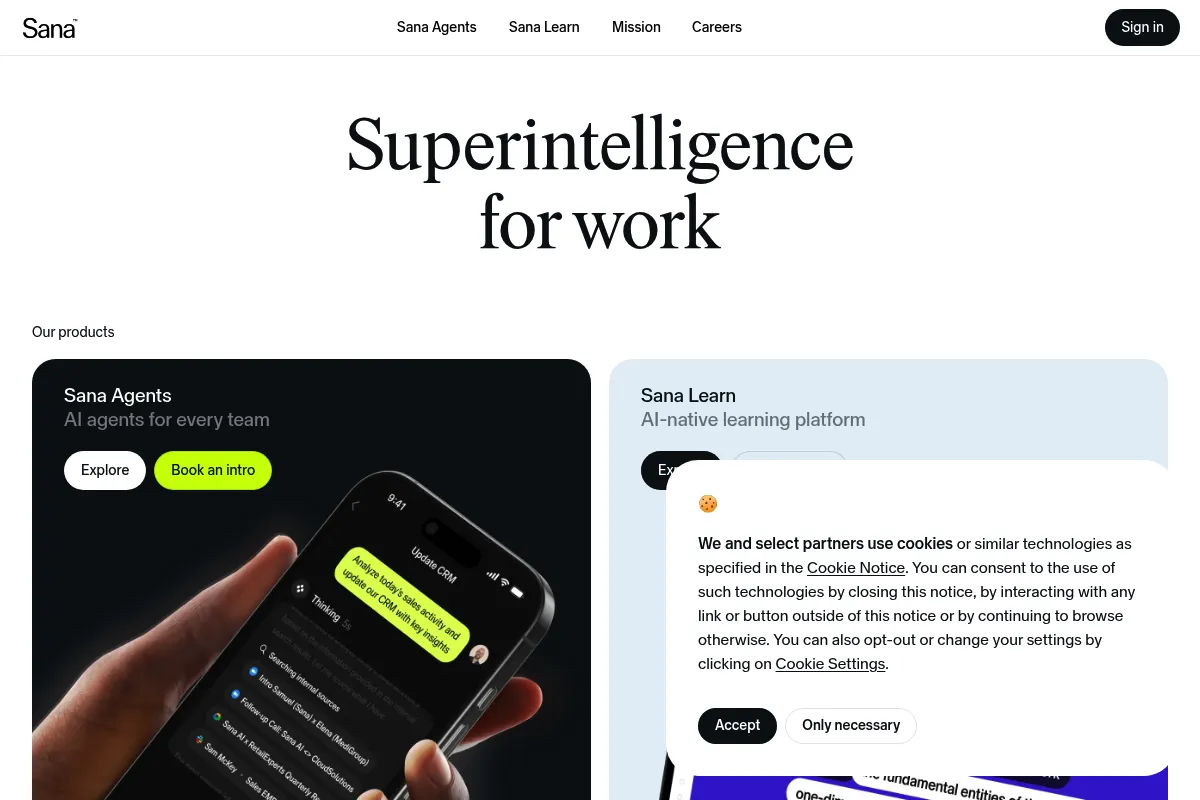
Sana is a unified knowledge layer that merges enterprise search, AI assistance, and learning management into a single interface for fragmented company data.
Excellent for scaling companies with information scattered across dozens of apps, weaker for small teams that only need a basic shared document editor.
Analysis based on product data, pricing structure, traffic signals, and public user sentiment.
Who Should Use Sana?
Typical users
Mid-market to enterprise companies with 50+ employees where knowledge is siloed across Slack, Drive, and Notion.
Maturity fit
scaling to advanced
Choose this if…
- Your team spends significant time asking 'where is that document' in Slack
- You want to automate the creation of onboarding and training materials from existing docs
- You need an AI assistant that cites specific internal sources for its answers
Skip this if…
- You have a small team with a centralized, well-organized single source of truth
- Your budget is tight and you cannot justify $30/user/month for search
- You require a tool primarily for external-facing customer documentation
About Sana
Sana is an AI-powered knowledge platform designed to index, search, and organize a company's entire digital footprint. It functions as a connective tissue between disparate apps, providing a centralized place for employees to find information and learn.
What it actually does
The platform indexes content from third-party apps like Google Drive, Slack, and GitHub to enable universal search and AI-driven Q&A. It also includes native tools for recording meetings, generating summaries, and building structured training courses.
What makes it different
Unlike pure enterprise search tools like Glean, Sana includes a full Learning Management System (LMS) and meeting assistant. This combination allows it to not just find information, but actively transform that information into training content and searchable meeting archives.
Ratings across the web

Ratings aggregated from independent review platforms.
Key Features
Universal Search
Indexes Slack, Drive, Notion, and GitHub to find files via a single query.
Sana Assistant
A chat interface that answers questions using only your company's verified data.
Sana Meetings
Automatically records calls and extracts action items, syncing them to the knowledge base.
Sana Create
Uses AI to convert existing documents or meeting transcripts into structured onboarding modules.
Verified Answers
Allows admins to 'pin' official answers to common questions to prevent AI hallucinations.
Smart Folders
Automatically categorizes incoming information from various integrations into logical themes.
Permission Mapping
Mirrors the access levels of source apps to ensure users only see what they are allowed to.
Pricing
Free
- Up to 30 users
- 5 app integrations
- 100 assistant messages per month
- Basic search and LMS
Growth
- Unlimited users
- 10+ app integrations
- Unlimited assistant messages
- Sana Meetings (transcription)
- Advanced analytics
Enterprise
- Unlimited integrations
- SSO & SCIM provisioning
- Dedicated success manager
- Custom data residency options
Pricing checked 7 months ago
Pricing guidance
- When you exceed 30 users
- When the team hits the 100-message AI limit
- When you need to integrate more than 5 data sources
- The Free plan limits the number of integrations, which can break the 'universal' search value proposition.
- Advanced security features like SSO are locked behind the Enterprise tier.
Premium positioning that reflects its role as a multi-tool replacement for search, training, and meeting recording.
Pros & Cons
Strengths
-
Consolidated tech stack
By combining search, LMS, and meeting notes, companies can replace three separate subscriptions with one platform.
-
Reduced hallucination risk
The AI assistant provides direct links to the source documents for every claim it makes, allowing for instant verification.
-
Rapid content generation
The ability to turn a 30-minute meeting or a messy doc into a clean training module significantly reduces the burden on HR and Ops teams.
Weaknesses
-
High entry price for small teams
The $30/user/month Growth plan is a steep jump from the limited free tier, making it expensive for startups under 50 people.
Affects: Early-stage startups
-
Garbage in, garbage out
If your underlying Google Drive or Slack is a mess, the search results and AI summaries will reflect that lack of organization.
Affects: Companies with poor data hygiene
-
Setup complexity
While integrations are quick, fine-tuning permissions and 'verifying' answers requires ongoing administrative effort.
Affects: IT and Operations managers
Real User Sentiment
Users generally praise the sleek interface and the accuracy of the AI assistant, though some find the transition from their previous LMS to be labor-intensive.
Users tend to like
- The 'Assistant' feature's ability to cite sources
- Clean, modern UI that employees actually want to use
- High-quality meeting summaries that save time on note-taking
Users commonly complain about
- Pricing is high compared to standalone wiki tools
- Occasional delays in indexing new content from Slack
- The mobile experience is less robust than the desktop version
Recurring tradeoffs
- You trade a lower price point for a more comprehensive feature set (Search + LMS + Meetings).
Happiest users
Operations and HR leads at 100-500 person companies who are tired of manually updating onboarding docs.
Often frustrated
Budget-conscious small business owners who only wanted a simple search tool and find the extra features unnecessary.
Use Cases
Employee Onboarding
Automatically generating training paths from existing company docs.
Technical Support
Helping support agents find obscure product details across Slack and Jira.
Sales Enablement
Giving sales teams instant access to the latest case studies and pricing sheets during calls.
Meeting Management
Recording executive meetings and automatically distributing action items to relevant stakeholders.
Internal Wiki Replacement
Moving away from static, outdated documentation to a dynamic, AI-searchable knowledge base.
Frequently Asked Questions
Is there a free version of Sana?
Yes, Sana offers a Free plan for up to 30 users. However, it is limited to 5 integrations and 100 AI assistant messages per month, which makes it more of a pilot program than a long-term solution for active teams.
How does Sana compare to Glean?
Glean is a pure enterprise search tool with deep focus on indexing. Sana is broader, combining search with a Learning Management System (LMS) and meeting recording. Choose Sana if you need to create training content; choose Glean if you only care about the most powerful search algorithms.
Does Sana store my company data?
Sana indexes your data to make it searchable and accessible to its AI. They use enterprise-grade encryption and offer data residency options in the Enterprise plan to comply with local regulations like GDPR.
Which apps does Sana integrate with?
Sana integrates with over 100 popular tools, including Google Workspace, Microsoft 365, Slack, Notion, Jira, GitHub, Salesforce, and Zendesk.
Can Sana's AI assistant hallucinate?
Like all LLM-based tools, hallucinations are possible, but Sana mitigates this by using Retrieval-Augmented Generation (RAG). This means the AI only answers based on your uploaded documents and provides citations so you can verify the source.
How much does the Growth plan cost?
The Growth plan costs $30 per user, per month. This includes unlimited assistant messages, more integrations, and the meeting recording features.
Why trust this page?
This evaluation combines product positioning, pricing analysis, traffic and market signals, and public user sentiment into a single decision-support page. Content is generated editorially — not copied from the vendor's website.
Funding & Company
Founded
2016
Stage
Acquired
Total Raised
$137M
Latest Round
Series C (Oct 2024)
Notable Investors
Sana Labs raised a total of $137 million in funding before being acquired by Workday for $1.1 billion in September 2025. This acquisition by a major enterprise software player provides exceptional financial stability and ensures long-term product viability and integration within a larger ecosystem.
Market Signals & Traffic
Estimated visits, global rank, geography, traffic sources, monthly visit trends, and organic search keywords (Similarweb)—on a dedicated page built for depth and search.
- Estimated visits
- 0
- Global rank
- —
- Snapshot
- May 2026
- Traffic trend
- Cooling
Estimated monthly visits
Alternatives to Sana
View all alternativesGlean
AI Assistant, Productivity, Documentation

Enterprise search and knowledge discovery platform for workplace teams.
Notion AI
AI Assistant, Content Creation

AI assistant integrated into Notion for content creation and task automation.
Similar Tools
Chatbase
AI Assistant, Documentation, Training & Onboarding

An AI chatbot builder that creates custom chatbots trained on your own data.
Granica
Privacy & Compliance, Developer Tools, Automation

Optimize enterprise data efficiency, privacy, and cloud storage costs.
Panopto
Education, Training & Onboarding, Communication

Video management platform for education and enterprise training.
Dust
AI Assistant, Automation & Agents, Productivity
Custom assistants that connect internal company data to language models.
Vic.ai
Automation, Workflow, Data Extraction

Autonomous accounts payable platform for invoice processing and payments
Fireflies.ai
AI Assistant, Productivity, Documentation

AI meeting assistant that records, transcribes, and summarizes calls.