

A veteran scheduling engine that prioritizes complex booking logic and low costs over modern interface design.
Excellent for businesses with non-standard resource or rental needs, weaker for those requiring a polished, contemporary user experience.
Analysis based on product data, pricing structure, traffic signals, and public user sentiment.
Who Should Use SuperSaaS?
Typical users
Small to mid-sized businesses managing shared resources, equipment rentals, or high-volume class registrations.
Maturity fit
beginner to scaling
Choose this if…
- You need to book resources like rooms or equipment rather than just people
- Your priority is a low, fixed monthly cost regardless of staff count
- You require deep white-labeling and custom CSS control
- You need complex interlocking availability rules that basic tools can't handle
Skip this if…
- You want a modern, 'Apple-like' aesthetic for your booking page
- You need native, deep integrations with modern CRMs without using Zapier
- You want a simple 'set it and forget it' setup with no learning curve
About SuperSaaS
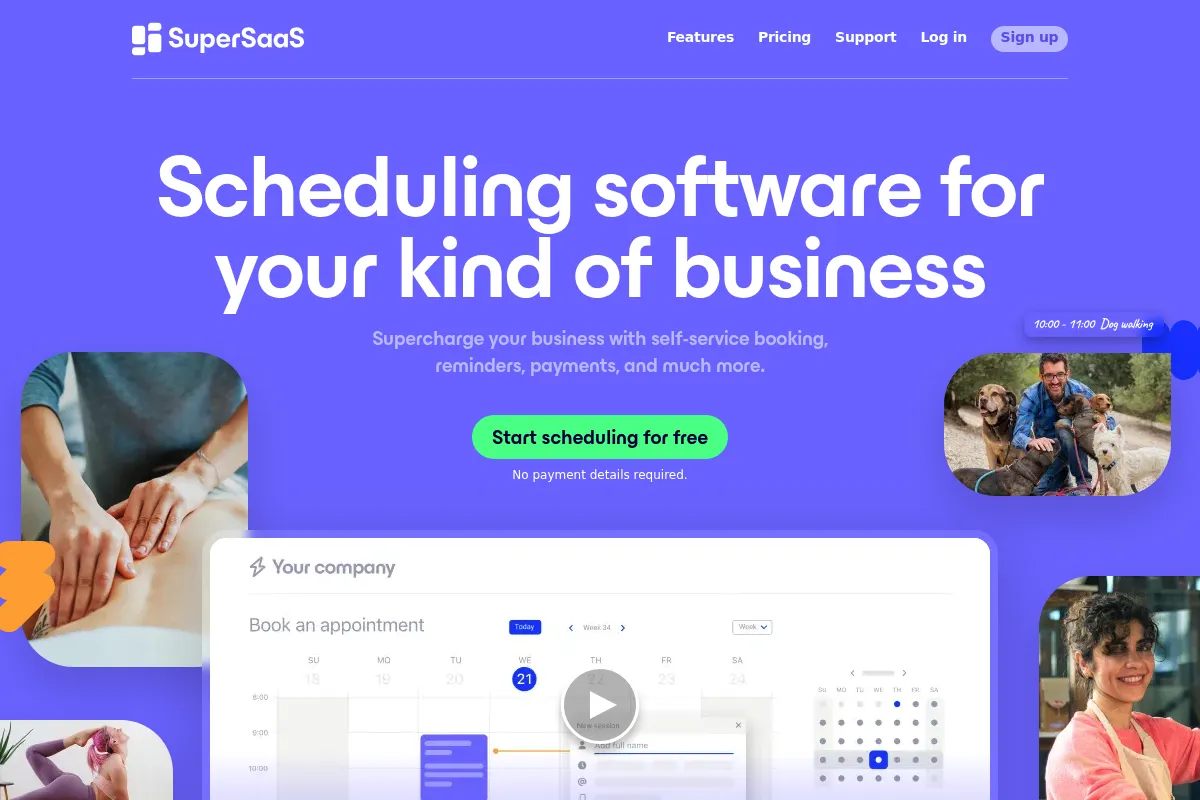
SuperSaaS is a modular online appointment system designed for flexibility. It functions more like a toolkit than a rigid application, allowing users to build custom booking workflows for services, resources, or events.
Official profiles
What it actually does
The tool manages availability, bookings, and payments across multiple schedule types. It handles the logic of capacity limits, waiting lists, and automated notifications while allowing for custom branding and domain mapping.
What makes it different
Unlike most competitors that charge per 'user' or 'calendar,' SuperSaaS uses a capacity-based pricing model. Its architecture is resource-centric, meaning it can handle complex scenarios like booking a specific instructor and a specific room simultaneously, which person-centric tools like Calendly struggle to manage.
Ratings across the web


Ratings aggregated from independent review platforms.
Key Features
Resource vs. Service Schedules
Allows you to define whether you are booking a person's time or a physical object's availability.
Interlocking Calendars
Prevents double-booking by linking the availability of one resource to another.
Credit System
Enables clients to purchase a pack of credits to be used for future bookings, functioning like a membership.
Supervisor Roles
Provides granular access levels so staff can manage their own schedules without seeing admin data.
Customizable Booking Forms
Collects specific data from clients during the reservation process with mandatory fields.
Buffer Times
Automatically inserts gaps between appointments to account for travel or cleanup.
iCal/Google Calendar Sync
Two-way synchronization to keep external personal calendars updated with business bookings.
Pricing
Free
- Up to 50 upcoming appointments
- Up to 50 registered users
- Includes SuperSaaS branding
- Basic features
Tier 1
- Up to 100 upcoming appointments
- Unlimited registered users
- No ads
- Sync with external calendars
Tier 2
- Up to 300 upcoming appointments
- All Tier 1 features
- Increased capacity
Tier 3
- Up to 600 upcoming appointments
- All Tier 2 features
Pricing checked 6 months ago
Pricing guidance
- When you exceed 100 'upcoming' appointments
- When you need to remove SuperSaaS branding
- When you need to sync with Google or Outlook calendars
- The limit is on 'upcoming' appointments, not total historical appointments
- SMS reminders require purchasing separate credits
- Advanced CSS customization requires technical knowledge
Budget-friendly and highly scalable, offering one of the lowest entry points for professional scheduling logic.
Pros & Cons
Strengths
-
Highly granular configuration
Almost every aspect of the booking logic, from lead times to cancellation windows, can be customized to fit specific business rules.
-
Cost-effective for large teams
Because pricing is based on the number of upcoming appointments rather than staff members, it is significantly cheaper for organizations with many employees.
-
Robust white-labeling
Users can remove all SuperSaaS branding and use their own domain, making it look like a proprietary system built into their website.
-
Reliable performance
As a mature product, it lacks the bugs often found in newer, flashier scheduling startups and maintains high uptime.
Weaknesses
-
Dated user interface
The admin dashboard and default booking templates look like software from the mid-2000s, which may deter design-conscious brands.
Affects: Brand-conscious businesses and non-technical admins
-
Steep initial learning curve
The sheer number of options and the modular nature of the setup mean it takes longer to get 'live' compared to simpler tools.
Affects: New users wanting a quick setup
-
Limited native integrations
While it has an API and Zapier support, it lacks the direct 'one-click' integrations with modern marketing stacks found in competitors.
Affects: Teams with complex tech stacks
Real User Sentiment
Users generally view it as a reliable, 'ugly but functional' workhorse that solves complex problems other tools can't.
Users tend to like
- Unbeatable price for large teams
- Extreme flexibility in scheduling rules
- Reliable notification system
- Excellent customer support response times
Users commonly complain about
- The interface feels 20 years old
- Mobile experience is lacking
- Initial configuration is confusing
- Lack of modern native integrations
Recurring tradeoffs
- You trade a beautiful user interface for significantly lower monthly costs and higher logic flexibility.
Happiest users
Business owners with complex resource needs (e.g., driving schools, equipment rentals, community centers) who are budget-conscious.
Often frustrated
Solo practitioners who want a 'pretty' booking link and a 5-minute setup process.
Use Cases
Gym Owner
Managing multiple fitness classes with varying capacities and instructor availability.
University Lab
Allowing students to book specific pieces of equipment or lab benches.
Driving School
Coordinating multiple cars and instructors across different locations.
Photography Studio
Renting out studio space and specific lighting kits as separate but linked resources.
Consultancy
Offering white-labeled booking pages to clients that match the firm's corporate branding.
Frequently Asked Questions
How does the 'upcoming appointments' limit work?
The limit applies only to appointments scheduled in the future. Once an appointment time passes, it no longer counts toward your limit, allowing you to reuse that 'slot' for a new booking. This makes the pricing very predictable for businesses with a consistent volume.
Is SuperSaaS HIPAA compliant?
SuperSaaS provides features that can help with HIPAA compliance, such as encryption and access controls, but they do not typically sign a Business Associate Agreement (BAA) for standard plans. Medical users should proceed with caution and verify their specific legal requirements.
Can I use my own domain name?
Yes, SuperSaaS allows you to map your booking page to a custom subdomain (e.g., bookings.yourcompany.com). This is available on all paid tiers and is a core part of their white-labeling offering.
How does it compare to Calendly?
Calendly is better for simple 1-on-1 meetings and has a much better UI. SuperSaaS is superior for complex resource management, group bookings, and situations where you need to charge for appointments or manage a credit system.
Does it integrate with WordPress?
Yes, SuperSaaS provides a dedicated WordPress plugin and also allows for simple iframe embedding, making it easy to drop a booking calendar into any WordPress site.
Can I accept payments through the booking page?
Yes, it integrates natively with PayPal and Stripe. You can require full payment, a deposit, or use the internal credit system to handle transactions before a booking is confirmed.
Why trust this page?
This evaluation combines product positioning, pricing analysis, traffic and market signals, and public user sentiment into a single decision-support page. Content is generated editorially — not copied from the vendor's website.
Funding & Company
Founded
2007
Stage
Bootstrapped
Total Raised
Bootstrapped
Latest Round
—
SuperSaaS has been bootstrapped since its founding in 2007, relying on customer revenue for growth rather than external capital. This long history of self-sufficiency demonstrates a stable, profitable business model focused on organic expansion.
Market Signals & Traffic
Estimated visits, global rank, geography, traffic sources, monthly visit trends, and organic search keywords (Similarweb)—on a dedicated page built for depth and search.
- Estimated visits
- 559,258
- Global rank
- #72,459
- Snapshot
- Apr 2026
- Traffic trend
- Rising
Estimated monthly visits
Alternatives to SuperSaaS
View all alternatives
Similar Tools
IconScout
Design, Content Creation

Marketplace for high-quality icons, 3D illustrations, and motion graphics.
ZapCap
Content Creation, Video Creation, Productivity

AI-powered video editing and captioning tool for creators.
ServiceNow
Automation & Agents, Productivity

Enterprise platform for digital workflows and business process automation.
Ironclad
Workflow, Privacy & Compliance, Automation

Digital contracting platform for managing and automating legal workflows.
Gojiberry AI
AI Assistant

AI-powered sales agent that finds warm leads on LinkedIn and automates outreach to book demos.
Smartsheet
Productivity, Automation, Documentation

Enterprise platform for work management, collaboration, and workflow automation.