

The market-leading integration platform that uses natural language to lower the barrier for automation, though its per-task pricing remains a significant tax on high-volume operations.
Excellent for non-technical teams needing to connect niche SaaS tools quickly, weaker for high-scale data processing where competitors offer better unit economics.
Analysis based on product data, pricing structure, traffic signals, and public user sentiment.
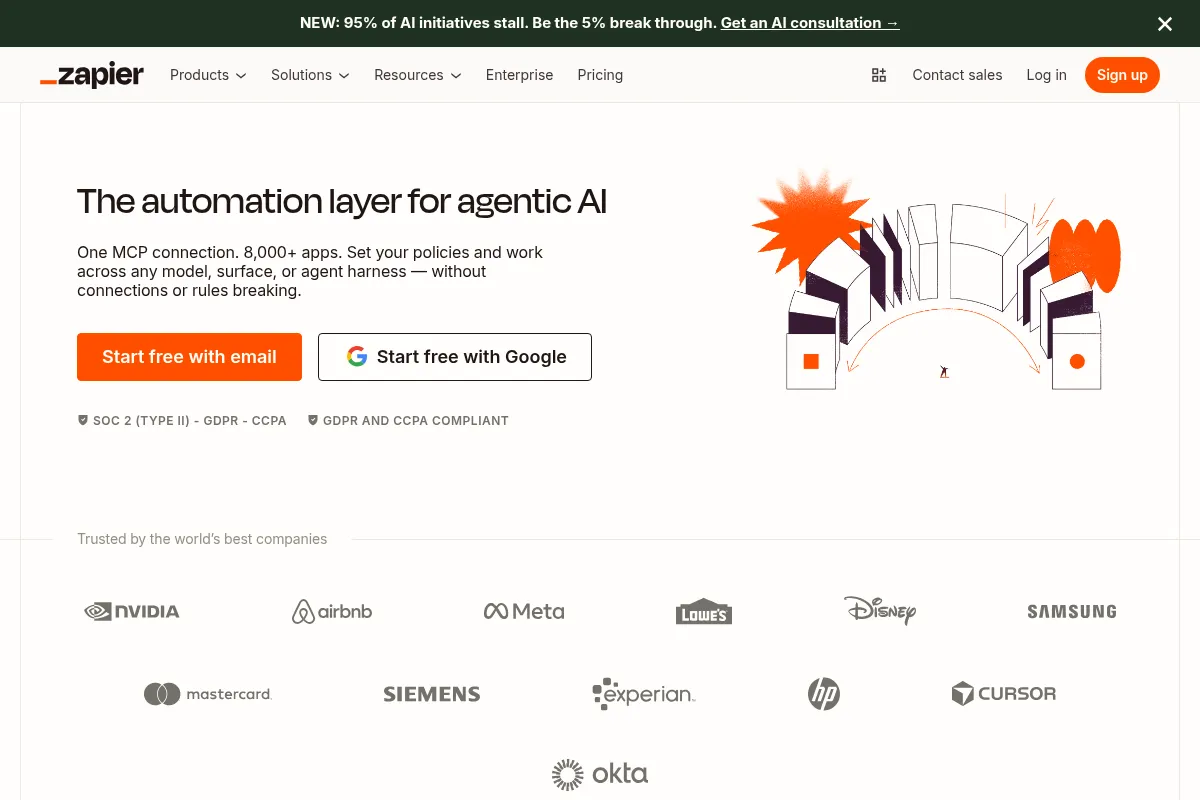
Who Should Use Zapier AI?
Typical users
Operations managers, marketers, and small business owners who manage fragmented tech stacks and lack dedicated engineering resources.
Maturity fit
beginner to scaling
Choose this if…
- You need to connect niche applications that aren't supported by smaller automation platforms
- Your priority is speed of deployment over minimizing monthly subscription costs
- You want to build workflows using natural language descriptions rather than mapping API fields manually
- You require a reliable, SOC2-compliant middleman for business-critical data transfers
Skip this if…
- You are processing tens of thousands of records daily where per-task costs will spiral
- Your workflows require complex, multi-dimensional branching logic that is easier to manage in a visual canvas like Make.com
- You only need to connect a few major apps (Google Workspace, Slack, Salesforce) which often have native, free integrations
About Zapier AI
Zapier is the incumbent no-code automation platform designed to link disparate web applications into automated workflows. It exists to solve the 'fragmented SaaS' problem, allowing users to move data between over 7,000 apps without writing code. Recently, it has pivoted heavily toward AI, introducing natural language workflow builders and autonomous AI agents.
Official profiles
What it actually does
Users define a 'Trigger' (an event in one app) and one or more 'Actions' (consequent events in other apps). The platform handles the API authentication and data mapping behind the scenes, ensuring that when X happens in App A, Y automatically occurs in App B.
What makes it different
The sheer scale of its integration library is unmatched; if a business tool has an API, it is almost certainly on Zapier. Unlike older ETL tools, Zapier focuses on 'event-based' triggers, and its new 'Central' feature allows users to train AI agents to make decisions within these workflows rather than following rigid if/then rules.
Ratings across the web


Ratings aggregated from independent review platforms.
Key Features
Natural Language Builder
Describe a workflow in plain English to generate a draft Zap automatically.
Zapier Central
Create AI agents that can observe app data and take actions based on conversational instructions.
Formatter by Zapier
Automatically clean up dates, currency, and text strings without using Excel formulas.
Paths
Create conditional logic branches so a single trigger can lead to different outcomes based on data values.
Zapier Tables
A database environment designed specifically to trigger and store automation data without leaving the platform.
AI Chatbots
Build custom-facing bots that use your own data sources to answer customer queries.
Webhooks
Connect to any app with an API even if it doesn't have an official Zapier integration.
App Extensions for AI
Allows developers to give their own custom GPTs or AI apps the ability to perform actions across Zapier’s 7,000+ integrations.
Pricing
Free
- 100 tasks per month
- Single-step Zaps only
- 15-minute update interval
- Unlimited Zaps
Professional
- 750 tasks per month
- Multi-step Zaps
- 2-minute update interval
- Conditional logic (Paths)
- AI-powered features
Team
- 2,000 tasks per month
- 1-minute update interval
- Shared app connections
- Folder permissions
- Premier support
Enterprise
- Unlimited users
- Advanced admin controls
- SAML SSO
- Audit logs
- Dedicated account management
Pricing checked 5 months ago
Pricing guidance
- When you need to use 'Paths' for conditional logic
- When your monthly task volume exceeds 750
- When you need 1-minute sync intervals for time-critical data
- When you need to share credentials across a team
- Task counts are consumed per step, not per Zap run
- Autoreplay of failed tasks is locked behind higher tiers
- Premium apps (like Salesforce) often require higher-tier plans
Premium pricing that leverages its dominant market position and ease of use to justify higher costs than more technical competitors.
Pros & Cons
Strengths
-
Unrivaled integration ecosystem
With 7,000+ supported apps, it is the only platform that can connect obscure industry-specific software to mainstream productivity tools.
-
Lowers the technical floor
The AI-assisted builder allows users who don't understand JSON or API structures to create functional automations by describing their goals.
-
Reliability and security
As the market leader, they offer enterprise-grade security features and high uptime that smaller, cheaper alternatives often struggle to match.
-
All-in-one automation stack
The addition of Tables and Interfaces means users can build entire internal applications and databases within Zapier, reducing the need for Airtable or Retool.
Weaknesses
-
Punitive task-based pricing
Zapier charges for every successful 'step.' Complex workflows with many steps can become prohibitively expensive as your business grows.
Affects: High-growth startups and data-heavy operations
-
Rigid linear interface
While 'Canvas' is in beta, the primary Zap builder is linear. Visualizing complex logic with multiple branches is much harder than in node-based competitors.
Affects: Advanced automation architects
-
Sync frequency delays
Lower-tier plans only check for new data every 15 minutes, which is unacceptable for time-sensitive lead response or urgent notifications.
Affects: Sales and emergency response teams
Real User Sentiment
Users generally view Zapier as the 'safe' and 'easy' choice, though there is a growing vocal minority frustrated by the rising costs of task usage.
Users tend to like
- Massive library of integrations
- Intuitive natural language builder
- Reliable execution and error logging
- Extensive documentation and community support
Users commonly complain about
- Expensive per-task pricing model
- Lack of a visual, node-based builder for complex logic
- Customer support can be slow on lower-tier plans
- Occasional 'breaking' of Zaps when third-party APIs update
Recurring tradeoffs
- You trade lower monthly costs (found in Make.com) for significantly faster setup time and a shallower learning curve.
Happiest users
Small marketing teams and solo operators who need to automate 5-10 core processes without hiring a developer.
Often frustrated
Data engineers and high-volume e-commerce stores who see their Zapier bill double every time they add a simple step to a workflow.
Use Cases
Lead Management
Automatically send Facebook Lead Ads data to a CRM and notify sales on Slack.
Content Distribution
Post a new WordPress article link to Twitter, LinkedIn, and a Discord server simultaneously.
Customer Support
Use AI to summarize incoming support tickets and categorize them in a Google Sheet.
E-commerce Operations
Send a personalized follow-up email via Gmail three days after a Shopify purchase.
Data Enrichment
Take an email address from a form, find the company info via Clearbit, and update a lead record.
Internal Reporting
Aggregate daily sales totals from Stripe and post a summary to a management Slack channel.
Frequently Asked Questions
Is Zapier or Make.com better?
Zapier is better for beginners and teams who value speed and a massive app library. Make.com is better for advanced users who need complex logic, visual workflows, and significantly lower costs for high-volume data processing.
What counts as a 'task' in Zapier?
A task is counted every time a Zap successfully performs an action. For example, if a Zap triggers on a new email and sends a Slack message, that is one task. If it also adds a row to a spreadsheet, that is a second task. Triggers do not count as tasks.
Does Zapier have a free version?
Yes, but it is very limited. It allows for 100 tasks per month and only 'single-step' Zaps (one trigger, one action). Most business workflows require the Professional plan or higher.
Can Zapier handle real-time automation?
It depends on the plan. The Free plan checks for data every 15 minutes, while the Team and Enterprise plans check every 1 minute. Some apps support 'Instant' triggers which happen immediately regardless of the plan.
Is Zapier secure for sensitive business data?
Yes, Zapier is SOC2 Type II compliant and offers features like 2FA and data encryption. Enterprise plans offer additional controls like SAML SSO and user provisioning.
What is Zapier Central?
Zapier Central is a new workspace where you can build and train AI agents. These agents can interact with over 6,000 apps, allowing you to give them instructions in natural language to perform research, summarize data, or execute tasks across your stack.
Why trust this page?
This evaluation combines product positioning, pricing analysis, traffic and market signals, and public user sentiment into a single decision-support page. Content is generated editorially — not copied from the vendor's website.
Funding & Company
Founded
2011
Stage
Late stage
Total Raised
$1.43M
Latest Round
Seed (Oct 2012)
Notable Investors
Zapier has raised a total of only $1.4 million in primary funding, all from a 2012 seed round. The company has been profitable since 2014 and achieved a $5 billion valuation in a 2021 secondary share sale, indicating exceptional capital efficiency and long-term stability without relying on venture capital.
Market Signals & Traffic
Estimated visits, global rank, geography, traffic sources, monthly visit trends, and organic search keywords (Similarweb)—on a dedicated page built for depth and search.
- Estimated visits
- 6,631,095
- Global rank
- #4,776
- Snapshot
- Apr 2026
- Traffic trend
- Steady
Estimated monthly visits
Alternatives to Zapier AI
View all alternativesMake AI
Automation & Agents, Developer Tools

Visual platform to connect apps and automate workflows without code.
n8n
Automation, Automation & Agents, Developer Tools

Workflow automation platform for connecting apps and building complex sequences.
Workato
Automation, Automation & Agents, Developer Tools

Enterprise platform for integrating applications and automating complex business workflows.
Similar Tools
Kick
Productivity, Automation

Automated bookkeeping and financial management for startups and small businesses.
Clockwise
Productivity, Automation

AI-powered calendar assistant that optimizes schedules and protects focus time.
Motion
Productivity, Automation

AI-powered productivity platform for scheduling, task, and project management.
Kissflow
Automation, Workflow, Productivity

Low-code platform for workflow automation and business process management.
Reface
Video Creation, Content Creation, Design

AI-powered face swap app for videos, GIFs, and photos.
Artlist (AI Music Generator)
Content Creation, Video Creation

Creative asset platform for music, footage, and voiceover generation.