
Chatbox AI
A local-first, cross-platform LLM client that consolidates multiple AI providers into a single native interface, prioritizing data privacy and user-owned API keys.
Best for power users who want a unified desktop interface for OpenAI, Anthropic, and local models, but weaker for teams needing collaborative workspaces.
Analysis based on product data, pricing structure, traffic signals, and public user sentiment.
Who Should Use Chatbox AI?
Typical users
Individual developers, researchers, and privacy-conscious professionals who juggle multiple AI models and prefer local data storage over cloud-hosted chat histories.
Maturity fit
beginner to advanced
Choose this if…
- You want to use OpenAI, Claude, and Gemini in one app without switching tabs
- You run local models via Ollama and want a polished UI for them
- Your priority is keeping your chat history stored locally on your machine
- You need a native desktop app with global hotkeys for faster access
Skip this if…
- You need to share chats or prompts with a team in a collaborative environment
- You require advanced agentic workflows or complex multi-step automation
- You prefer a purely web-based experience with no local installation
About Chatbox AI
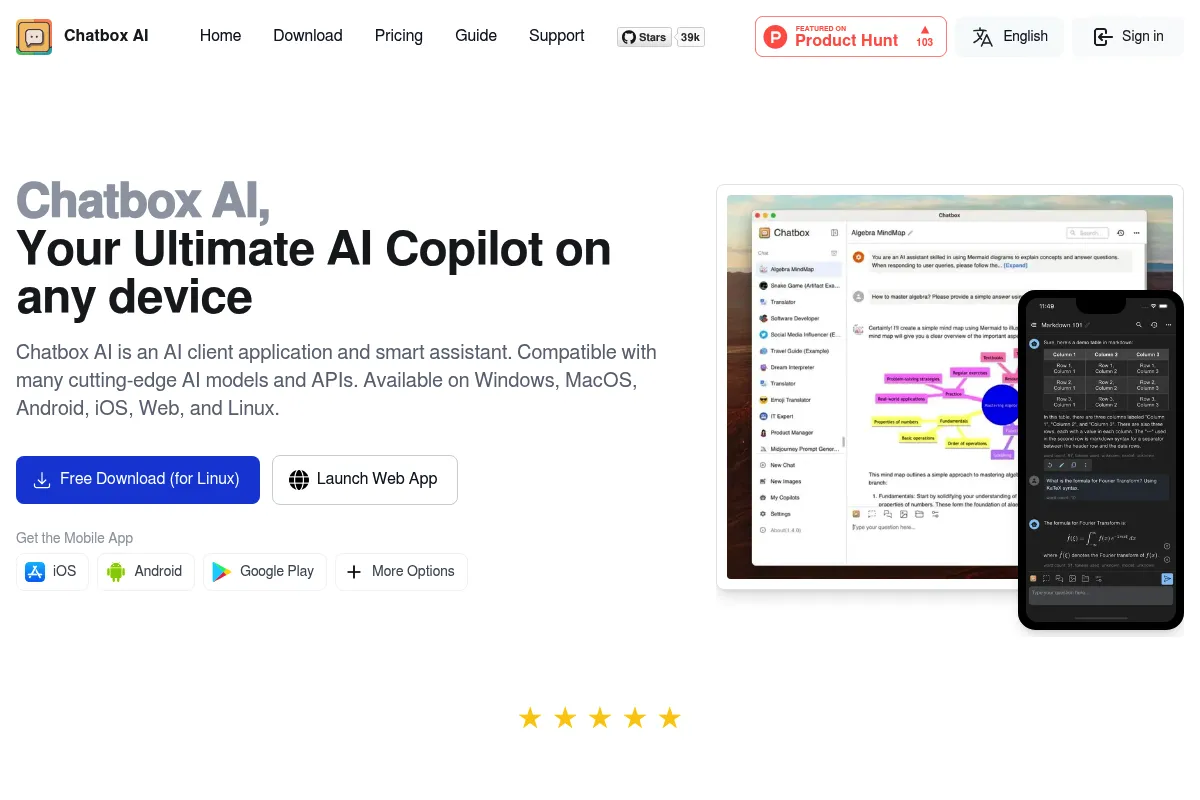
Chatbox AI is a native application for macOS, Windows, Linux, iOS, and Android that acts as a sophisticated frontend for various Large Language Models. It allows users to either bring their own API keys or subscribe to a managed service, focusing on a 'local-first' philosophy where data stays on the user's device.
Official profiles
What it actually does
The tool provides a clean chat interface that connects to major AI providers and local backends. It manages conversation threads, handles document uploads for analysis, and organizes prompt templates across all desktop and mobile devices.
What makes it different
Unlike web-based wrappers, Chatbox is a high-performance native application that supports local model integration (Ollama/LM Studio) alongside commercial APIs. Its architectural choice to store data locally by default appeals to users who are wary of how primary AI vendors use their conversational data.
Ratings across the web

Ratings aggregated from independent review platforms.
Key Features
Unified Provider Management
Switch between GPT-4, Claude 3.5, and local Llama 3 models within the same thread or sidebar.
Local-First Storage
All messages and files are stored on your hard drive, not on Chatbox servers, unless you enable sync.
Artifacts-style Rendering
View and interact with code, HTML, and Markdown in a dedicated preview pane similar to Claude's Artifacts.
Prompt Library
Save and categorize frequently used system prompts to ensure consistent AI behavior across different tasks.
Global Search
Quickly find specific information across all past conversations stored locally.
Mobile-Desktop Sync
Optional encrypted cloud sync to keep your chat history consistent across your phone and computer.
Vision & File Support
Upload PDFs, images, or text files for the AI to summarize, analyze, or query.
Custom API Endpoints
Connect to any OpenAI-compatible API, allowing use with proxy services or private enterprise deployments.
Pricing
Free / BYOK
- Use your own API keys
- Connect to local models (Ollama)
- All native app features included
- Local data storage
- Cross-platform apps
Chatbox AI Pro (Standard)
- No API keys required
- Access to GPT-4o, Claude 3.5, etc.
- Cloud sync enabled
- Priority support
- Higher usage limits
Chatbox AI Pro (Annual)
- Billed as $119.88 per year
- All Pro features included
- Most cost-effective for heavy users
- Access to all premium models
Pricing checked 5 months ago
Pricing guidance
- When you want a single bill instead of paying OpenAI, Anthropic, and Google separately
- When you need seamless cloud sync across multiple devices without manual setup
- When you want immediate access to the latest models without setting up API credits
- Pro plan has 'fair use' limits on message frequency
- Syncing large document histories may require the Pro tier in future updates
- API key usage is subject to the provider's own rate limits and costs
Value-oriented for BYOK users; standard premium pricing for the managed Pro service.
Pros & Cons
Strengths
-
Privacy by design
By storing data locally and allowing the use of personal API keys, users maintain full control over their data footprint compared to using ChatGPT or Claude web interfaces.
-
Native performance
The app is significantly faster and more responsive than web-based alternatives, with better system integration like keyboard shortcuts and file handling.
-
Cost efficiency for light users
Using your own API keys often results in lower monthly costs than a flat $20/month subscription if your usage volume is moderate.
-
Local model support
It provides a professional UI for Ollama, making it easy to use open-source models without touching a terminal.
Weaknesses
-
No built-in collaboration
There are no features for sharing folders, prompts, or chat histories with team members, making it strictly a solo tool.
Affects: Small teams and agencies
-
Manual key management
Users on the free tier must handle their own API keys, billing, and usage limits across multiple providers, which can be tedious.
Affects: Non-technical users
-
Limited advanced features
Lacks the deep integration of tools like Cursor for coding or the complex agentic capabilities of platforms like Poe.
Affects: Developers and power users seeking automation
Real User Sentiment
Users generally view Chatbox as a reliable, 'no-nonsense' daily driver for AI interactions, praising its UI over the cluttered official web apps.
Users tend to like
- Clean and distraction-free interface
- Support for local models like Ollama
- Native apps for all platforms including Linux
- The ability to use one's own API keys to save money
Users commonly complain about
- Occasional sync conflicts between mobile and desktop
- The Pro plan is perceived as expensive compared to just paying for API usage
- Lack of advanced 'Canvas' or 'Artifact' features found in web versions
Recurring tradeoffs
- You trade the convenience of a managed web platform for the control (and setup effort) of a local client.
Happiest users
Developers who want a single, fast desktop app to query multiple models while keeping their data local.
Often frustrated
Non-technical users who find managing API keys confusing or users who need to collaborate with a team.
Use Cases
Developer Workflow
Using the desktop app to quickly debug code snippets using GPT-4o or Claude 3.5 via API.
Privacy-Sensitive Research
Running local models via Ollama through the Chatbox UI to analyze sensitive documents offline.
Cost Management
Using a personal API key to pay only for what you use instead of a flat $20/month subscription.
Mobile Productivity
Accessing your saved prompt templates and chat history on the go via the iOS or Android app.
Cross-Model Comparison
Sending the same prompt to different models within the same interface to compare output quality.
Frequently Asked Questions
Is Chatbox AI free to use?
Yes, the Chatbox application itself is free to download and use if you provide your own API keys (from OpenAI, Anthropic, etc.) or connect it to a local model like Ollama. They offer a paid 'Pro' subscription only if you want them to provide the AI models and syncing services for you.
How does Chatbox AI compare to TypingMind?
Both are 'Bring Your Own Key' clients. Chatbox is a native application (built with technologies like Flutter), which often feels faster and more integrated with the OS, whereas TypingMind is primarily a web-based app with a focus on more complex plugins and team features. Chatbox is generally simpler and more focused on the core chat experience.
Can I use Chatbox AI offline?
You can use Chatbox AI offline if you connect it to a local LLM runner like Ollama or LM Studio. If you are using commercial APIs like OpenAI or Claude, you will still need an active internet connection to communicate with their servers.
Where is my data stored?
By default, all your chat history and settings are stored locally on your device. If you choose to enable the sync feature in the Pro version, your data is encrypted and synced across your devices, but the primary philosophy remains local-first.
Does Chatbox AI support GPT-4 and Claude 3.5?
Yes, it supports the latest models from all major providers. You can access them either by entering your own API keys or by subscribing to the Chatbox AI Pro plan, which includes access to these models out of the box.
Can I use Chatbox for team collaboration?
Currently, Chatbox is designed as an individual productivity tool. It lacks team features like shared prompt libraries, collaborative chat threads, or centralized billing for multiple users. For team needs, tools like LibreChat or ChatGPT Enterprise are better fits.
Why trust this page?
This evaluation combines product positioning, pricing analysis, traffic and market signals, and public user sentiment into a single decision-support page. Content is generated editorially — not copied from the vendor's website.
Funding & Company
Founded
—
Stage
Bootstrapped
Total Raised
Bootstrapped
Latest Round
—
Chatbox AI appears to be a bootstrapped company with no publicly disclosed venture capital funding. Its stability and longevity are likely dependent on its own revenue generated from its freemium SaaS model, rather than external investment.
Market Signals & Traffic
Estimated visits, global rank, geography, traffic sources, monthly visit trends, and organic search keywords (Similarweb)—on a dedicated page built for depth and search.
- Estimated visits
- 758,774
- Global rank
- #56,955
- Snapshot
- Apr 2026
- Traffic trend
- Surging
Estimated monthly visits
Alternatives to Chatbox AI
View all alternativesChatGPT
AI Assistant, Content Creation

AI-powered conversational chatbot for generating text and assisting with various tasks.
Gemini
AI Assistant, Content Creation

An experimental AI-powered conversational chatbot from Google.
Claude
AI Assistant

A conversational AI assistant for writing, analysis, coding, and more.
Similar Tools
Glama
AI Assistant, Developer Tools, Productivity

Unified workspace for accessing multiple models and MCP services
DeepSeek
AI Assistant, Developer Tools, Productivity

Advanced AI models for coding, content creation, and business automation.
LobeChat
AI Assistant, Developer Tools, Productivity

Open-source chatbot framework supporting multiple large language models and plugins.
10Web
AI Assistant, Developer Tools, Productivity

AI-powered WordPress website builder, hosting, and management platform.
Together AI
AI Assistant, Developer Tools, Productivity

AI Acceleration Cloud for building and deploying generative AI models.
Exa
AI Assistant, Developer Tools, Productivity

AI-powered search engine for developers and AI applications.