

A video automation API and template editor that replaces manual editing with data-driven rendering—best for developers and marketers scaling content via Zapier or code.
Excellent for automated social media and personalized video at scale, weaker for high-end cinematic storytelling or complex motion graphics.
Analysis based on product data, pricing structure, traffic signals, and public user sentiment.
Who Should Use Creatomate?
Typical users
Developers building video-centric applications and growth marketers using no-code tools to automate social media production.
Maturity fit
scaling
Choose this if…
- You need to generate hundreds of personalized videos from a single template
- Your priority is replacing manual After Effects exports with an API-driven workflow
- You want a visual template editor that exports clean JSON for programmatic use
Skip this if…
- You need high-end, frame-accurate cinematic effects found in desktop NLEs
- Your monthly video volume is low enough to handle manually
- You require advanced 3D rendering capabilities
About Creatomate
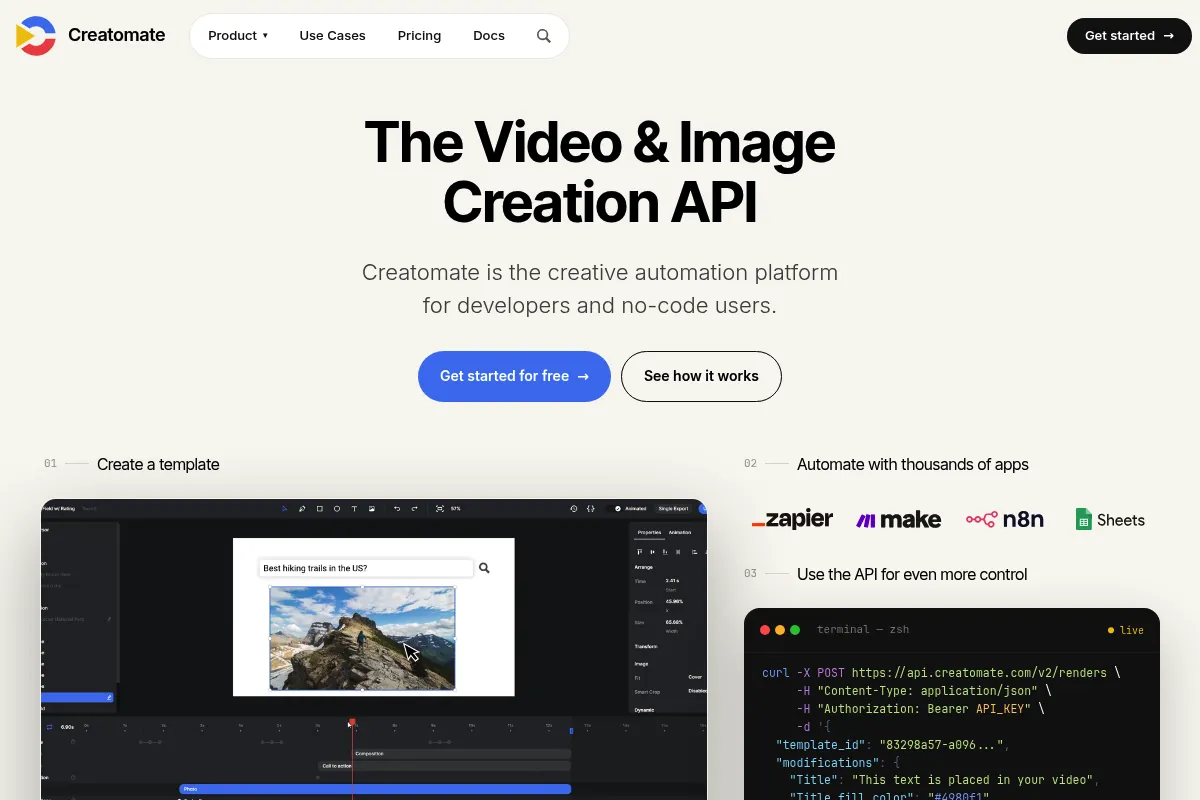
Creatomate is a cloud-based video automation platform designed to programmatically generate videos. It provides a browser-based template editor and a set of APIs and SDKs to inject dynamic data—like text, images, and clips—into video layouts.
Official profiles
What it actually does
It allows users to design video templates visually and then trigger video generation via API, Zapier, or Make.com. The platform handles the heavy lifting of rendering, hosting, and delivering the final MP4 files.
What makes it different
Unlike many video APIs that require writing complex JSON or FFmpeg commands from scratch, Creatomate provides a full-featured drag-and-drop editor. This allows non-technical users to design the 'look' while developers handle the data injection, bridging the gap between design and code.
Ratings across the web


Ratings aggregated from independent review platforms.
Key Features
Visual Template Editor
Design layouts in the browser and map elements to dynamic data keys.
Dynamic Content Injection
Swap text, images, and video sources programmatically for each render.
Automated Subtitles
Generate synchronized captions automatically using AI transcription.
Multi-format Export
Render the same template in 16:9, 9:16, or 1:1 ratios simultaneously.
Stock Media Integration
Access Pexels and Pixabay directly within the editor for placeholder assets.
Timeline-based Animations
Control element entry and exit points with a familiar video editing timeline.
JSON-to-Video
Skip the editor entirely and define video compositions using a structured JSON schema.
Serverless Rendering
Offload video processing to Creatomate's infrastructure to avoid managing GPU servers.
Pricing
Free
- 5 minutes of video per month
- All features included
- Creatomate watermark
- API access
Starter
- 50 minutes of video per month
- No watermark
- Unlimited templates
- Standard support
Professional
- 200 minutes of video per month
- Priority rendering
- Advanced AI features
- Email support
Business
- 1000 minutes of video per month
- Highest rendering priority
- Dedicated account manager
- Custom volume options
Pricing checked 4 months ago
Pricing guidance
- When you need to remove the watermark for production
- When your monthly render volume exceeds 5 minutes
- When you need faster rendering priority for time-sensitive content
- Storage for assets is limited based on the plan
- Unused minutes do not roll over to the next month
- Extremely long videos may hit timeout limits on lower tiers
Mid-range pricing that is more expensive than basic image generators but cheaper than hiring a full-time video editor or building a custom rendering engine.
Pros & Cons
Strengths
-
Eliminates FFmpeg complexity
Developers can build complex video workflows without learning low-level command-line video processing, saving weeks of engineering time.
-
Strong No-Code support
The Zapier and Make.com integrations are more mature than competitors, allowing marketers to build 'Spreadsheet-to-Video' workflows without writing code.
-
Integrated AI tools
Built-in transcription and text-to-speech mean you don't need separate subscriptions for basic video accessibility and narration.
Weaknesses
-
Minute-based pricing scales quickly
Because billing is based on output duration, high-volume users producing long-form content may find the costs prohibitive compared to self-hosting.
Affects: High-volume content creators
-
Limited animation easing
While it handles basic transitions well, it lacks the sophisticated easing and keyframe control found in professional motion design software.
Affects: Motion designers
-
Template editor learning curve
The editor is powerful but behaves differently than Canva or Premiere, requiring a period of adjustment to understand how dynamic mapping works.
Affects: Non-technical marketers
Real User Sentiment
Users generally view Creatomate as a reliable, time-saving tool that bridges the gap between design and automation.
Users tend to like
- The intuitive visual template editor
- Reliability of the API
- Ease of use with Make.com (formerly Integromat)
- Responsive customer support
Users commonly complain about
- Price jumps between tiers can be steep
- Occasional slow render times during peak hours on lower plans
- Lack of some advanced After Effects-style filters
Recurring tradeoffs
- You trade granular creative control for the ability to automate at scale.
Happiest users
Marketing agencies managing multiple social accounts and SaaS founders building video features into their own apps.
Often frustrated
Professional video editors who expect the tool to function like a full-blown NLE.
Use Cases
Social Media Automation
Automatically turn blog posts into vertical videos for TikTok and Reels via RSS feeds.
Personalized Sales Videos
Generate custom videos for prospects where the background or text changes based on CRM data.
E-commerce Product Videos
Create dynamic video ads for thousands of SKUs using product images and pricing from a database.
Real Estate Listings
Automatically generate video tours from property photos and specs as soon as a listing goes live.
Podcast Audiograms
Convert audio clips into social-ready videos with dynamic waveforms and auto-captions.
In-App Video Features
Allow users of your own software to export custom videos based on their data.
Frequently Asked Questions
How does Creatomate compare to Bannerbear?
Bannerbear is primarily focused on static image and simple GIF generation, whereas Creatomate is built specifically for complex video rendering with a timeline-based editor. If you need multi-layer video with synchronized audio and transitions, Creatomate is the better choice.
Is there a free plan available?
Yes, Creatomate offers a free plan that includes 5 minutes of video per month. However, all videos rendered on the free plan include a watermark, making it suitable only for development and testing purposes.
Can I use my own fonts and branding?
Yes, you can upload custom TTF or OTF fonts, as well as your own logos, color palettes, and brand assets to ensure all automated videos match your brand identity perfectly.
Does it support automated subtitling?
Yes, Creatomate has a built-in transcription engine that can automatically generate and burn subtitles into your videos. You can style these captions within the template editor.
What are the limitations on video length?
While Creatomate can render longer videos, it is optimized for short-form content (under 5 minutes). Rendering very long videos may consume your monthly minute quota quickly and take longer to process.
Can I integrate it with Zapier?
Yes, Creatomate has a first-party Zapier integration. You can trigger video generation from any Zapier-supported app, such as Google Sheets, Airtable, or a CRM, and send the final video URL to another app.
Why trust this page?
This evaluation combines product positioning, pricing analysis, traffic and market signals, and public user sentiment into a single decision-support page. Content is generated editorially — not copied from the vendor's website.
Funding & Company
Founded
2020
Stage
Bootstrapped
Total Raised
Bootstrapped
Latest Round
—
Creatomate is a bootstrapped and founder-led company that has not taken any outside investment. This indicates the company has grown by reinvesting its own revenue, prioritizing profitability and sustainable operations over rapid, venture-fueled expansion.
Market Signals & Traffic
Estimated visits, global rank, geography, traffic sources, monthly visit trends, and organic search keywords (Similarweb)—on a dedicated page built for depth and search.
- Estimated visits
- 104,500
- Global rank
- #338,074
- Snapshot
- Apr 2026
- Traffic trend
- Steady
Estimated monthly visits
Alternatives to Creatomate
View all alternativesShotstack
Video Creation, Developer Tools, Automation

Cloud-based video editing API for automated content creation at scale.
Synthesia
Video Creation, Content Creation, Training & Onboarding

An AI video generation platform for creating professional videos without traditional equipment.
InVideo
Video Creation, Content Creation

An AI-powered video creation platform for quickly producing professional-quality videos.
Similar Tools
White Circle
Privacy & Compliance, Developer Tools, Automation & Agents

Unified platform to monitor, secure, and optimize production models.
Zhipu AI
AI Assistant, Developer Tools, Content Creation

Advanced large language models for conversational and multimodal content generation.
LM Studio
Developer Tools, Privacy & Compliance, AI Assistant

Run large language models locally on your own computer
Symbolic
Content Creation, Workflow, Automation & Agents

Streamline publishing workflows by capturing and reusing institutional editorial knowledge.
Flux
Content Creation, Design

AI-powered text-to-image generation and editing models.
Gamma
Content Creation, Productivity, Design

AI-powered platform for creating presentations, documents, and websites.